
This article applies to OPSWAT Kiosk Hardware only.
Kiosk hardware comes in multiple variants. The actual hardware models may vary over time. The list below shows the vendor hardware models associated with each kiosk hardware name.
Kiosk Category | Hardware Model | Vendor Hardware Model |
|---|---|---|
Kiosk Tower | K3000 (Obsoleted) | Dell OptiPlex 5060 Small Form Factor |
K3001 | Dell OptiPlex 7070 | |
Dell OptiPlex 7090 (D15S) | ||
Dell OptiPlex 7000 (D17S) | ||
K3001-CB | Dell OptiPlex XE4 (D17S) | |
L3001 | Dell OptiPlex 7070 | |
Dell OptiPlex 7000 (D17S) | ||
Kiosk Tower 4 | Dell OptiPlex 7070 | |
Dell OptiPlex 7000 (D17S) | ||
Kiosk Tower 5 | Dell OptiPlex XE4 (D17S) | |
Dell OptiPlex XE5 (D18S) | ||
Dell Pro Slim Plus QBS1250 | ||
Kiosk Mobile | K2001 (Obsoleted) | Microsoft Surface Pro 7 |
K2100 | Dell Latitude Rugged 7220 | |
Dell Latitude Rugged 7230 | ||
Kiosk Mobile 3 | Dell Latitude Rugged 7230 | |
Kiosk Mobile 4 | Dell Pro Rugged 12 | |
Kiosk Desktop | K1000 (Obsoleted) | Lenovo ThinkCentre M820z AIO |
K1001 | Lenovo ThinkCentre M70a AIO (End of Sale) | |
Dell OptiPlex 7400 AIO | ||
Kiosk Desktop 3 (K1002) | Dell OptiPlex 7410 AIO | |
Dell OptiPlex 7420 AIO | ||
Dell Pro 24 AIO | ||
Kiosk Desktop 4 | Dell Pro 24 AIO | |
Kiosk Mini | Kiosk Mini 3 | Dell Latitude Rugged 7230 |
Kiosk Mini 4 | Dell Latitude Rugged 7230 | |
Dell Pro Rugged 12 | ||
Kiosk L100x | L1001 | Lenovo ThinkCentre M70a AIO (End of Sale) |
Dell OptiPlex 7400 AIO |
How do we verify the Vendor hardware model?
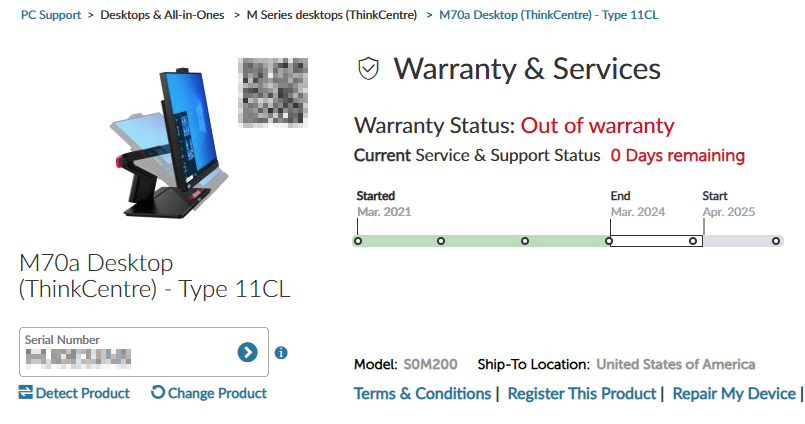
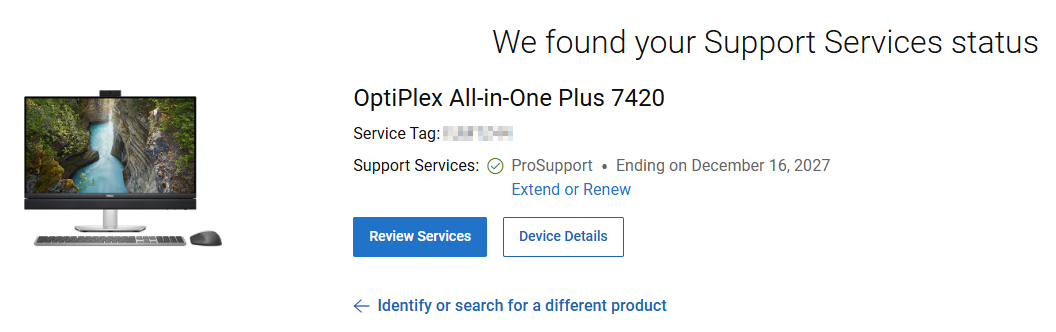
To verify the vendor hardware model, use the serial number (Service Tag for Dell) and check the warranty lookup page for complete hardware details.
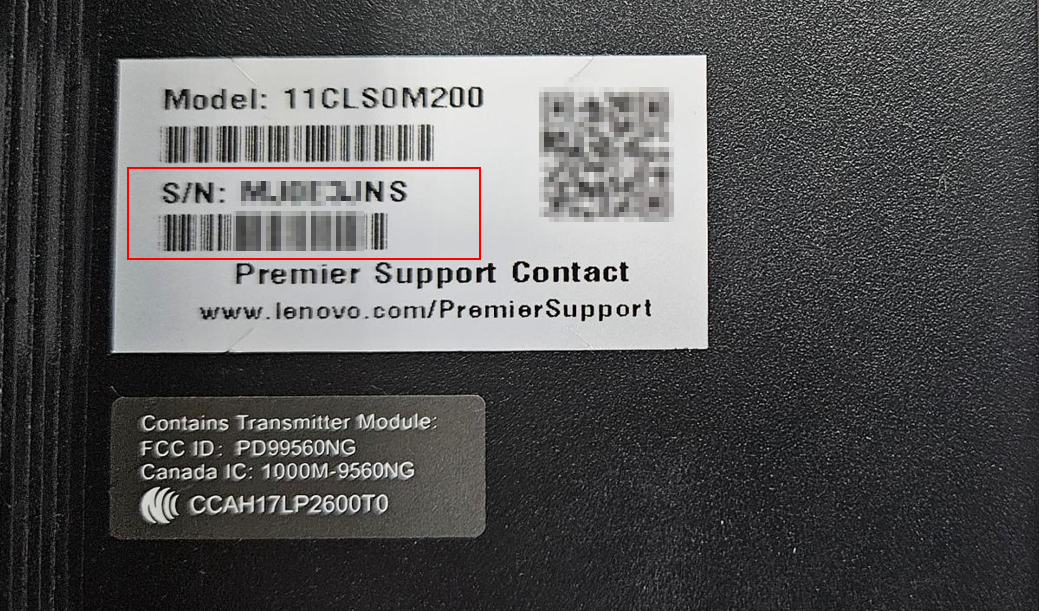
Lenovo: Lenovo Warranty Check | Device Warranty Lookup | Lenovo Support US
Dell: Support Services & Warranty | Dell US
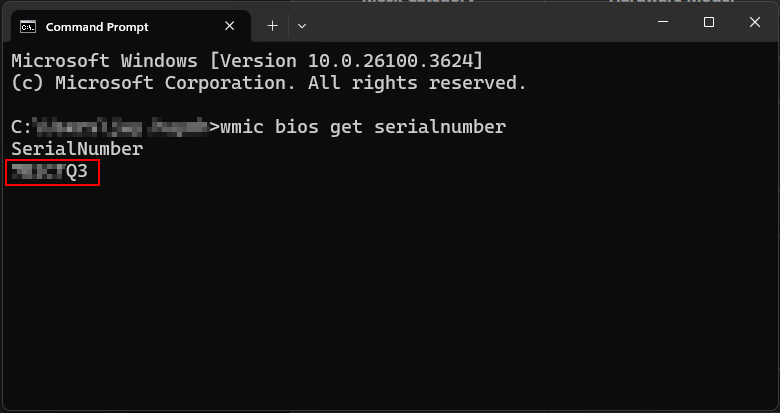
Below are some methods to get the Serial Number (ServiceTag):
Using CMD: wmic bios get serialnumber
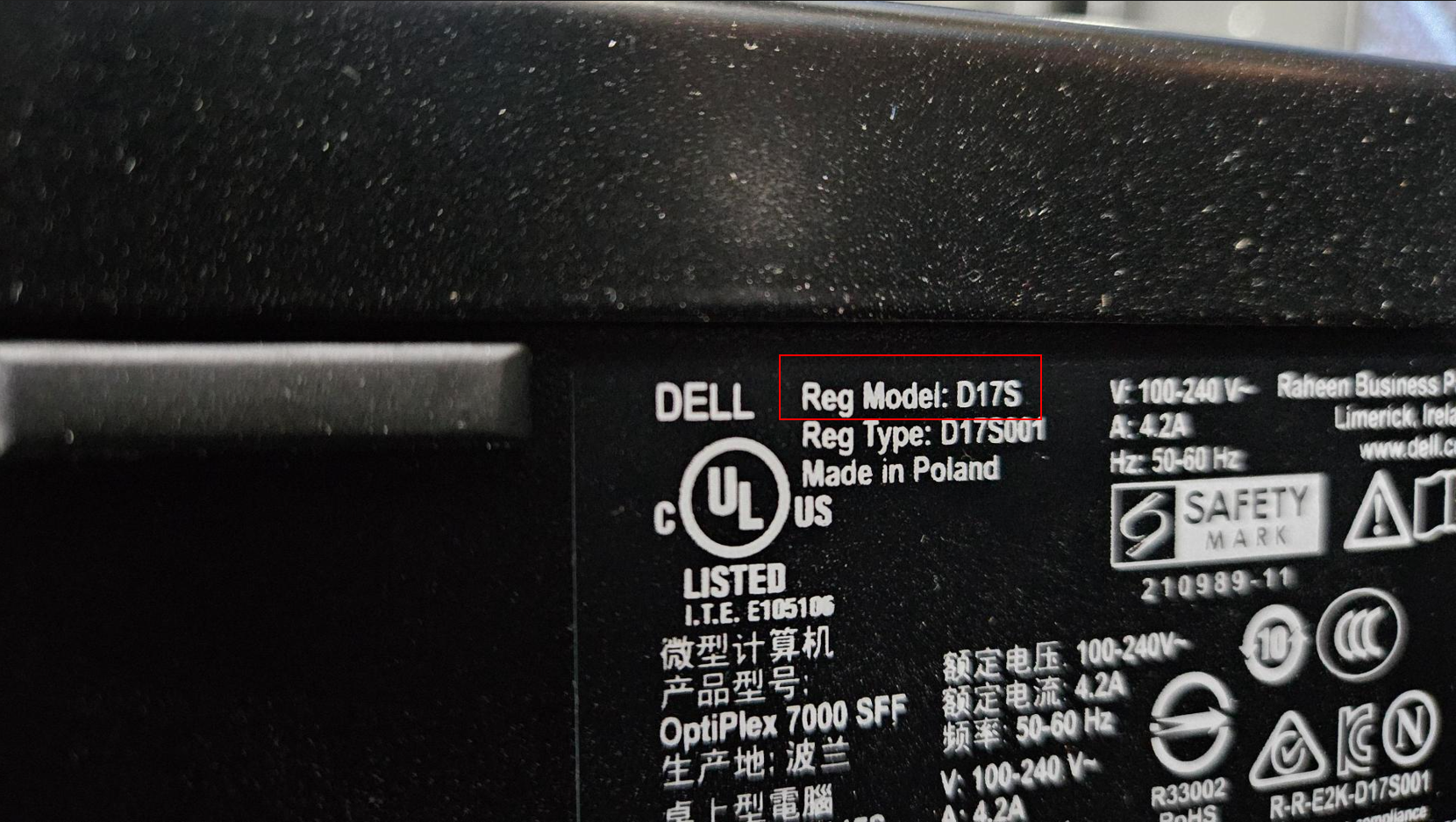
Locate the manufacturer’s label and check for the Serial Number (Service Tag - Dell). Dell 7410:
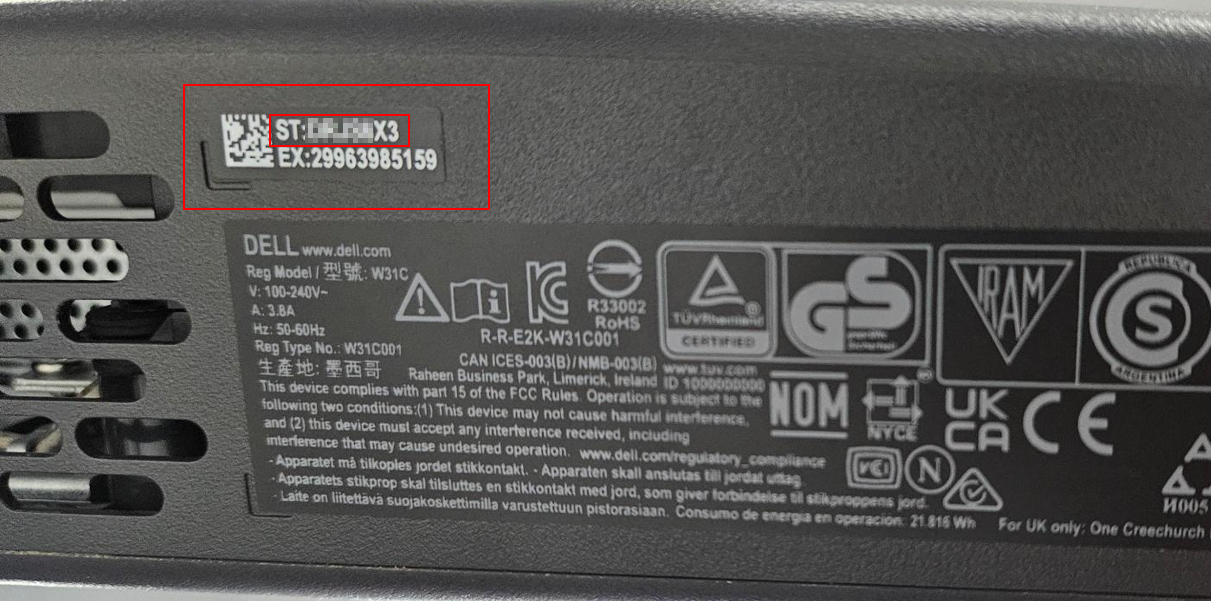
Especially with K3001, you need to verify whether the Reg Model is D15S or D17S
Lenovo M70a:
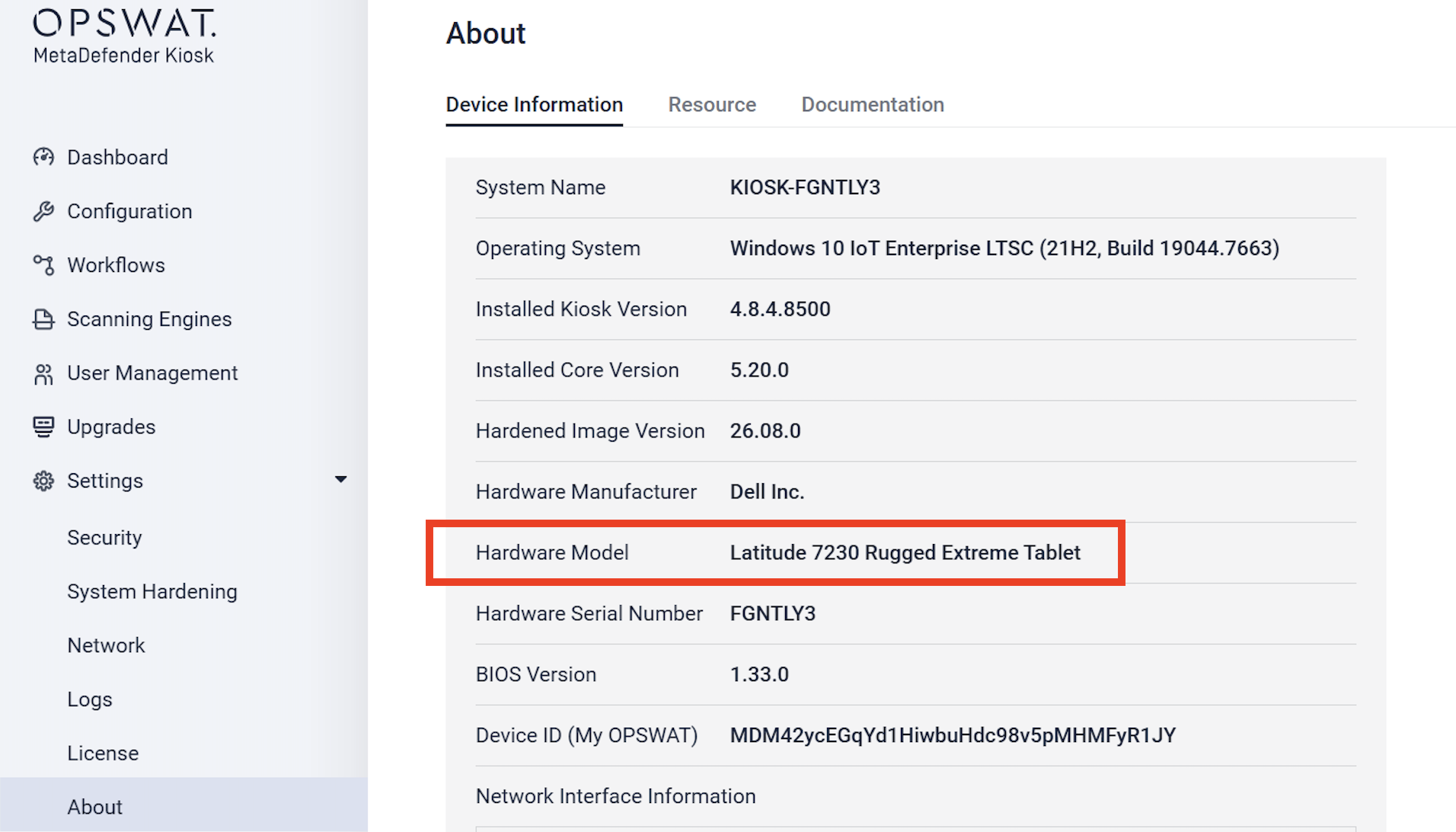
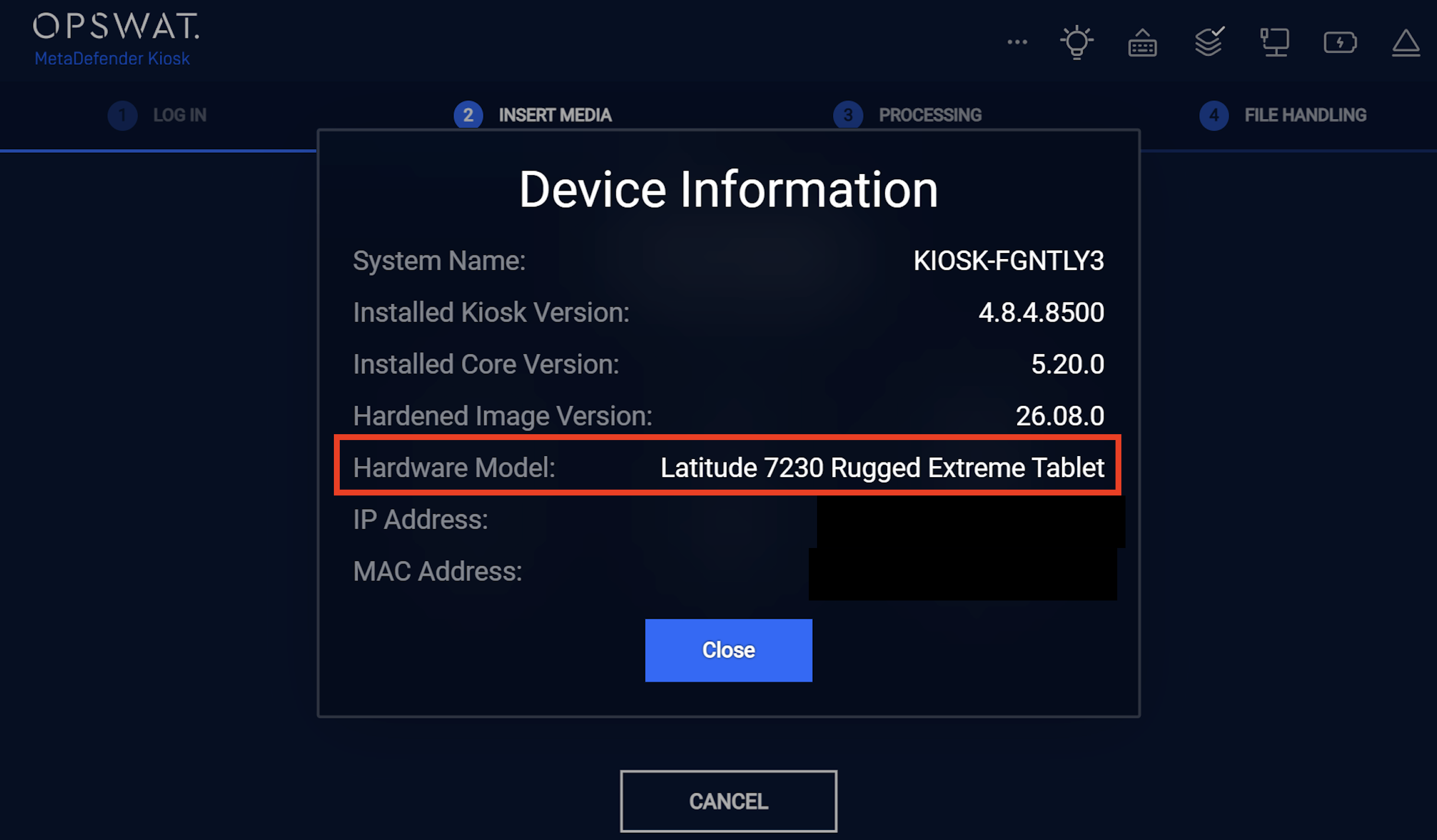
You can also identify the Kiosk device model from Kiosk application.
From Kiosk Console, navigate to Settings > About
From Kiosk UI > click on About icon
If Further Assistance is required, please proceed to log a support case or chatting with our support engineer.