
How to resolve "There is a problem with this Windows Installer Package" error during the installation of MetaDefender Core?
Check Your Version:
This article applies to only Windows version of Metadefender Core
Issue:
During the installation of MeteDefender Core on Windows environment, the installer popup window may appear and the MeteDefender application is not installed.
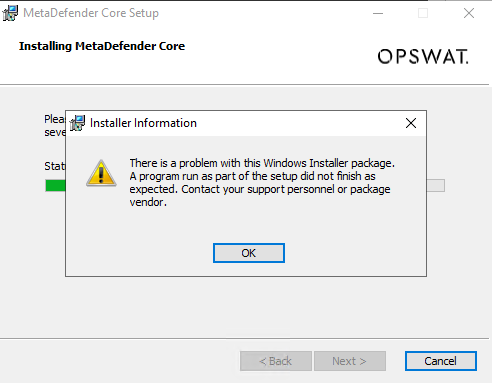
Root Cause:
One or more required prerequisite software packages are not installed on the Windows Server. The installer can’t proceed without them.
Solution:
Ensure the Windows Server has all the following required perquisites software installed before running the MeteDefender Core setup.
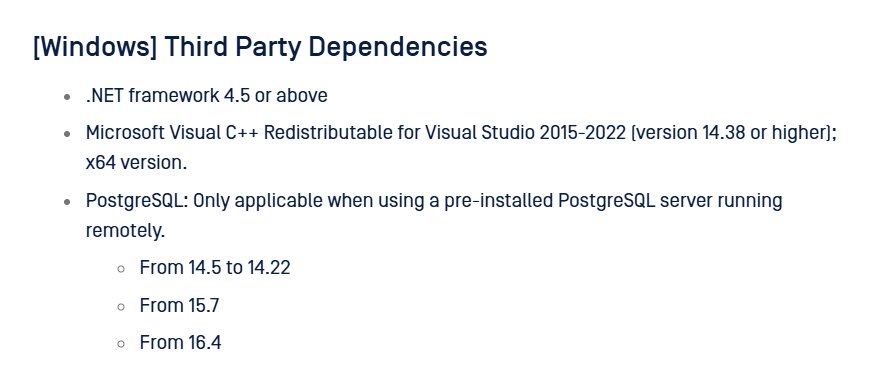
To verified that all the third party dependencies are installed, type appwiz.cpl on the command line to open the installed programs list:
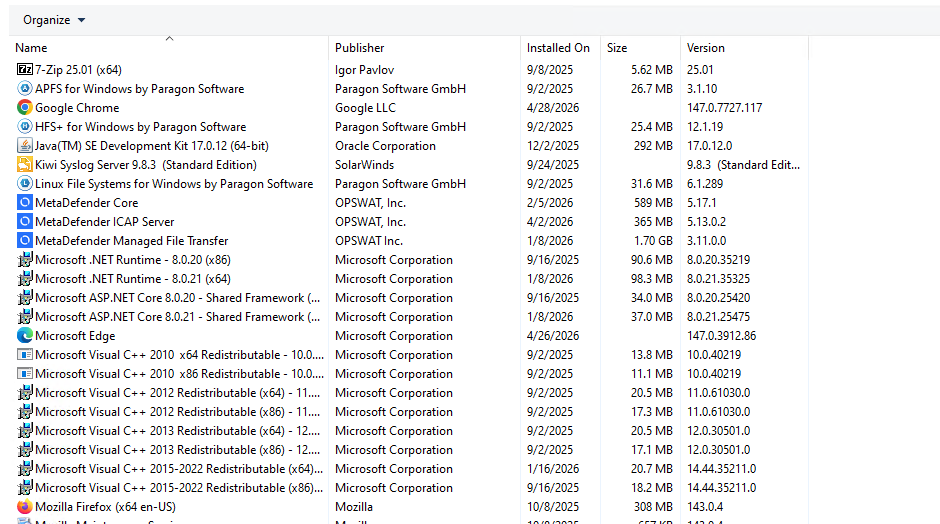
After the verification of the required software are installed, proceed with the installation of MeteDefender Core again.
Support:
If Further Assistance is required, please proceed to log a support case or chatting with our support engineer.