
Check Your Version: This article applies to MetaDefender Core and is applicable to all MetaDefender Core V5 releases deployed on Windows and Linux systems.
Please note that this process will delete all stored entries in the Skip by Hash lists. These lists are global and take precedence during file scans. After the deletion, workflow settings will assume priority.
Overview
When multiple skip-by-hash entries are present, or the volume is too large to manage manually, this method provides the recommended approach of using an API call to efficiently clear the list. Screenshot of a populated Skip by Hash list.
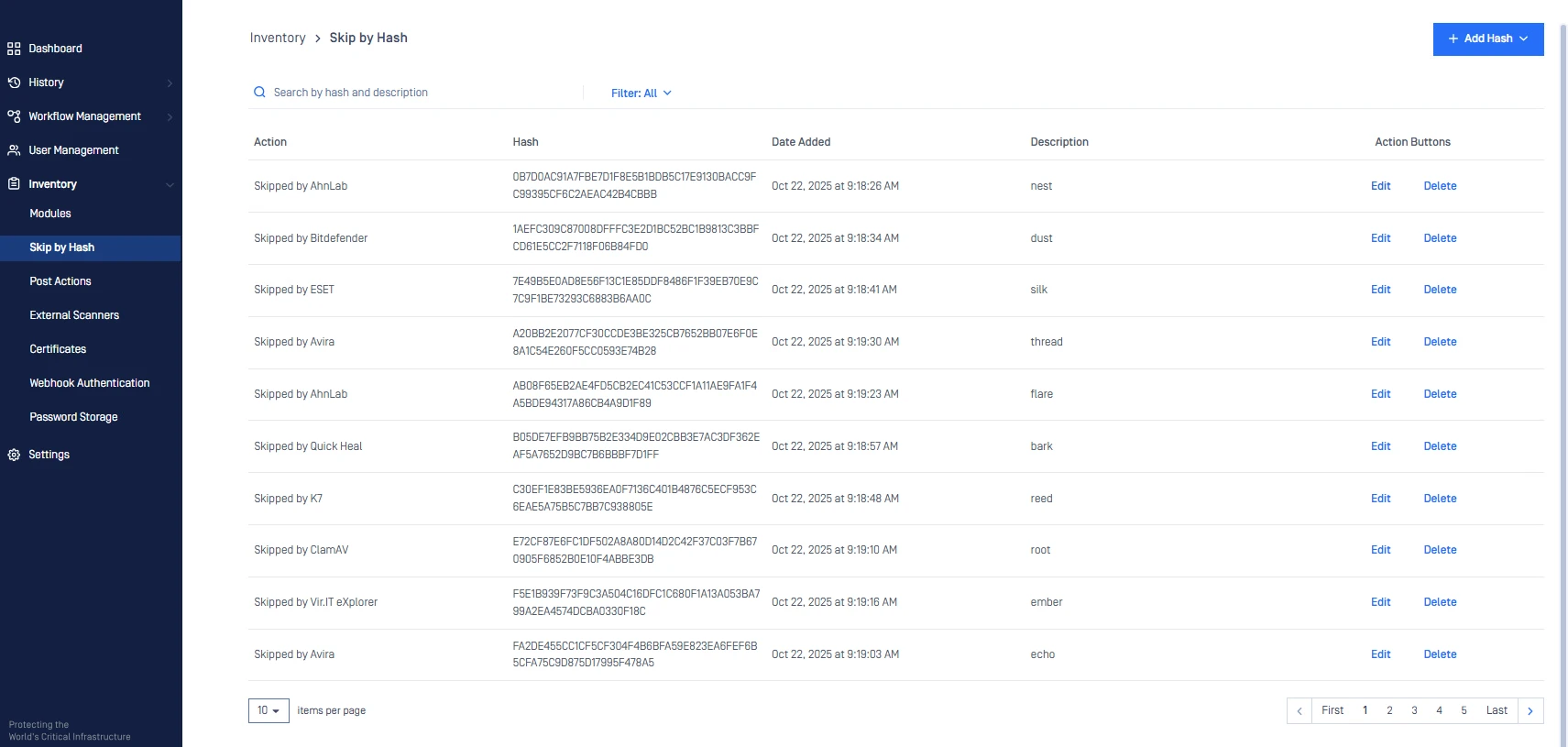
Steps to Configure
The command syntax depends on the operating system where MetaDefender Core is installed.
For Windows (Command Prompt):
For Linux/macOS (Shell / Bash):
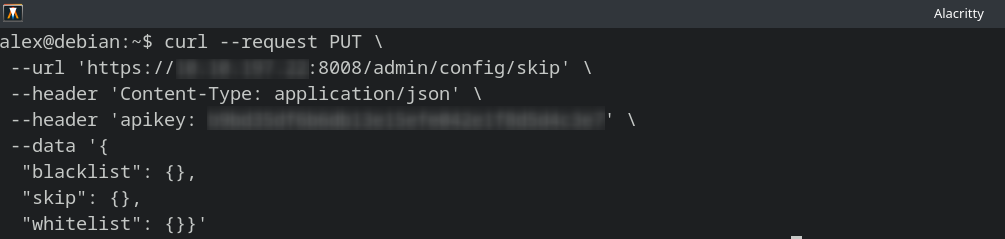
Screenshot of what the API call would look like on the Linux system.

After executing the curl command, the shell output returned a JSON-formatted API response.
Verify the Change
After running the API call, verify that all skip by hash lists are cleared.

Screenshot of a cleared Skip by Hash list which shows that the API call has successfully removed all Skip by Hash entries.
If Further Assistance is required, please proceed to log a support case or chat with our support engineer.