The MetaDefender Optical Diode can be configured to integrate with an external instance of the MetaDefender Core Advanced Threat Prevention Solution. MD Core stops file-borne threats, including ransomware, zero-day exploits, and embedded malware, before they reach users or systems. It integrates seamlessly into existing infrastructure, securing uploads, downloads, email attachments, and file transfers without disrupting workflows. MD Core must be purchased separately from the Optical Diode.
The MetaDefender Optical Diode / MetaDefender Core integration is supported on the BLUE side only.
A security dongle must be inserted in the BLUE side to change configuration.
Optical Diode BLUE
This section describes configuration of the Optical Diode BLUE to communicate with an external instance of MD Core.
Initial Configuration
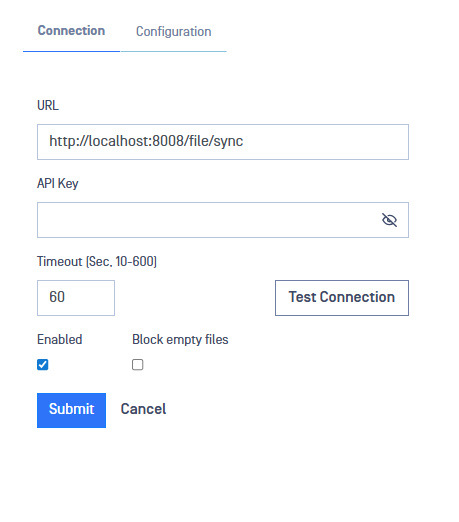
Navigate to MetaDefender Core -> Connection. Fill in the following fields:
URL: Path to external MD Core
API Key: API Key for authorized access to MD Core
Timeout: the maximum duration the Optical Diode maintains an idle TCP connection in its state table before closing it. Default = 60.
Test Connection: Press to confirm whether the connection to MD Core is successful.
Enabled: Click check box to enable communication with MD Core.
Block Empty Files: Block zero byte files
Submit: Press Submit to save configuration.