
Check Your Version:
This article applies to all MetaDefender ICAP releases deployed on Windows and Linux systems within our supported chart: https://www.opswat.com/docs/mdicap/knowledge-base/how-long-is-the-support-life-cycle-for-a-specific-version-releas
Overview
This article outlines the steps to add a certificate to the MetaDefender ICAP Server inventory and enable HTTPS via API. It also covers the API call used to configure the minimum TLS version.
Step 1. Setup authentication via api key or session ID
Choose one the two options below.
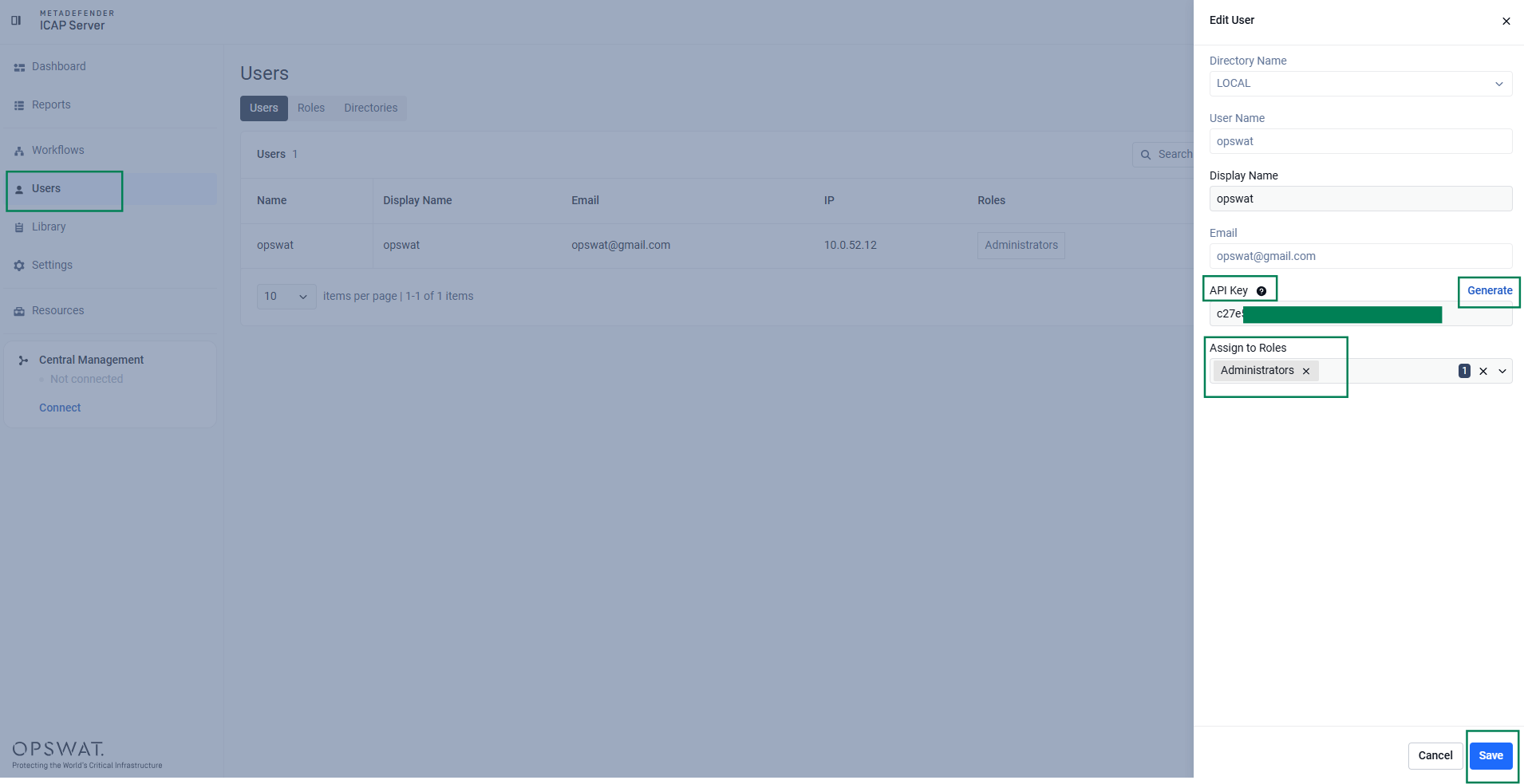
Option 1. How to obtain an API key for a local admin user:
Option 2. How to get a session ID:
API: POST /login
Headers:
Request body:
Response:
Important
Include this session_id as the apikey HTTP header value for all protected requests (e.g., apikey: <session_token_string>)
Step 2. Upload a certificate to the MetaDefender ICAP Inventory
Upload a new certificate and private key using form data
API: POST /admin/config/uploadcert
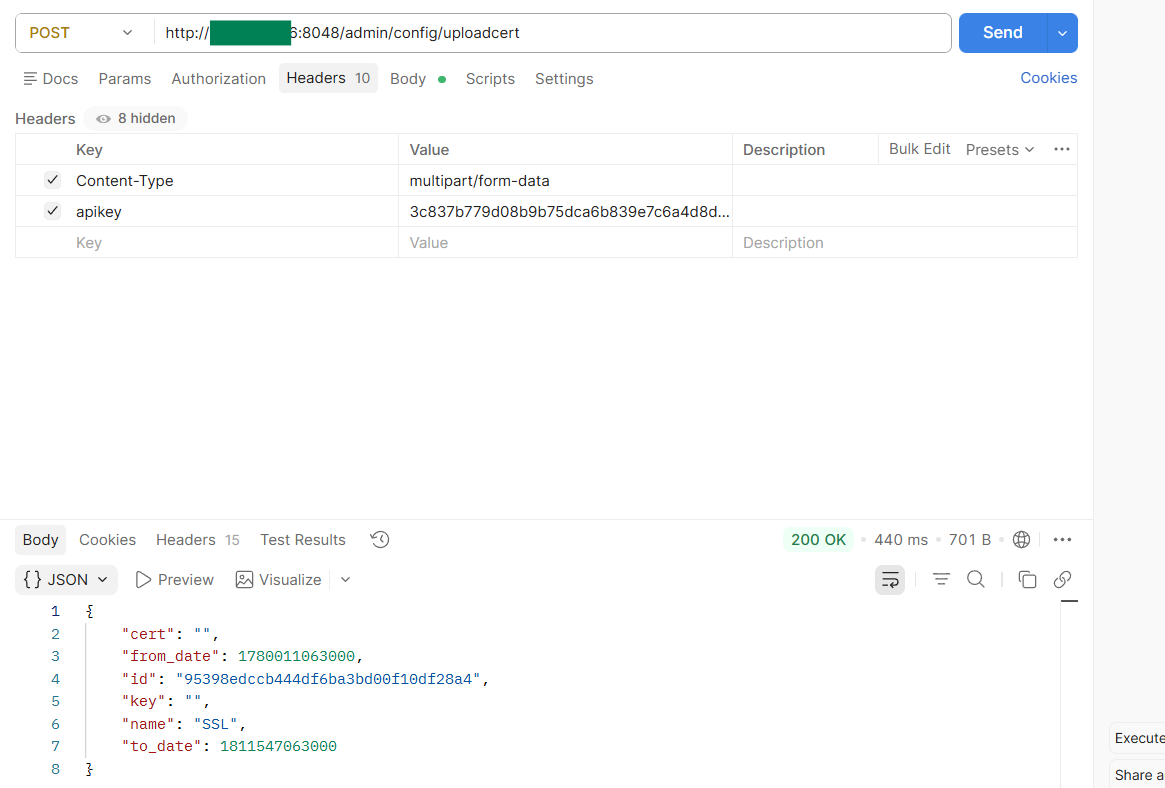
Headers:
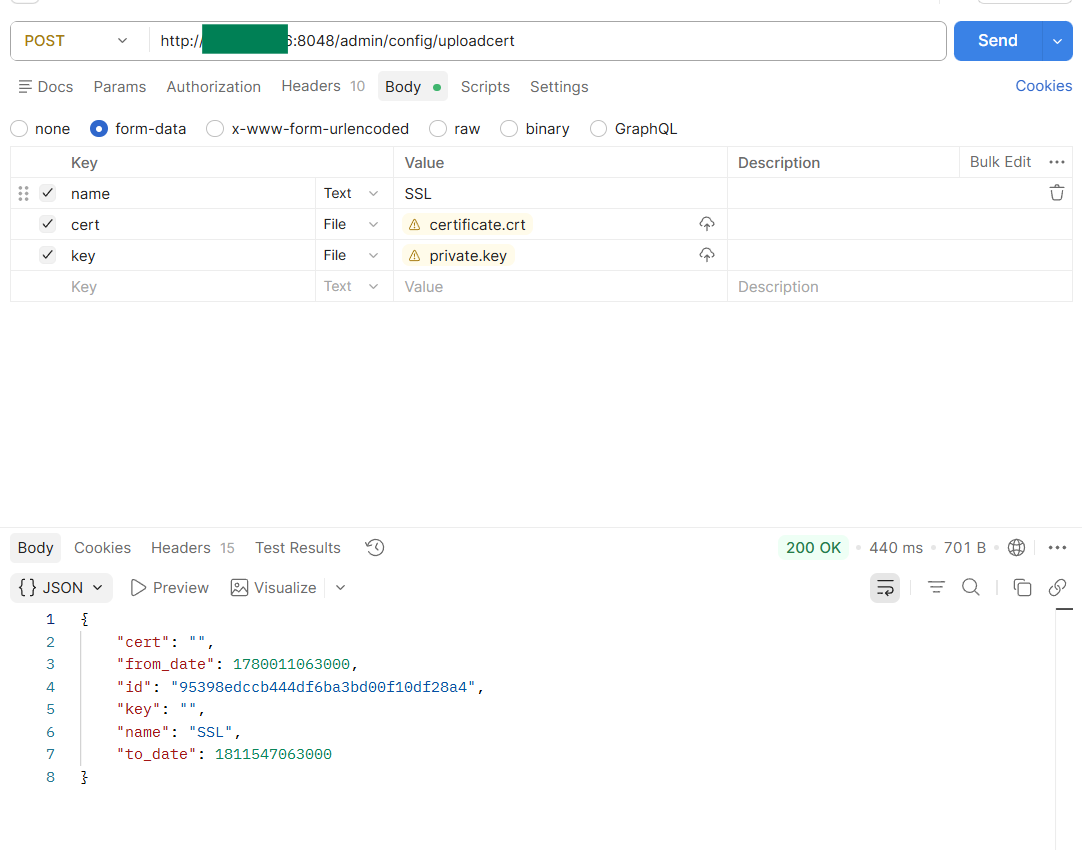
Form Data params:
Param | Type | Description |
|---|---|---|
name | string | Descriptive identifier for the certificate (e.g., |
cert | file (binary) | Certificate file (e.g., |
key | file (binary) | Corresponding private key file (e.g., |
Postman Example:
Headers:
Body:
Request example (cURL)
Response (200 OK)
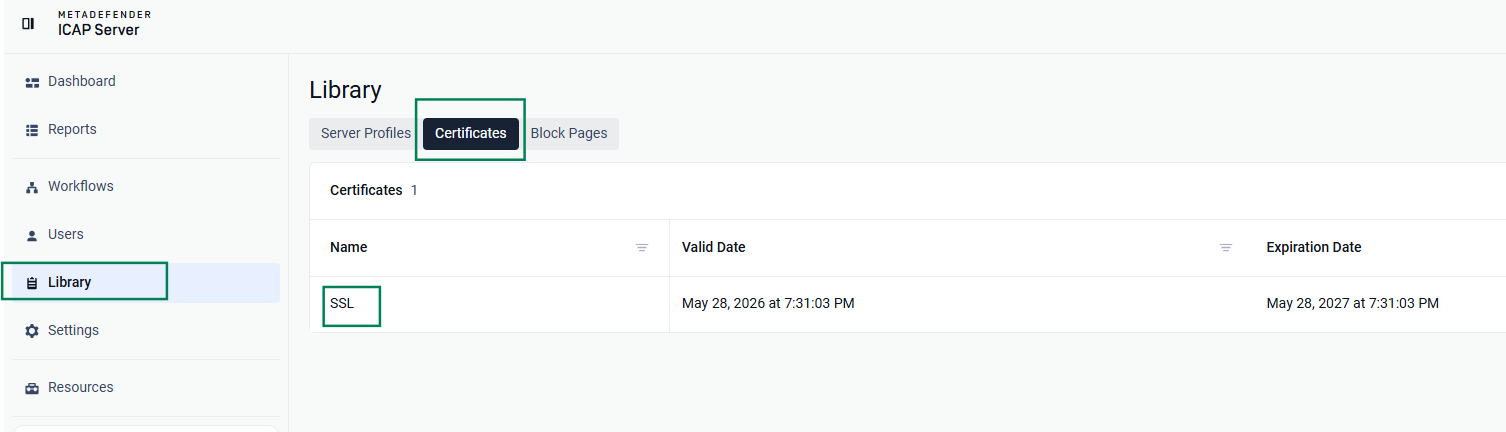
UI result, certificate is added to Library:
Additional APIs: Certificate Verification & TLS Configuration
1. Verify the certificate was successfully added
Fetches all SSL/TLS certificates currently configured on the system.
API: GET /admin/config/certs
Headers:
Response (200 OK)
2. API to configure TLS protocol
Updates the system's SSL/TLS protocol settings and assigns an active certificate.
API: PUT /admin/config/ssl
Headers:
Request body:
List of enabled protocols:
"TLSv1.3""TLSv1.2""TLSv1.1""TLSv1""SSLv3"
Error return codes:
Status code | Common causes / notes |
|---|---|
500 server error | Server/application-level:
Configuration/environment:
Request-specific:
|
502 Bad Gateway | A proxy/load balancer (like an F5 or NLB — relevant given your past cases) received an invalid response from the upstream ICAP service |
503 Service Unavailable | Server is temporarily overloaded or down for maintenance/restart (relevant if the service needs to restart after a TLS config change) |
504 Gateway Timeout | Upstream server took too long to respond — this ties directly to the ICAP/NLB idle timeout |
403 Forbidden | API key or session ID incorrect. The session ID may have expired. |
400 Bad Request | Malformed JSON, missing required field, or invalid value (e.g., invalid TLS version string, cert in wrong format) |
401 Unauthorized | Missing or invalid authentication (API key/token missing, expired, or incorrect) |
404 Not Found | Endpoint URL is incorrect, or a referenced resource (e.g., certificate ID) doesn't exist |
405 Method Not Allowed | Wrong HTTP verb used (e.g., sending GET when the endpoint only accepts POST) |
409 Conflict | Request conflicts with current server state (e.g., trying to add a certificate that already exists, or setting TLS version while another config change is in progress) |
415 Unsupported Media Type | Content-Type header doesn't match what the server expects (e.g., sending form-data when JSON is required) |
422 Unprocessable Entity | Request is well-formed but semantically invalid (e.g., certificate file is valid but doesn't match the private key) |
429 Too Many Requests | Rate limit exceeded |
Additional MetaDefender ICAP API endpoints beyond those documented in this article are not currently supported or publicly exposed. OPSWAT reserves the right to introduce or document additional APIs in future releases.
Support:
If Further Assistance is required, please proceed to log a support case or chatting with our support engineer.