
This article apply for MD Core container in AWS ECS
Background
There are situations in ECS deployment that the deployment-ids within a license key get zombie as the container is terminated but it could not properly deactivate that deployment-id.
Goal:
When an MD Core task starts, record its deployment ID; when the task stops (scale-in, crash, OOM, deploy), deactivate that deployment reliably—even if the container can’t run its own shutdown hook.
1 - Architecture (at a glance)
Trigger: EventBridge rule on ECS Task State Change (we filter by
desiredStatusfor speed).Lambda (single function):
On
desiredStatus=RUNNING→ wait untillastStatus=RUNNING, call MD Core Admin APIGET http://<task-private-ip>:8008/admin/license(headerapikey: <MDCORE_APIKEY>) → readdeployment.Store mapping
{ task_arn → deployment }in DynamoDB (TTL’d).On
desiredStatus=STOPPED→ wait untillastStatus=STOPPED, read activation key + deployment → callGET https://activation.dl.opswat.com/deactivation?key=<activation-key>&deployment=<deployment>.
Secrets: Activation key and Admin API key live in AWS Secrets Manager; they are injected into the Task Definition as environment secrets (not plain env).
Networking: Lambda is placed in the same VPC as ECS and allowed to reach the task’s private IP on TCP/8008.
2 - Prerequisites
ECS Fargate service for MD Core (container name recommended:
mdcore).VPC with private subnets and either a NAT gateway (or VPC endpoints for Secrets Manager & DynamoDB).
Basic AWS permissions to create Lambda, EventBridge rules, DynamoDB table, and Secrets.
3 - Store secrets in AWS Secrets Manager
Create two secrets (names are examples; choose your own):
4 - Update the Task Definition (container mdcore)
Add environment secrets:
MDCORE_LICENSE_KEY→ value from Secrets Managermdcore/license-keyMDCORE_APIKEY→ value from Secrets Managermdcore/admin-apikey
Tip: You do not need to expose port 8008 externally. Lambda will call the task’s private IP on port 8008.
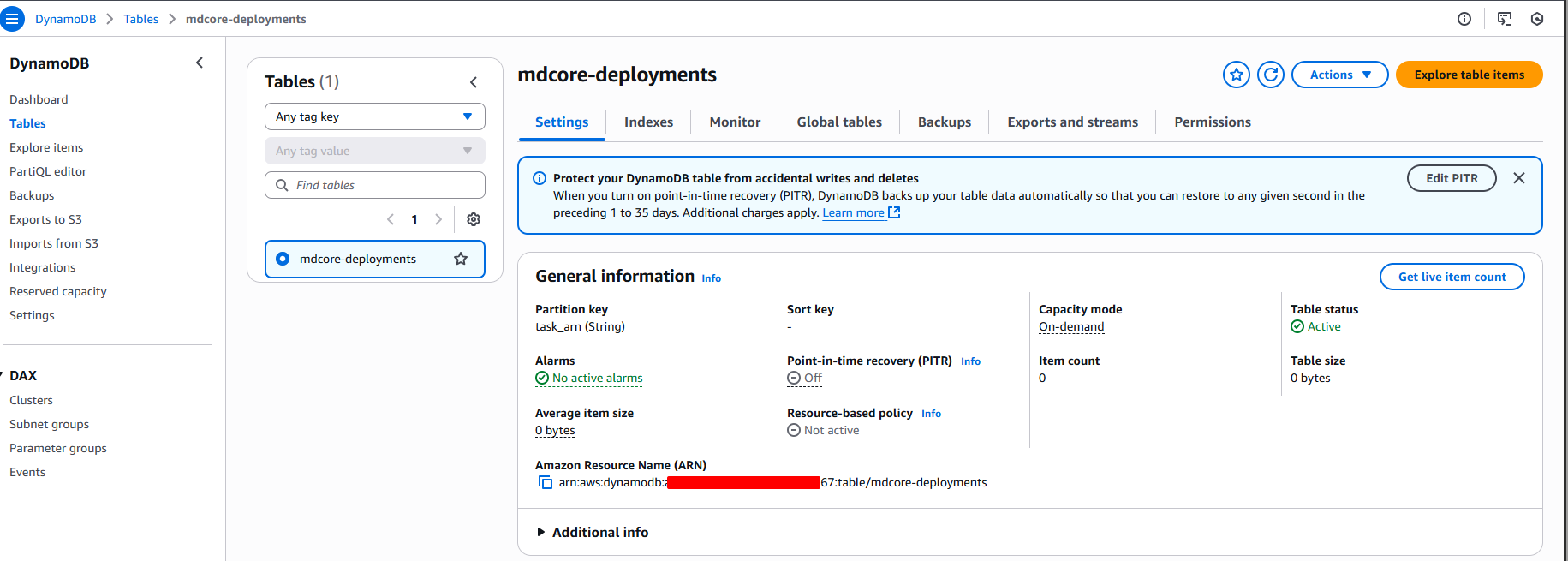
5 - Create the DynamoDB table (idempotency & mapping)
Then enable TTL on attribute ttl (Console → DynamoDB ��� Table → TTL).
6 - Create the Lambda function
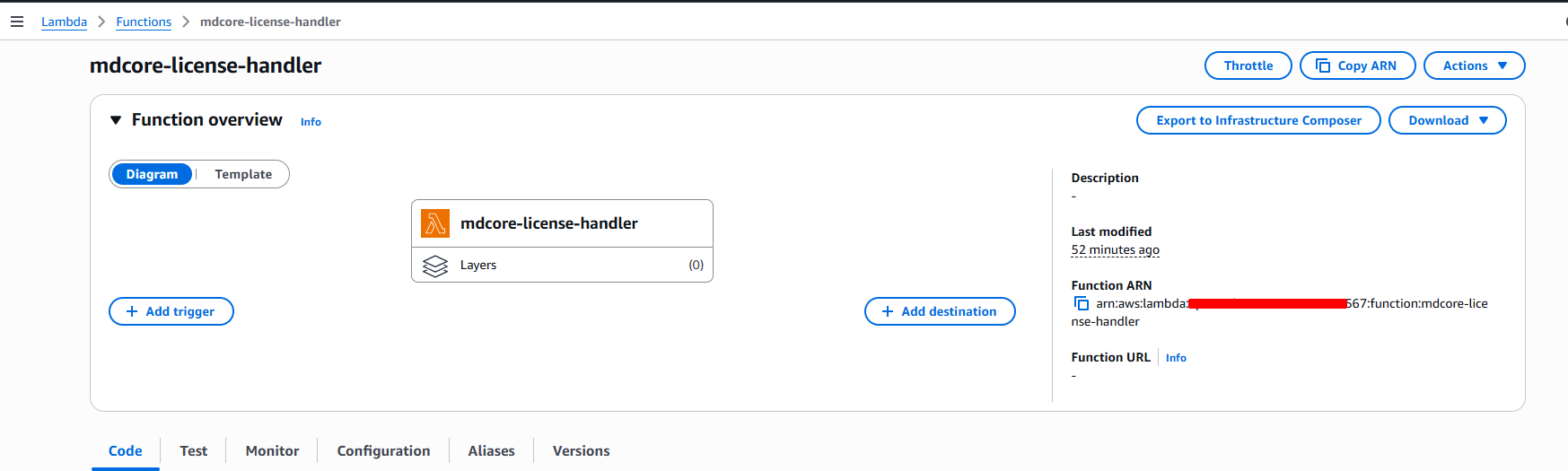
A. Basics
Author from scratch → Name:
mdcore-license-handlerRuntime: Python 3.11, Architecture: x86_64
Create.
B. VPC
Configuration → VPC → Edit
Select the same VPC and private subnets as ECS.
Security group for Lambda: allow egress to the ECS task SG.
ECS task SG: allow inbound TCP 8008 from the Lambda SG.
C. Environment variables
D. Permissions (IAM)
From Lambda → Configuration → Permissions → click the Role name → Add permissions → Create inline policy → JSON:
Later, tighten Resource to specific ARNs (table + secrets). If secrets use a CMK, also grant kms:Decrypt.
E. Code (paste into lambda_function.py, handler = lambda_function.handler)
7 - Create the EventBridge rule
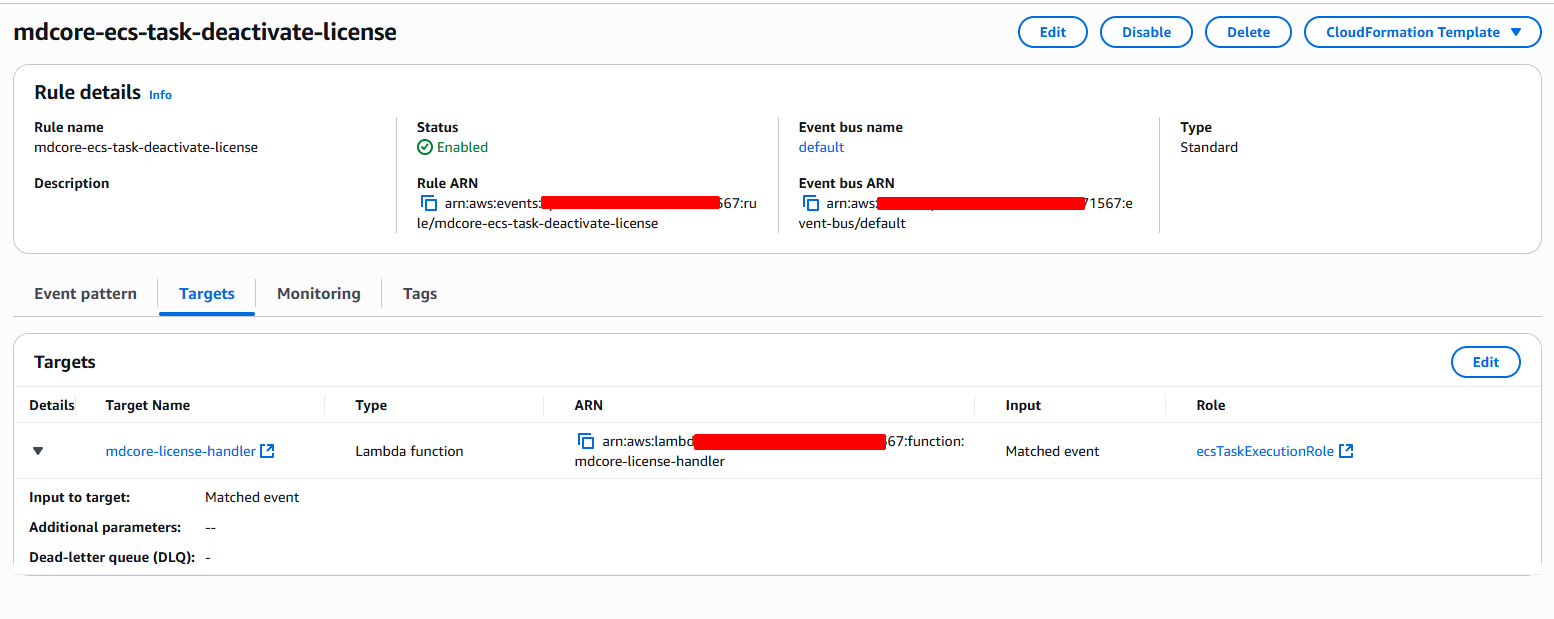
Console → EventBridge → Rules → Create rule → Rule with an event pattern → AWS services → Service: Elastic Container Service (ECS) → Event type: ECS Task State Change → Switch to JSON editor and paste:
Target: Lambda function → select mdcore-license-handler. In Additional settings: enable a DLQ (SQS) and keep default retries.
8 - Test & validate
Scale service to 0 and back to 1:
On scale-up, CloudWatch Logs should show:
status=mapped ... deployment=<id>. Verify DynamoDB row{ task_arn, deployment, status=ACTIVE }.On scale-in/stop, Logs should show:
status=deactivated. Row updated tostatus=DEACTIVATED.
Manual curl (optional)
Get deployment from inside the task:
Expected JSON contains
"deployment": "<MSCL...>".
Security Group check
If mapping fails, ensure Lambda SG - ECS task SG allows TCP/8008
9 - Troubleshooting quick list
EventBridge rule not firing: wrong region/bus; pattern mismatch (check
clusterArn/group); use CloudWatch “Metrics for matched events”.Mapping fails (RUNNING): Lambda not in VPC / no IP on task yet / SG not allowing 8008 / wrong
MDCORE_APIKEY_NAME.Deactivation fails (STOPPED): No DDB mapping (task died before RUNNING), wrong
MDCORE_LICENSE_KEYsecret, outbound internet blocked (need NAT for the activation URL) or corporate proxy.Timeouts: Increase
WAIT_RUNNING_SEC/WAIT_STOPPED_SEC; keep EventBridge target retry window ≥ 1h.
10 - Hardening & Ops
Least privilege: restrict IAM to specific ARNs; add
kms:Decryptif secrets use a CMK.Observability: add CloudWatch metric filters for
"Deactivate failed"and alarm.Idempotency: deactivation endpoint should be safe to call multiple times; DDB state prevents repeats.
Cost: all serverless; negligible under normal loads.
11 - Alternative "sidecar register" (if opening 8008 to Lambda is hard)
Add a tiny sidecar container that waits for MD Core to be ready, calls /admin/license, and writes the mapping directly to DynamoDB (using the task role). Then the Lambda only needs to handle STOPPED events to deactivate. This avoids Lambda→8008 traffic.
If Further Assistance is required, please proceed to log a support case or chatting with our support engineer.