
How do I detect PUP/PUA as infected?
This article applies to all MetaDefender Core releases deployed on Windows and Linux systems with the latest engine updates.
Description:
PUP stands for Potentially Unwanted Program
PUA stands for Potentially Unwanted Application
Software that isn't malicious by definition but could be, it is often:
Installed without clear user consent
Bundled with other software
Performs unwanted behavior (e.g., showing ads, tracking activity, slowing performance)
Common Examples:
Toolbars or browser hijackers (e.g., search engine changers)
Adware (injects ads or pop-ups)
System optimizers or registry cleaners (that fake "problems" to upsell)
Fake antivirus or driver updaters
Software that installs background processes without notice
How do I mark these detections as infected?
By default, PUP/PUA are labeled in their own category. MetaDefender Core separates unwanted detections into three categories: Suspicious, Infected, and PUP/PUA.
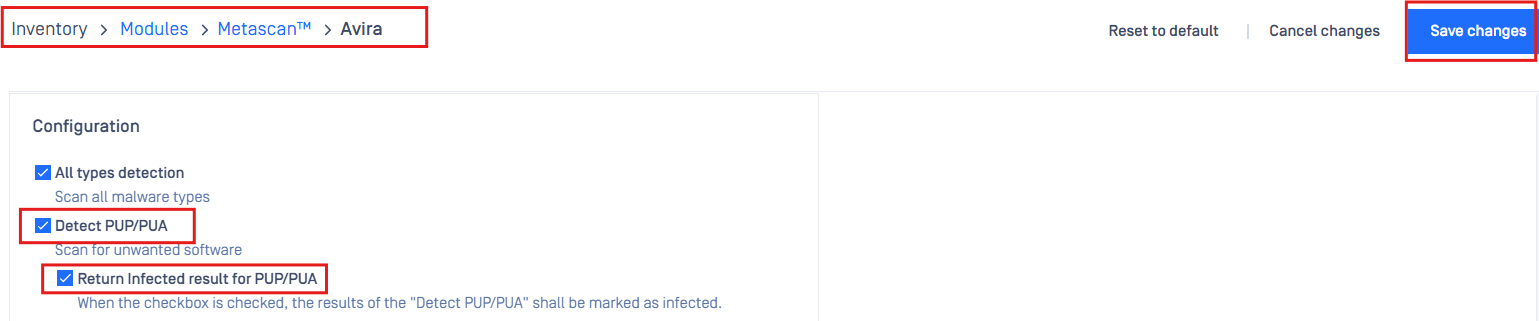
To place PUP/PUA into the infected category, please check the box below on the engine [not available for all engines].
Example:
Use case:
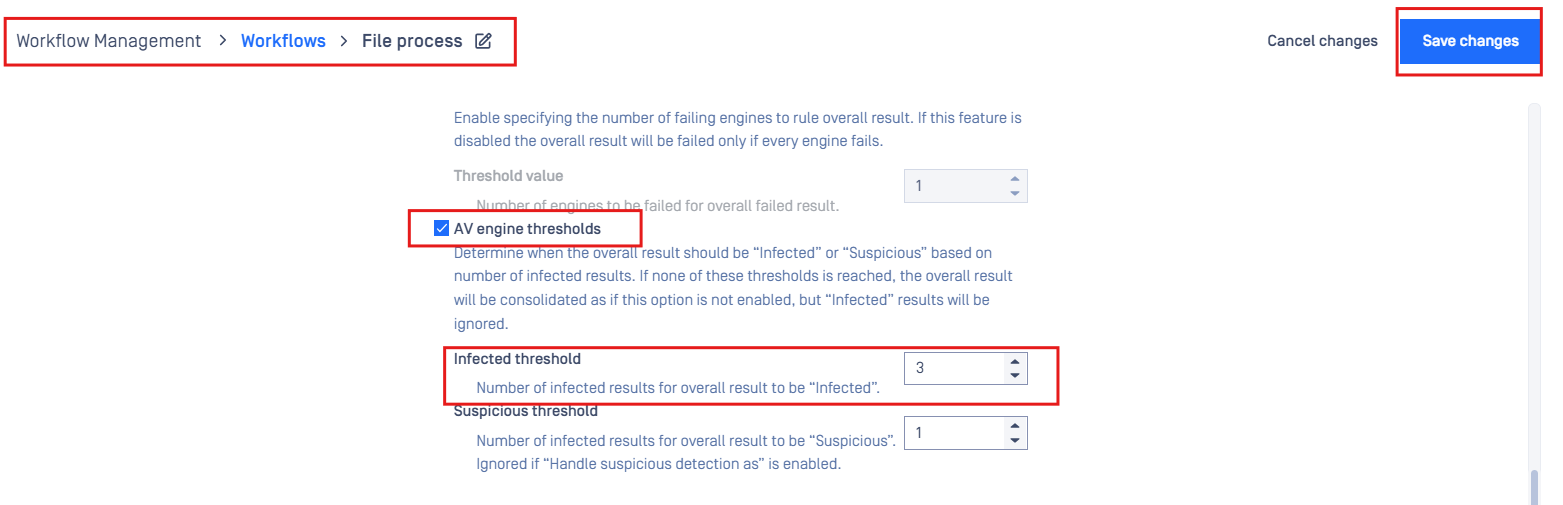
If you have a threshold built into the workflow to only mark a file as “Infected” if x or more engines find a malware signature, PUP/PUA will now be included in this detection threshold.
If Further Assistance is required, please proceed to log a support case or chatting with our support engineer.