
This article applies to MetaDefender Storage Security v4.0.x releases deployed on Windows and Linux systems.
Users may encounter the error message "Your account has been disabled because of too many failed login attempts. Please try again" when attempting to log into the MetaDefender Storage Security dashboard.
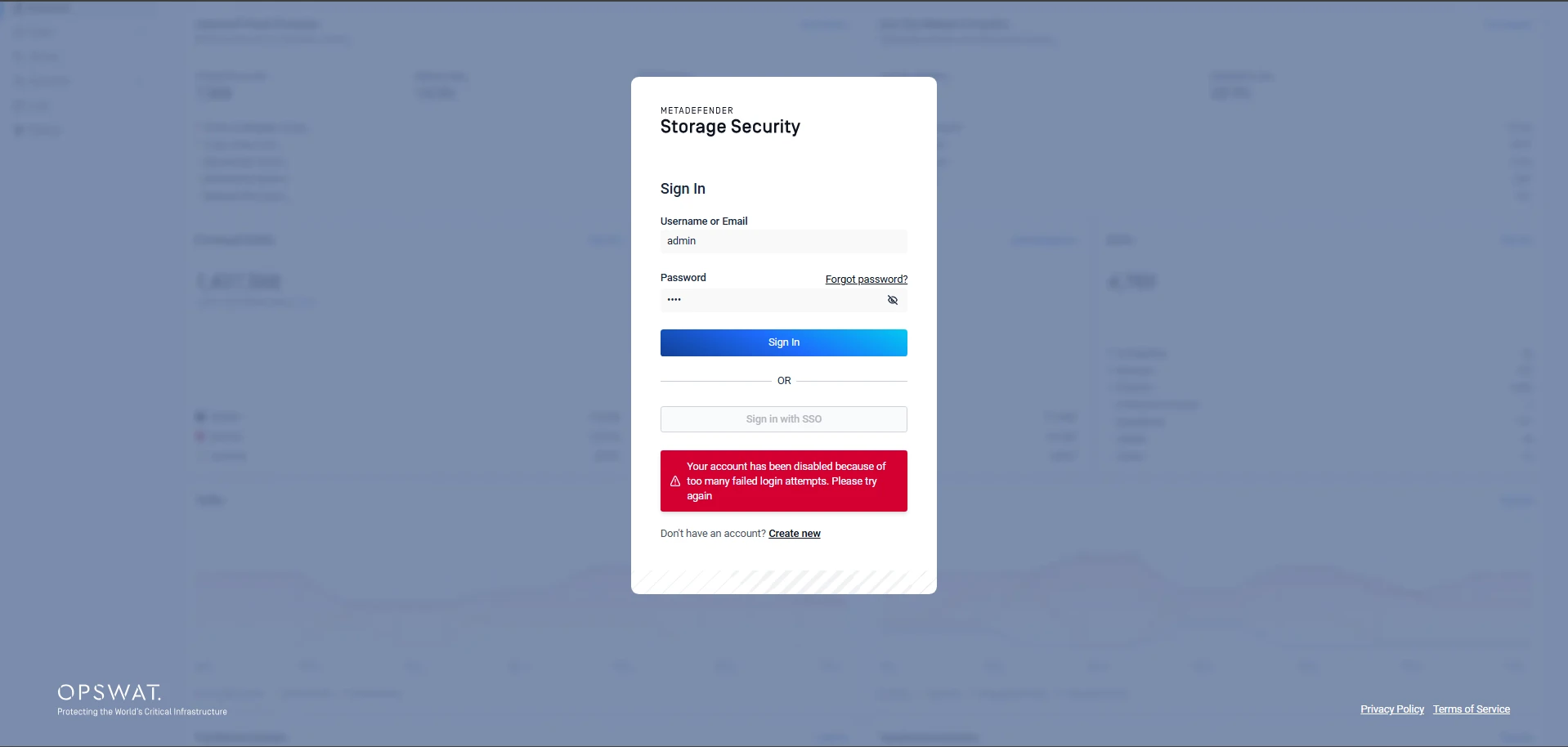
Starting with version v4.0.x, MetaDefender Storage Security implemented an enhanced security mechanism to block users who repeatedly enter incorrect passwords, even with the correct username or email.
This mechanism temporarily blocks the user from logging in. To regain access, the user must wait for a specific interval and then enter the correct password.
To prevent security breaches, the system applies a progressive delay mechanism after each failed login attempt. The delay increases exponentially, doubling after every failed attempt and starting from the very first failure. This approach helps slow down repeated login attempts while still allowing legitimate users to retry
The delay progression works as follows:
After waiting for the specified interval, you can attempt to log in again using the correct password.
Failed attempt | Delay |
|---|---|
1st | 0s → 1s |
2nd | 1s → 2s |
3rd | 2s → 4s |
4th | 4s → 8s |
... | doubles each time |
after ~12 failures | capped at 60 minutes1st1st |
If Further Assistance is required, please proceed to create a support case or chat with our support engineer.