
This article applies to MetaDefender Storage Security releases version 3.3.0 or newer deployed on Windows or Linux systems.
To be able to send notification to your Gmail mailbox from MetaDefender Storage Security the following fields should be configured properly under MetaDefender Storage Security:
HOST: smtp.gmail.com
Port: 587
Base URL: the address to use in the email for links; this address should point to the MetaDefender Storage Security web interface
Sender email address (Optional): Ex.: MDSS_no-reply@test.com
Sender name (Optional): Ex.: MDSS_No-Reply
Username: username of the Gmail mailbox used for SMTP integration.
Password: App password created for Gmail mailbox provided under “Email” field.
Please choose a security option: Auto
In order to achieve that, the following configuration should be done on Gmail mailbox account:
Create App password for Gmail account
Under "Signing in to Google":
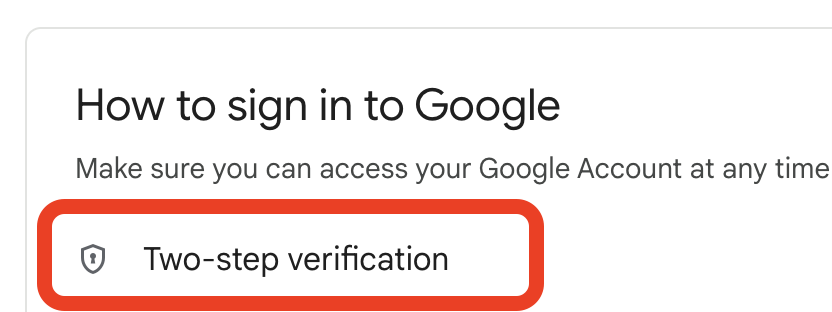
Click on Two-Step Verification
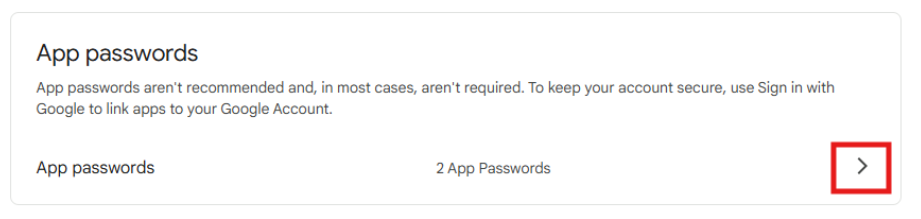
Scroll down to section “App passwords” and click arrow in front of “App passwords”
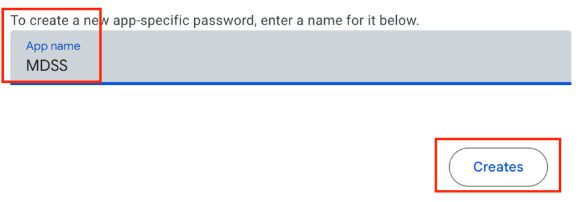
In new page opened, write a name for your App password and click “Creates”
Save the App password generated and click “Finished”. Further we will use the App password generated as password for mailbox used for MetaDefender Storage Security configuration as mentioned above and as in below example.
Example:
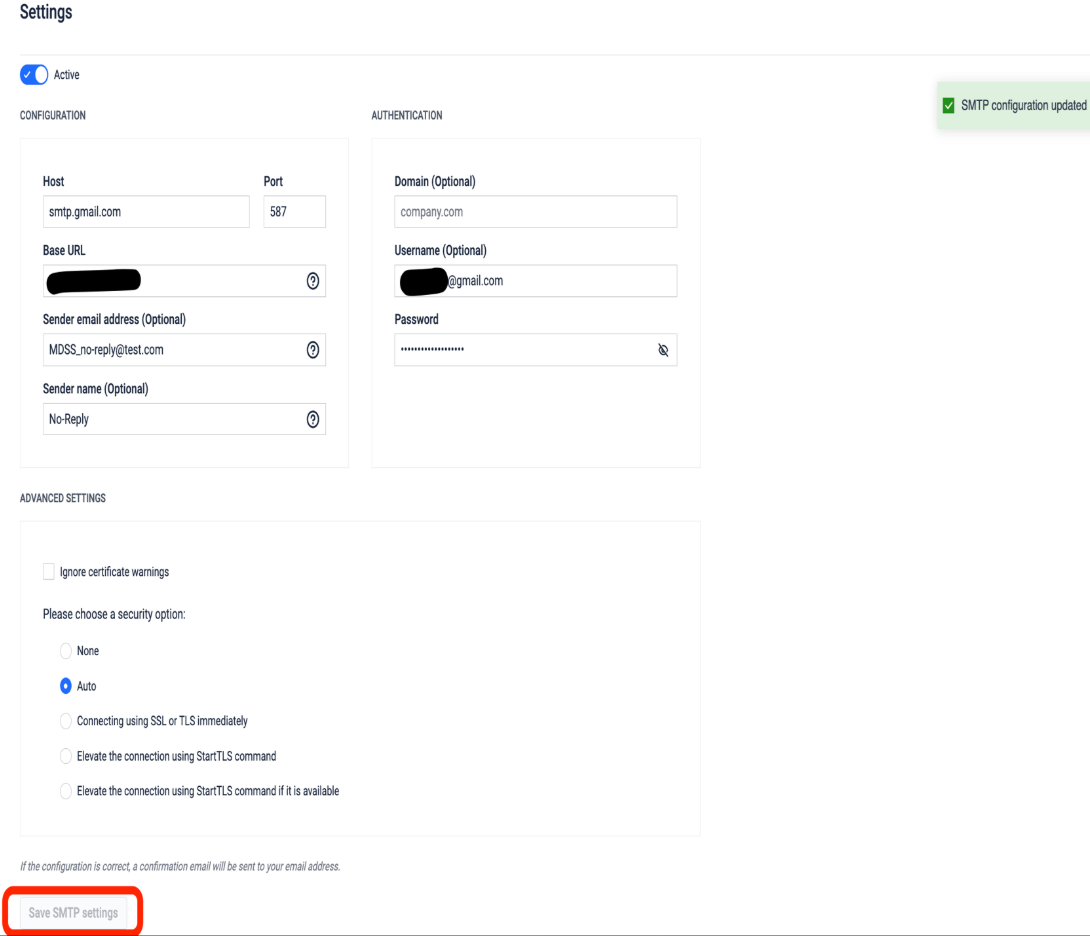
IMPORTANT: For field “Password” use App password created under Gmail account and not use the password which you use to login on Gmail mailbox.
If Further Assistance is required, please proceed to log a support case or chatting with our support engineer.