
Knowledge Base
v3.11.5
Search this version
How to troubleshoot "Authentication failed" message when trying to log in to Metadefender Managed File Transfer
Summarize Page
Copy Markdown
Open in ChatGPT
Open in Claude
Connect to Cursor
Connect to VS Code
Check Your Version:
This article applies to all MetaDefender Managed File Transfer releases deployed on Windows systems.
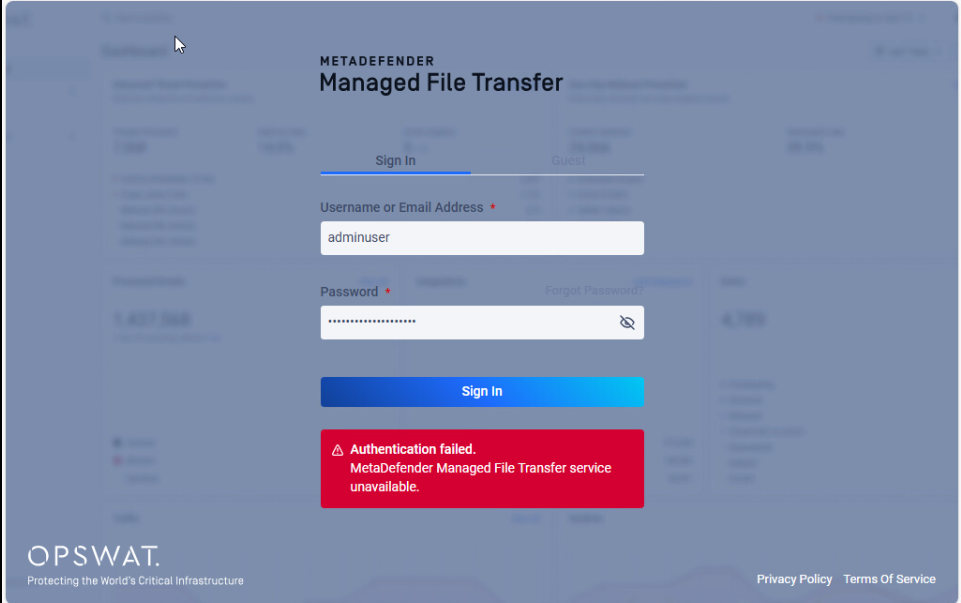
When trying to log in to the Management Console of Metadefender Managed File Transfer, the following error message can be received after trying to log in, even if the credentials are correct.
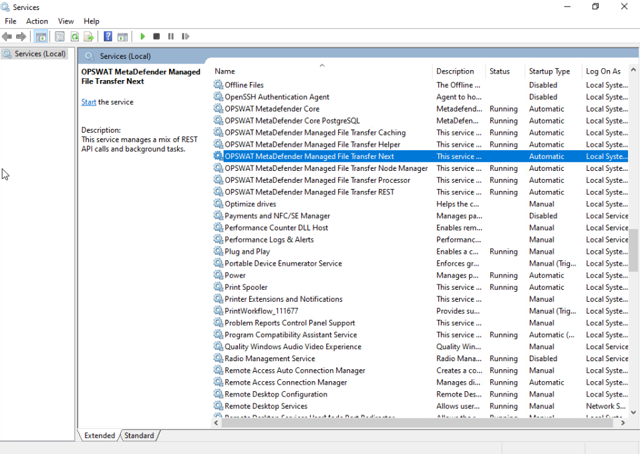
To troubleshoot this issue it is required to verify that the Metadefender Managed File Transfer service is running on the host.
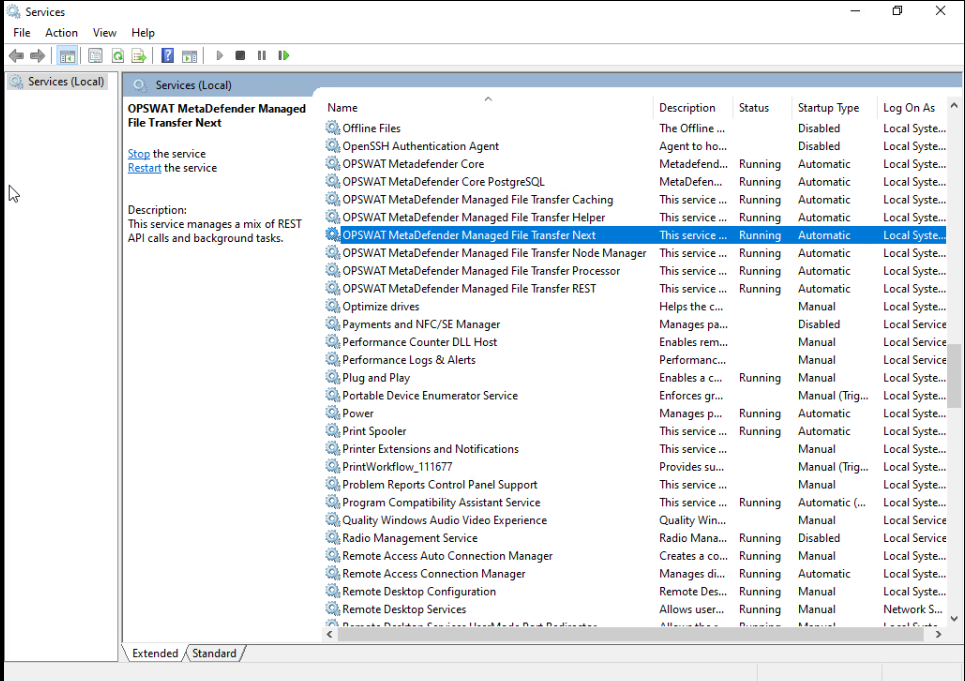
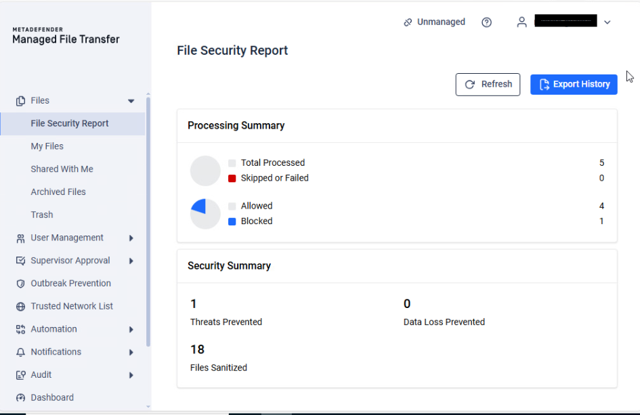
After enabling the Windows Service, it will be possible to log in to the management console correctly.
Support
If Further Assistance is required, please proceed to create a support case or chat with our support engineer.
Last updated on
Was this page helpful?
null
Discard Changes
Do you want to discard your current changes and overwrite with the template?
Archive Synced Block
Message
Create new Template
What is this template's title?
Delete Template
Message
Knowledge Base
Knowledge Base
Configuration & Setup
Error and Troubleshooting
Page
Code Steps
Category
Label
Link
Separator
Title
Message
Page icon
No icon. This page keeps the plain index row.
orSVG or PNG, square, at least 32×32.
Create new category
What is the title of your new category?
Edit page index title
What is the title of the page index?
Edit category
What is the new title of your category?
Edit link
What is the new title and URL of your link?