
Check Your Version: This article applies to all MetaDefender Core releases deployed on Windows and Linux systems.
Summary:
When you enable the Secure API setting, MetaDefender Core displays the API key once and warns that it cannot be retrieved again. That warning is accurate but narrow: you cannot recover the exact value that was shown, but you are not locked out.
The API key is bound to a user account, so you can simply generate a new key for that user. Generating a new key replaces the old one, and the lost value becomes irrelevant.
Resolution
To generate a new API key:
Open the MetaDefender Core console and go to User Management > Users and Groups.
Select the user account you wish to manage the API key for.
In the API key section click Generate.
Click Save changes for the new key to take effect.
Copy the new key and store it somewhere safe before leaving the page.
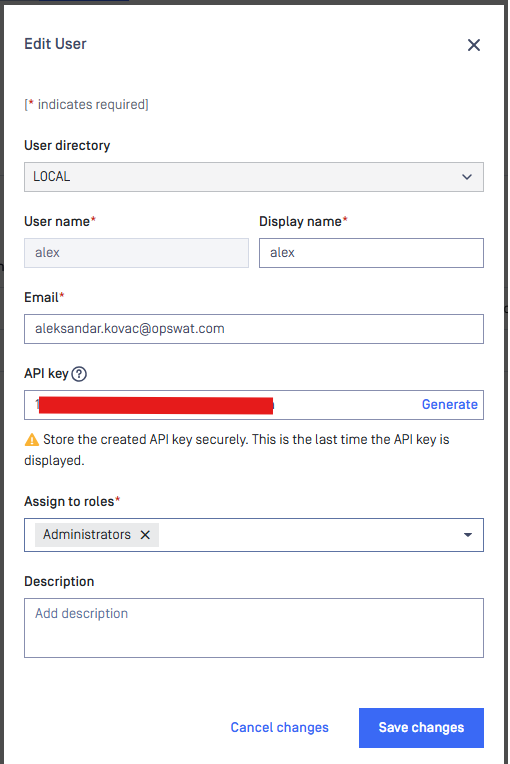
The previous key is invalidated as soon as the new one is saved, so any integration still using the old value will need to be updated with the new key.
Support:
If you have questions, concerns or issues regarding MetaDefender Core, please open a Support Case with the OPSWAT team via phone, online chat or form, or feel free to ask the community on our OPSWAT Expert Forum.