
The License page handles all license tracking. Access this view by selecting License from the left sidebar navigation menu. The console displays information in expandable sections organized by product family.
To monitor license details, navigate to License page from the left sidebar menu. The page displays expandable sections grouped by product category.
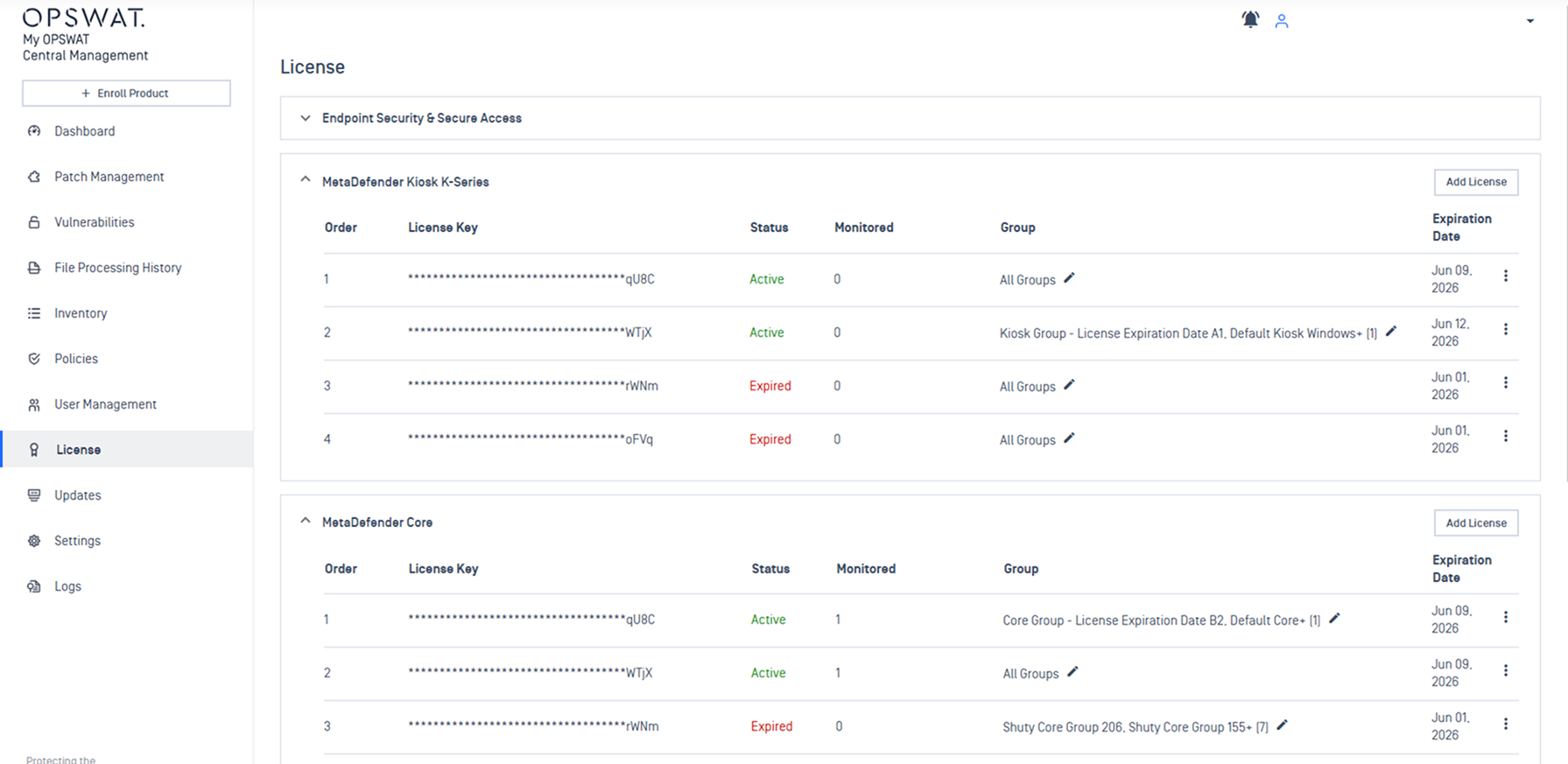
When an active license is present, each product section shows these information:
License Key: Display in masked string, only last few characters visible for security.
Status: Indicate whether the license is Active, Expired, or Invalid.
Monitored: Track number of instances that have been granted license by My OPSWAT Central Management.
Group: The specific device group tied to the license appears here. The default setting is "All Groups". MetaDefender Endpoint and MetaDefender Kiosk L-Series do not display a Group column because these specific products use independent licensing models.
Expiration Date: The field displays the calendar date when the license becomes invalid.
Refer to Manage Product License guideline for step-by-step instructions to activate your product license.