
MetaDefender Drive with Smart Touch
To initialize Secure FIle Storage
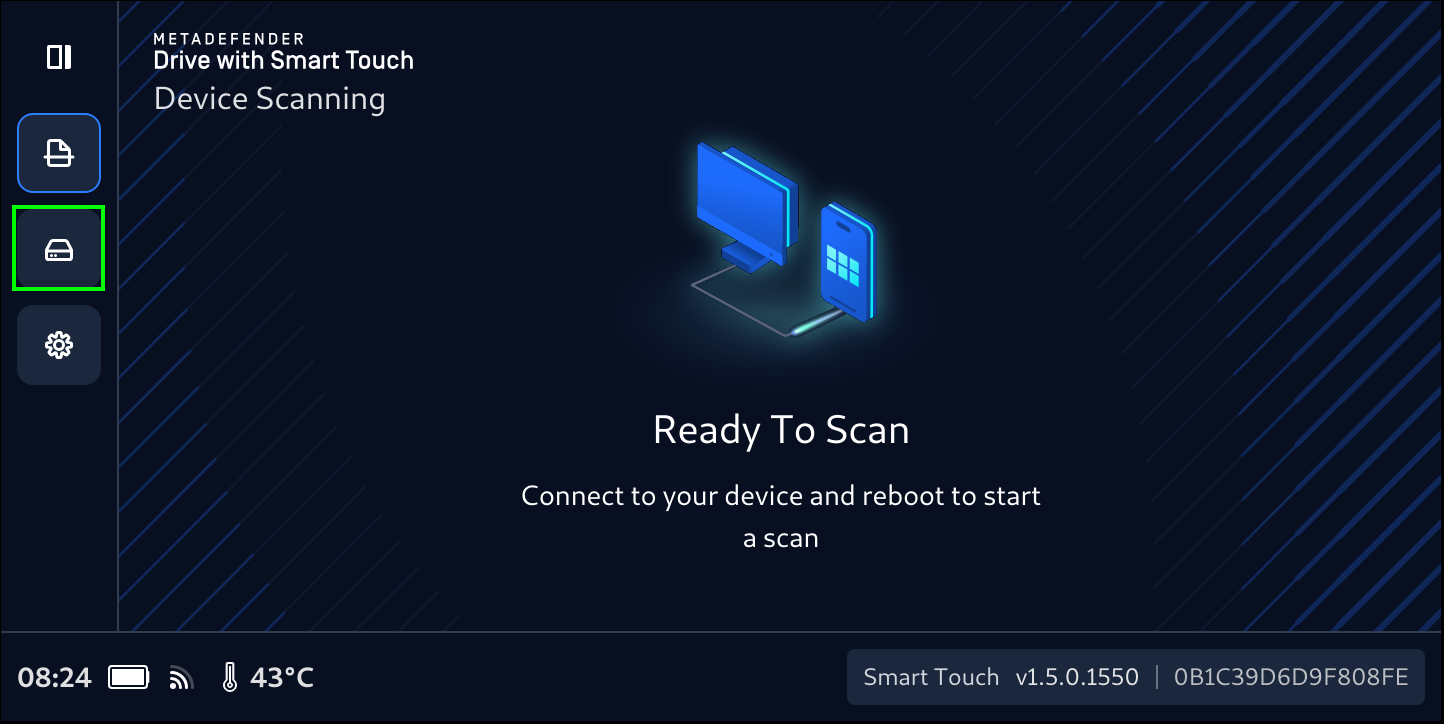
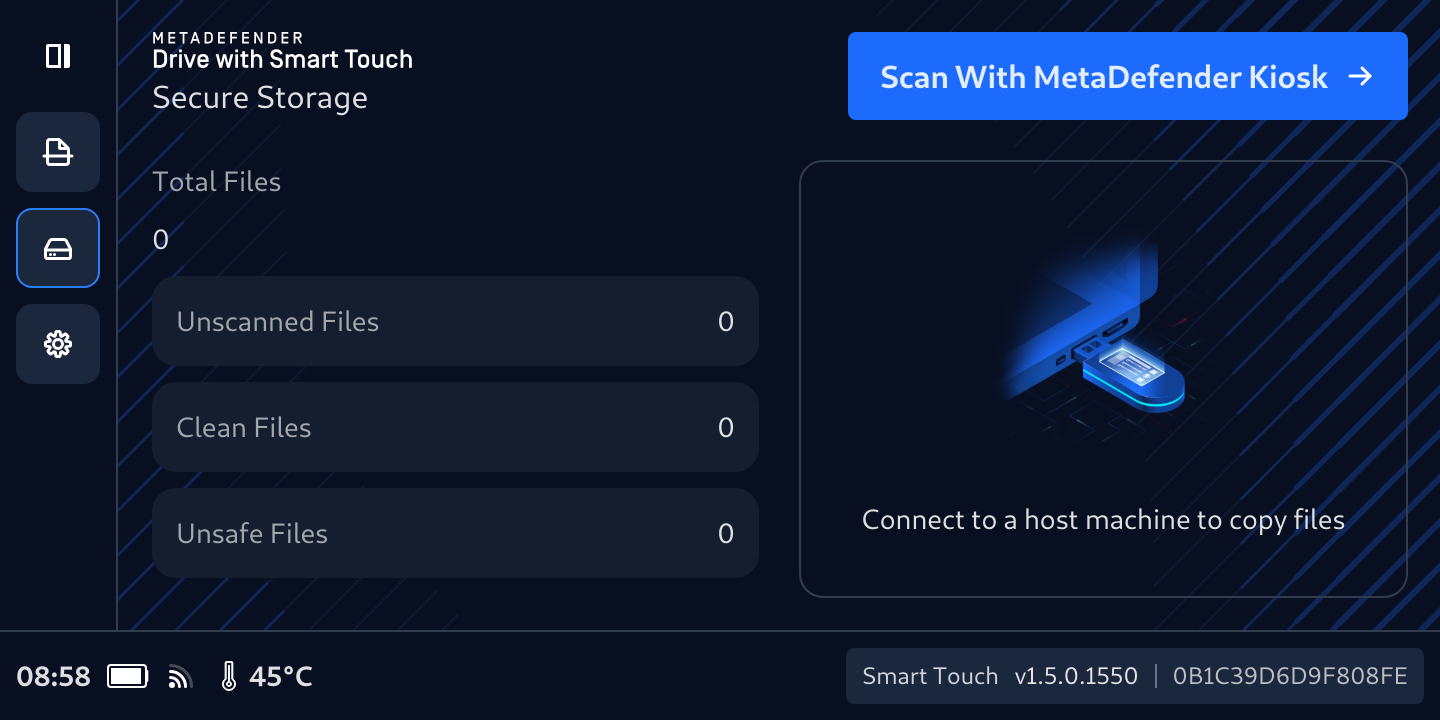
- Tap the Disk Icon to expand the left navigation bar, then tap Secure Storage
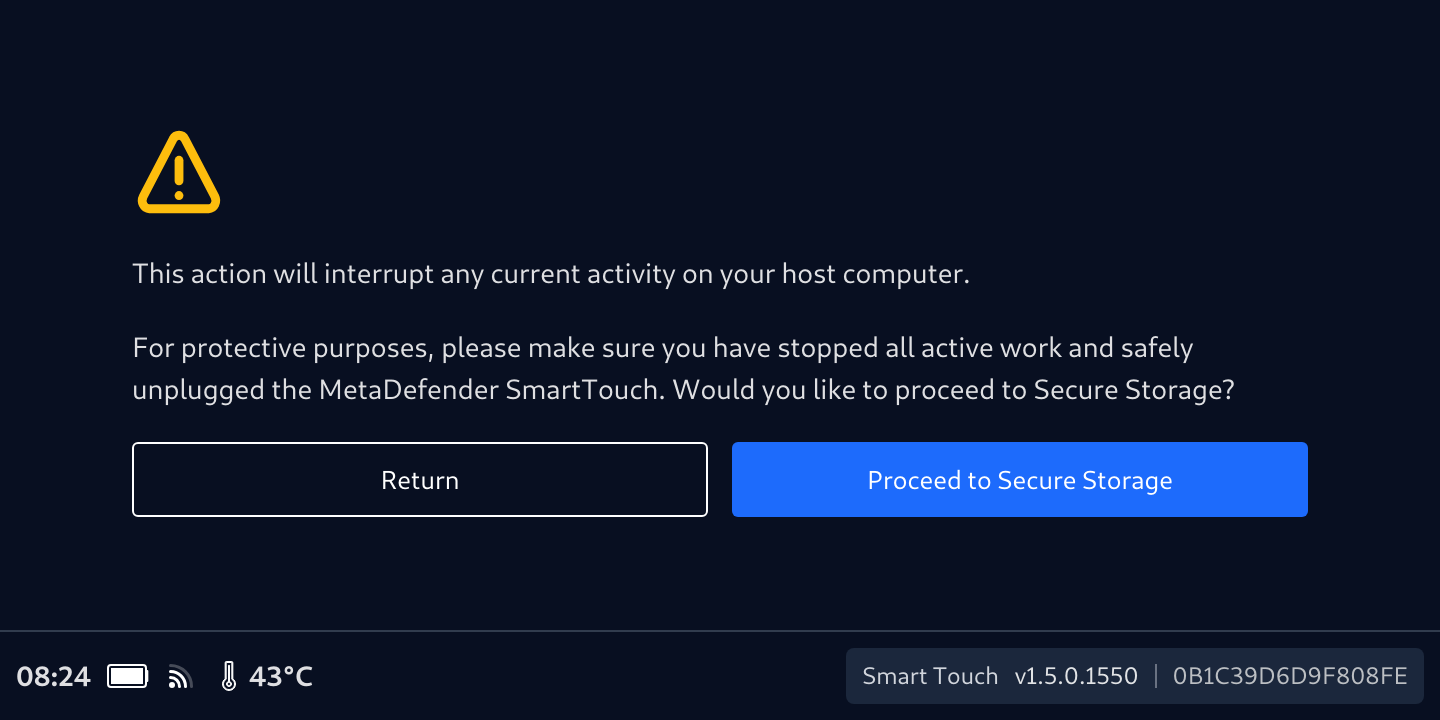
- Confirm your selection by tapping Proceed to Secure Storage
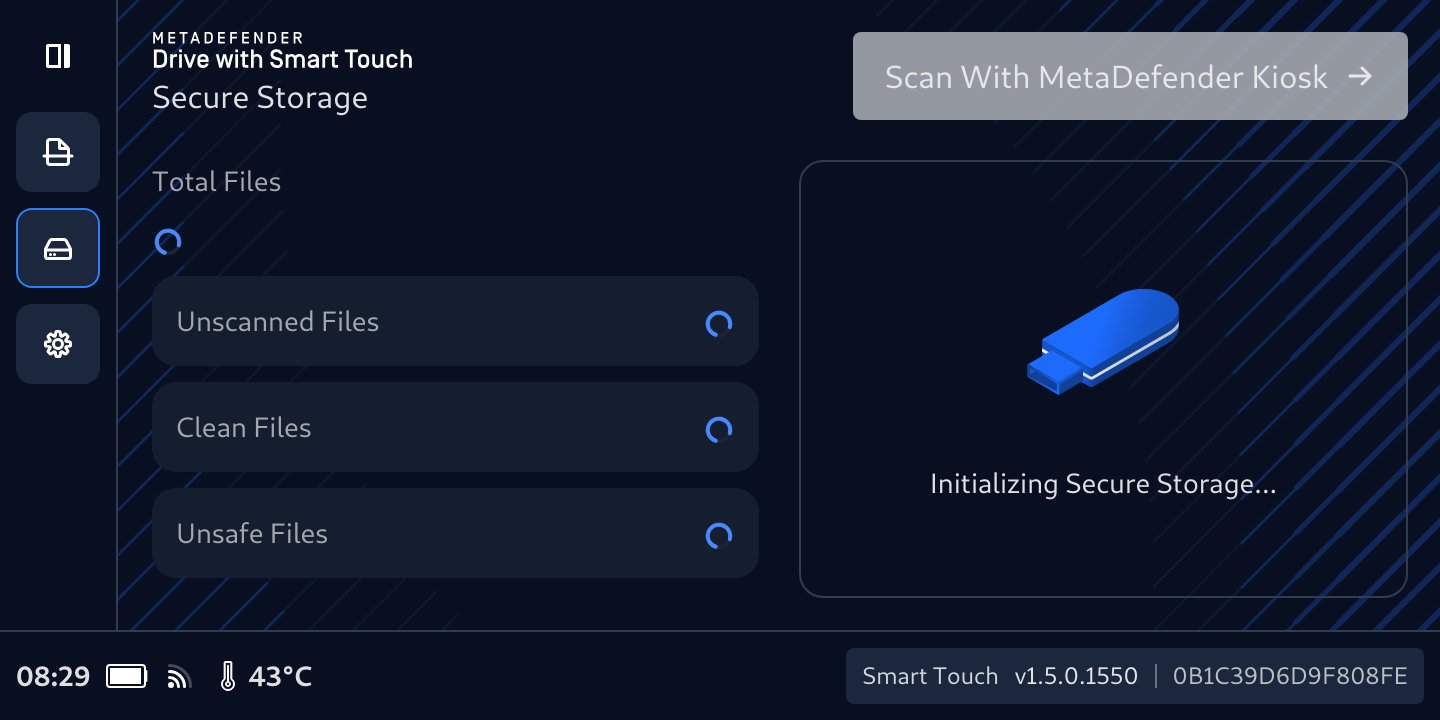
- Secure File Storage will start first with calculating the Total Files. and the Initializing Secure File Storage... message will be displayed.
- The files count will be updated once the calculation is completed. This time of this process depends on the number of files being transferred.
During this initialization, if the MetaDefender Drive with Smart Touch is
plugged into a computer, a small partition (with about 4.2 MB of size)
containing only a busy.txt file will appear in the file browser of the
target device, stating that the initialization phase is in progress.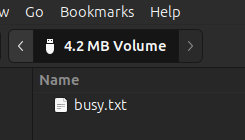
- Once the initialization is complete and the Connect to a host machine to copy files message is diplayed on the MetaDefender Drive with Smart Touch screen, Secure File Storage is ready.
Was this page helpful?

