
Knowledge Base
v5.23.0
Search this version
How to track Settings changes in MetaDefender Core
Check Your Version:
This article applies to all MetaDefender Core releases deployed on Windows and Linux systems.
Overview
This article explains how to track settings changes in MetaDefender Core.
For example: enabling Session timeout in Settings > Security:
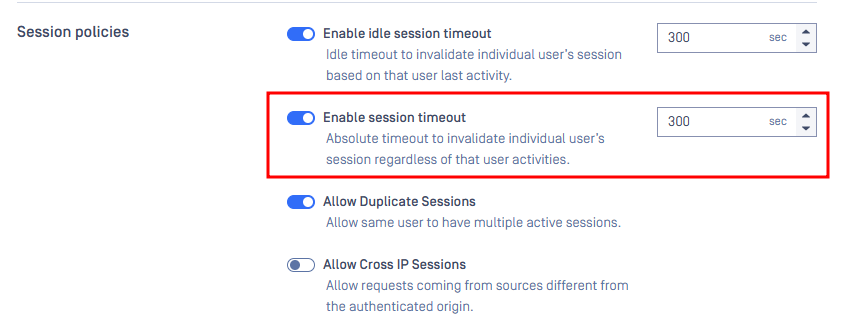
Steps to Configure
Such changes can be tracked on the UI > History > Configuration history:

Admins can also setup a remote syslog server, and this change will show up as:
Value changed, key='/admin/config/session', parameter='absoluteSessionTimeout', old='0', new='300000', user='LOCAL/admin'
Verify the Change
After setting up syslog server, make some configuration changes and observe if the syslog server records these changes.
Support:
If Further Assistance is required, please proceed to log a support case or chat with our support engineer.
Last updated on
Was this page helpful?
Knowledge Base
Knowledge Base
Configuration and Settings
Errors and Troubleshooting
Features and Functionality
Feedback and Support
Licensing, Setup and Deployment
Testing MetaDefender Core
Updates, Patches and Bug Fixes
Version Upgrades