
Users can define a custom email template for each section and all outgoing emails from that section will use this layout.
Supported formatting options include:
Bold, italic and underlined text
Text color
Text alignment
Tables and metrics
Example
Email template for Processing Activity
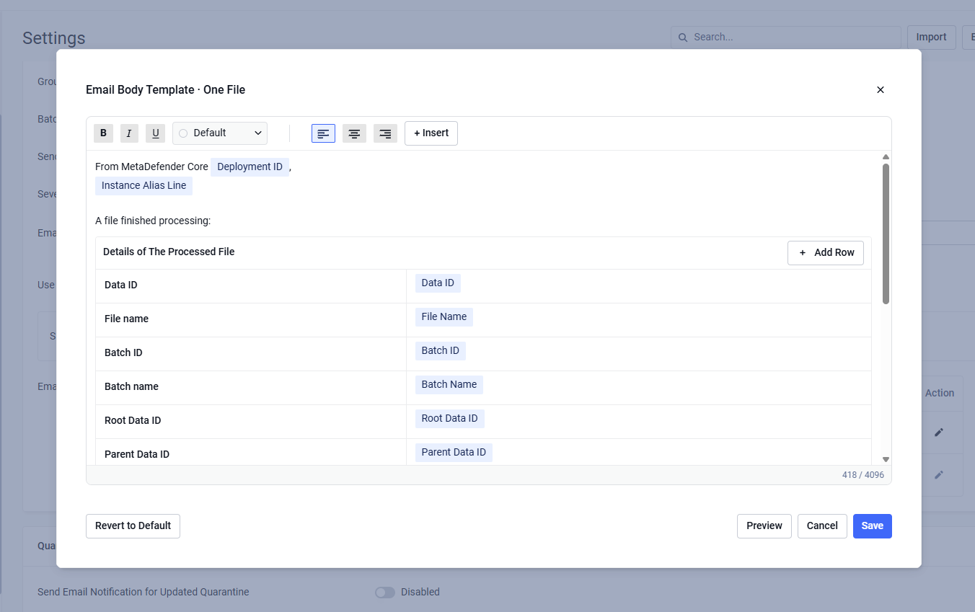
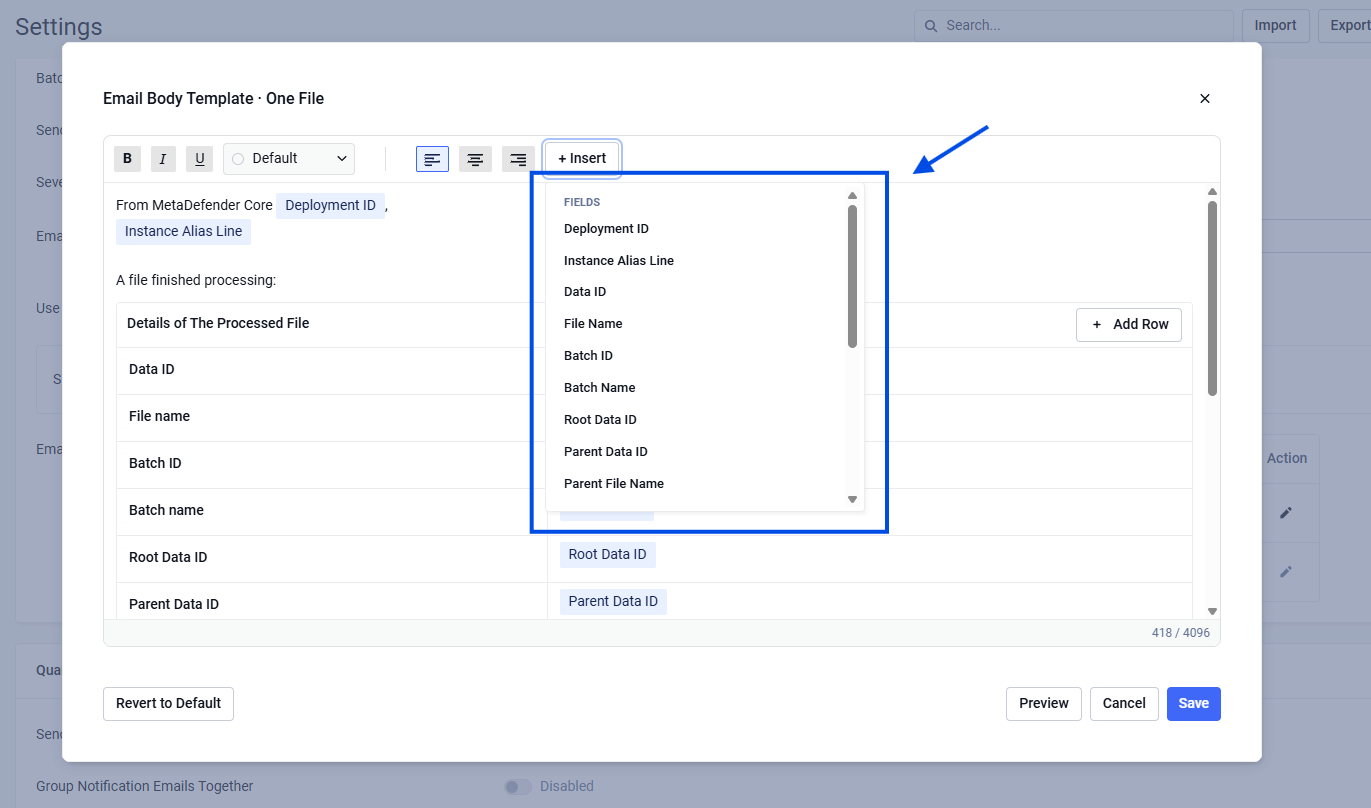
User can insert more tables or metrics by clicking Insert -> Metrics/Table
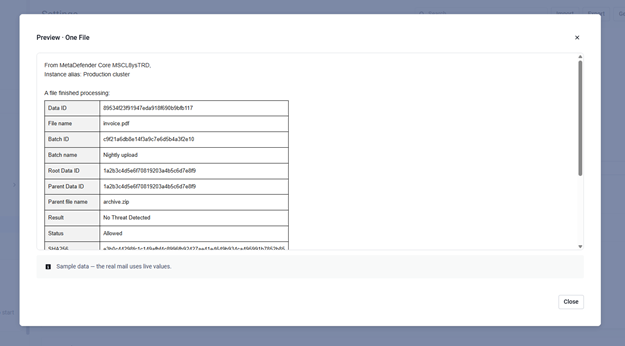
After define template, user can do quick preview their define by clicking Preview button
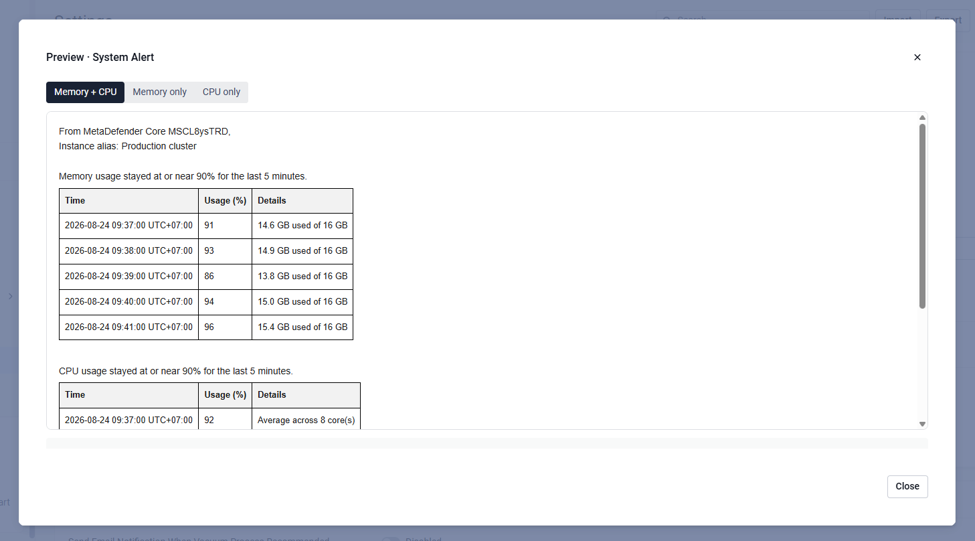
Email template for System alert
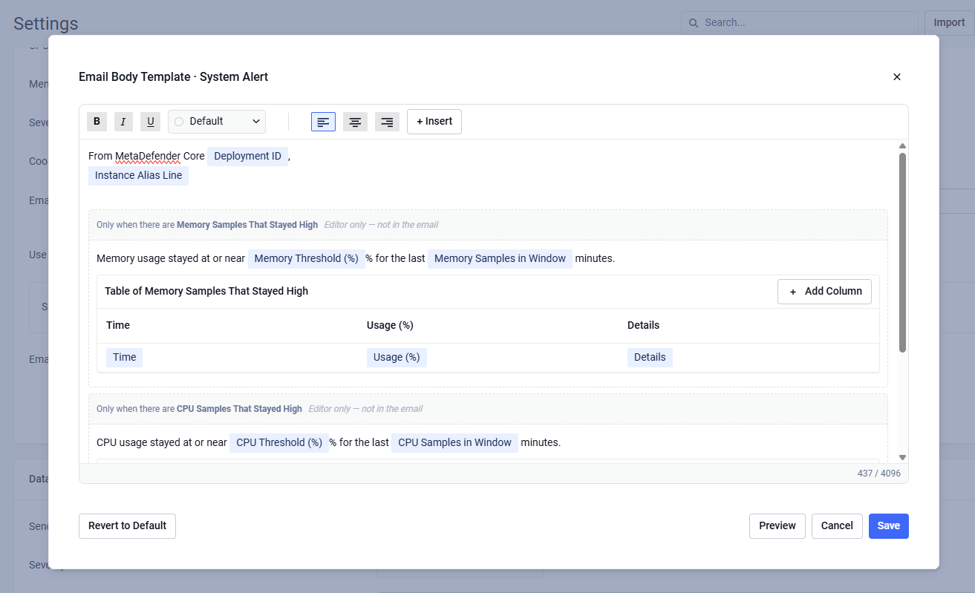
Also click Preview button to view the defined template
Was this page helpful?
Configuration