
Backup & Restore is a feature in My OPSWAT Central Management that lets you automatically back up the full system image of Windows endpoints across your organization. When a machine fails or needs to be rolled back, you can restore it to a known-good point in time from the same console.
Backup and Restore feature is currently available for MetaDefender Endpoint and MetaDefender Kiosk.
This feature is available only through on-demand configuration. Please contact OPSWAT Support for assistance.
Main Screens and Navigation
You open the feature from the left-hand menu under Backup Restore.
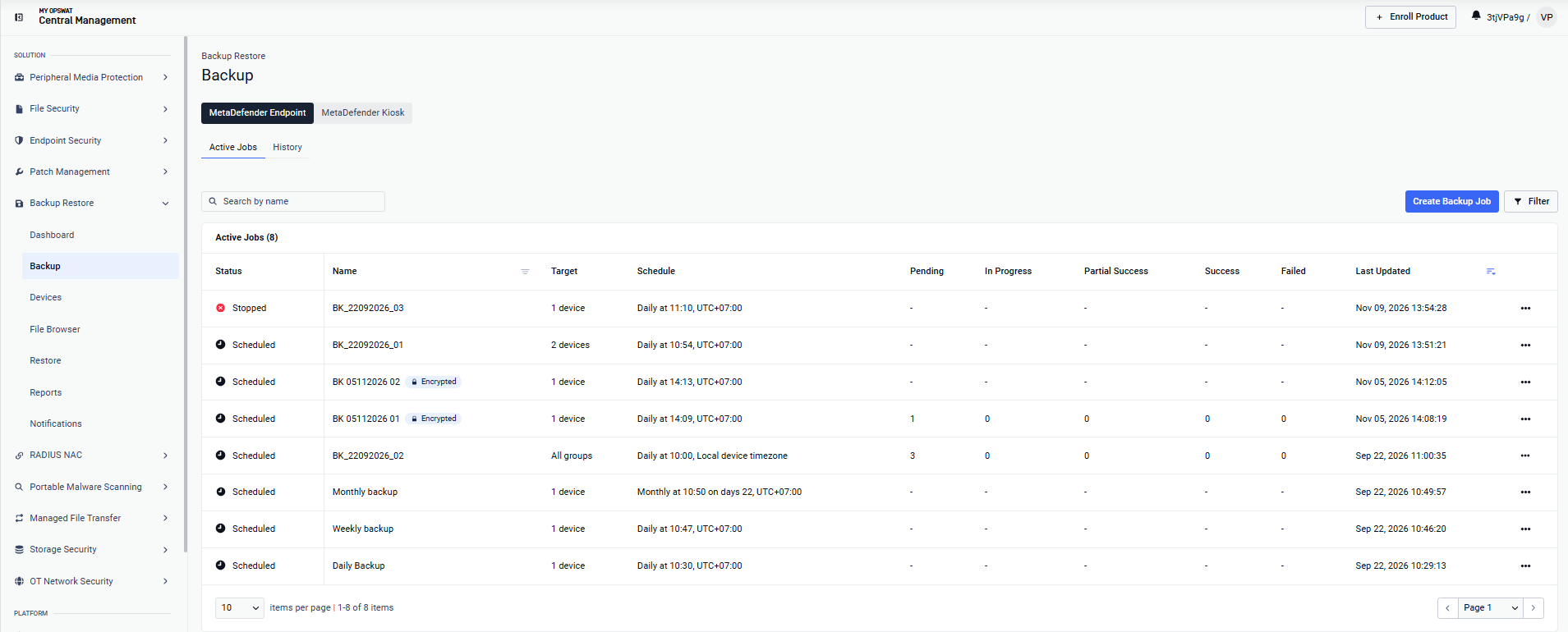
Backup & Restore has the following sub-pages:
Sub-pages | Details |
|---|---|
Dashboard | See fleet-wide backup coverage, run statuses, top failure reasons, and the devices that need attention 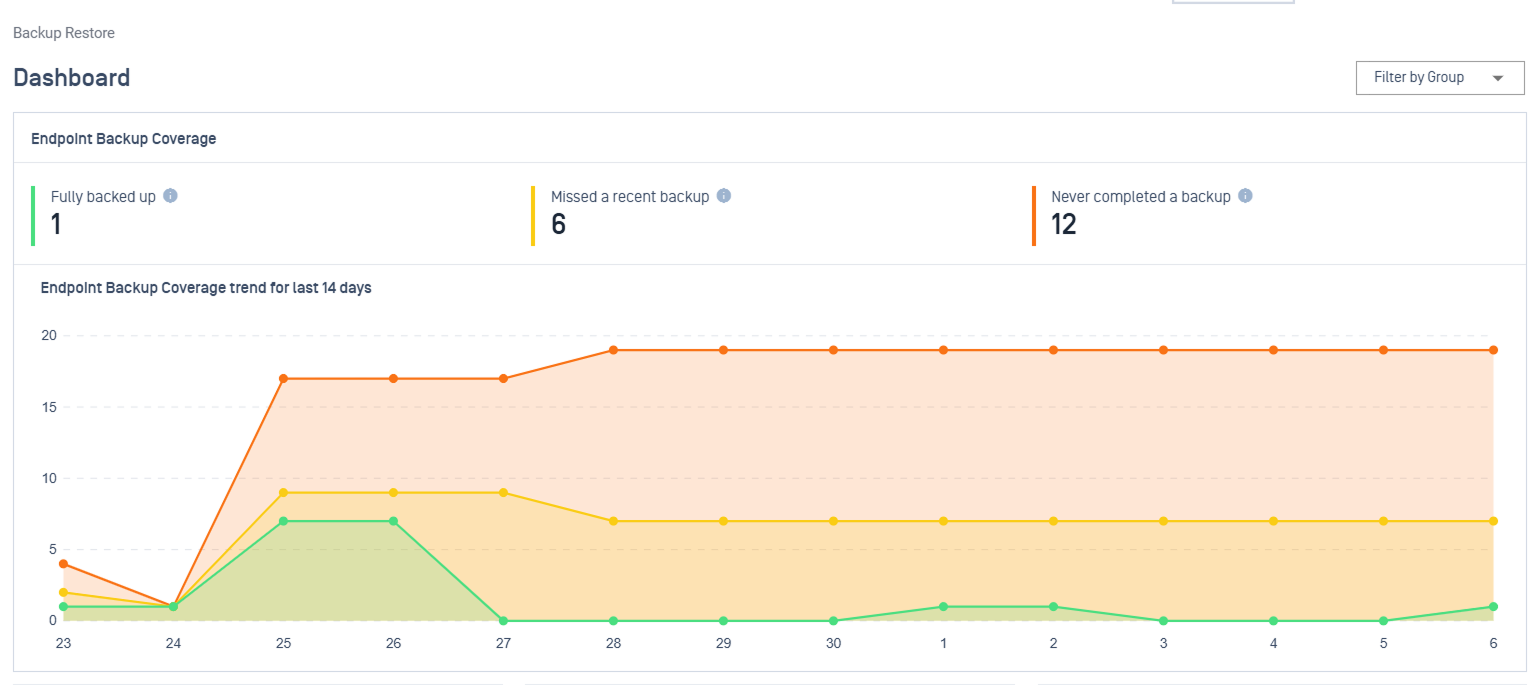 |
Backup | Use the product tabs at the top to switch between MetaDefender Endpoint and MetaDefender Kiosk.
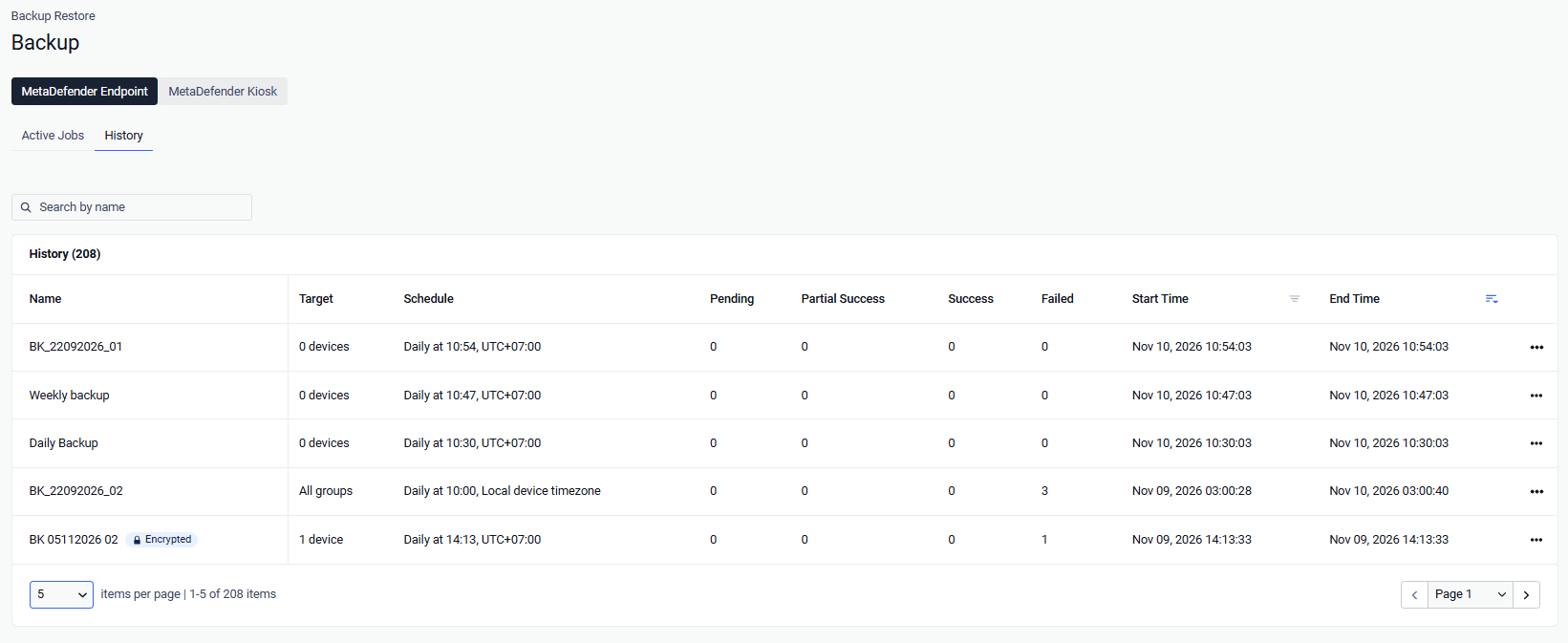
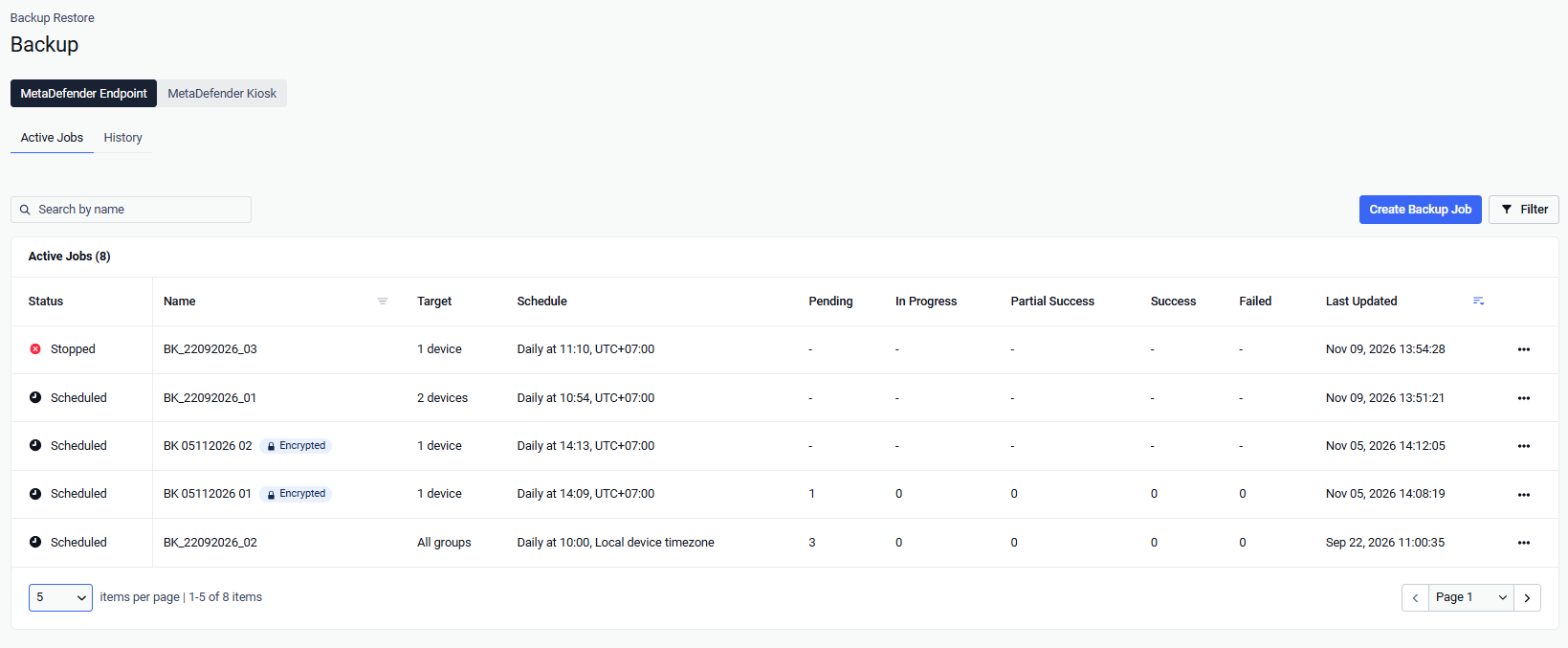 When a job finishes a run, it moves automatically to the History tab. If the job is recurring (Hourly, Daily, Weekly, or Monthly), a new active job is created automatically to handle the next scheduled run
 |
Devices | Lets you browse the backups that have been stored by device, as well as the backup scope, destination, size, and the time of the last backup for each device 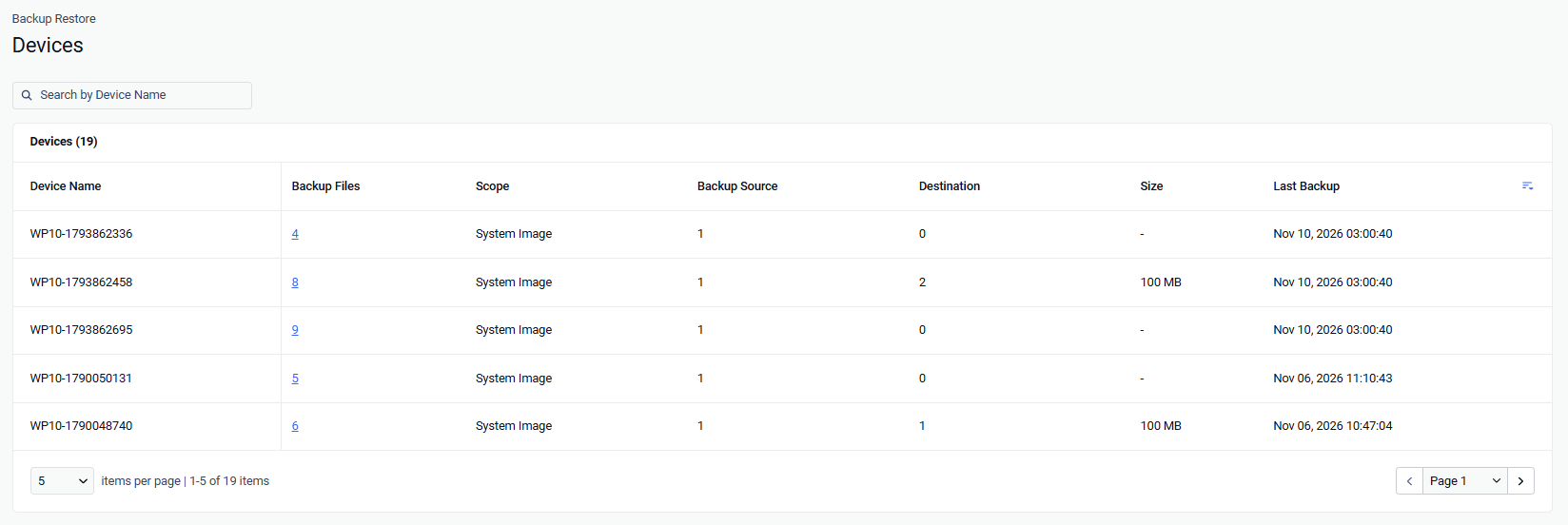 |
File Browser | Shows what has actually been stored by file, you can see the backup scope, destination, size, and the time of the last backup for each device 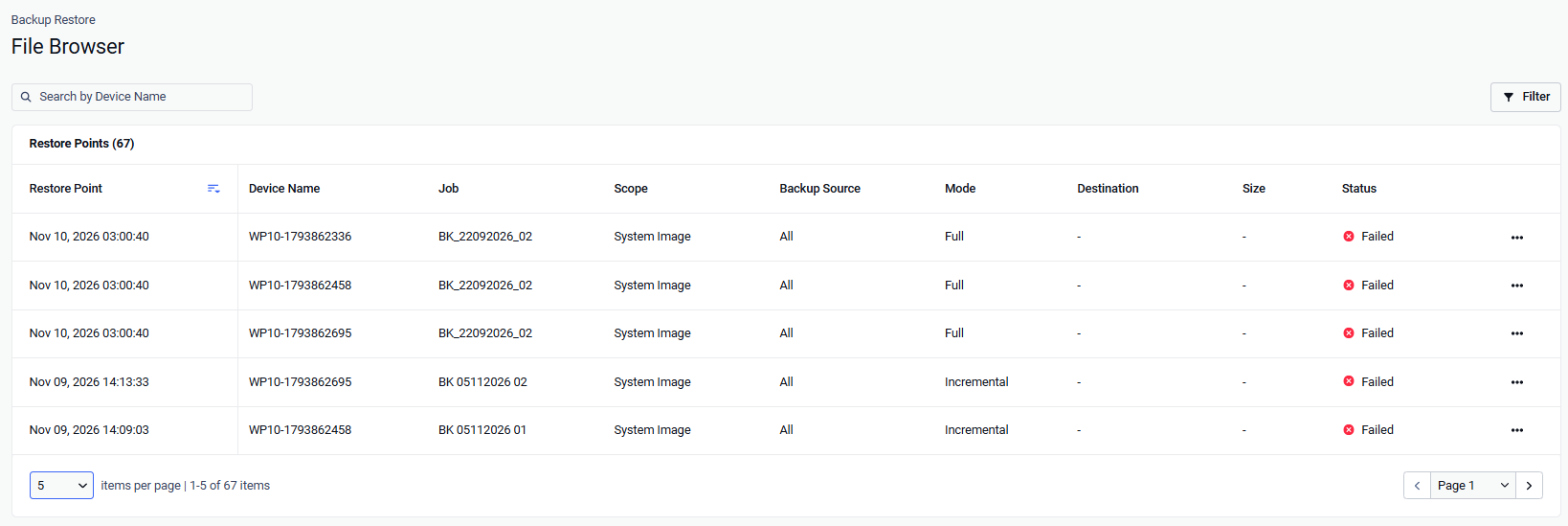 |
Restore | Create and manage restore jobs, including two separate tabs for MetaDefender Endpoint and MetaDefender Kiosk. The Active Job list shows restores that are scheduled or in progress, and the History tab records finished restores. 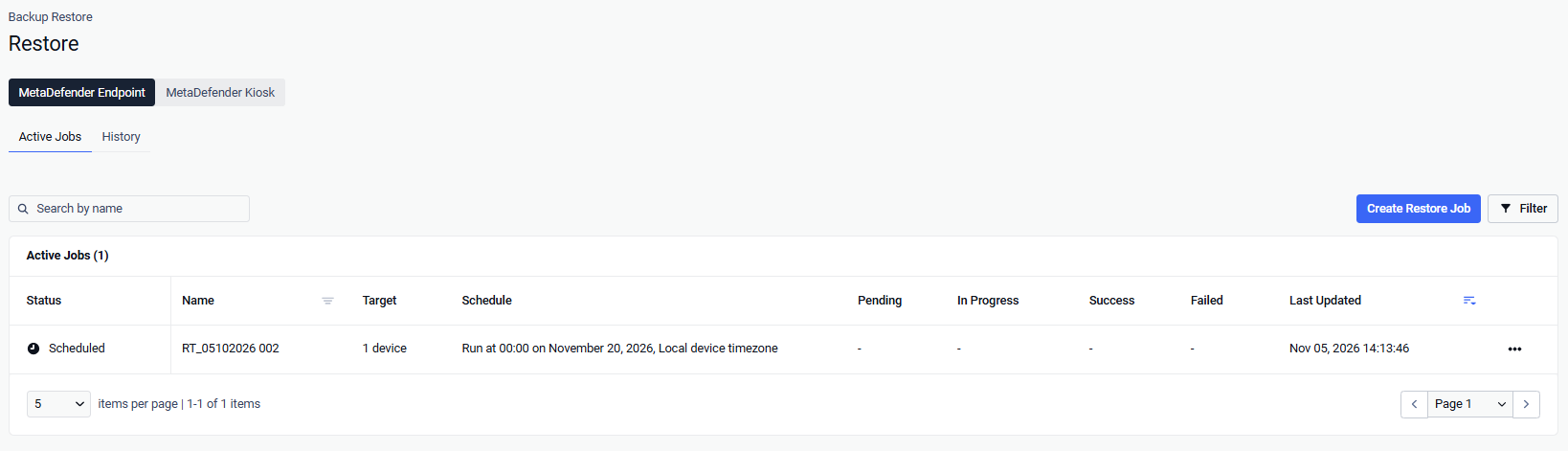 |
Reports | Automated and on-demand report definitions (PDF/CSV) with scheduled stakeholder email delivery 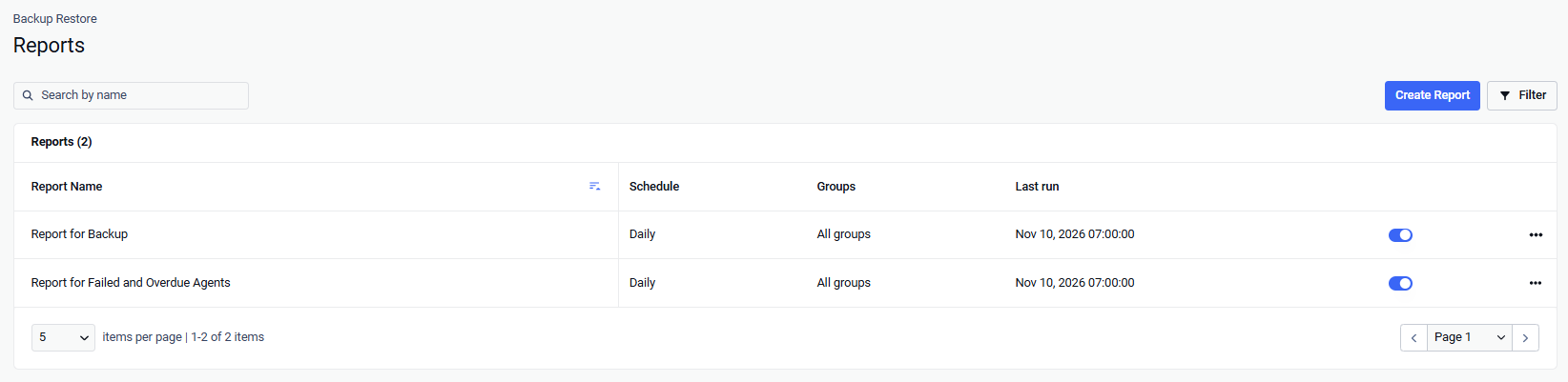 |
Notifications | 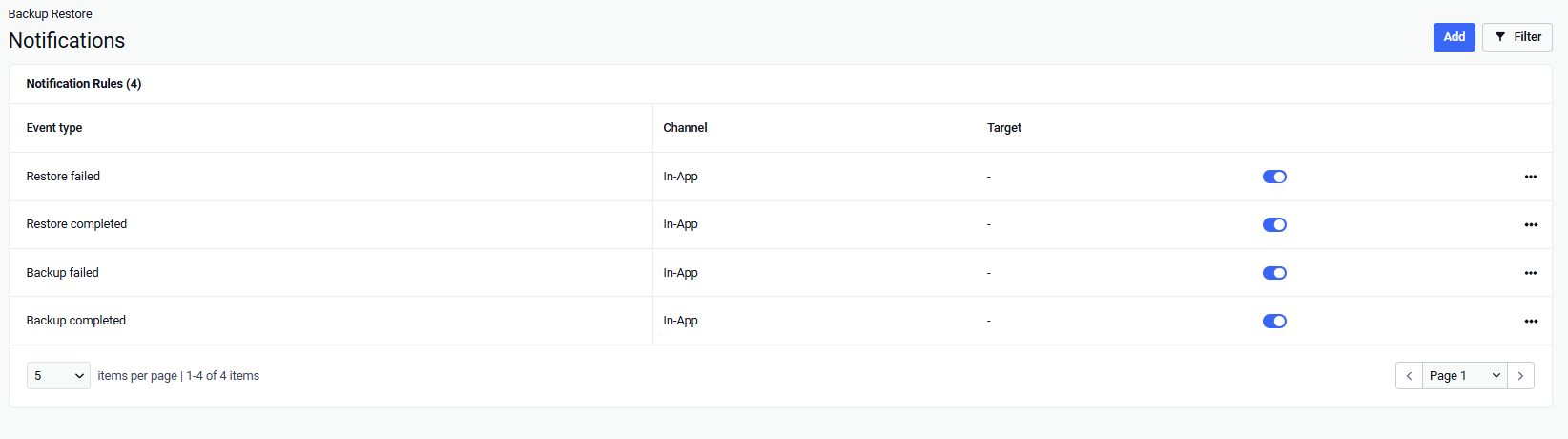 |