
Log in to Harbor and open the project that contains the repositories that need event-based scanning.
Select the Webhooks tab of the project:
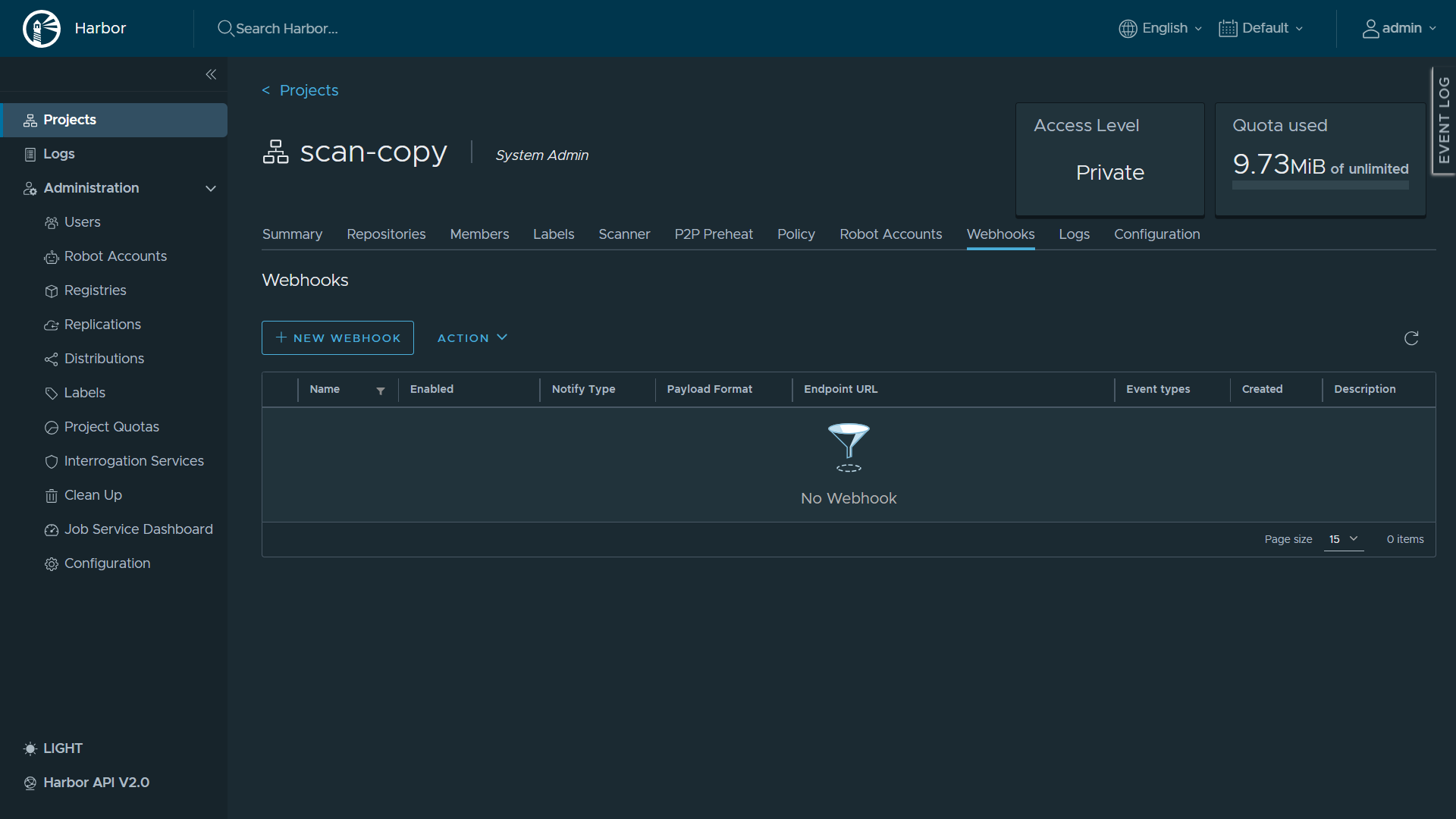
Click the "+ New Webhook" button. The webhook configuration page opens:
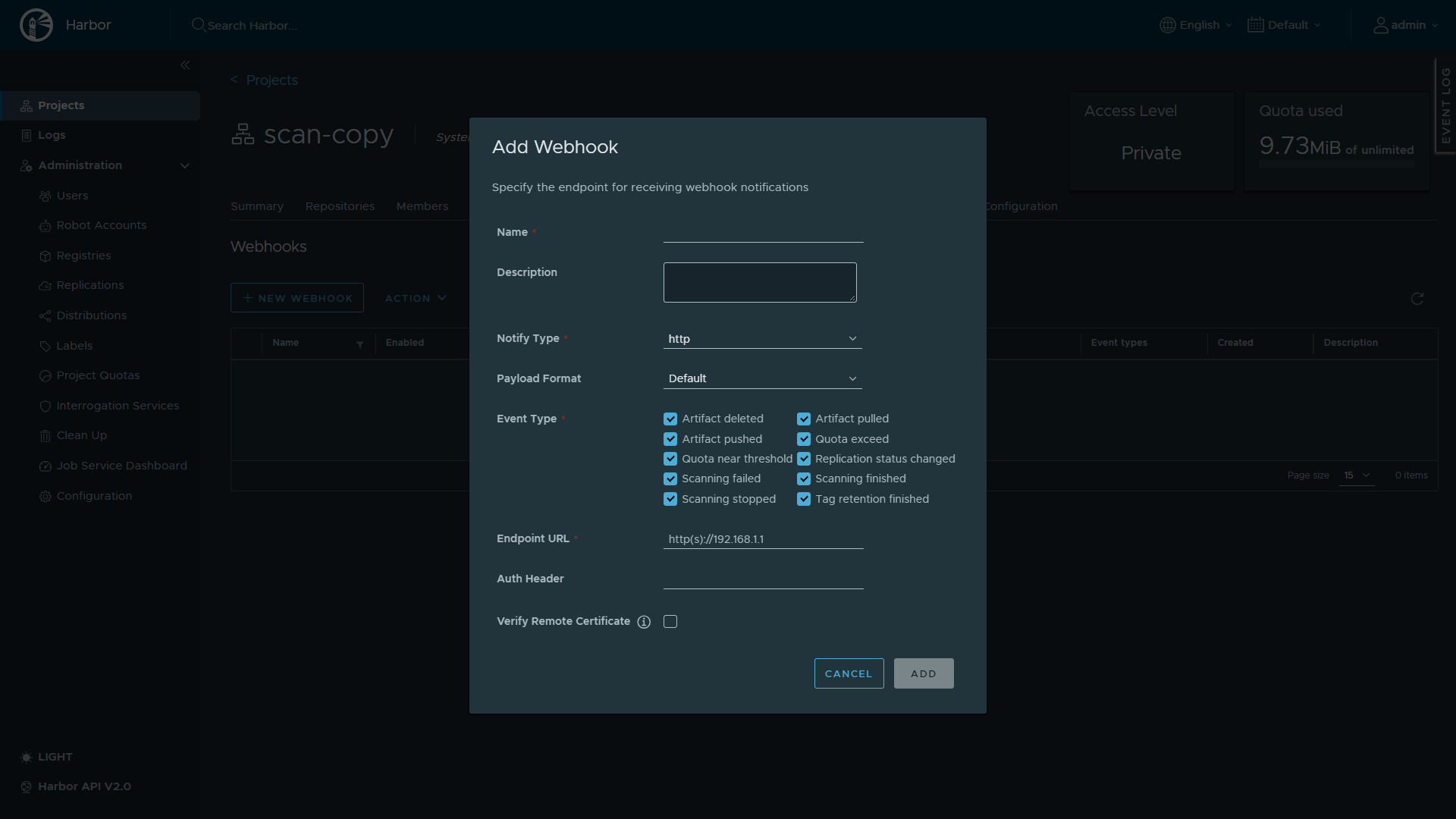
In the "Name" field, type a name for the webhook.
Under "Notify Type", select "http".
Under "Payload Format", select "Default".
Under "Event Type", select "Artifact pushed".
Insert the MDSSC Webhook URL that you generated for this connection into the "Endpoint URL" field.
Insert your MDSSC API key into the "Auth Header" field. You can type the key alone, or Bearer <API key>.
Use the API key of the user who generated the Webhook URL.
If the MDSSC instance does not have a publicly signed SSL certificate, clear the "Verify Remote Certificate" option.
Click "Add".
To test the webhook, push an image to a repository in the project. MDSSC scans the pushed image by its tag. If the image has no tag, MDSSC scans it by its digest.
MDSSC supports only the "Artifact pushed" event and the "Default" payload format. Other event types and the "CloudEvents" format are rejected. The "Test Endpoint" button in Harbor does not send a push event, so it can show a failure even when the setup is correct. Push an image to test the webhook.