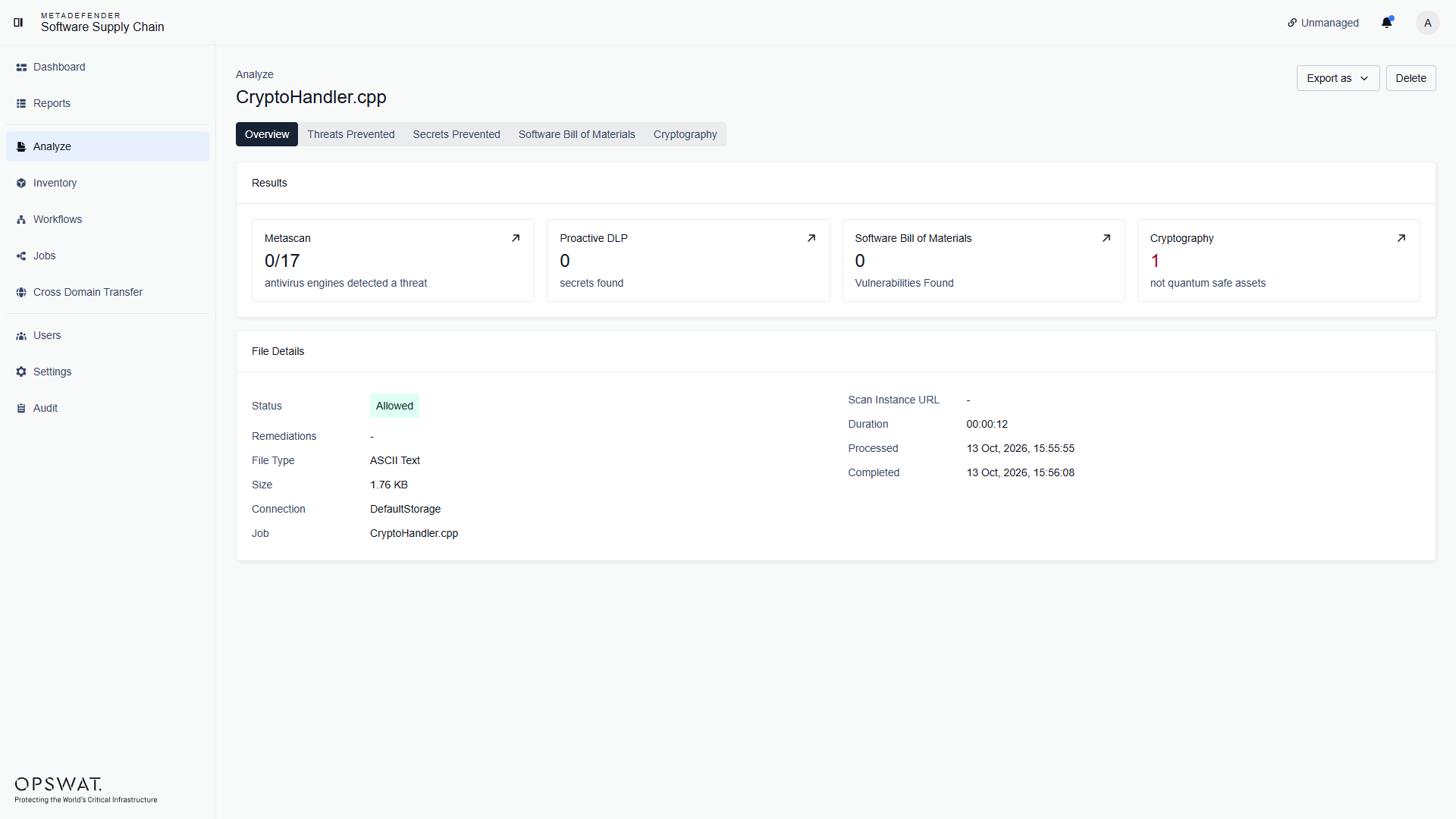
The Analyze page lets you scan individual files without connecting a repository - drop in a dependency manifest, an installer, an archive, or any other file, and MetaDefender Software Supply Chain analyzes it with the same technologies used for repository scans.
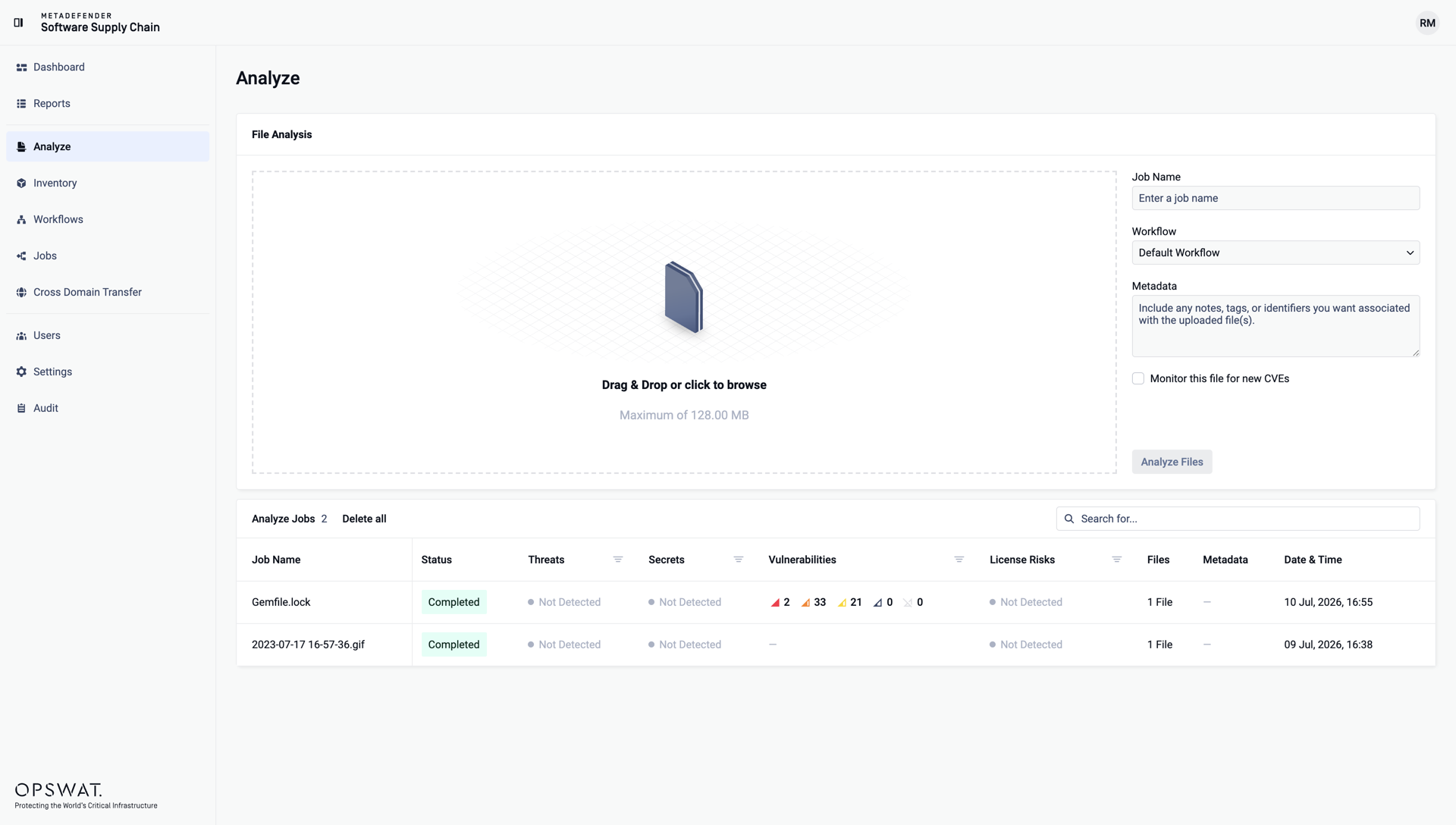
Analyze files
Drag and drop your files into the upload area, or click it to browse. Multiple files can be uploaded at once, up to the displayed size limit.
Optionally give the analysis a Job Name, select the Workflow to apply, and add Metadata - any notes, tags, or identifiers you want associated with the uploaded files.
Click Analyze Files:
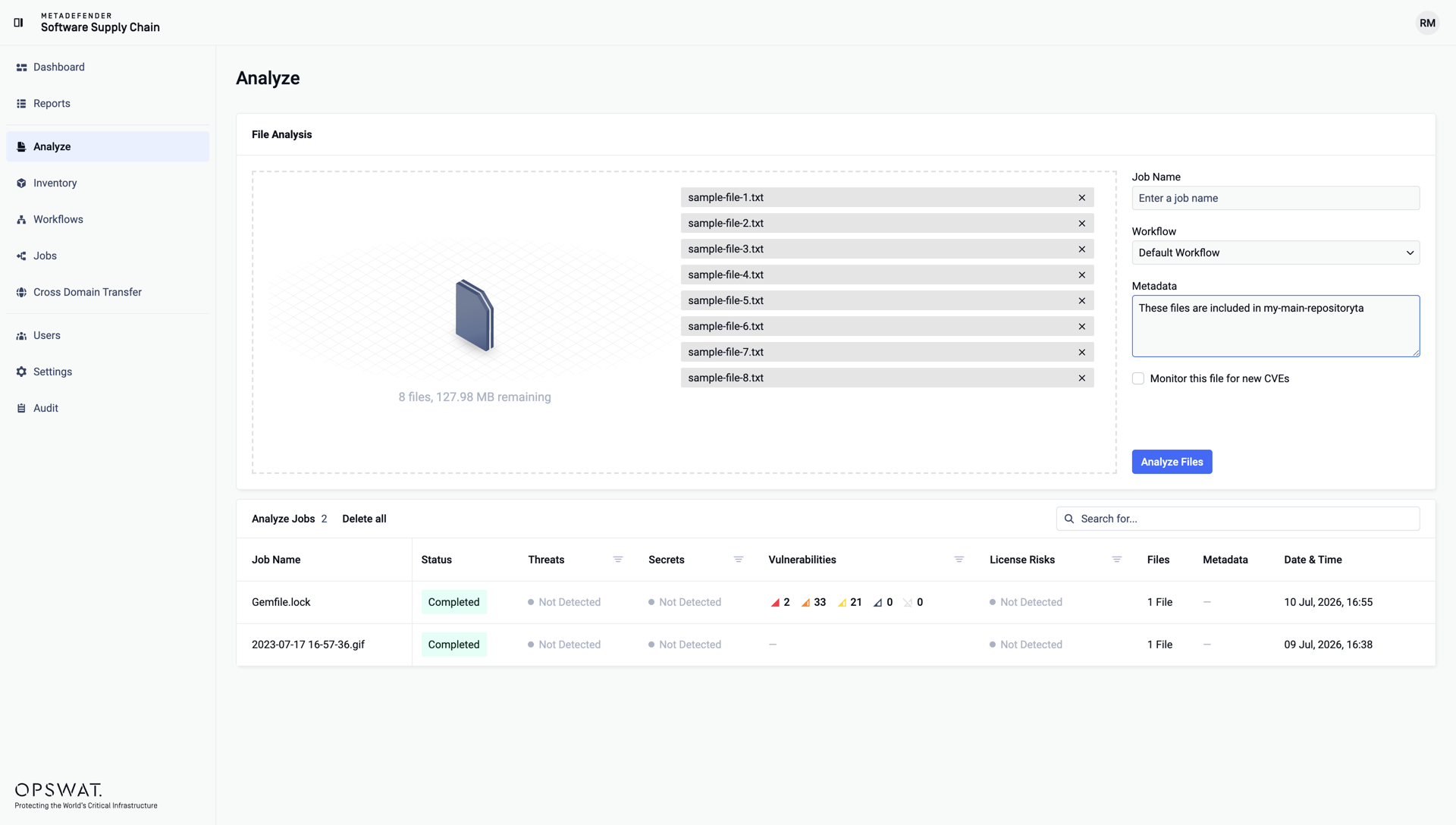
Analysis results
Each analysis appears in the Analyze Jobs table below the upload area, with its status, the detected threats, secrets, vulnerabilities, and license risks, and the quantum verdict. Use the search field to find a specific analysis, or Delete all to clean up the list.
Click a completed job to open the detailed results of the file. The Results cards summarize what each technology found - Metascan (antivirus engines), Proactive DLP (secrets), Software Bill of Materials (vulnerabilities), and Cryptographic Bill of Materials (cryptographic assets) - and the tabs let you drill into each area. The Export as menu downloads the results: