
Login to your Bitbucket Data Center UI and navigate to the repository which requires event based scanning.
Click the "Repository Settings" button in the left side menu, then under "WORKFLOW" click on "Webhooks", in the new menu entry click "Create Webhook" button found in the top right corner, following screen should be visible:
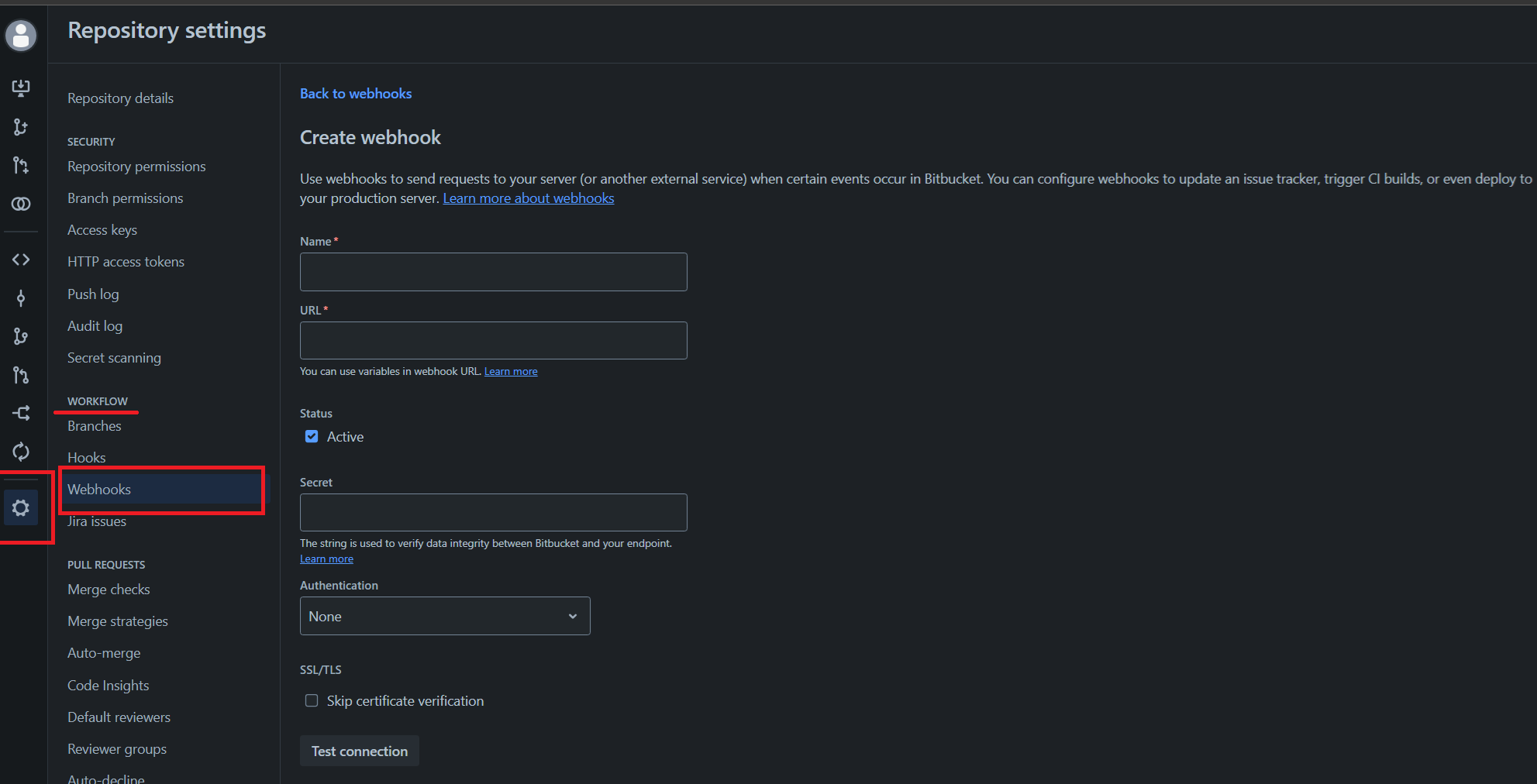
in the "Name" field, type in a user defined arbitrary webhook name;
Copy in the URL field the Webhook URL that was obtained in MDSSC, using the method described earlier;
In the "Secret" field, copy your MDSSC API key;
If the MDSSC server does not have a valid SSL/TLS certificate, enable the "Skip certificate verification";
Proceed to configure the desired events, from the following supported:
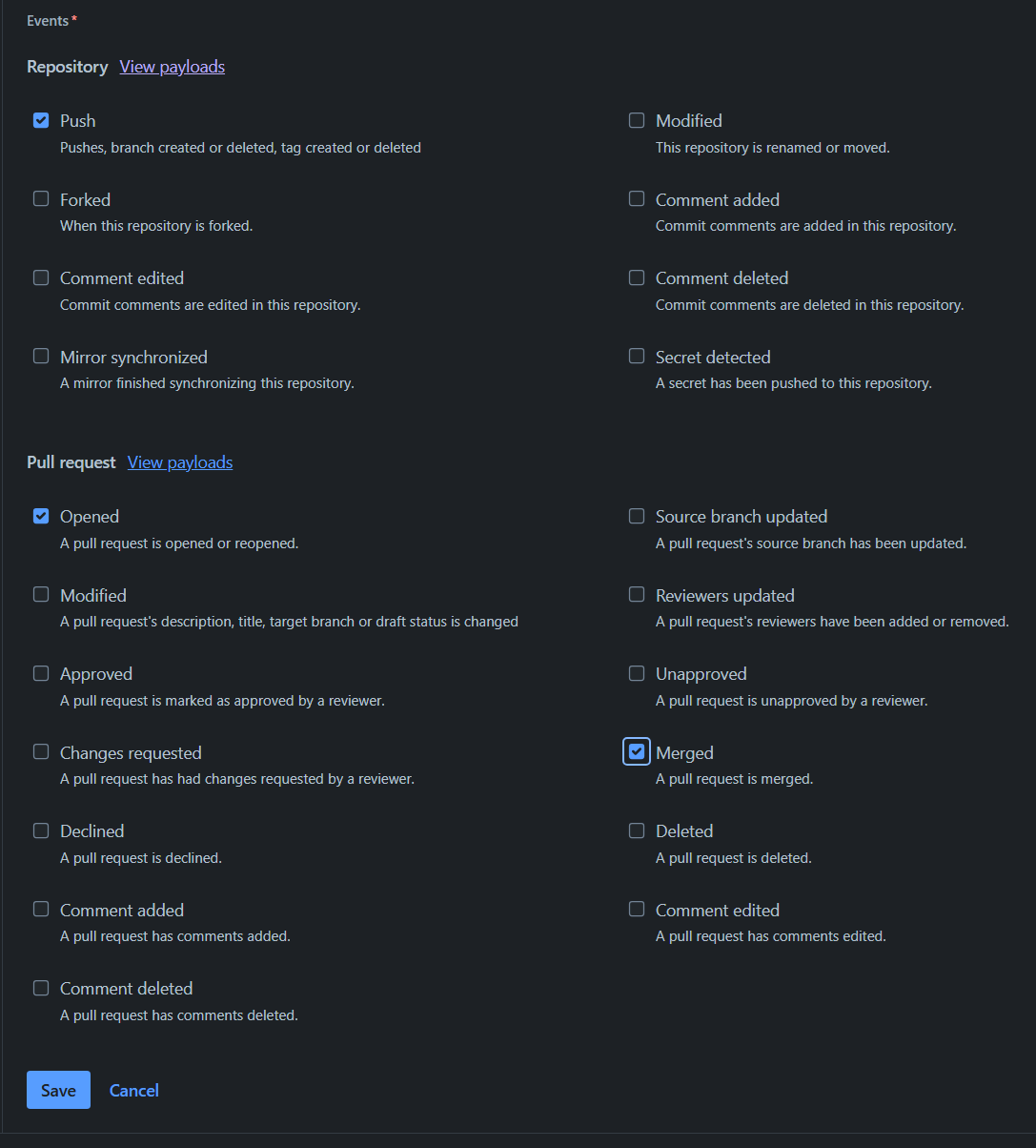
Finally click "Save" button.
To test the event, trigger it with a push event to a branch that is monitored via a MDSSC workflow.