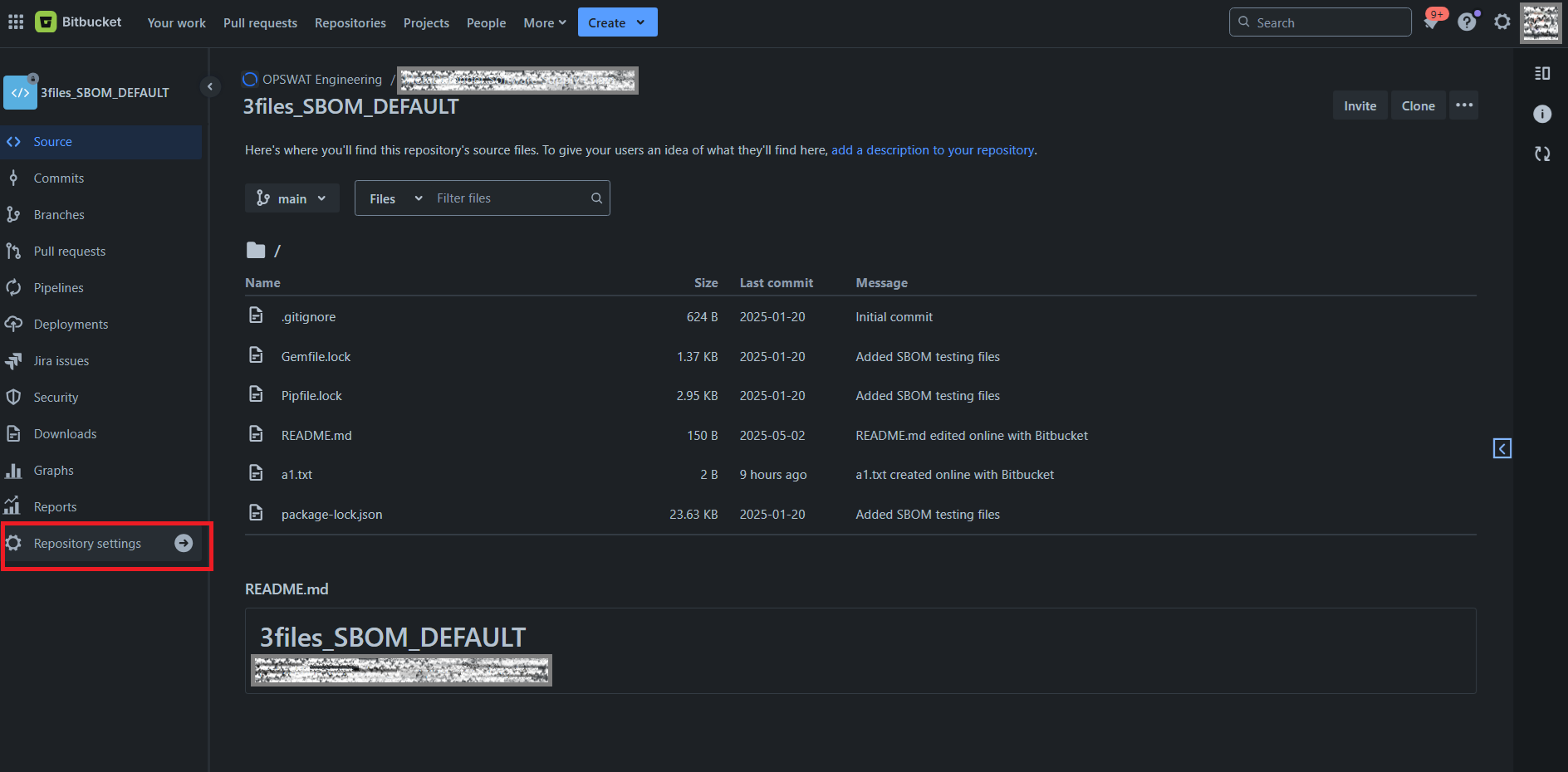
Login to the Bitbucket Cloud account and navigate to the repository that needs event based scanning.
Open the Menu on the left and select "Repository settings", ex:
In the new submenu that appears on the left, click on the "Webhooks" under "Workflows", and the following screen will be displayed:
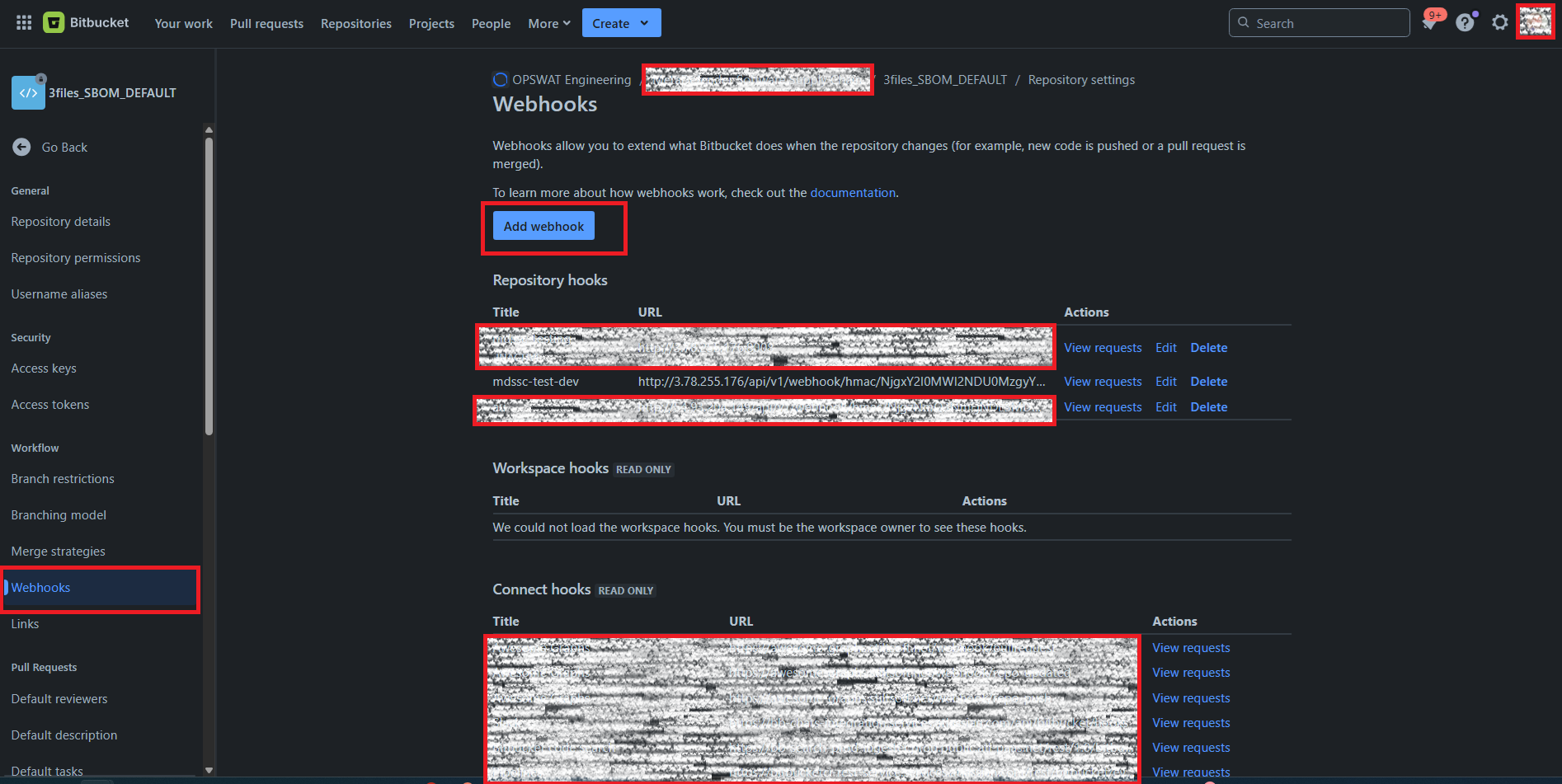
Click the button "Add webhook", the user is now presented with the webhook configurations page from below:
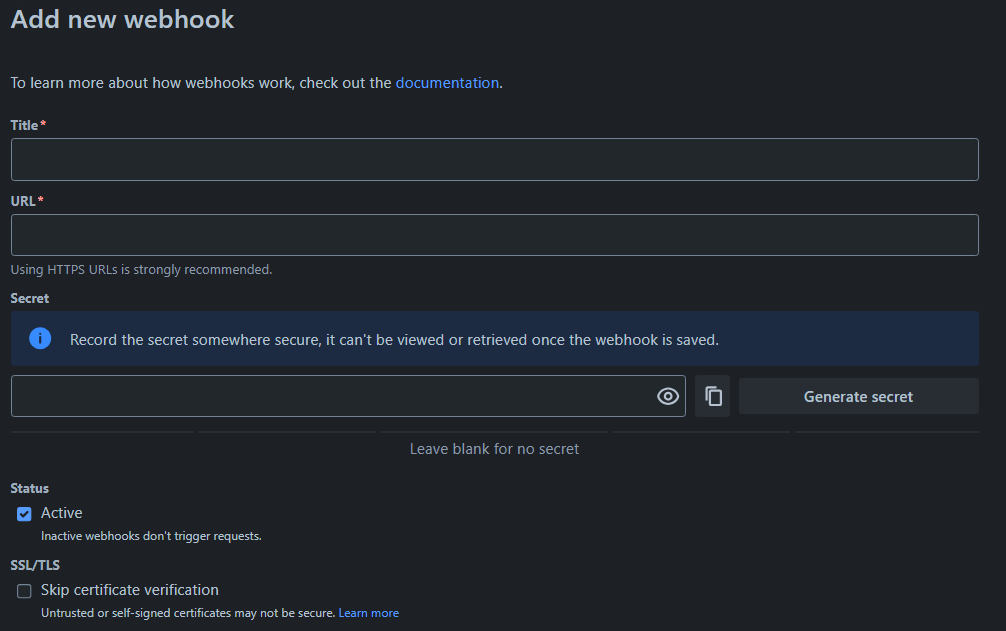
In the "Title" field, type in an arbitrary name of the webhook;
Insert the previously obtained MDSSC Webhook URL(generated for this repository) to the "URL" field;
Insert your MDSSC ApiKey to the "Secret" field;
Do not push the "Generate secret" button ! Use the ApiKey, of the user that generated the Webhook URL.
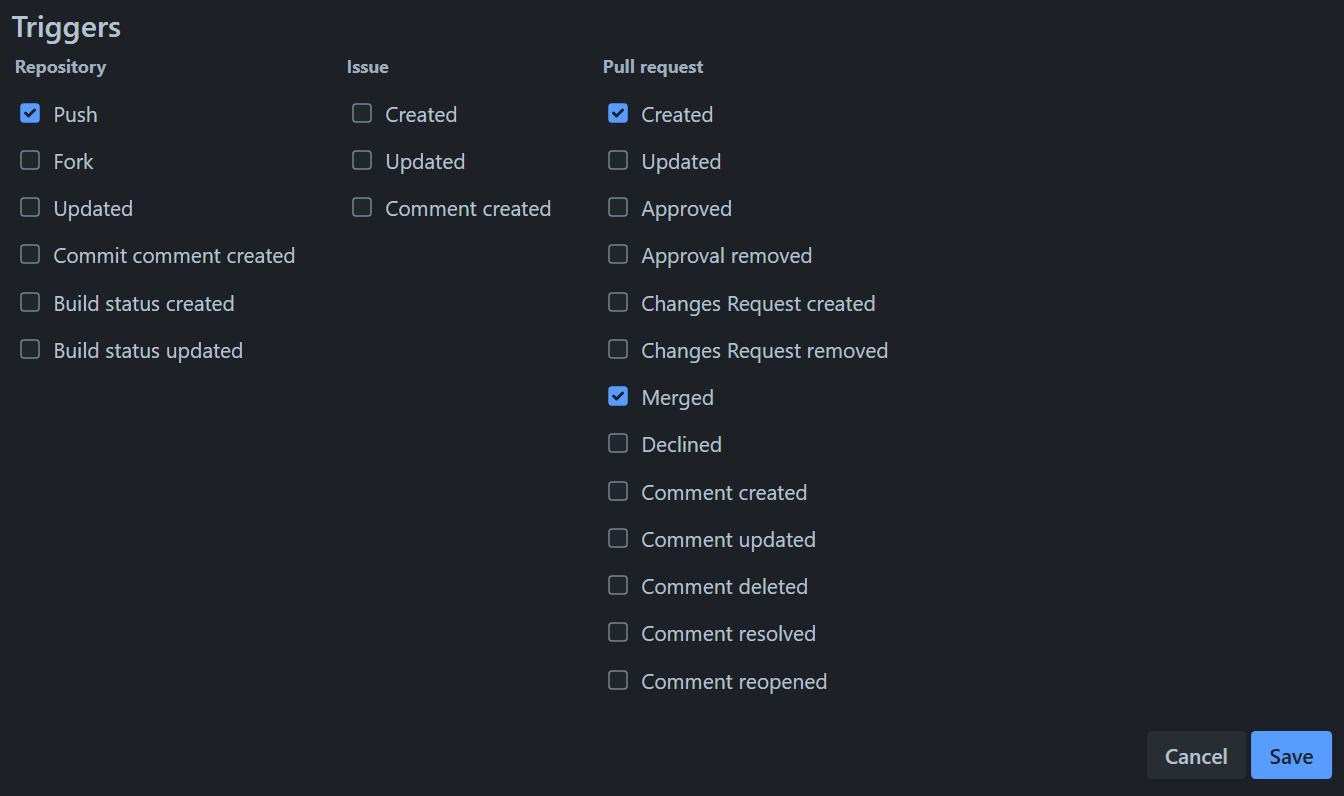
Configure the triggers that are required by the use case