
This article applies to MetaDefender Endpoint releases subsequent to version 7.6.2411.603. deployed on Windows systems when connected to MyOPSWAT Central Management v10.
MetaDefender Endpoint Embedded Engines are local anti-malware engines that run directly on the Windows endpoint. They enable MetaDefender Endpoint to perform threat scanning locally, reducing reliance on remote scan sources such as MetaDefender Core or MetaDefender Cloud for supported local scanning workflows.
This capability is particularly valuable in environments where endpoints may be offline, remote, restricted, or air-gapped, but still require malware scanning.
In removable media scenarios, the embedded antivirus engine can be used to take over when connectivity is unavailable, allowing files to continue being scanned without interruption.
What can you scan with the Embedded Engines?
On Windows, MetaDefender Endpoint’s malware scanning capabilities include the following scan types:
Memory Scan: scans memory, including processes and libraries currently loaded in memory.
Full System Scan: scans memory and local drives.
Custom Scan: can scan local files/folders, boot sectors, attached drives, removable drives, and network drives.
Removable media: removable media files remain scannable even when internet connectivity is interrupted or unavailable
Download Protection: can scan files that have been downloaded from the internet
Licensing
Embedded Engines is not a free/base feature. Threat Detection is only available to customers who have a MetaDefender Endpoint Plus license. For that reason, Embedded Engines should be treated as a licensed Threat Detection capability.
How to activate Embedded Engines in OCM v10
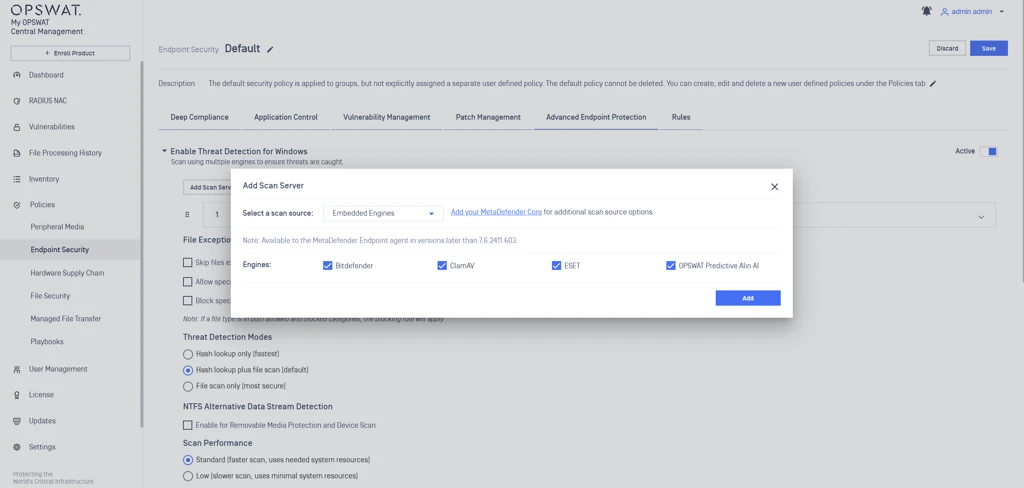
To enable Embedded Engines in My OPSWAT Central Management v10, use the following path:
Open Policies.
Go to Endpoint Security.
Select the target policy.
Open Advanced Endpoint Protection.
Enable Threat Detection for Windows.
Click Add Scan Server.
In Select a scan source, choose Embedded Engines.
Save the policy.
If you want Embedded Engines to be used for removable-media on-access scanning, also enable On-Access File Scanning and make sure Enable Removable Media Protection is turned on before saving the policy. OPSWAT documents this flow in the release notes for the feature rollout.
What are the embedded engines available to use?
When Embedded Engines is selected as the scan source in OCM v10, the following local engines are available for use, based on the configuration screen shown:
Bitdefender
ClamAV
ESET
OPSWAT Predictive AI
These engines are configured directly under the Add Scan Server window when Embedded Engines is chosen as the scan source. This allows administrators to define which local detection engines MetaDefender Endpoint will use for endpoint-side threat scanning.
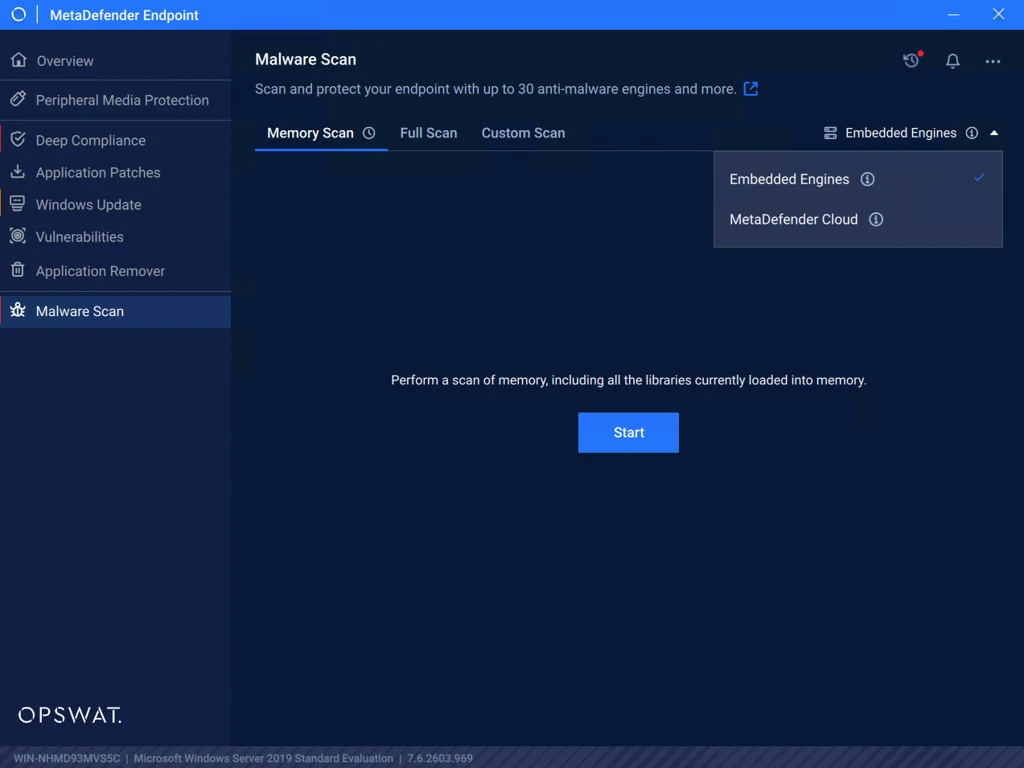
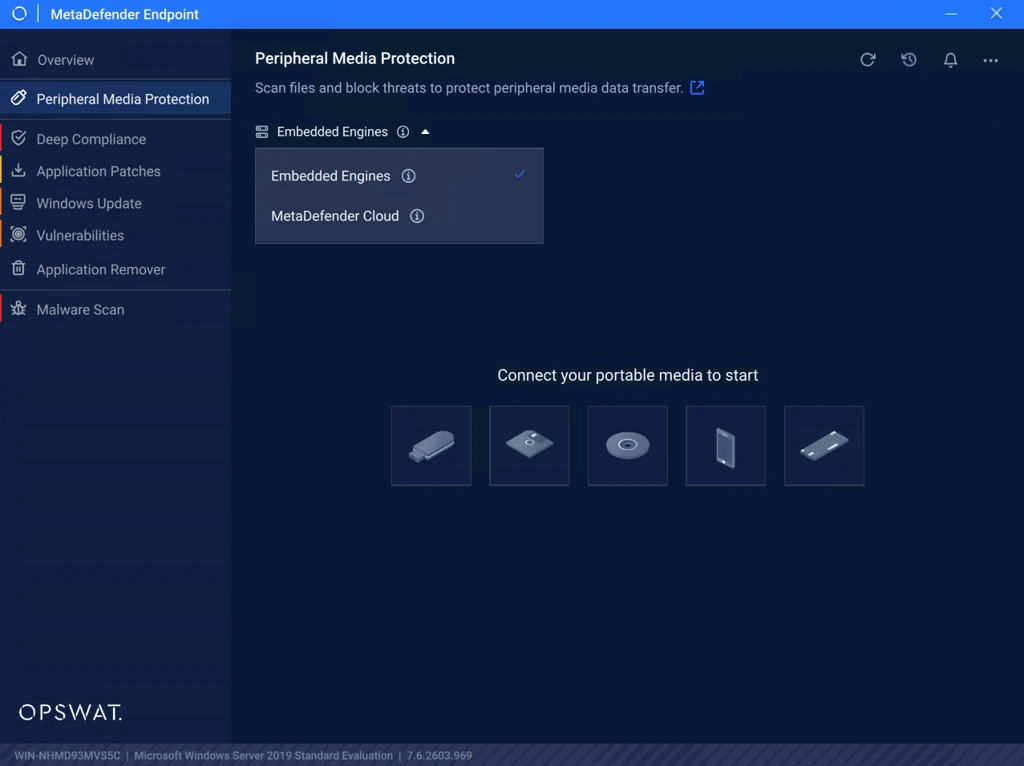
How to select which scanning method to use in MetaDefender Endpoint:
Malware Scan:
Peripheral Media Protection:
If Further Assistance is required, please proceed to log a support case or chat with one of our support engineers.