
MetaDefender Drive USB has a total capacity of 64 GB, which is divided into two equal partitions::
NTFS partition: This partition is used to store the scan reports and logs. It is visible and accessible in Windows Explorer, where it appears as a regular drive.
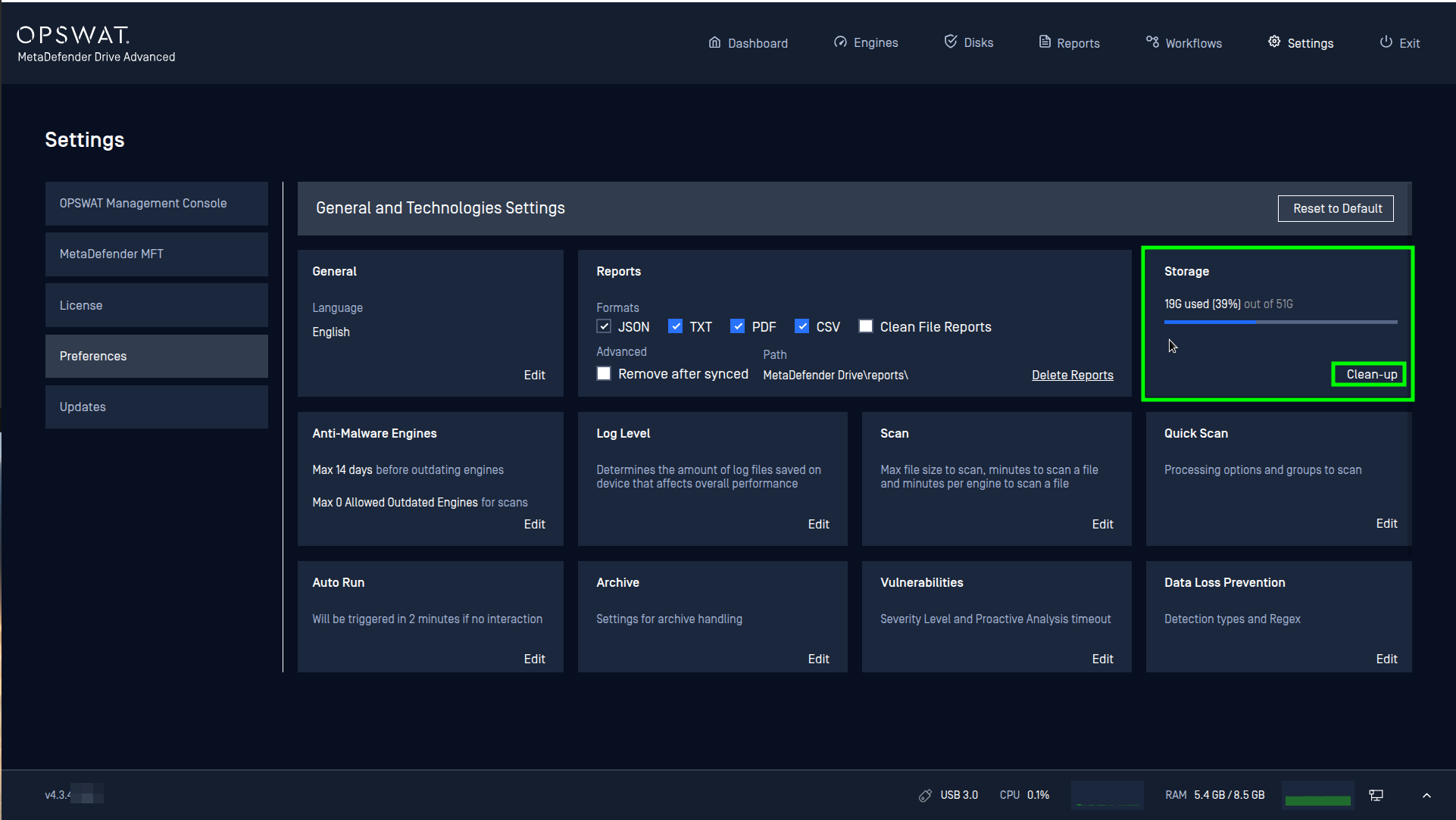
Ext4 partition: This partition contains the MetaDefender Drive's Linux operating system and temporary working directory. It is not visible in Windows Explorer. Over time, particularly after performing long scans or scanning large archive files, this partition may become full as the temporary space is used up. You can monitor its usage in the MetaDefender Drive UI under Settings > Preferences > Storage. If the EXT4 partition becomes nearly full, you will see a warning message when booting into MetaDefender Drive:
"Disk is almost full. Used: X%". Please note that you cannot free up space in this partition using Windows Explorer. The only way to clean up this partition is by clicking the Clean-up button in the MD Drive UI.
If Further Assistance is required, please proceed to log a support case or chatting with our support engineer.