
Info:
This article applies to all MD Drive versions
Issue:
When attempting to scan files, MetaDefender Drive displays the error:
"Malware engines are not active and scanning cannot start. Install or update the engines to enable scanning."
Observed logs:
{"date":"2025-08-03T16:00:38Z","level":"error","msg":"getServerConnectionStatus error","json":{"infect_error": {"curl_error_code": 7, "error_msg": "Critical service not available to process scan.", "http_code": 0}}}
{"date":"2025-08-03T16:00:38Z","level":"info","msg":"url: http://localhost:8008/stat/packages, curl_error_code : 7, http_code 0, native curl error text: Failed to connect to localhost port 8008 after 0 ms: Connection refused"}
{"date":"2025-08-03T16:00:38Z","level":"error","msg":"Native Curl Error: GET http://localhost:8008/stat/packages, Error Code: 7, Error: Failed to connect to localhost port 8008 after 0 ms: Connection refused"}
Even after updating engines via the Drive Toolkit (DTK), scans may fail with the above error. Logs indicate a failure to connect to the local backend service responsible for engine management. This usually occurs because the backend service managing Anti-Malware engines is not running or is unreachable, and the engines have not yet finished installing or activating, preventing scans from starting.
Resolution:
Open the MD Drive Toolkit (DTK) and check for engine updates. Refer to the guideline: https://www.opswat.com/docs/mddrive/maintenance/update-engines
On MD Drive console, engines need to be active before scanning. Example Flow:
Initially, there are no Anti-Malware engines available
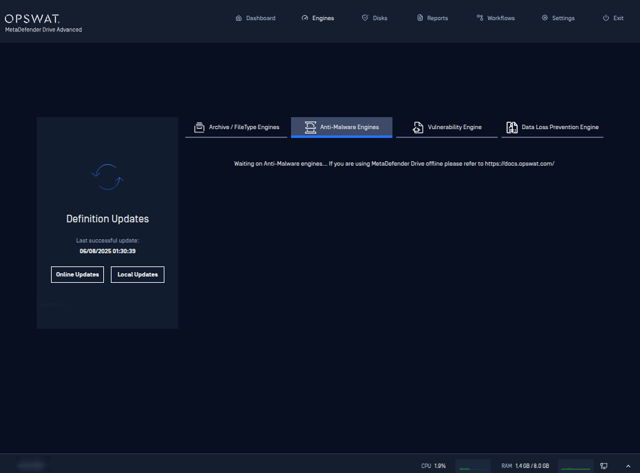
Boot MD Drive: The engine update screen should appear. Wait 5–10 minutes for engines to finish installing.
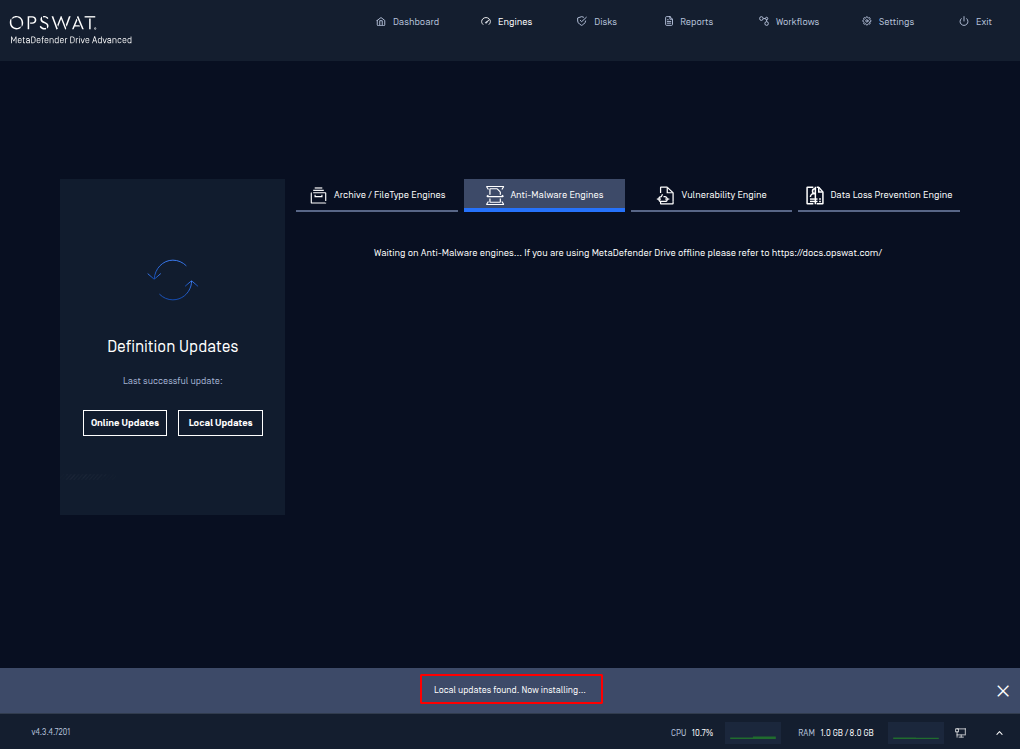
To trigger scan, at least one Anti-Malware is active
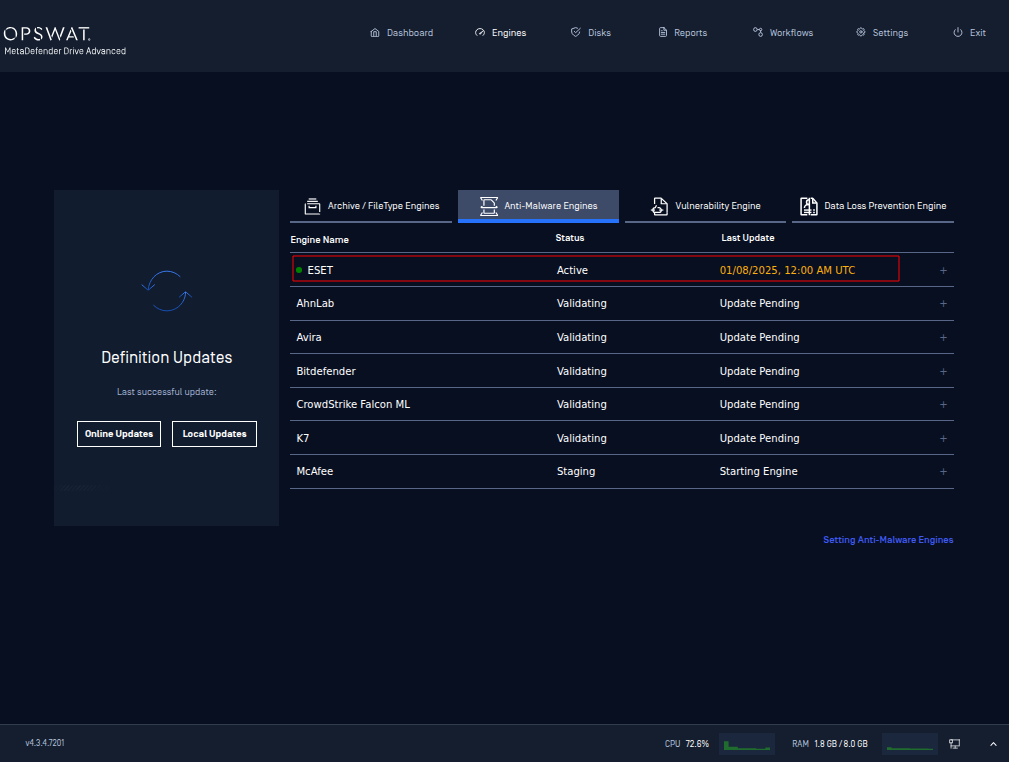
Ready to Scan: At least one Anti-Malware engine must be active.
Retry scanning once at least one engine shows status Active.
Support:
If you require further assistance, please follow these instructions on How to Create Support Package?, before creating a support case or chatting with our support engineer.