
What are the engine clean-up instructions?
This tool only works on MetaDefender Core 4.18.0 and older.
For Metadefender Core 4.19.0+, please use the instructions found here: Engine Clean-up Tool
For MetaDefender Core 4.19.2 or newer, all engines could be removed directly on the MetaDefender Core management console UI under Modules page or you can consult this article : How to Remove Engines from MetaDefender Core using command line?
Sometimes, during the engines downloading/deployment process, some of them may remain in "failed" or "permanently failed" status. In this case, you can perform an engine clean-up by downloading the engine_sweeper tool and following the next steps:
Extract the engine_sweeper.zip package to a temporary location on the server where MetaDefender Core is installed
Open a Command Prompt window as Administrator and navigate to the temporary folder where you have extracted the archive
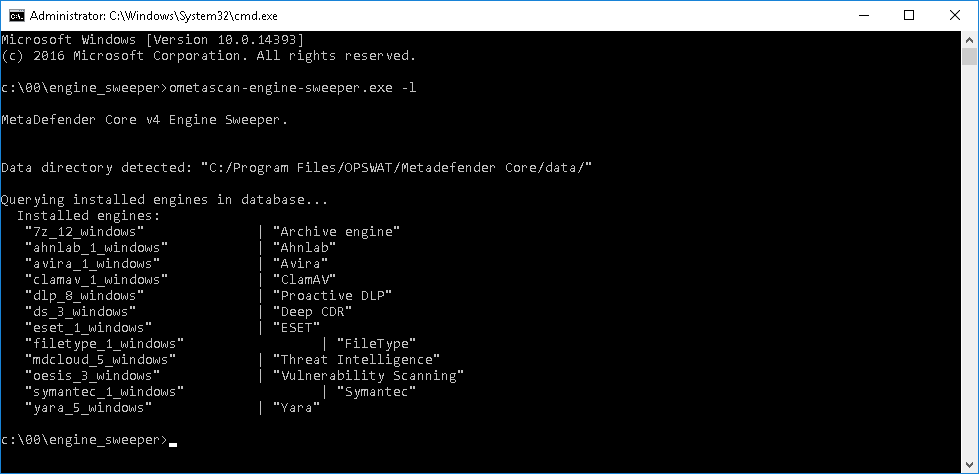
Run the command ometascan-engine-sweeper.exe -l to display a list of all installed engines
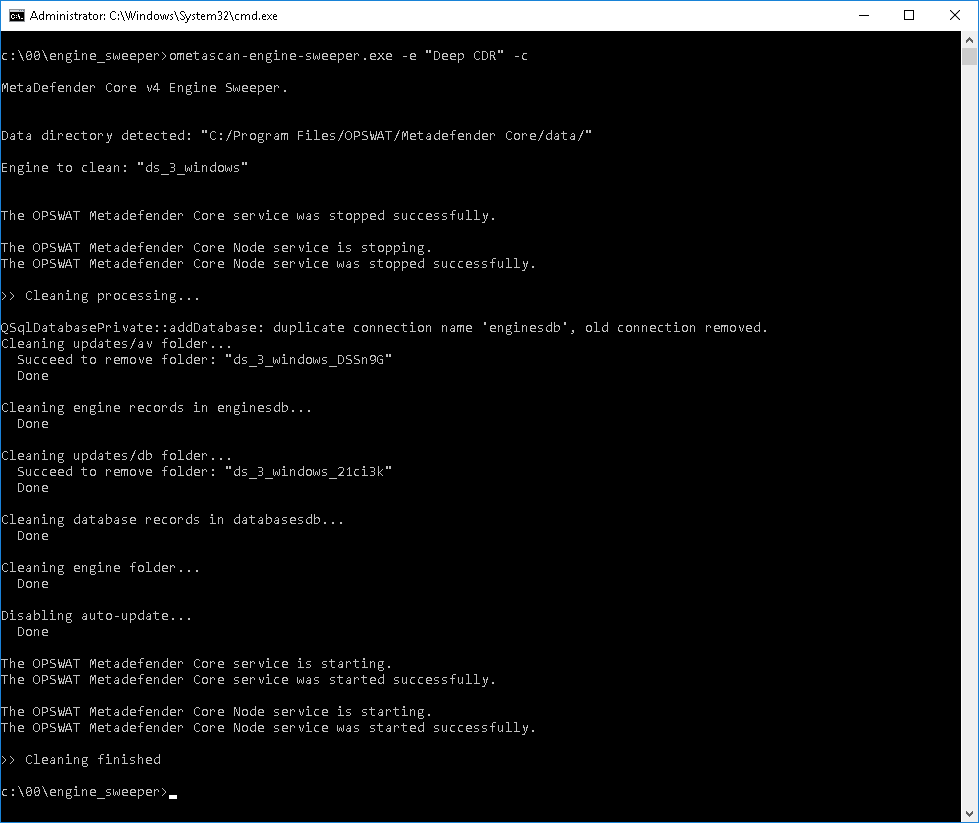
Run the command ometascan-engine-sweeper.exe -e <engine name from above> -c to clean the engine having the issues
Note: During the cleanup process, the MetaDefender Core and Node services will be restarted, and the Updates Settings Source will be set to "Manual"
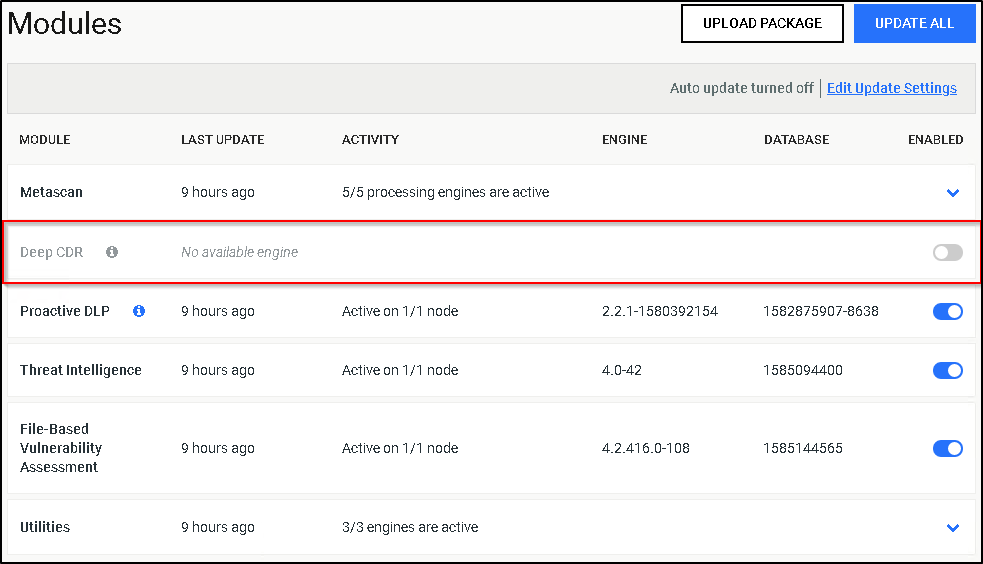
Check the engine in Inventory > Modules as it should now be grey. (e.g. Deep CDR in the following screenshot)
Revert your Updates Settings Source from "Manual" to your previous setting and trigger an update, for the engine to re-deploy successfully
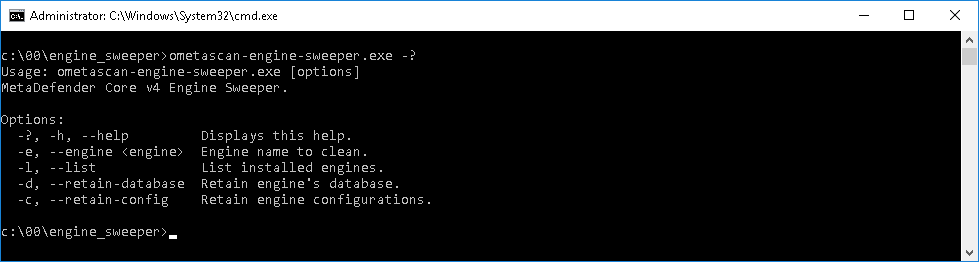
More parameters that can be used with this tool can be found in the next screenshot
If you have followed all of these steps and your engines are still unusable, please see how to create a support package, then please proceed to create a support case or chat with our support engineer.