
How to change Core Web Management Interface Address Port?
By default, MetaDefender Core’s Web Management Interface is available via Port 8008.
This is customizable via Registry Editor in Windows and /etc/ometascan/ometascan.conf file in Linux.
To change the port, you can follow the steps below:
Windows:
Press Win+R, type regedit and press Enter to open Registry Editor:

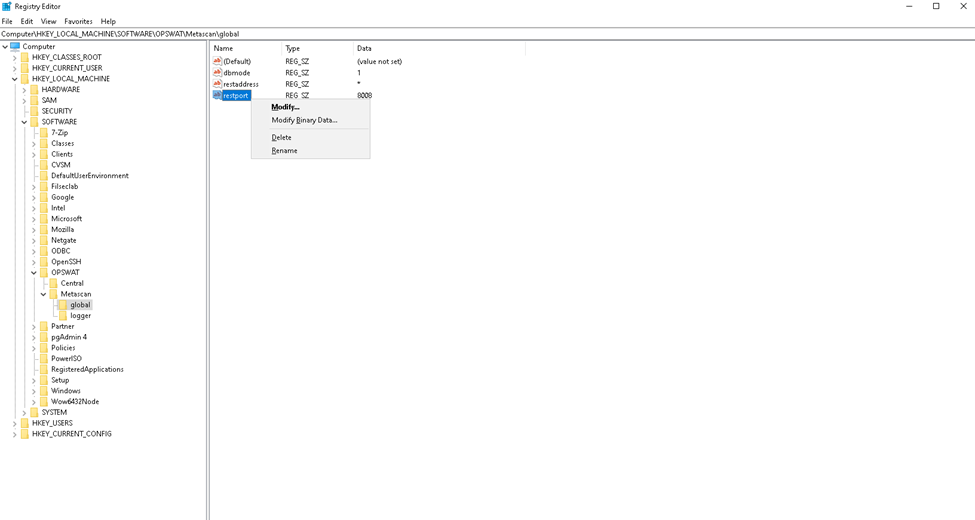
Navigate to HKEY_LOCAL_MACHINE\SOFTWARE\OPSWAT\Metascan\global, select restport Key and select Modify…
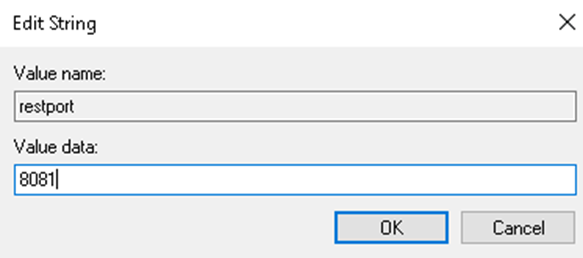
Enter the desired port and click the OK Button
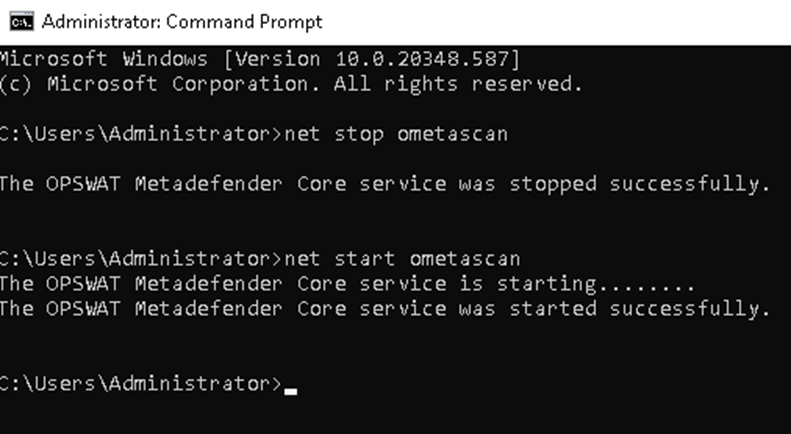
Open a Command Prompt as an Administrator and run the following commands to restart MetaDefender Core Service:
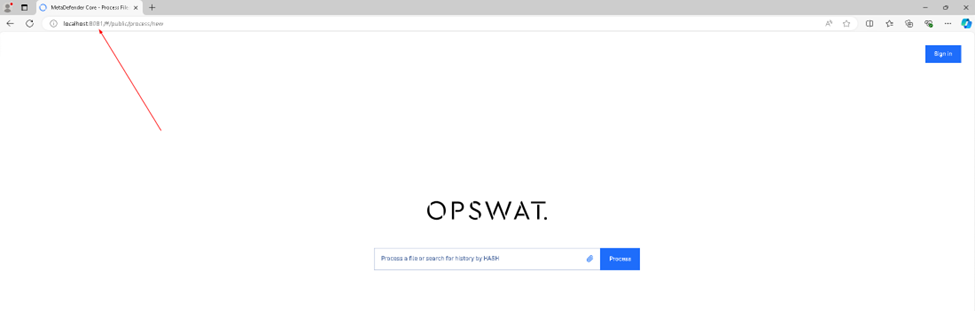
You can now access the MetaDefender Core Web Management Interface via configured Port:
Linux:
Open the /etc/ometascan/ometascan.conf file in edit mode:
Edit the restport value with the desired port:
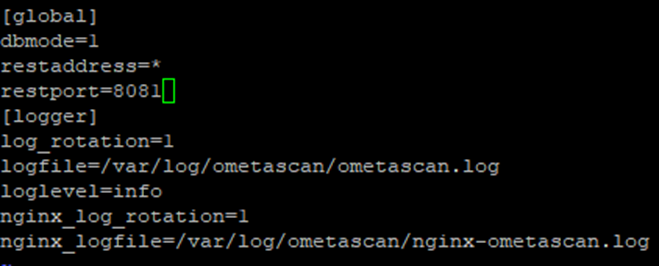
Save the changes and restart the MetaDefender Core Service using the following command:
You can now access the MetaDefender Core Web Management Interface via configured Port:
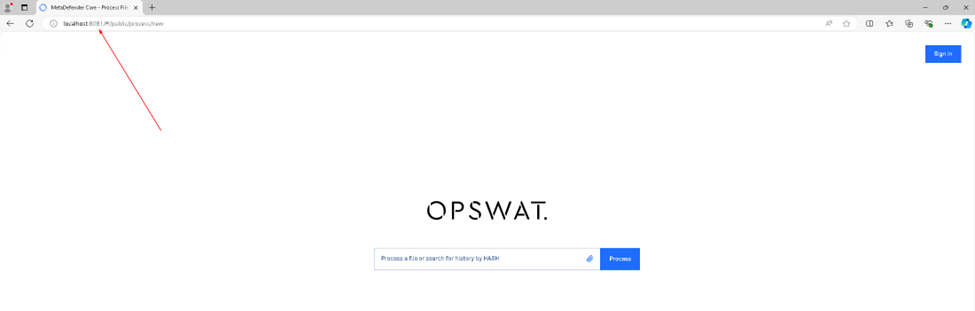
If Further Assistance is required, please proceed to create a support case or chat with our support engineer.