
How to configure SMTP server without authentication under MetaDefender Core to send notification to M365?
Solution
In order to be able to send notification from MetaDefender Core to you M365 tenant without authentication, there are 2 steps which should be followed:
Configure MetaDefender Core
Configure M365 – Exchange Online
1. Configure MetaDefender Core
To be able to send notification to your M365 tenant from MetaDefender Core, the following fields should be configured properly:
Server(M365 mail exchange FQDN)
In order to be able to find your M365 mail exchange FQDN, you can use the following commands in powershell/CMD:
nslookup
set type=mx
your.domain.com
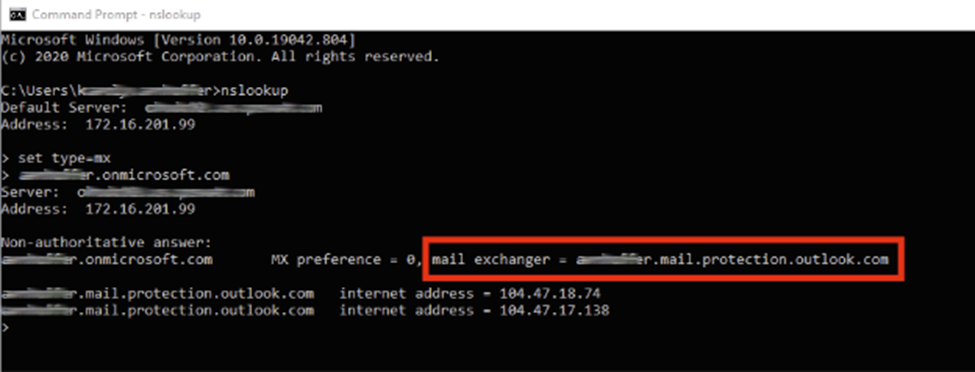
Example:
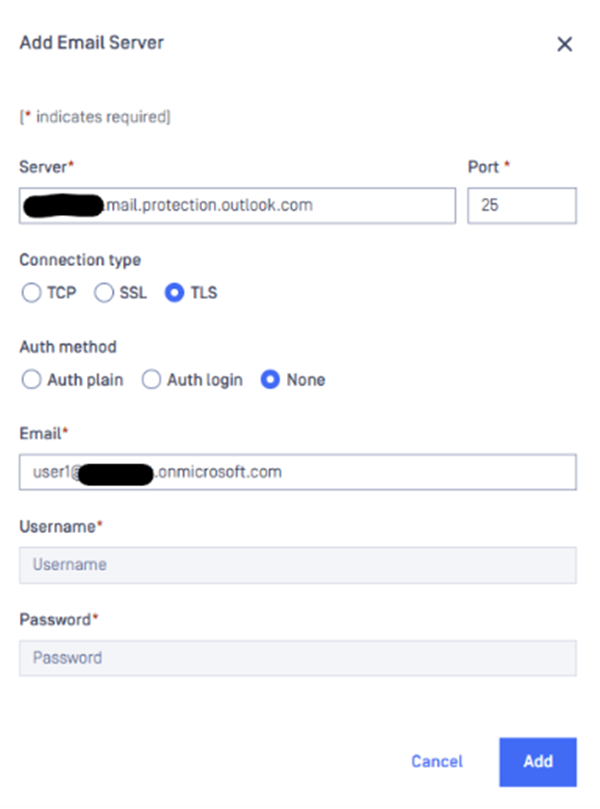
Port: 25
Connection type: TLS or TCP
Auth Method: None
Email: Email address for sender of notification. Email address should be one of the accepted domains in Microsoft 365 tenant.
More details about M365 URLs can be found checking following link: Microsoft 365 URLs and IP address ranges - Microsoft 365 Enterprise | Microsoft Learn 2. #### Configure M365 – Exchange Online
On Exchange Online, a Connector should be created which accept emails from MetaDefender Core machine in order to not blacklist IP.
IMPORTANT: MetaDefender Core machines should have static IPs.
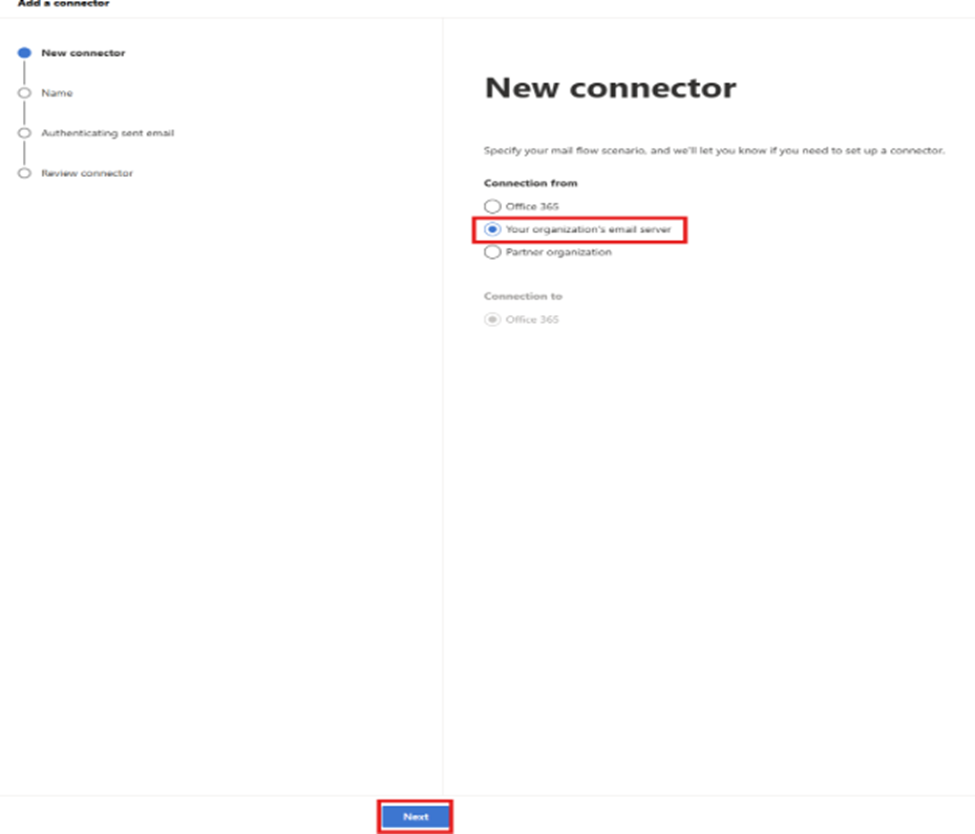
Configure connector with the following configuration as in below screenshot:
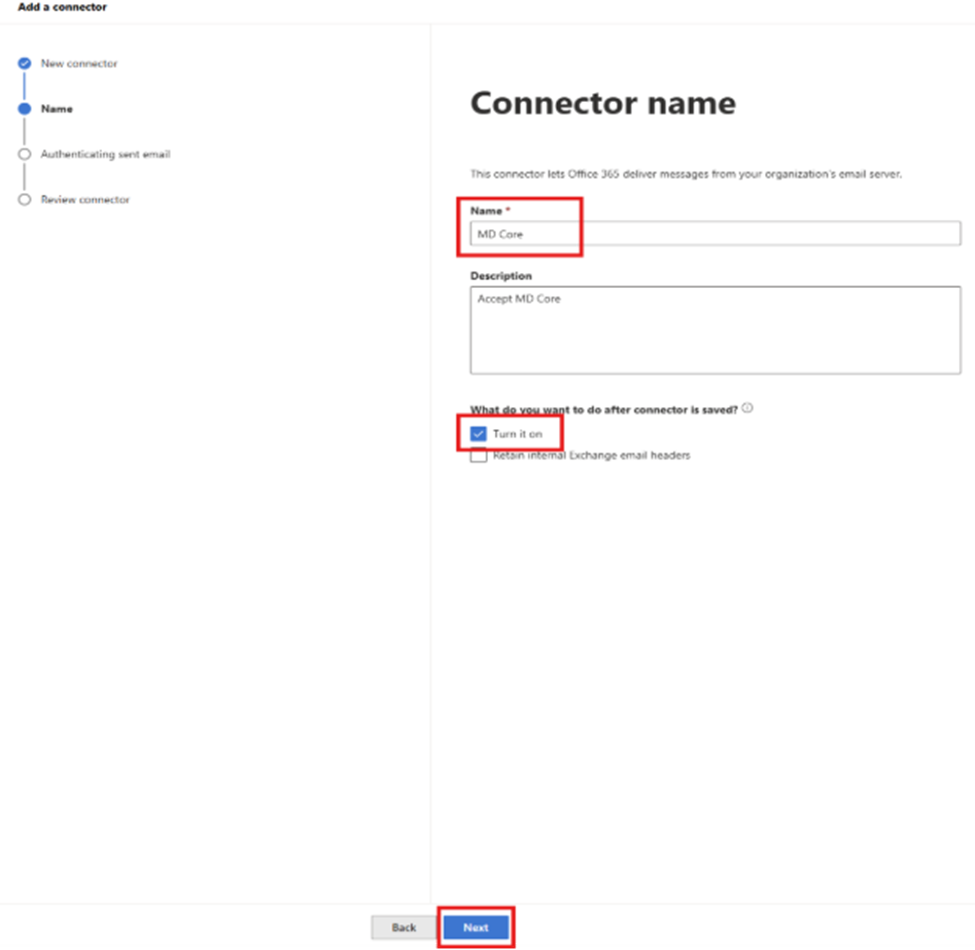
Provide a name for the connector and select “Turn it on”
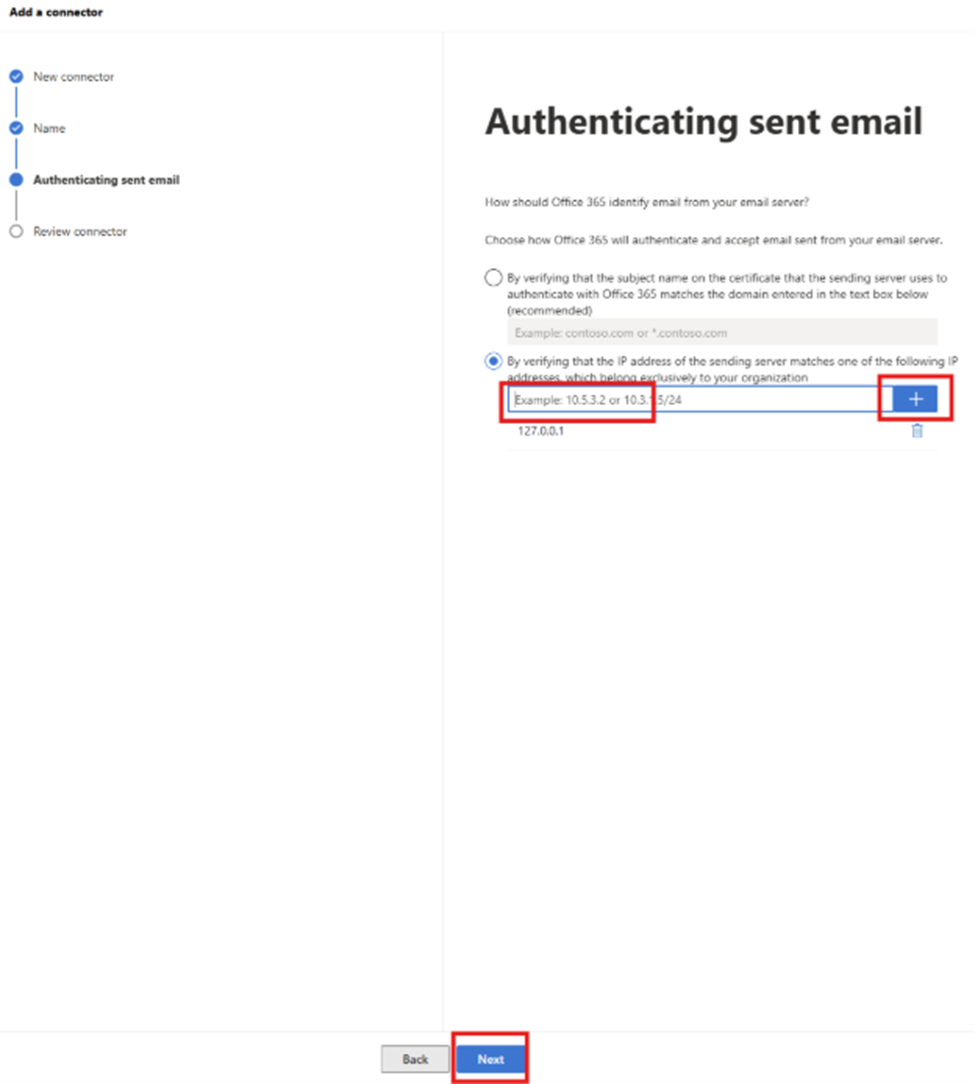
Add the IP or IP of MetaDefender Core machine or machines and press “+” button to add
At the end of Wizard, press “Create connector”.
If Further Assistance is required, please proceed to log a support case or chatting with our support engineer.