
This article applies to MetaDefender Core version 5.17.1 and later (Windows and Linux).
Problem
After an SSO directory is configured and enabled, MetaDefender Core automatically redirects login requests to the configured Identity Provider (IdP). If authentication is successful, users should be logged in and redirected to the MetaDefender Core dashboard.
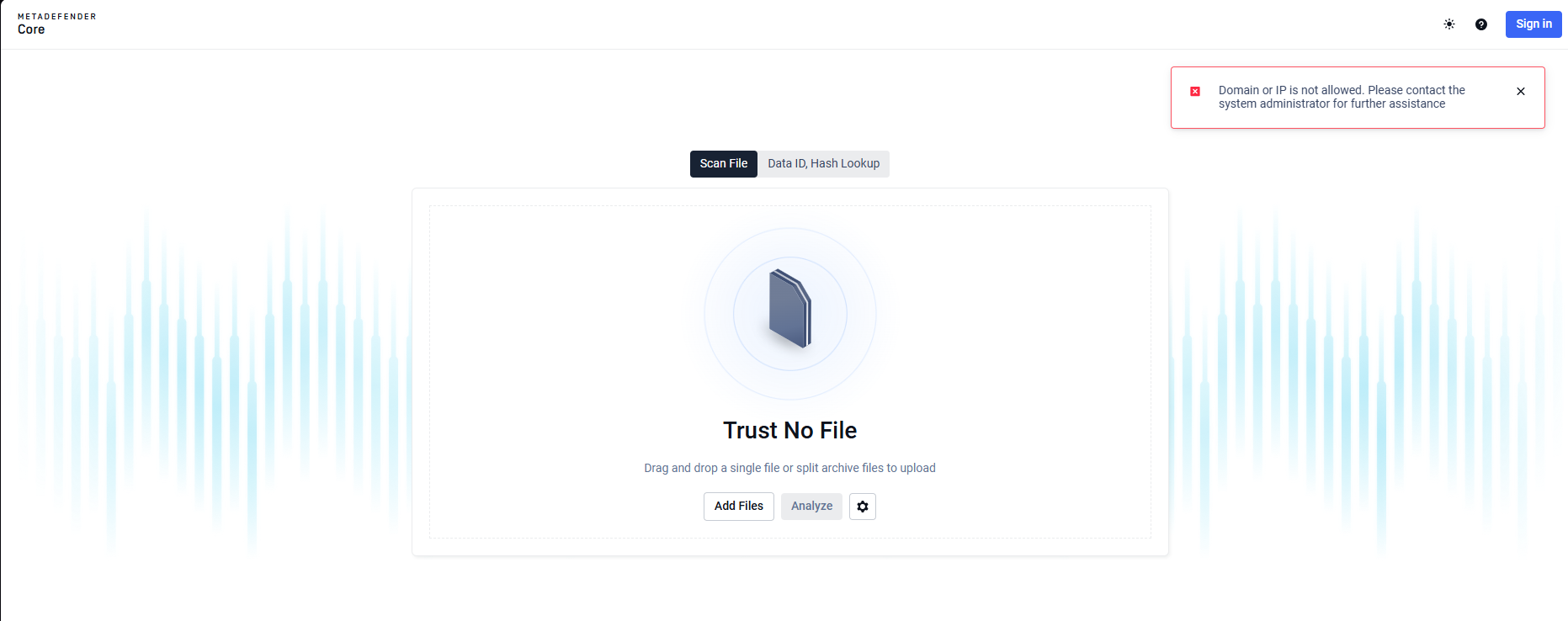
In some cases, the login fails and the following error is displayed:
Why This Happens
This error means that the URL used to access MetaDefender Core does not match any of the login URLs configured in the SSO directory. For security reasons, MetaDefender Core only allows SSO authentication from explicitly configured domains or IP addresses.
Common Causes
This issue is usually caused by one of the following:
The login URL is configured in the IdP but is missing from the MetaDefender Core SSO directory.
The URL scheme does not match (for example,
httpinstead ofhttpsor vice versa)A mismatch in trailing slashes (for example,
/corevs/core/).Accessing MetaDefender Core using a different domain, IP address, port or alias that is not registered in the SSO configuration.
How to Fix It
Sign in to MetaDefender Core using the
<mdcore-host>#/public/backuplogin(non-SSO access).Go to User Management > Directories.
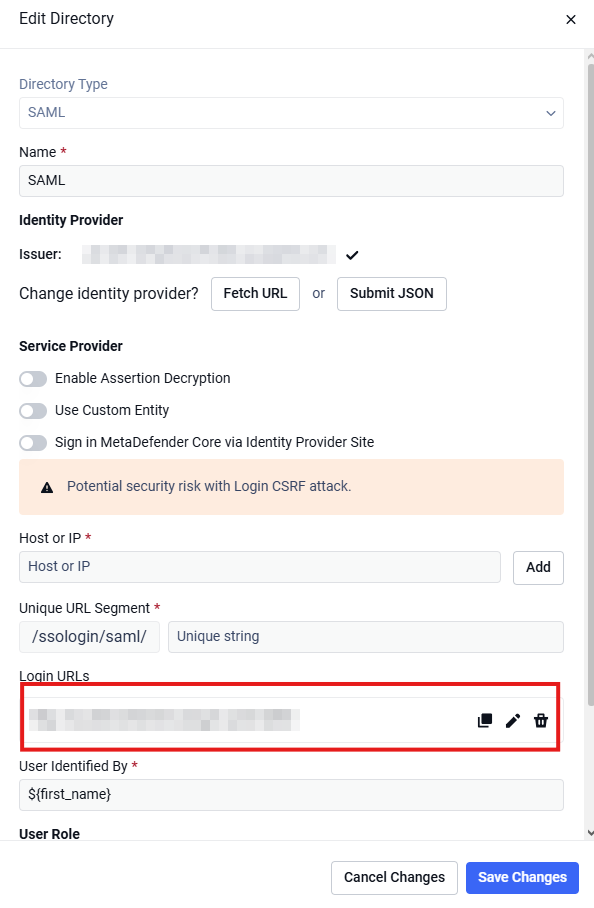
Select the active SSO directory.
Navigate to Login URLs configuration.
Add or update the URL used to access MetaDefender Core, making sure it matches exactly.
Save the changes.
Log out and try signing in again using SSO.
What to Expect
Once the correct login URL is configured, authentication requests are redirected to the Identity Provider. After successful authentication, the user is granted access to the MetaDefender Core dashboard.
If Further Assistance is required, please proceed to log a support case or chatting with our support engineer.