
Problem
When deploying MetaDefender Core with Docker Debian-based, SSL handshake failures related to certificate chain issues may occur while accessing the fetching Azure Entra URL (https://login.microsoftonline.com)
The server (https://login.microsoftonline.com) uses SSL certificates issued by DigCert Certificate Authority (CA) typically DigCert Global Root G2 and possibly intermediates like DigCert Global G2 TLS RSA SHA256 2020 CA1.
Since (https://login.microsoftonline.com) uses a Content Delivery Network (CDN), the certificate chain at your location may differ slightly from the one seen at OPSWAT Support.
How to fix it
Access the Fetch URL in Your Browser
Open a browser (e.g., Microsoft Edge or Chrome).
Visit: https://login.microsoftonline.com
Export the Certificates
Click on the security lock icon next to the address bar.

View Certificate details.
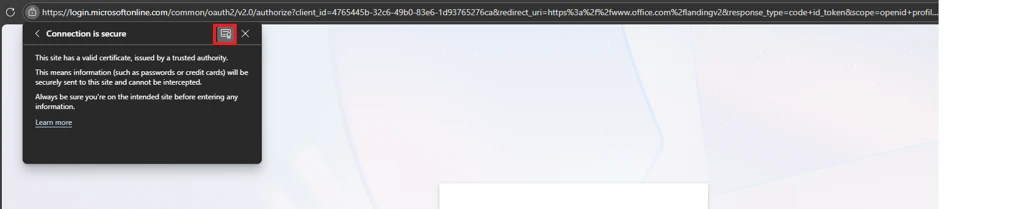
Export the first certificate (subject certificate)
Select Base-64 encoded ASCII, single certificate (*.crt)
Save it as →
stamp2.login.microsoftonline.com.crt
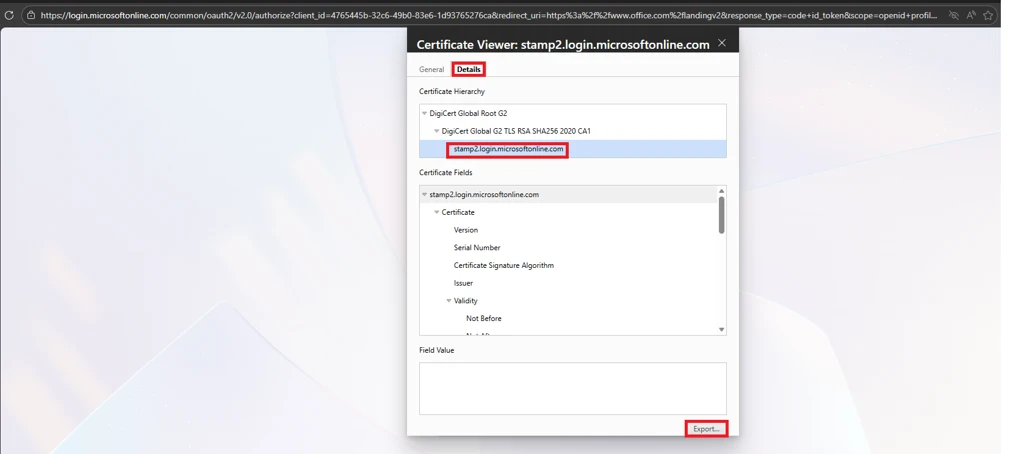
Export the first certificate (subject certificate)
In the certificate viewer, go to the Certification Path tab.
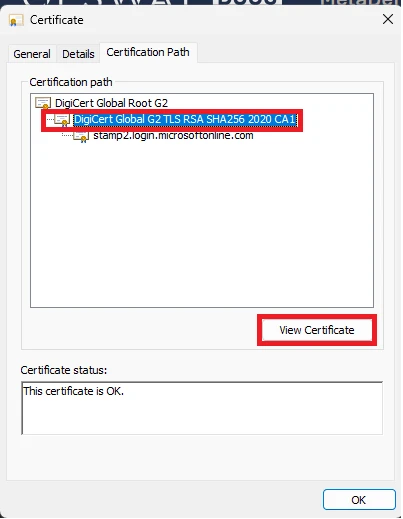
Select the second certificate (the intermediate CA), then click View Certificate.
Go to Details → Copy to File.
Select Base-64 encoded X.509 (.CER) format.
Save it as
Intermediate.crt(removed.cer)
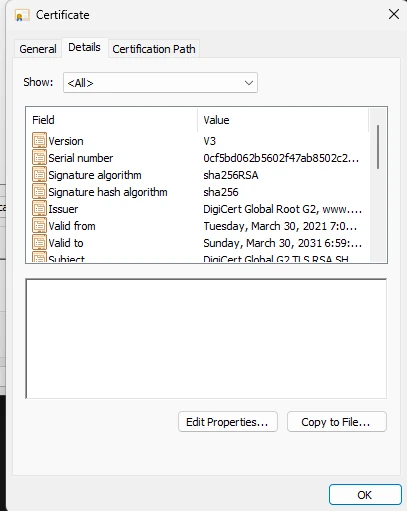
Repeat the same process for the root certificate:
Save it as
Root.crt(removed.cer) .
You should now have three certificate files:
stamp2.login.microsoftonline.com.crt(subject/leaf)Intermediate.crt(intermediate CA)Root.crt(root CA)
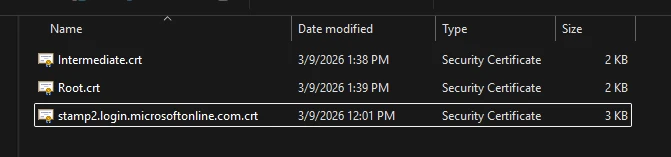
Create a fullchain cert with the linux command:

Mount the volume for certificates into the trusted root certification authorities
Given that the full chain certificate is stored at ./trusts-ca/azure-full-chain.crt, then we can mount it to the container with the following example: