
Overview
MetaDefender Core Deployment Readiness Tool (ometascan-readiness) is a small standalone program that checks whether a host is ready to install or upgrade MetaDefender Core v5. It runs in a few seconds, makes no changes to your system, and tells you up front whether the host meets the official requirements — so you find problems before the installer does, not during.
The tool is read-only: it never modifies Core configuration, the database, services, firewall rules, packages, users, or permissions.
Download HERE
What It Checks
Whether this is a fresh install or an upgrade (auto-detected)
OS, architecture, CPU, RAM, disk space, and storage type
Linux packages / Windows prerequisites
REST API and PostgreSQL port availability
Network reachability to OPSWAT update, download, and activation endpoints
User, directory, file-limit, service-manager, and service-account readiness
PostgreSQL connectivity, version, database size, and backup space
Existing Core service or package conflicts before an upgrade
Before you run
The Deployment Readiness tool is available for download from My OPSWAT portal.
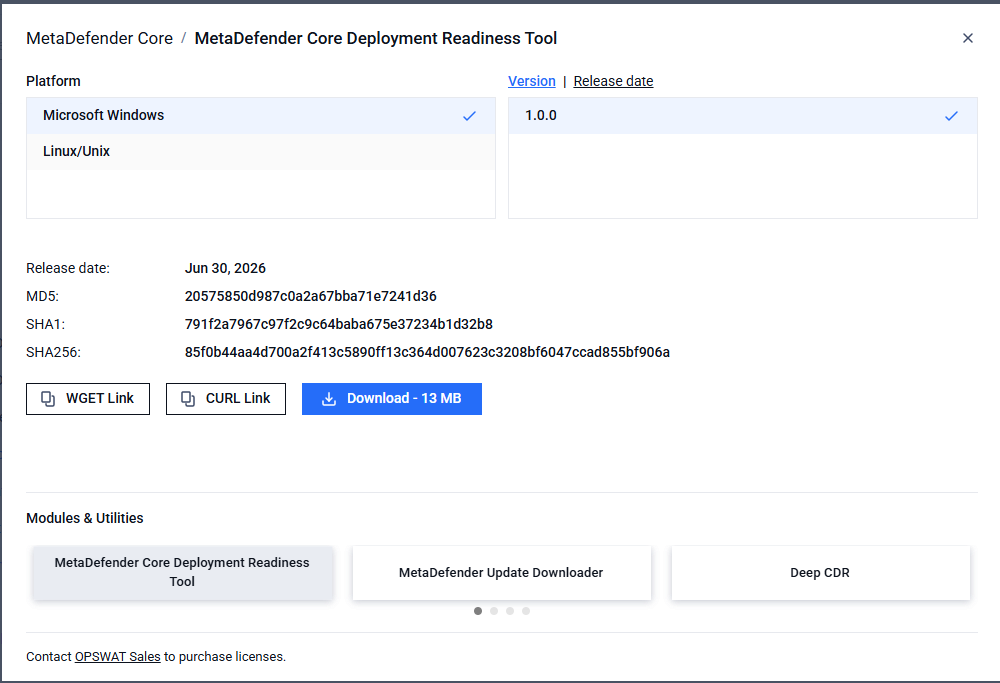
There are a few things before you run:
Run with administrator / root privileges. On Linux, use
sudo; on Windows, use an elevated PowerShell (Run as administrator). Without elevation, some checks (registry, service account, system directories) return Unknown because the OS denies the read.For a fresh install: know how many AV engines you plan to deploy. If you omit it, the tool prompts you interactively.
For an upgrade: know the target Core version (e.g.
5.20.0). Recommended but optional.
No prerequisites to install — the tool is a single self-contained binary.
How to run
Quick start
Linux:
Windows:
The tool auto-detects an existing Core install. If found, it reads the current version and engine count automatically; if not, it prompts you for the engine count. When finished, it prints a console summary and writes timestamped .html and .json reports to the current directory.
Interactive mode & default values:
When you run the tool in a terminal without supplying all inputs on the command line, it prompts you for the missing inputs. Each prompt shows its default value in brackets — press Enter to accept the default, or type your own value to override it.
Example:
The defaults are:
Prompt | Default | Notes |
|---|---|---|
Number of AV engines planned/installed | 10 | Accepts |
Will you use Deep CDR or Proactive DLP? | No | Adds CPU/RAM sizing when Yes. Override with |
Will you use Embedded Sandbox? | No | Adds sizing when Yes. |
Will you use SBOM generation? | No | Adds sizing when Yes. |
What type of PostgreSQL do you plan to use? | bundled | Choose |
Accepting the default: pressing Enter at any prompt selects the bracketed value. Invalid input (a non-number, or a choice outside the listed options) is rejected and the prompt repeats.
When prompts are skipped (non-interactive mode): if you pass --quiet or --report json, the tool does not prompt. It uses these same defaults for the optional questions, but --av-engines becomes required for a fresh-install check and the tool exits with an error if it is missing.
Common scenarios
Fresh install:
Hardware is sized for the engine count plus any features you enable (--cdr, --dlp, --sandbox).
Upgrade:
The tool detects your current version and engine count, validates the PostgreSQL version and database size, and checks that there is enough backup space for the pre-upgrade backup. It also warns if the Core service is still running.
Parameters
Parameters | Purpose |
|---|---|
| Planned AV engine count (required for non-interactive fresh install). |
| Add CPU/RAM sizing for these features. |
| Validate against a specific Core version profile. |
| Air-gap mode: skip online checks; network failures become advisory INFO. |
| Check a remote PostgreSQL (see below). |
| Choose which report files to write (default |
| Where to write reports. Use |
| Suppress progress output (forces non-interactive). |
| Return exit code |
| List bundled target-version profiles, then exit. |
The tool only checks readiness — it does not install or upgrade Core.
The schema check validates upgrade/downgrade direction; it does not prove every intermediate migration step is supported.
Older target-version profiles may have incomplete historical schema data.
Read the report
After executing the binary, open the HTML/JSON report, or read the console summary:
Status | Meaning | What to do |
|---|---|---|
PASS | Requirement met. | Nothing. |
INFO | Informational context. | Read for awareness. |
WARN | Below recommended, not blocking. | Review and fix before production load. |
FAIL | A blocker. | Fix before running the installer. |