
Do I need to change this?
Most users can leave this setting alone. MetaDefender Core works out of the box with the default value (daemon), which is the same behavior as before this feature existed.
Change Syslog facility only if your security or operations team has asked you to tag MetaDefender Core logs with a specific syslog category — for example, so a SIEM, Splunk, or rsyslog server can route or filter them separately from other applications.
What is a syslog facility?
When MetaDefender Core sends logs via syslog (to a remote syslog server or to the local Linux syslog), each message includes a facility — a label that tells the receiving system what kind of source produced the log.
Think of it as a category tag on every syslog message. Your syslog or SIEM server can use that tag to:
Route logs to different files or indexes (e.g. all
local0messages go to a dedicated Splunk index)Apply different retention or alerting rules
Separate MetaDefender Core logs from OS or other application logs
A typical syslog message is read as <facility>.<level>. For example:
The level (info, warning, error, etc.) is controlled separately by your existing syslog log-level settings. The facility setting only changes the category prefix.
How it works in MetaDefender Core
Where: Settings → Logging → General, under Log format
Default:
daemon— no action required for normal useApplies to: Both remote syslog (UDP/TCP/TLS) and local syslog (Linux)
Takes effect immediately after you save — no MetaDefender Core service restart is needed
One value for all syslog output — the same facility is used for every syslog message Core sends
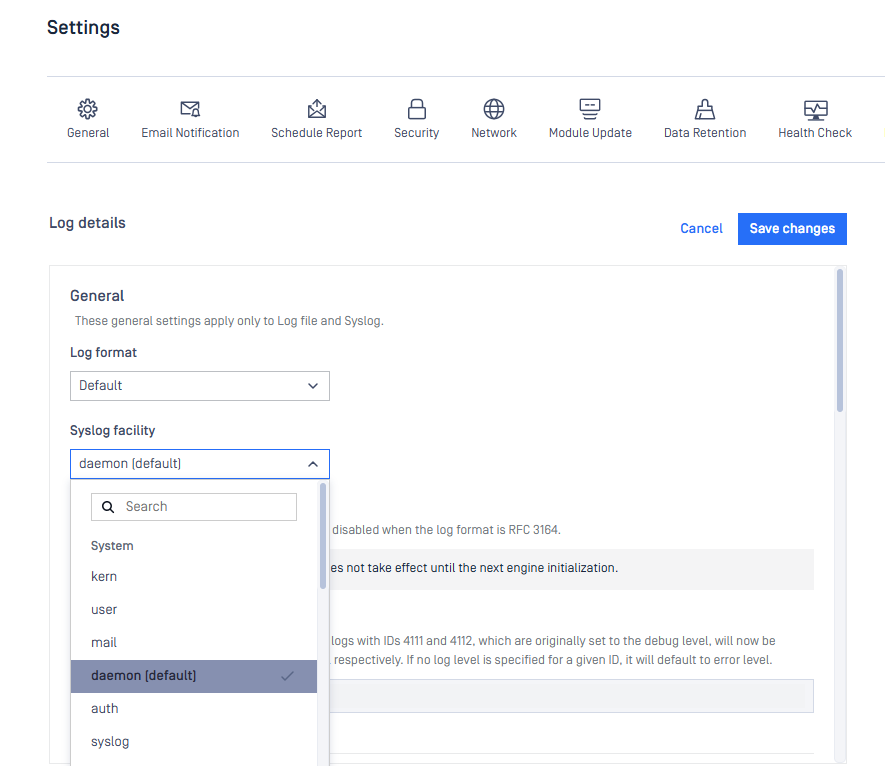
Common values
Other standard options (kern, user, mail, auth, etc.) are available but rarely needed for Core. Use them only if your syslog administrator specifies one.
When should I customize it?
Set a non-default facility when:
Your SIEM or syslog administrator gives you a required facility name (commonly
local0–local7)Your syslog server rules expect MetaDefender Core logs under a specific category (e.g.
local0.*) instead ofdaemon.*You need to separate MetaDefender Core logs from other
daemontraffic on a shared syslog collector
Example: Your Splunk admin asks MetaDefender Core to send logs as local0 so they can index them under mdcore. In Settings → Logging → General, set Syslog facility to local0 and save. New syslog messages will appear as local0.info, local0.warning, etc.
What stays the same if I ignore it?
Upgrades from older MetaDefender Core versions keep
daemonautomaticallySettings export/import without this field still work — they default to
daemonLog content, format, and log levels are unchanged; only the syslog category tag differs when you customize it