The Cryptography tab of the Reports page is the asset-centric view of your scan results: every cryptographic asset discovered across your scans, aggregated into a single Cryptographic Bill of Materials. The charts at the top show the number of assets by type, classical risk, and quantum security level.
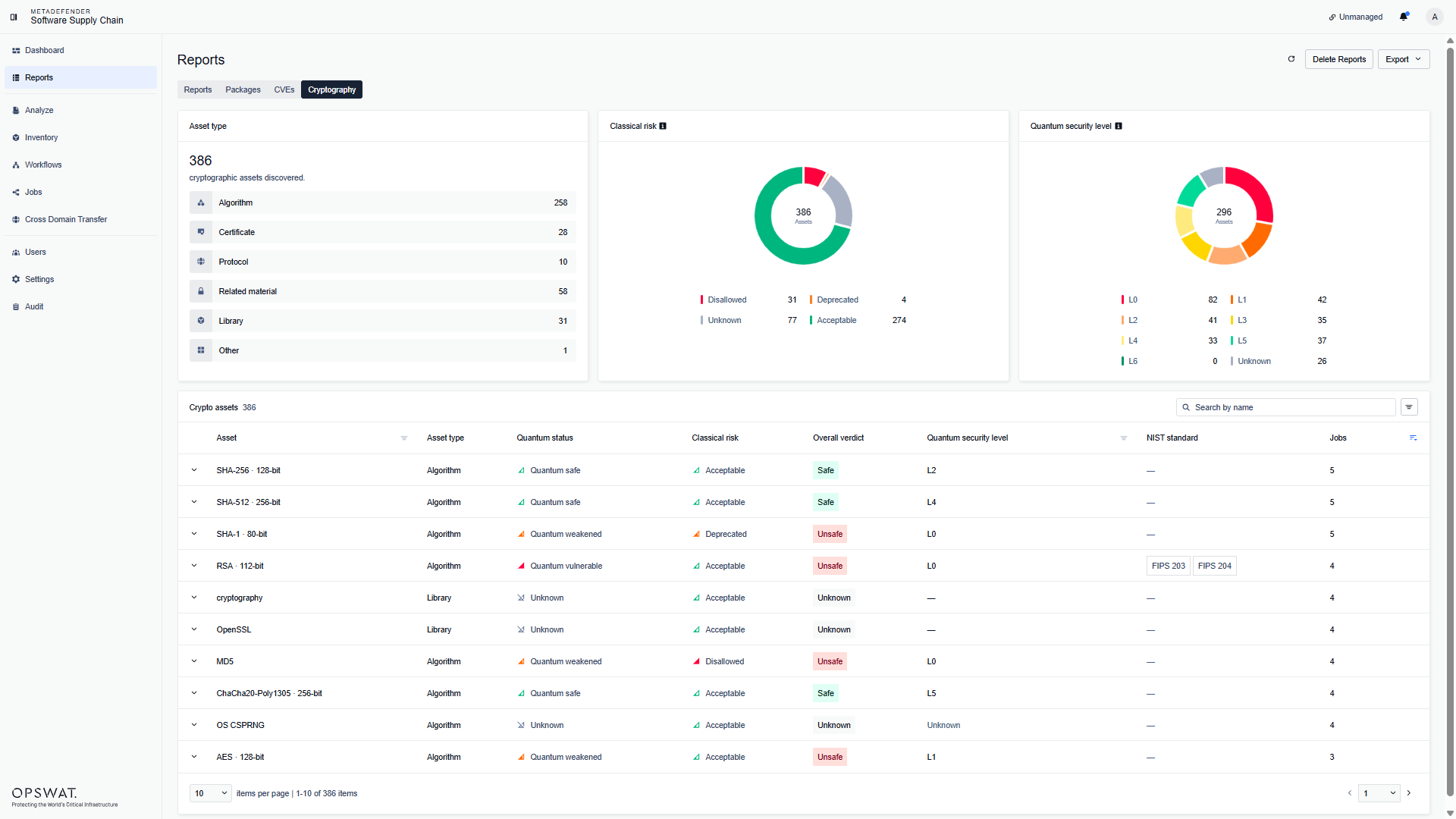
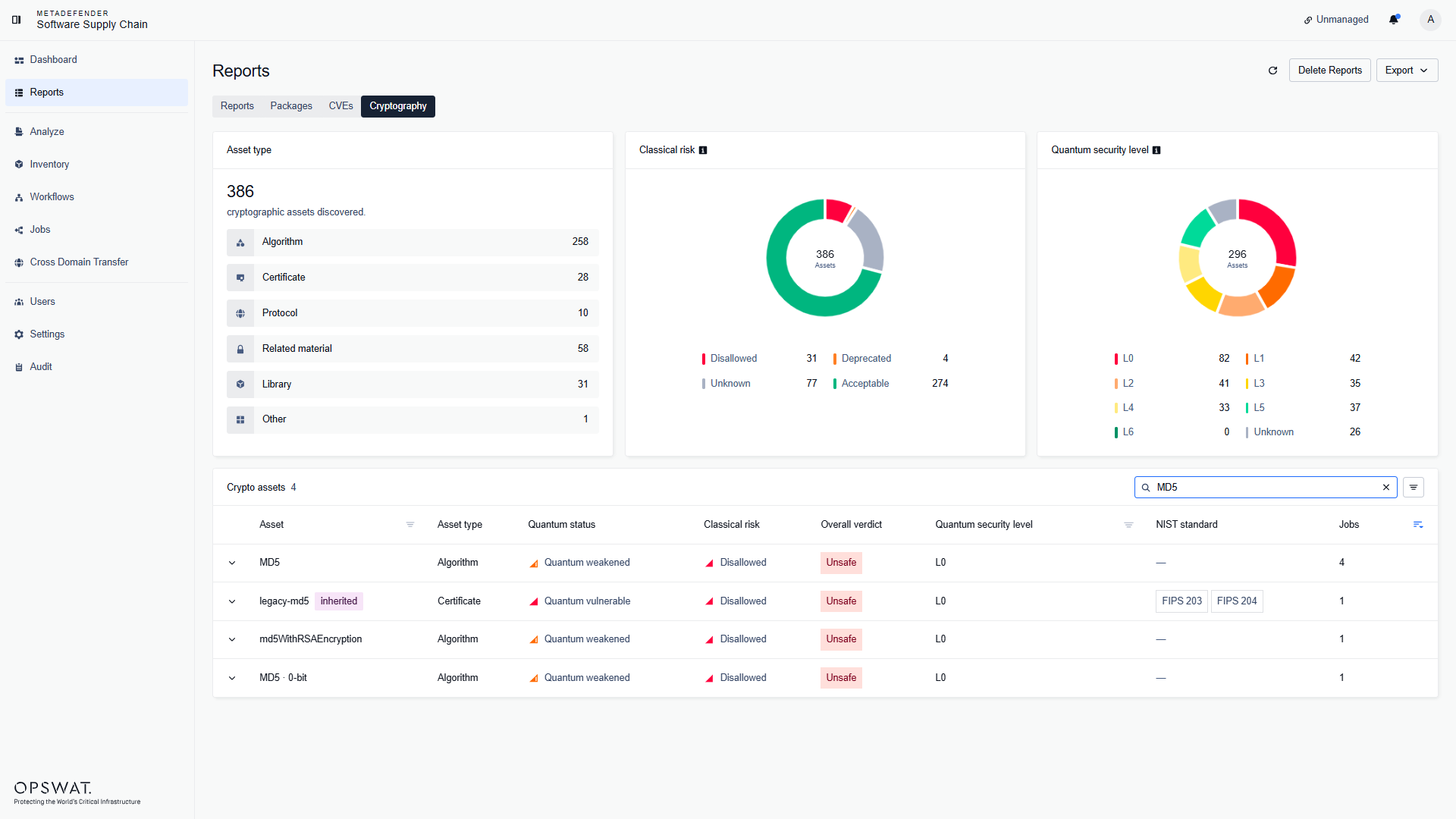
For each asset you can see its type, quantum status, classical risk, overall verdict, quantum security level, security standard, and the number of jobs that reported it. Use the search field to find an asset by name, and the filter button to filter by type, quantum security level, or classical risk:
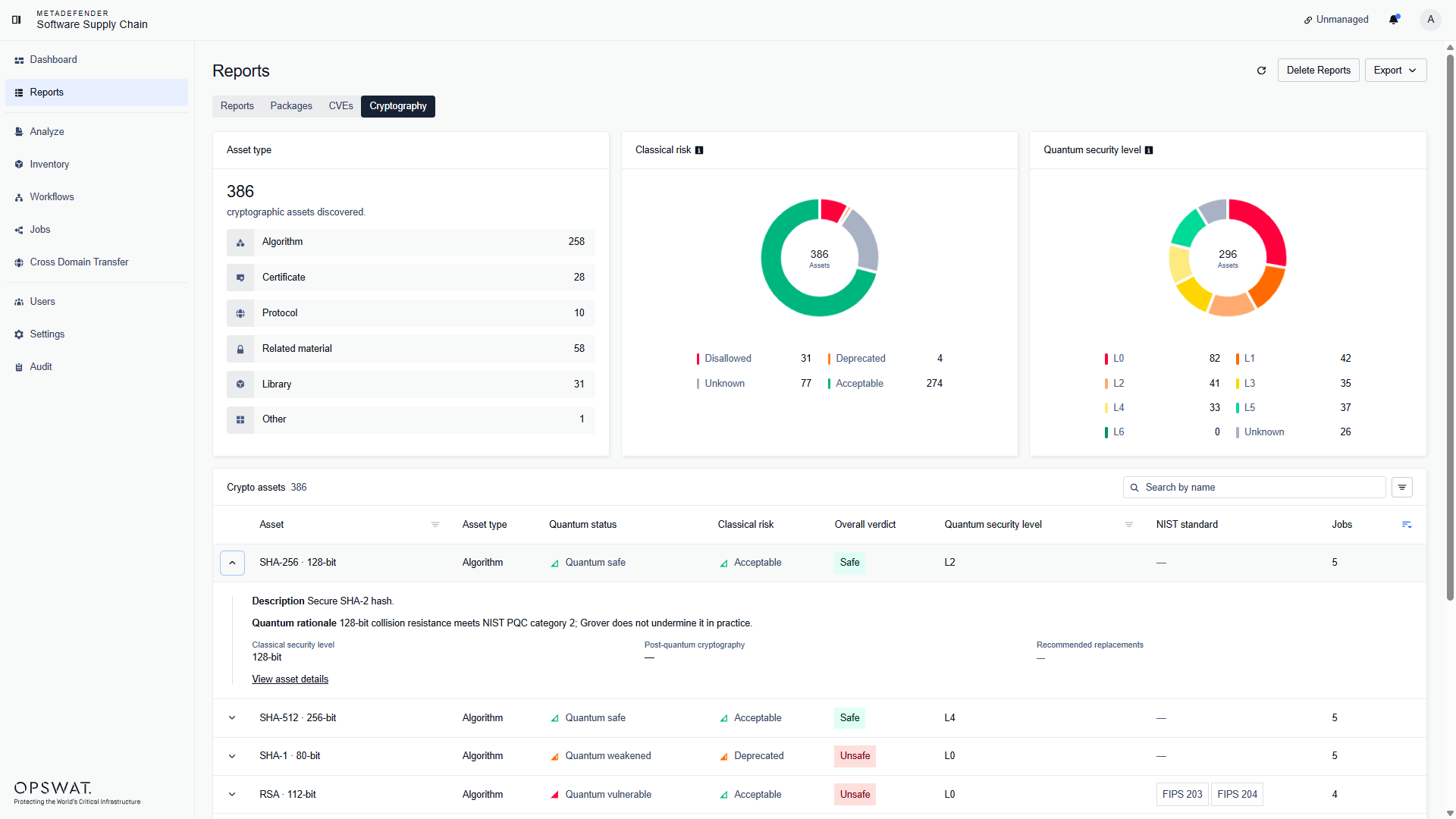
Expand a row to see the classical security level, whether the asset is post-quantum cryptography, and the recommended replacements:
Asset details
Click View asset details to open the asset page:
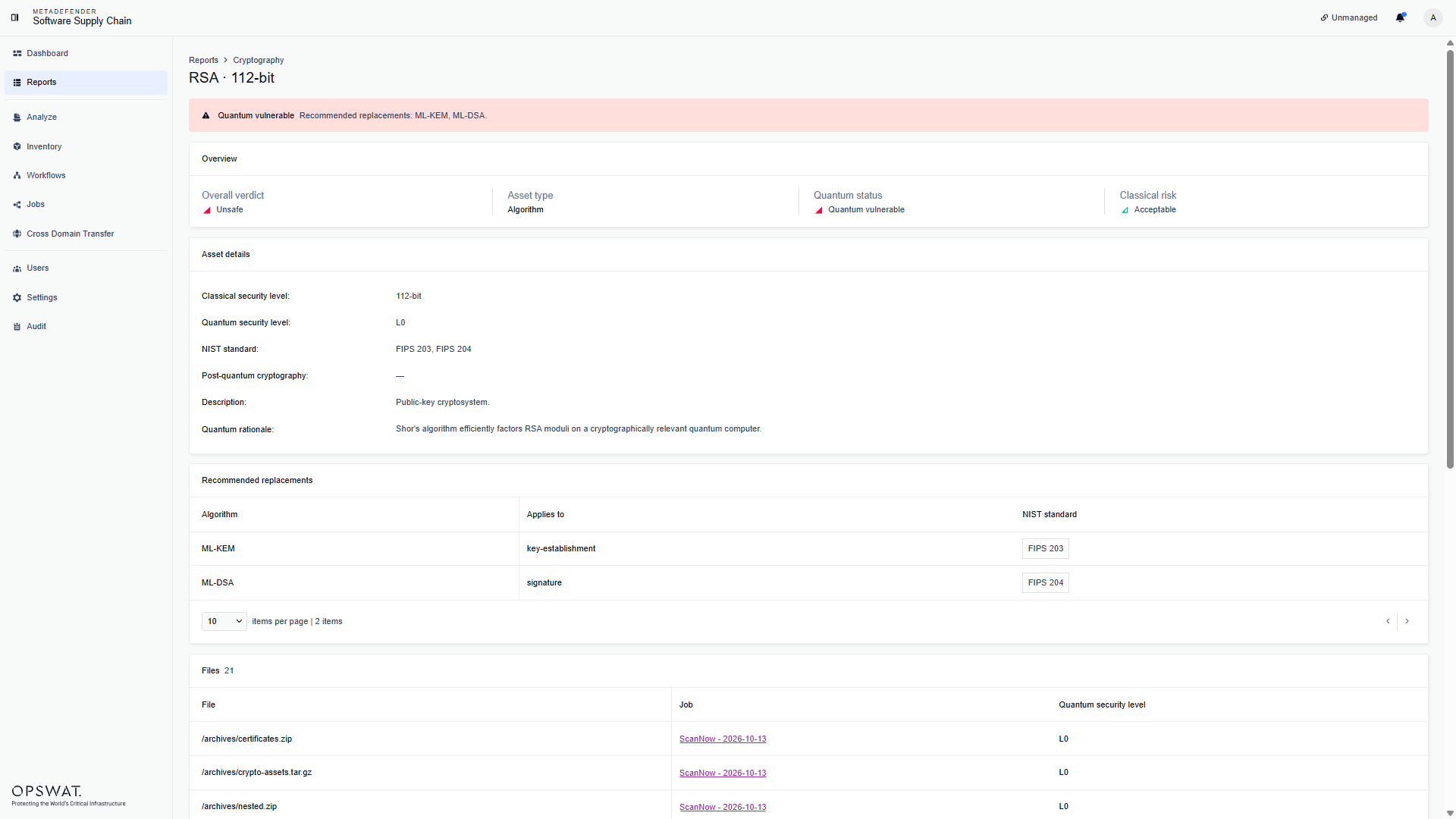
The asset page shows:
a warning banner, when the asset is weak against today's attacks;
Asset details: the classical and quantum security levels, the NIST standard, the description, and the quantum rationale;
Recommended replacements: the algorithms to use instead of this asset;
Files: the files where the asset was found;
Jobs: the scans that reported the asset;
Evidence: the lines in the files that matched the asset.
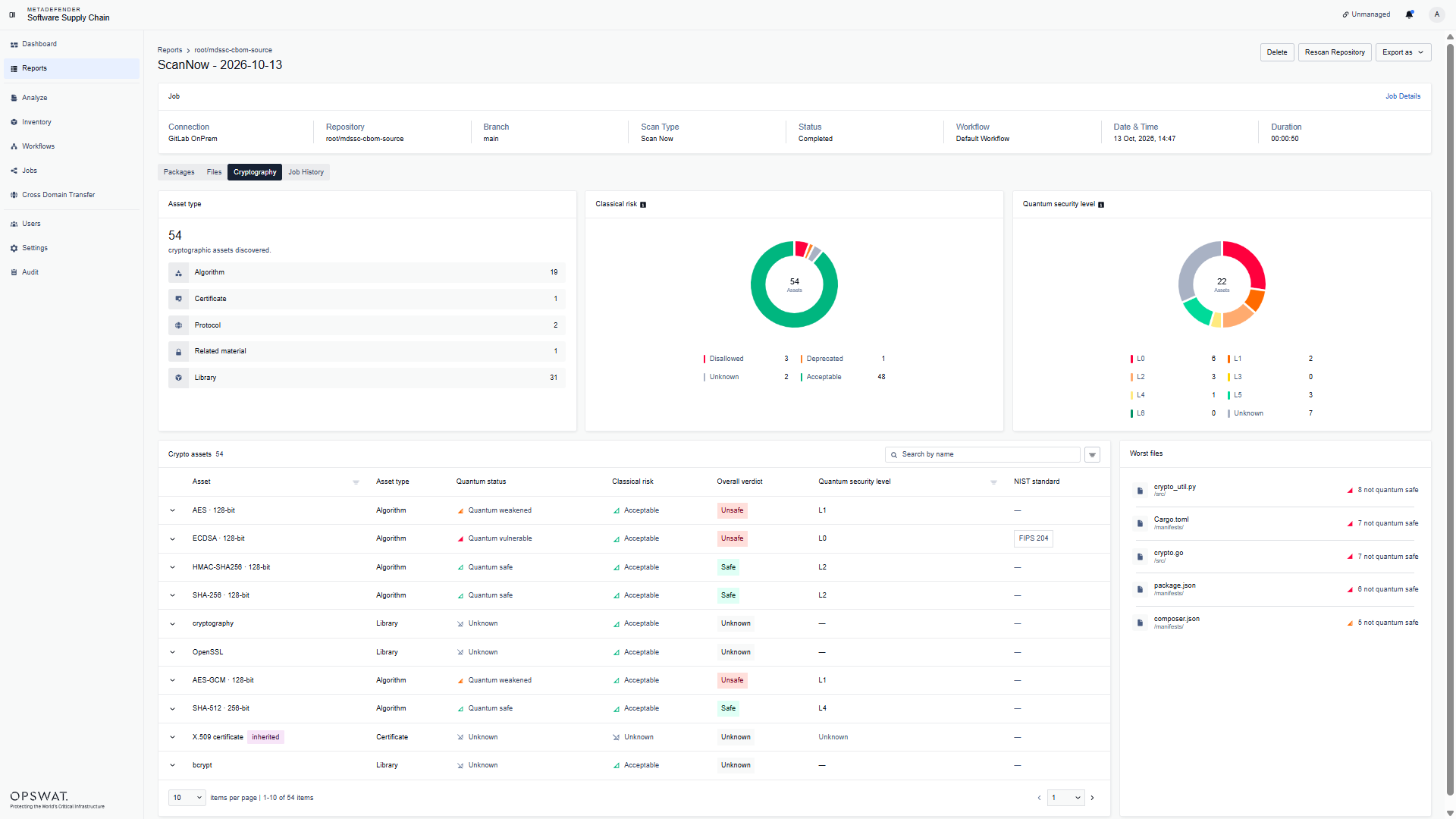
The report of each scan has its own Cryptography tab. It shows the same view for that scan only, plus a Worst files card with the files that have the most assets that are not quantum safe: