Operating
v3.1.2
Search this version
Operating
Operating
Title
Message
Create new category
What is the title of your new category?
Edit page index title
What is the title of the page index?
Edit category
What is the new title of your category?
Edit link
What is the new title and URL of your link?
Attaching a Workflow
Copy Markdown
Open in ChatGPT
Open in Claude
- Navigate to Inventory and click the Scan button next to your repository or image.
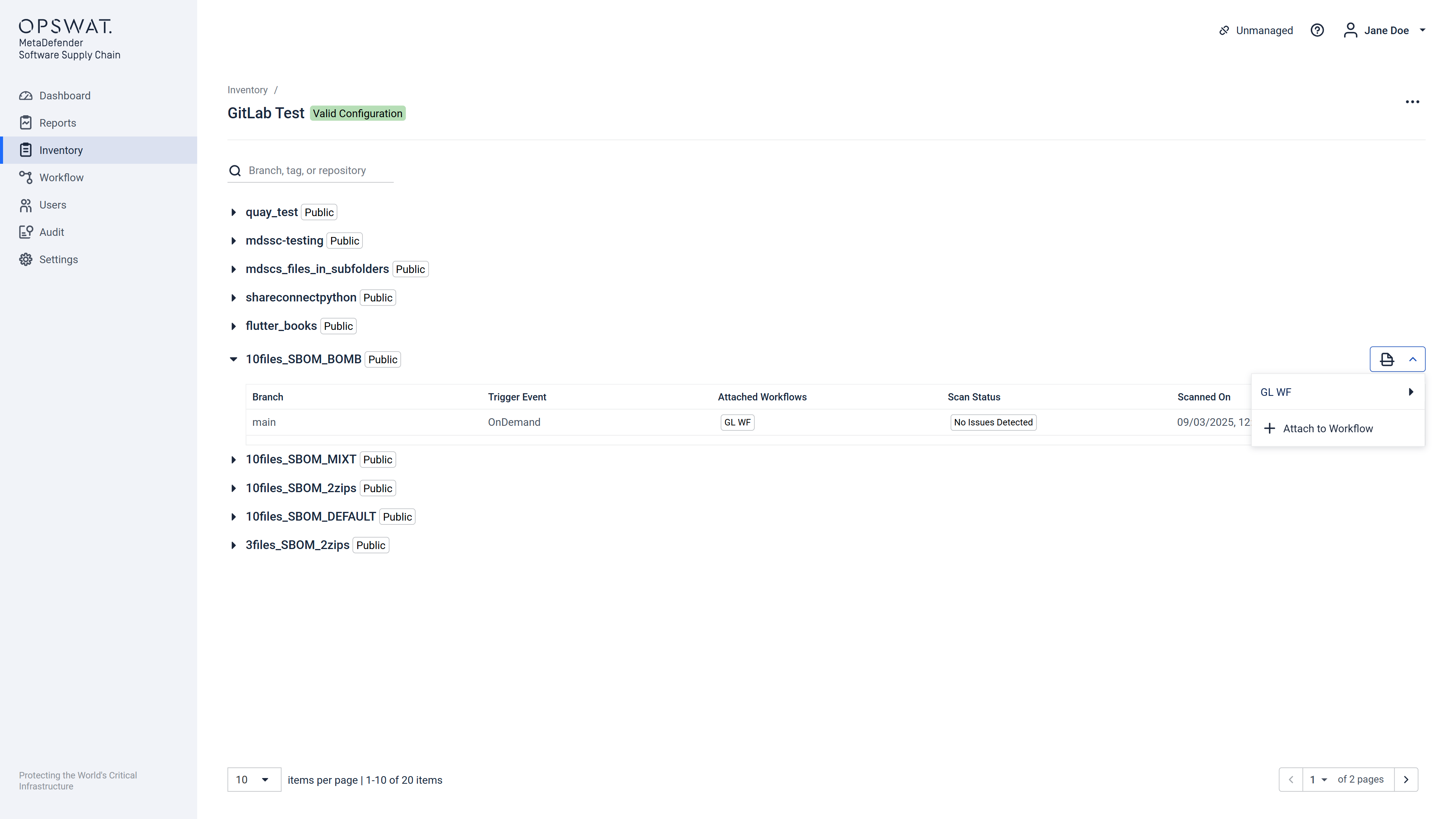
- Select Attach to Workflow from the dropdown.
- In the modal:
- Choose a workflow from the list.
- Select branches or tags to include
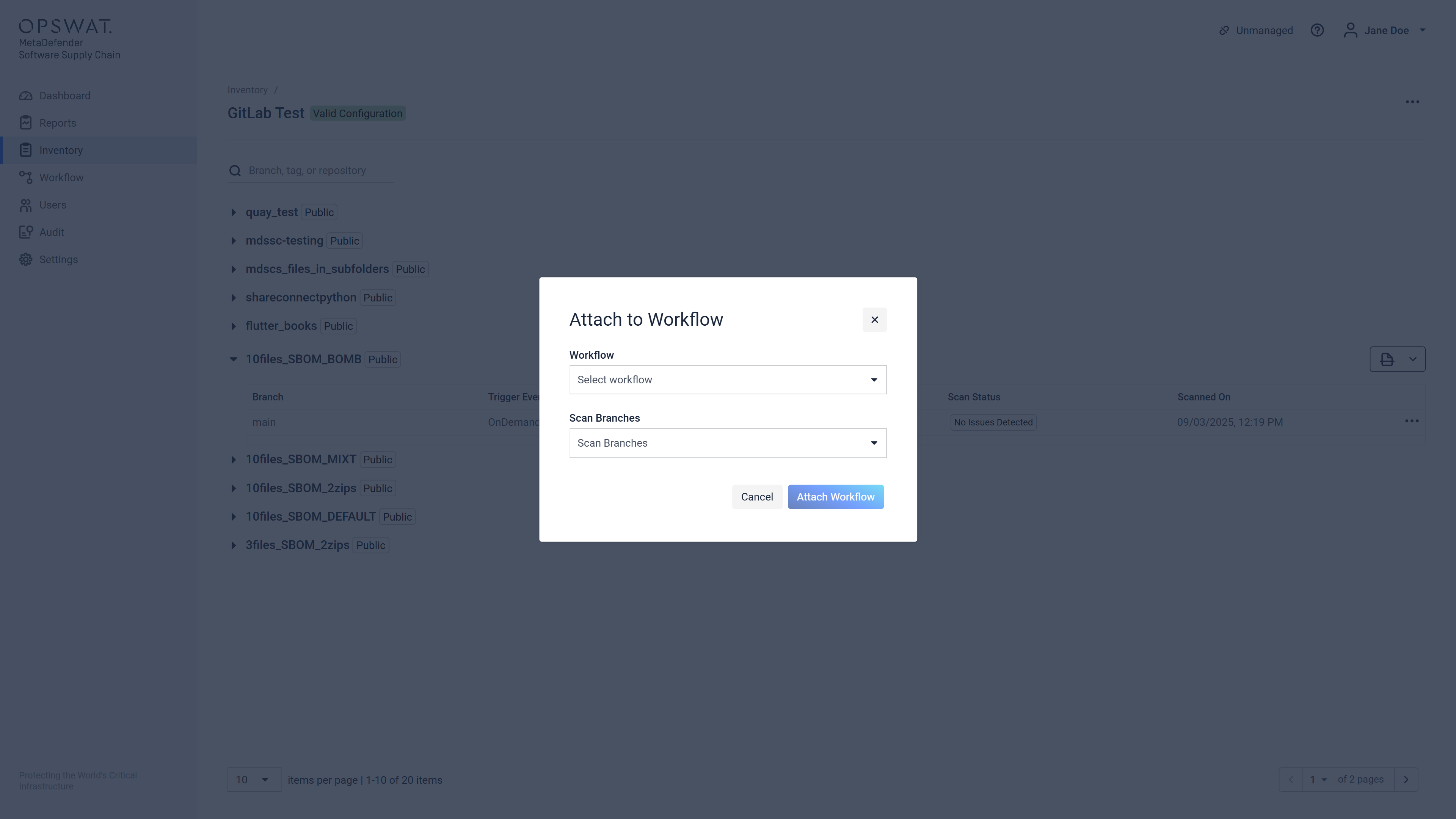
- Click Attach Workflow.
- A confirmation will appear—your selected workflows are now attached and ready for scanning.
Type to search, ESC to discard
Last updated on
Was this page helpful?
Next to read:
Event based scanningDiscard Changes
Do you want to discard your current changes and overwrite with the template?
Archive Synced Block
Message
Create new Template
What is this template's title?
Delete Template
Message
