Configuration
4.0.1
Search this version
Configuration
Configuration
Title
Message
Create new category
What is the title of your new category?
Edit page index title
What is the title of the page index?
Edit category
What is the new title of your category?
Edit link
What is the new title and URL of your link?
Changing email
AI Tools
Summarize Page
Copy Markdown
Open in ChatGPT
Open in Claude
Connect to Cursor
Connect to VS Code
Every user can change their own email address from their profile.
Open the avatar menu in the upper-right corner and select Profile, or go to Settings → Profile.
In the Personal Information card, update the Email field and click Save. You will be asked to confirm your current password before the change is applied:
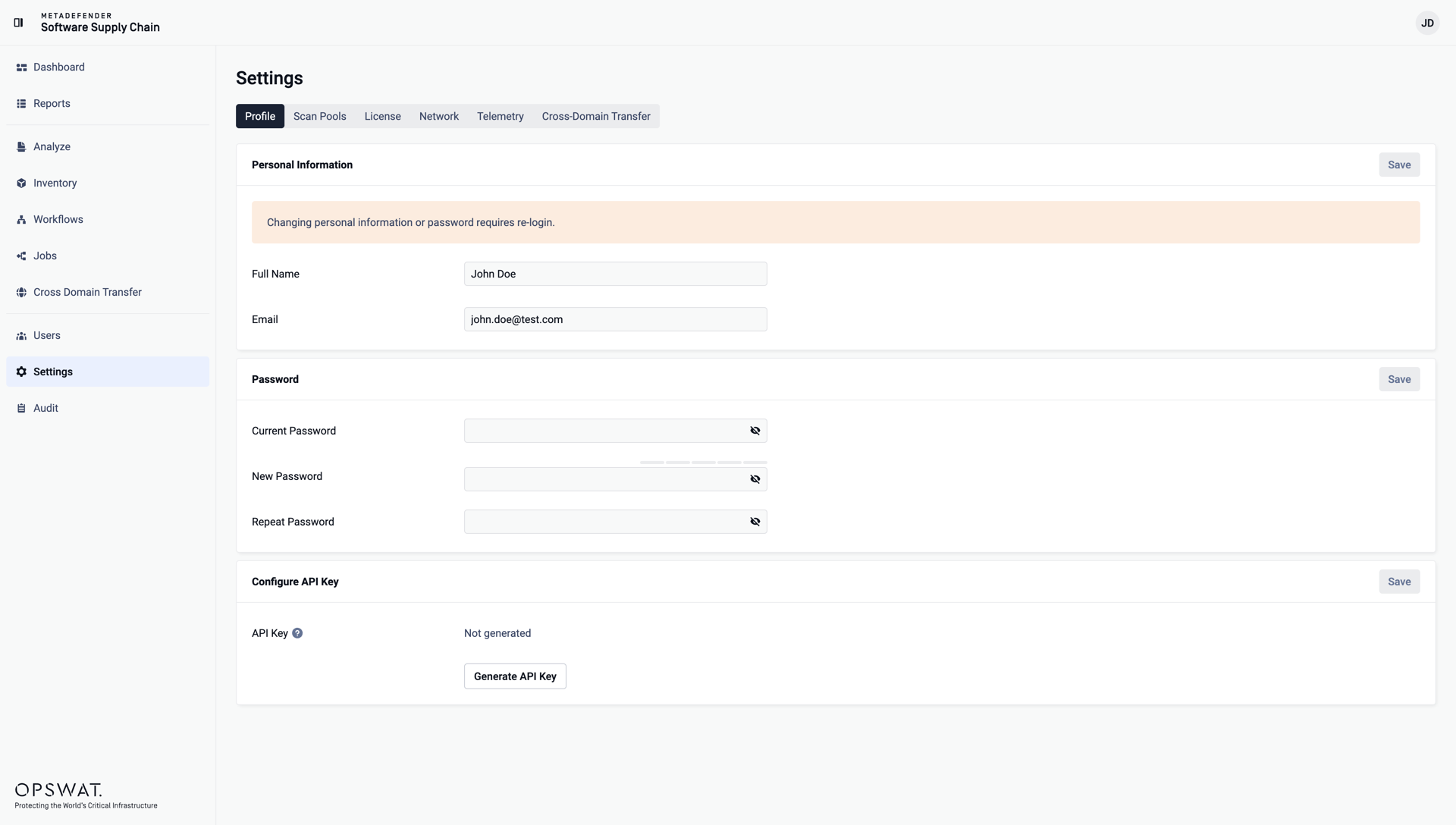
Changing personal information requires a re-login: after saving, you are signed out and redirected to the login page.
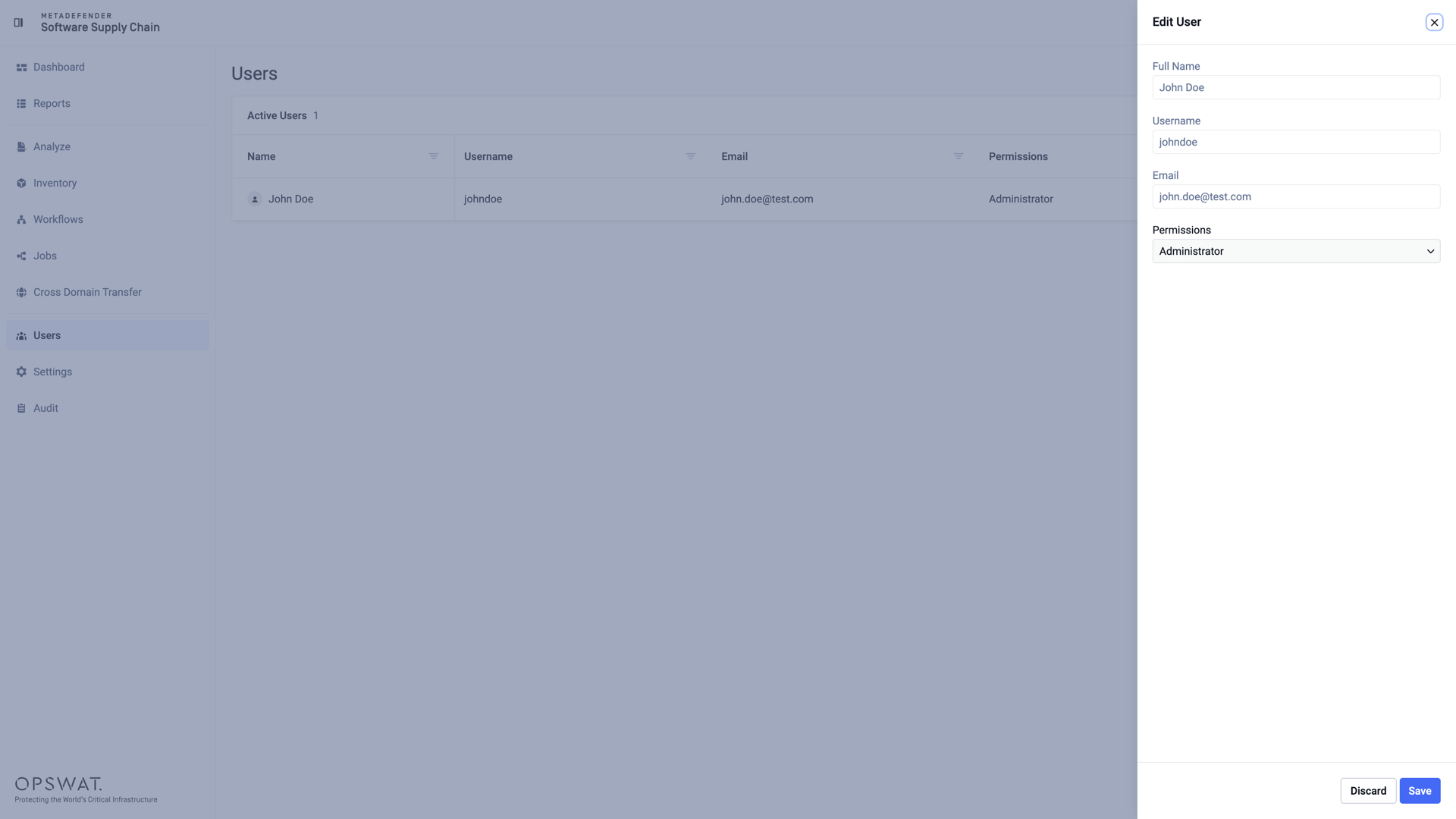
Reviewing a user's details
Administrators can review the details of any account - full name, username, email, and permissions - by clicking the edit action of a user on the Users page:
Last updated on
Was this page helpful?
Next to read:
Configuring an API Keynull
Discard Changes
Do you want to discard your current changes and overwrite with the template?
Archive Synced Block
Message
Create new Template
What is this template's title?
Delete Template
Message