
This article applies to all AVEVA PI Connector versions
Typically, the Netwall AVEVA PI Connector services forward their event logs directly to the Netwall. These logs can usually be accessed via the Netwall syslog or included in a support package.
However, in some cases, the logs available on the Netwall may not contain sufficient detail for troubleshooting. In such situations, we may need to collect logs directly from the servers where the Netwall AVEVA PI Connector services are running. These servers are referred to as flankers:
Red flanker → associated with the Red Netwall
Blue flanker → associated with the Blue Netwall
Steps to Export Event Logs
Log in to the appropriate flanker server.
Open Event Viewer.
Navigate to the following path:
Blue flanker:
Applications and Services Logs → OpswPiBlueLog
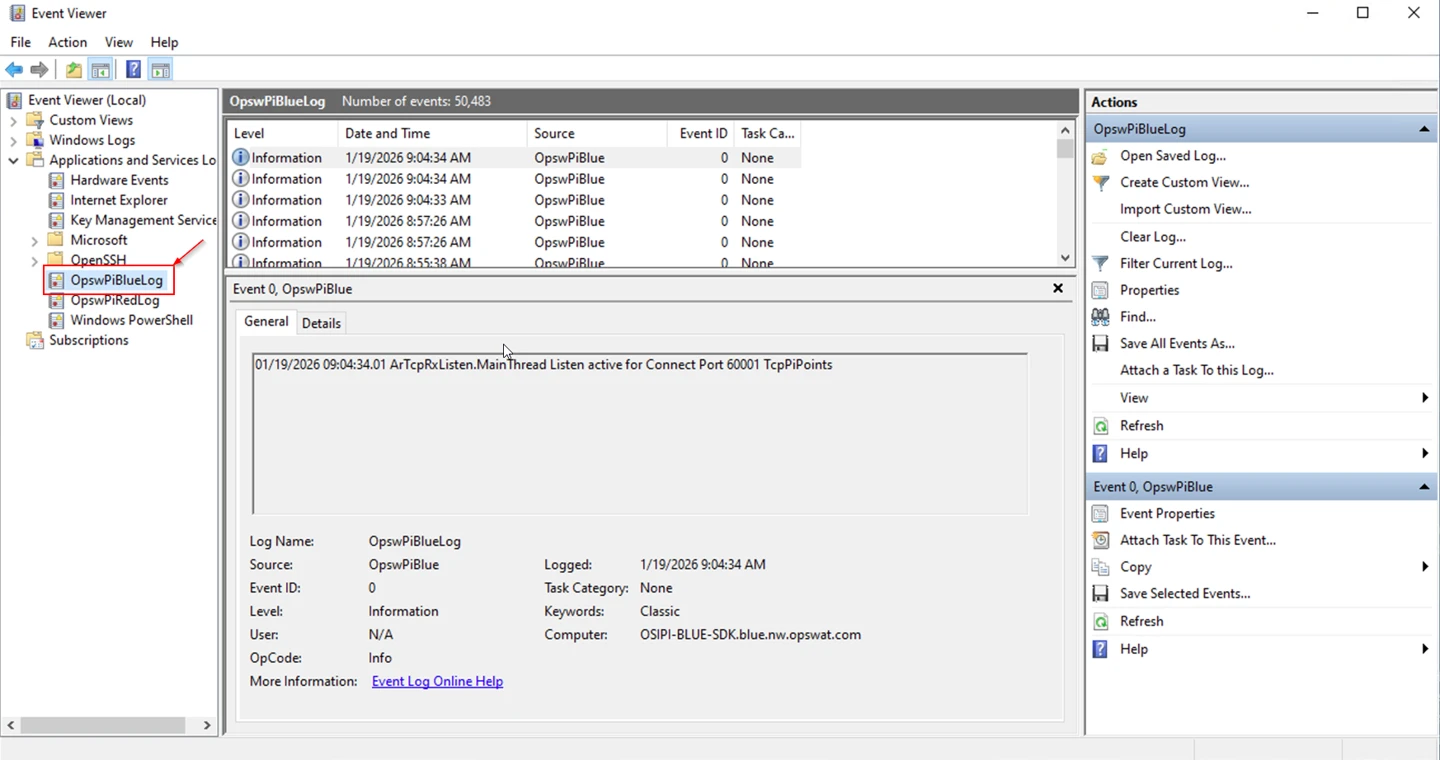
- Red flanker:Applications and Services Logs → OpswPiRedLog
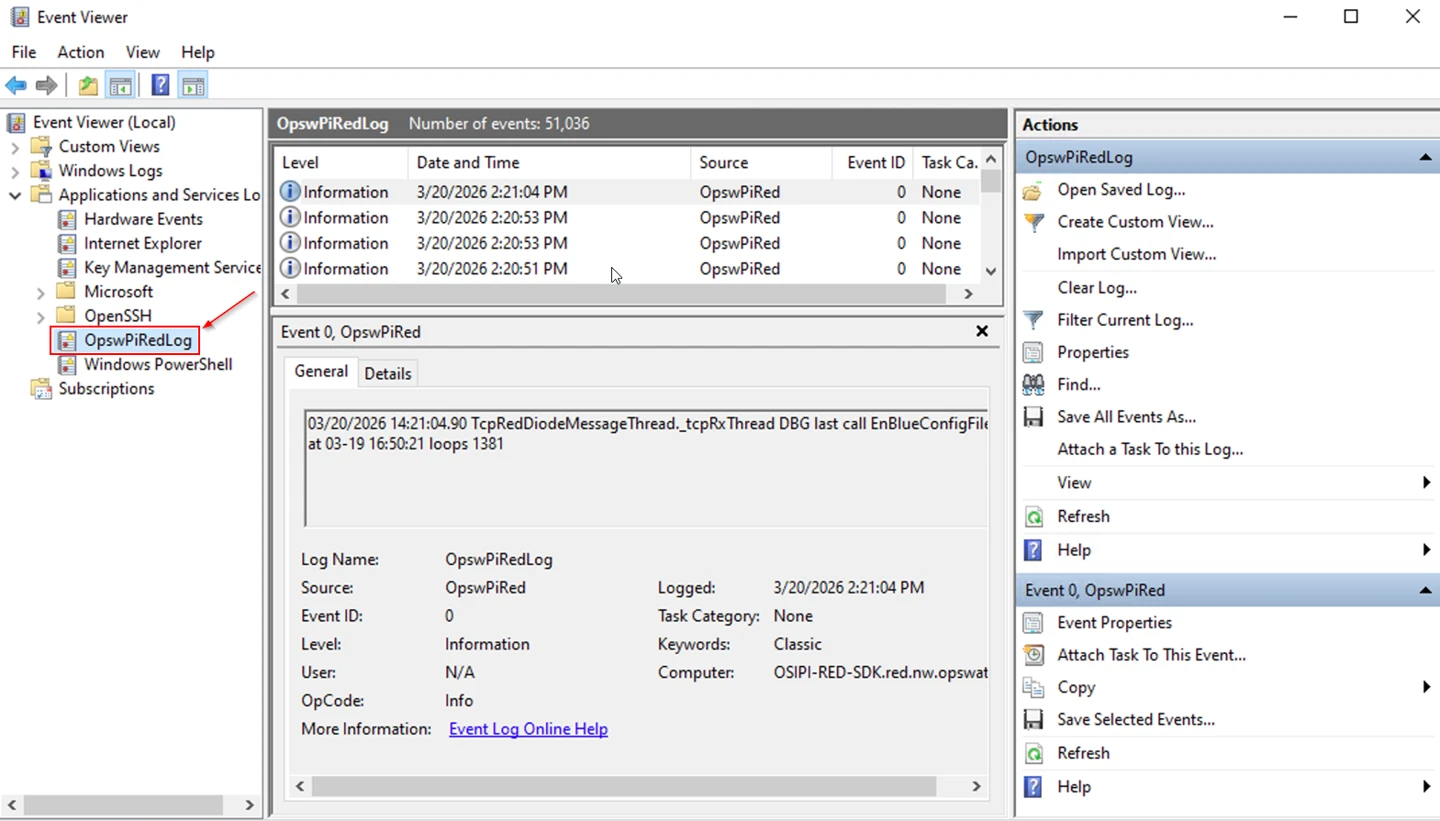
Select the relevant log.
In the right-hand pane, click “Save All Events As…”
Choose a file name and save the log file.
Share the exported file with us for further analysis.
By default, Windows stores approximately 50,000 events per log.
If needed, the log size can be increased on the flanker servers using PowerShell:: Limit-EventLog (Microsoft.PowerShell.Management) - PowerShell | Microsoft Learn
If Further Assistance is required, please proceed to log a support case or chatting with our support engineer.