
Check Your Version:
This article applies to all SDP releases deployed on all systems.
Overview
This document outlines a connection issue that arises when Zscaler is enabled on an endpoint running the SDP. In this case, Zscaler prevents SDP from communicating with SDP gateway servers.
Symptoms
When Zscaler is enabled on a machine with an SDP connection, you cannot connect to SDP or access assigned resources.
Zscaler will terminate the SDP connection upon activation.
Whitelisting SDP Gateway Servers in Zscaler
Collect the public IP and port of the gateway server.
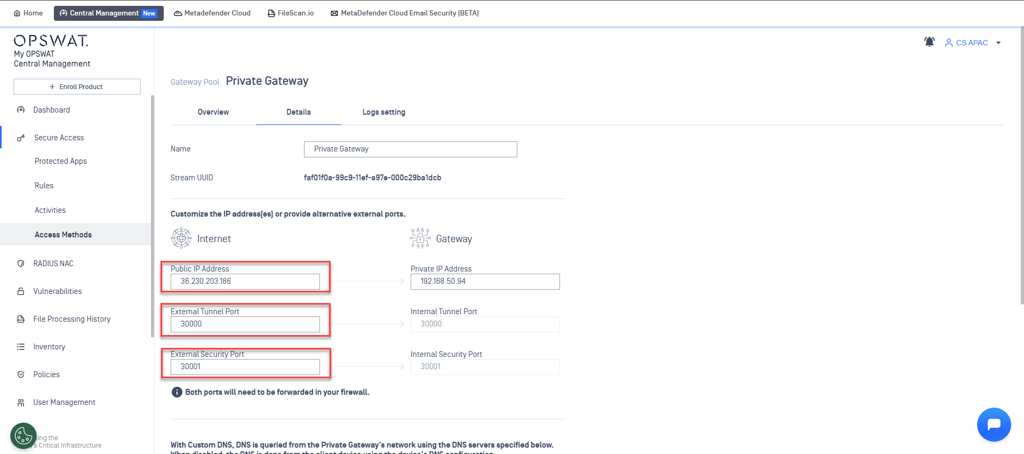
Add these IPs and ports to the “VPN Gateway Bypass” on the Zscaler Admin page. The SDP connection is based on UDP, so whitelist the port and UDP.
Support:
If Further Assistance is required, please proceed to log a support case or chatting with our support engineer.