
MetaDefender Drive's archive handling settings enable administrators to adjust how archive files will be handled during a scan. Since a scan's performance depends on the number of files included and the total size of the dataset, the archive handling settings can be used to optimize the scan time whenever needed.
To edit the Archive Handling settings, go to Settings → Preferences → Archive Handling, and click Edit Settings:
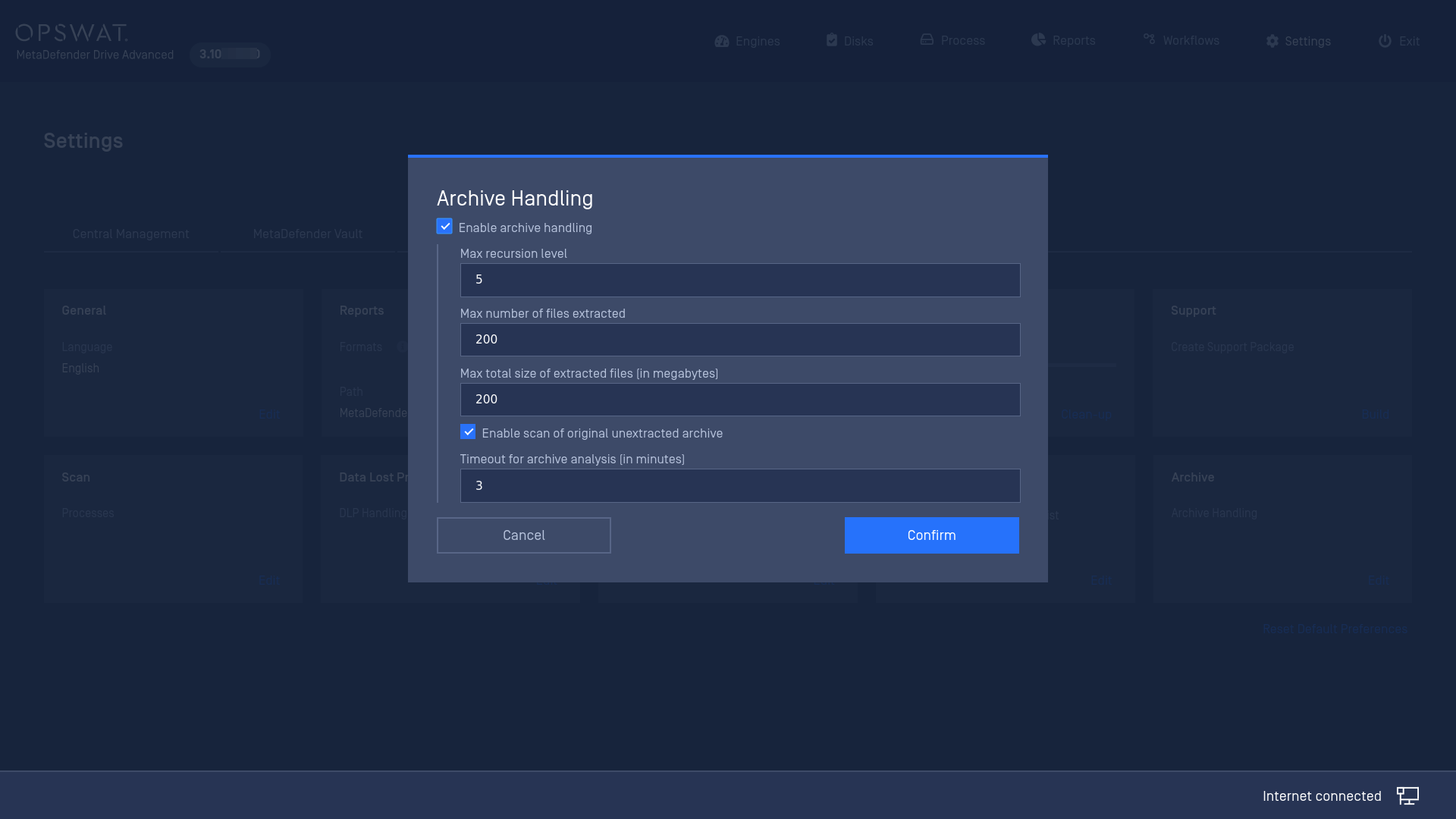
Enable Archive Handling: Enable MetaDefender Drive to scan the contents of archive files. If unchecked, all the archive file contents will be skipped.
When the Enable Archive Handling option is enabled, MetaDefender Drive will extract the archive using the 7-Zip library, and then recursively scan each individual file.
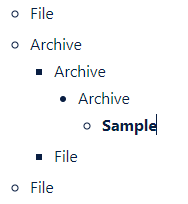
Max Recursion Level: This option decides the number of layers of archives MetaDefender Drive. If an archive file has more layers than the value set here, the scan will fail.
For instance, the following archive file, Sample, is 4 layers deep:
Max Number of Files Extracted: The scan will fail if the number of files inside an archive file exceeds this value.
Max Total Size of Extracted Files: The scan will fail if the total size of all files extracted from an archive exceeds this value.
Enable Scan of Original Unextracted Archive: Enable MetaDefender Drive to scan the archive file itself before starting the extraction process, in addition to scanning the files within the archive.