
This step is done on your IdP to tell your IdP forward user authentication to My OPSWAT Central Management for checking device posture status before granting them log into your applications. Otherwise, IdP will allow the user to your application directly without going through My OPSWAT Central Management.
Before implementing this step, you need to add your IdP and applications to your My OPSWAT Central Management account by following Add Protected Applications with IdP Method.
Log into the My OPSWAT Central Management console, navigate to Secure Access > Protected App
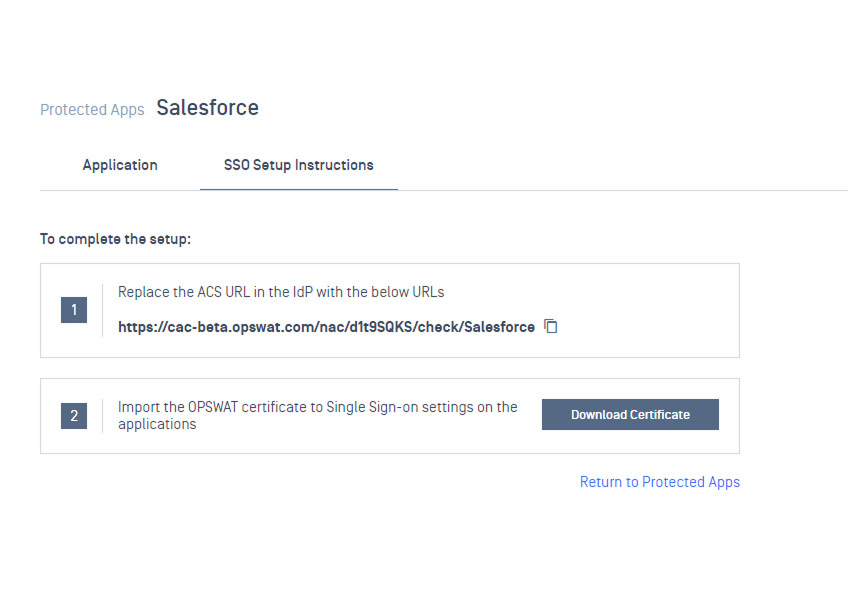
Select a protected application you would like to update, select SSO Setup Instructions tab and copy an ACS URL that My OPSWAT Central Management generated for the application. This URL is used to replace the ACS URL of the application on IdP.
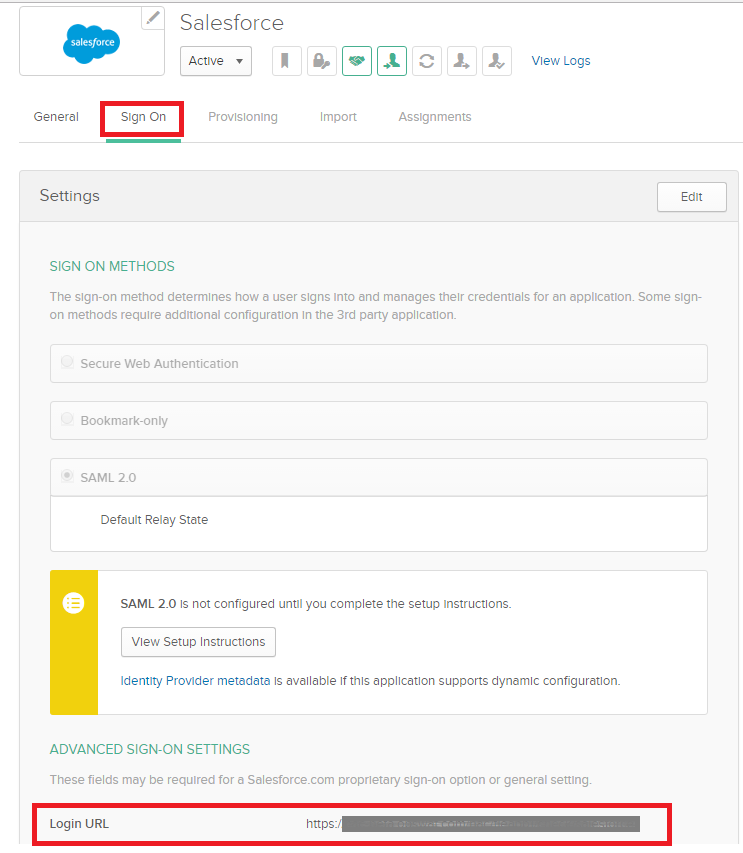
Log into your IdP console as an administrator and navigate to your application single sign-on settings
Replace ACS URL/LogIn URL of your application on the IdP with the ACS URL on My OPSWAT Central Management console for your application that you got from Step 2 in this section.
Save your changed settings.