Administrators can enable SDP on end-user devices by following one of two methods.
Solution 1: Enabling SDP globally
Administrators have the option to turn on SDP for all devices within their My OPSWAT Central Management account.
To enable SDP globally:
Log into My OPSWAT Central Management console
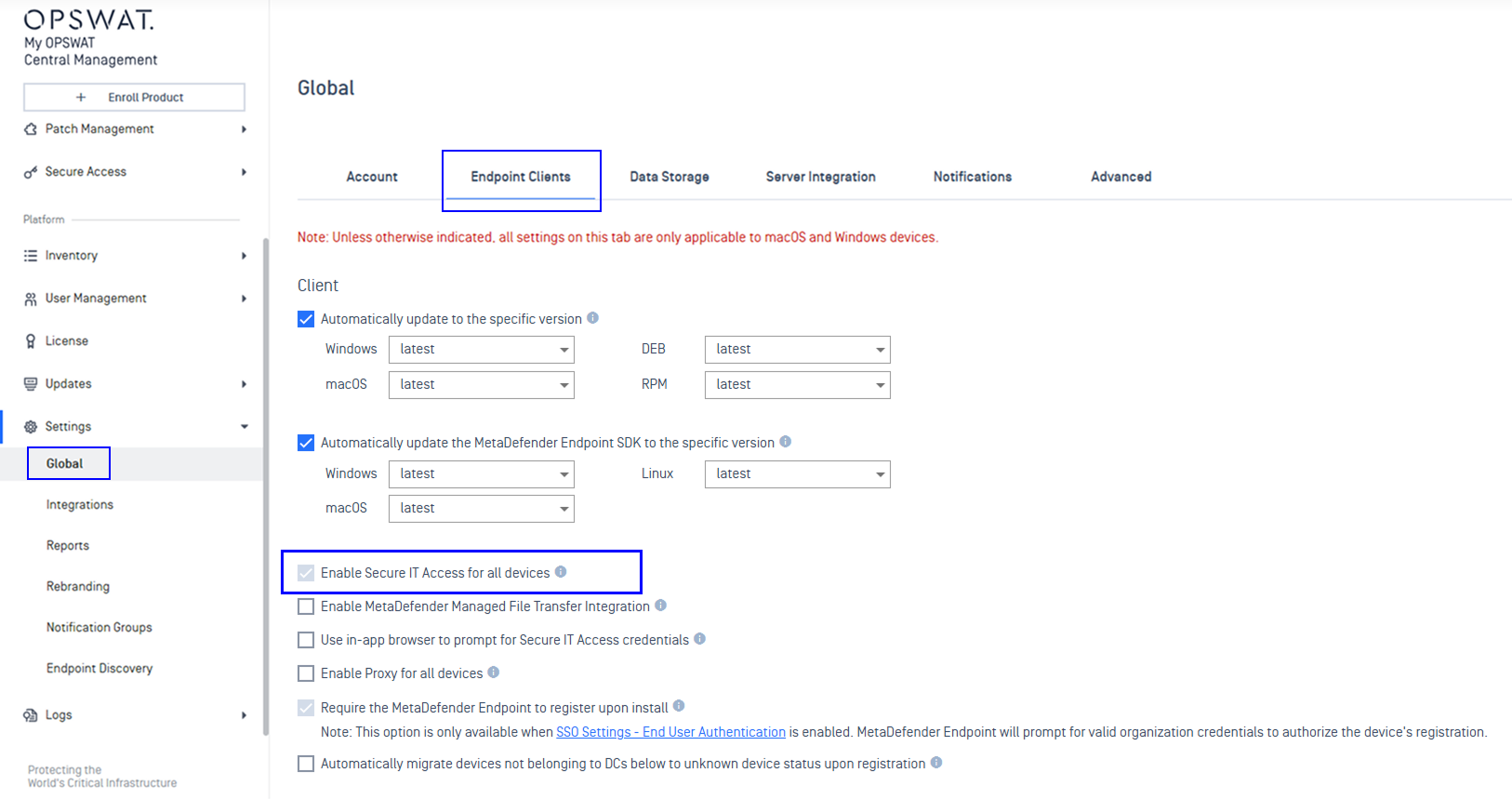
Navigate to Settings > Global > Endpoint Clients
Check off Enable Secure IT Access for all devices
Save the changes and enter your PIN to confirm
Within a few minutes after your change, the MetaDefender Endpoint will check in with the My OPSWAT Central Management backend servers, note the change, and begin installing SDP for the client devices.
Solution 2: Enabling SDP per device group
Administrators can gradually turn on SDP on your organization by utilizing group overrides.
To enable SDP on a device group:
Log into My OPSWAT Central Management console
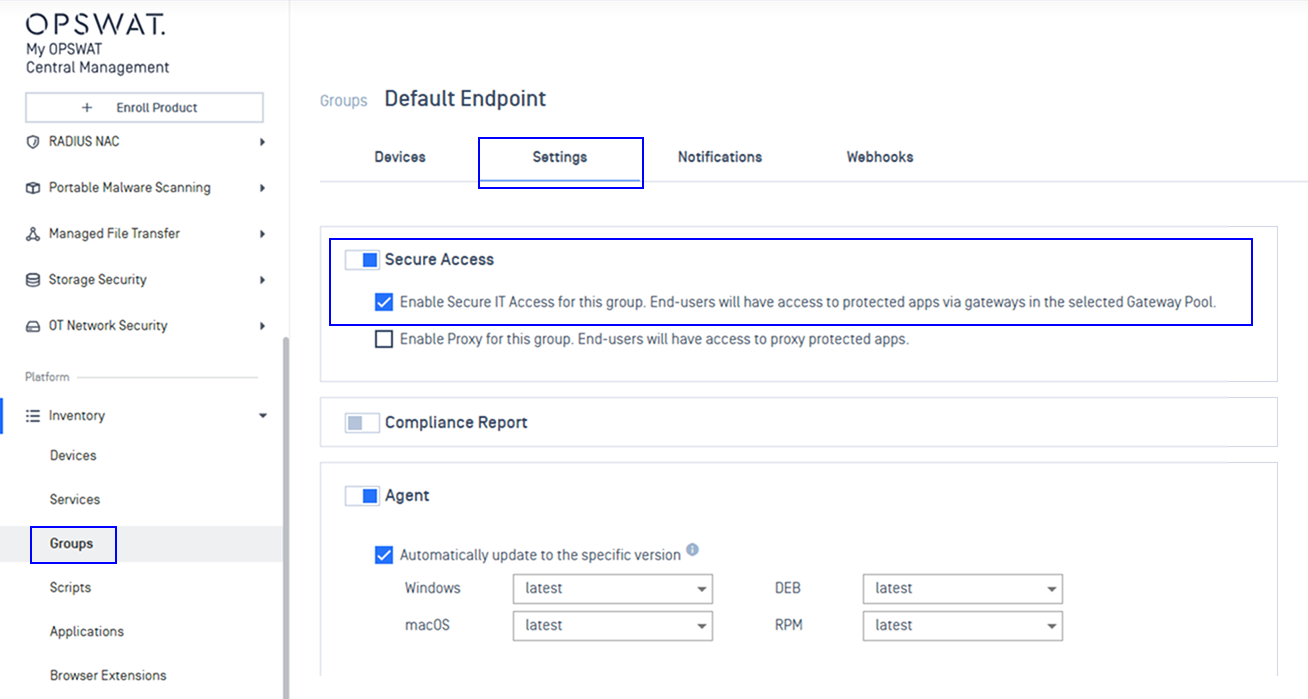
Navigate to Inventory > Groups
Select a group you would like to enable SDP, and select the Settings tab
Toggle on the Secure Access section, and check off Enable Secure IT Access for this group....
Within a few minutes after your change, the MetaDefender Endpoint will check in with the My OPSWAT Central Management backend servers, note the change, and begin installing SDP for the client devices.