
This step updates IdP certificate on single sign-on settings of your application in order to the application can verify user authentication results from My OPSWAT Central Management. Otherwise, the application couldn't trust the authentications and not let your end-user login.
Log into the My OPSWAT Central Management console, navigate to Secure Access > Protected Apps.
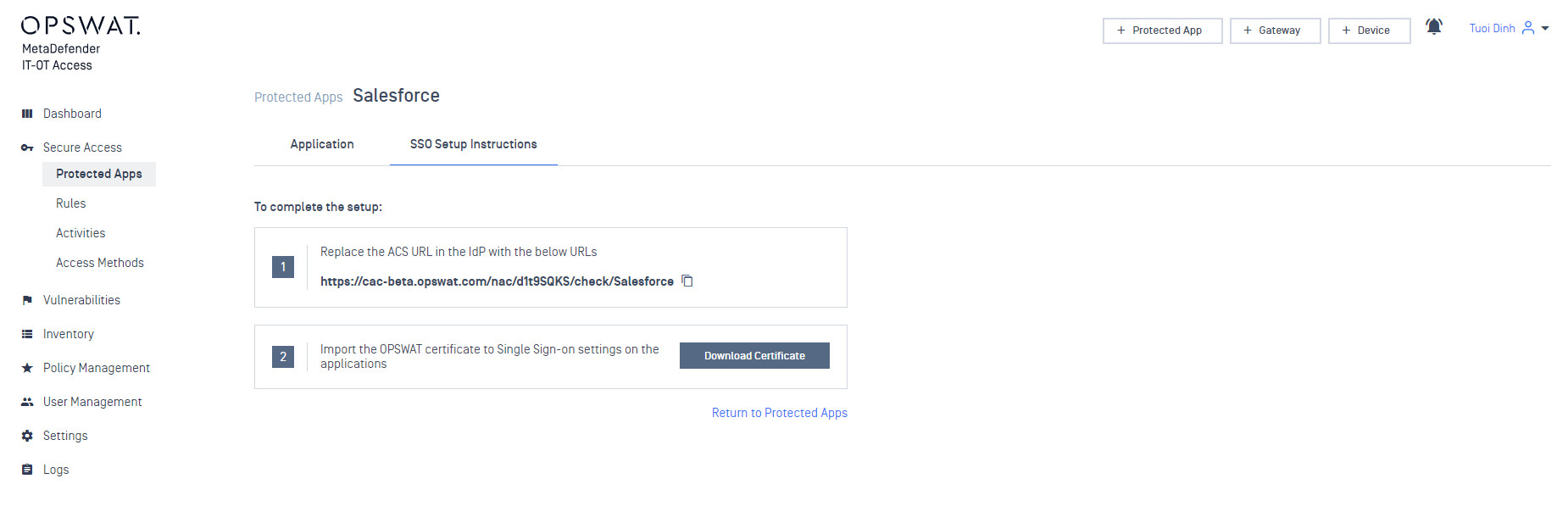
Select an application you would like to configure, select SSO Setup Instructions tab and click Download Certificate to download a self-signed certificate My OPSWAT Central Management generated for your account.
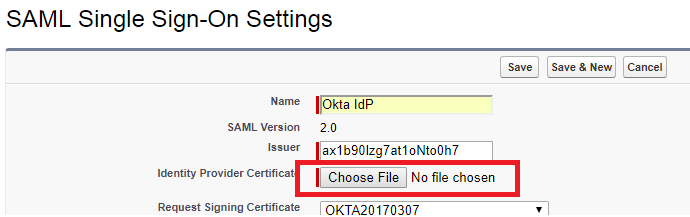
Log into your application as administrator. Navigate to single sign-on settings on your application where you set up single sign-on settings
Replace the IdP certificate with OPSWAT certificate you downloaded in step 2
Save your changes.