
Patch Management
Patch Reports & Notifications provide timely visibility into key events across patching operations, helping track deployment outcomes and respond quickly to issues.
Email Notifications
Notifications can be configured to send an email report once a patch deployment has completed. This ensures timely confirmation of deployment status without manual follow‑up.
To enable email notifications:
- Navigate to Create On-Demand Deployment or Create New Policy page.
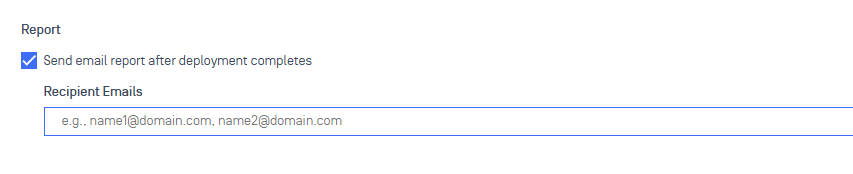
- In the Report section, select Send email report after deployment completes.
- Specify one or more recipient email addresses to receive the deployment report.
Once enabled, reports are automatically delivered to your inbox after each completed deployment.
Was this page helpful?