
On-demand deployment pushes specific OS, application, and driver & firmware updates to targeted endpoints immediately. Use it for urgent security fixes, critical vulnerabilities, or targeted updates.
The process is the same for OS, Third-Party Application, and Driver & Firmware.
Please Note
On-demand deployment only support Window patches. Non-Window devices will be automatically excluded.
Driver & Firmware Updates is supported on Dell and Lenovo Windows devices only.
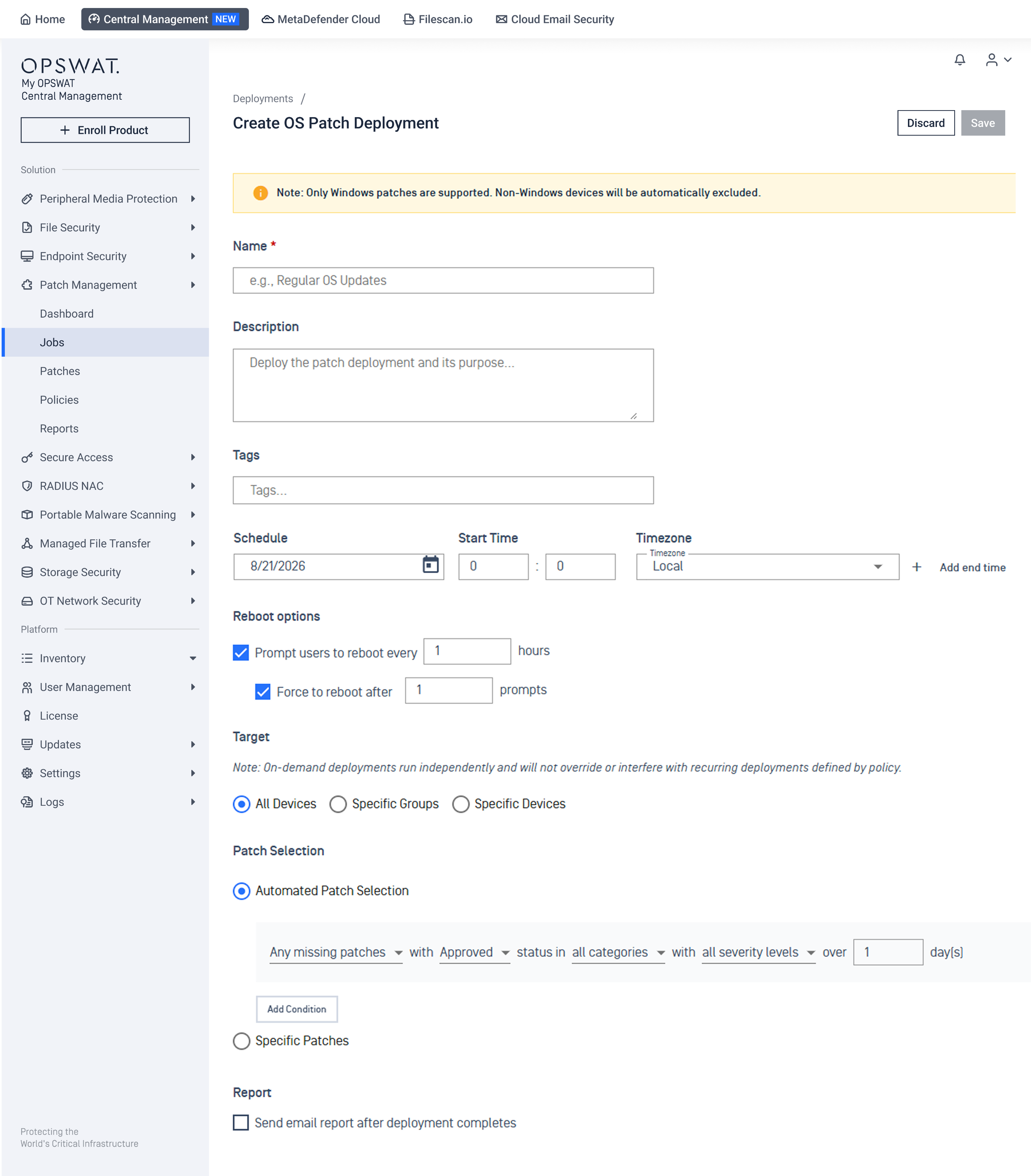
Start On-Demand Deployment
In the left navigation, select Patch Management > Jobs
Select Create On-Demand Deployment
In the dialog, choose what to deploy:
For Windows Patches
For Application Patches
For Driver & Firmware Updates
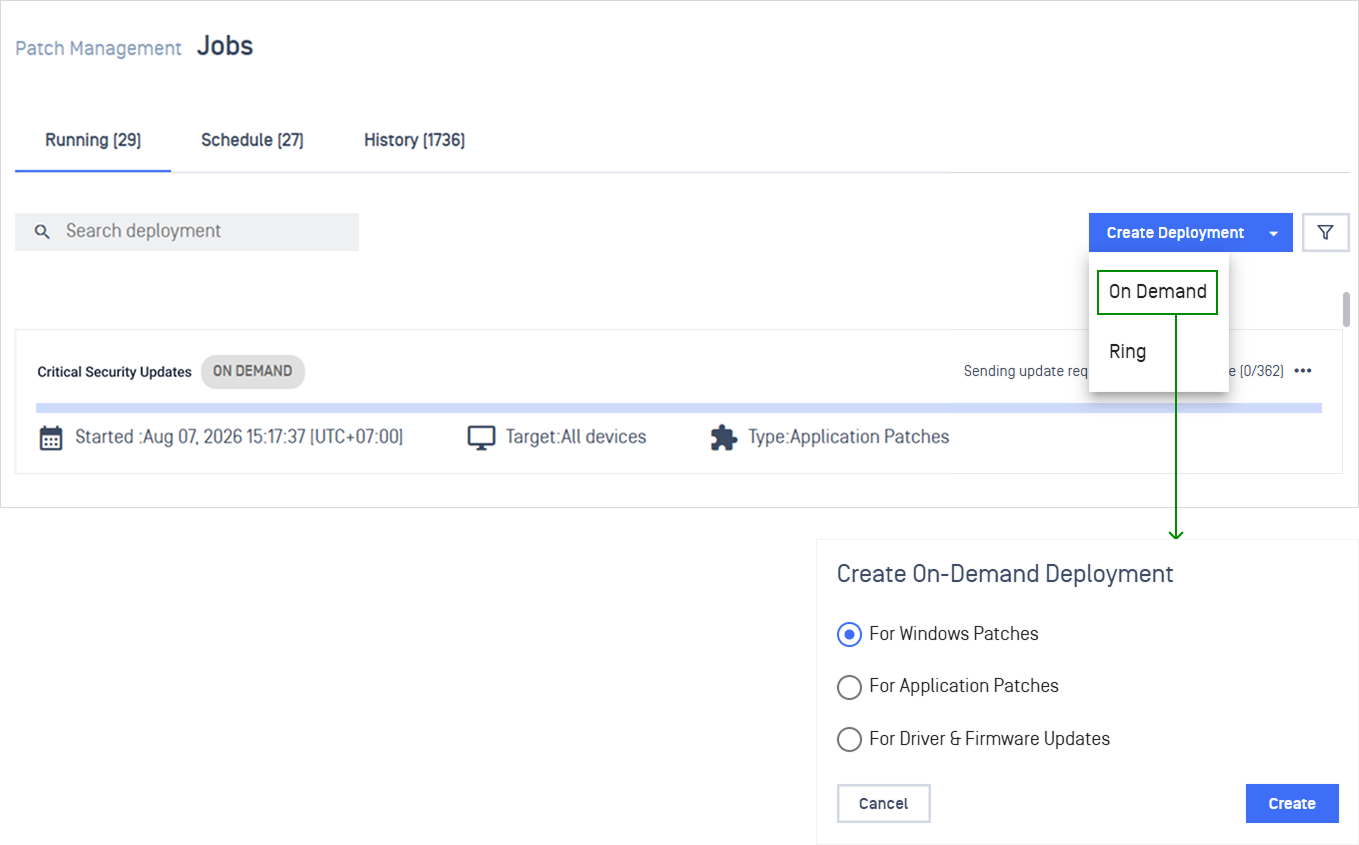
Configure On-Demand Deployment
Note On-demand deployments run on Windows devices only.
Configuration | Details |
|---|---|
Name and describe the deployment | Enter a Name, a short Description, and any Tags you want to filter by later 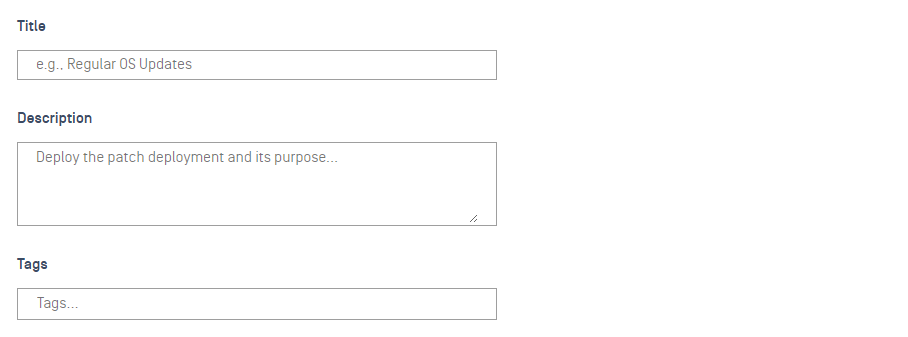 |
Schedule when deployment runs | Set the Date and Start time. Add an End time if you want it to stop automatically 
|
Control restart and user notifications | Configure Reboot Options (Windows) or Update Notification (Application) to reduce user disruption 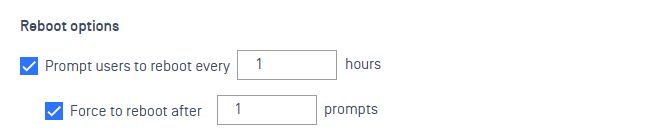 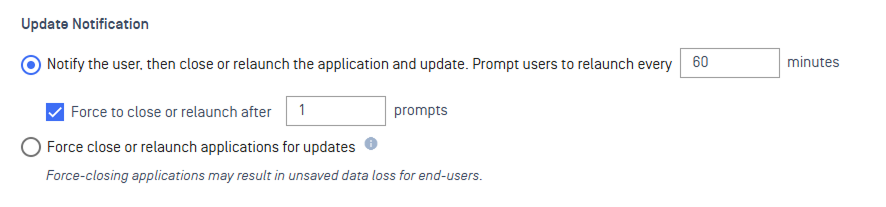 |
Configure automation scripts for pre- and post-checks. | Upload pre-script and post-script file to prepare environments and automate post-patch tasks, with execution tracking and options to abort on failure.  See Deployment Scripts for detailed instruction. |
Choose which endpoints get the update | Select All Devices, Specific Groups, or Specific Devices  |
Choose what gets installed | Use condition-based selection to automatically include updates that match criteria, or pick Specific Patches / Specific Applications manually 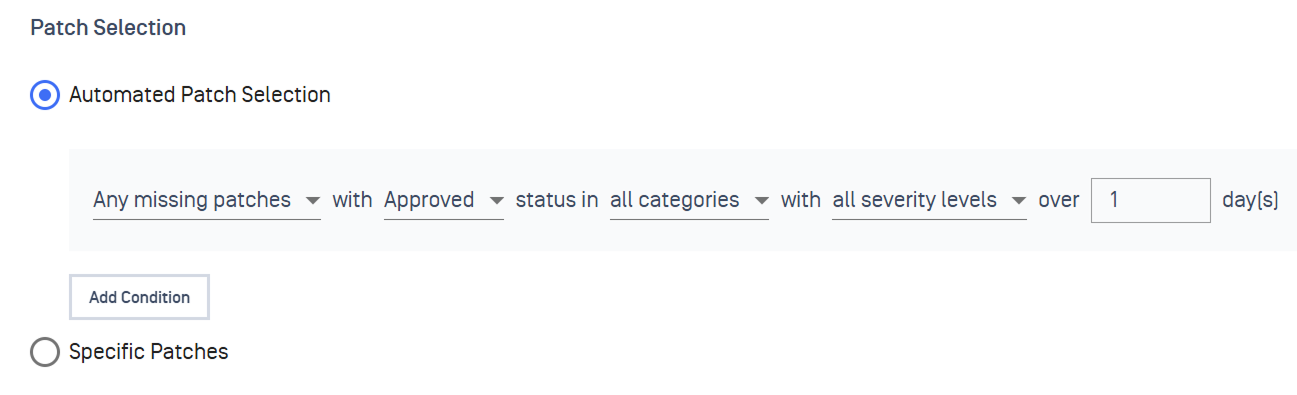
|
Get notified when it's done | Add one or more email addresses under Report to receive a summary via email 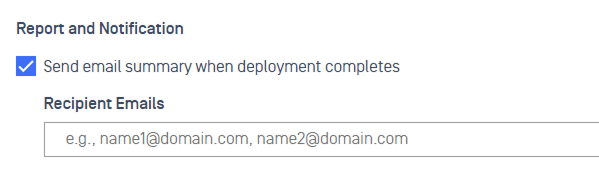 |
Next Steps
Track a specific deployment in Monitor Deployment
Configure point-in-time patch reports with Custom Patch Reports
Set real-time alerts for key patch events under Patch Notification
Define SLA timeframes to maintain compliance visibility via Patch SLA