
The Jobs page is the central place to monitor and manage all patch deployments across your environment, including On-Demand, Policy, and Ring deployments for both OS patches and application updates.
In the left navigation, select Patch Management > Jobs.
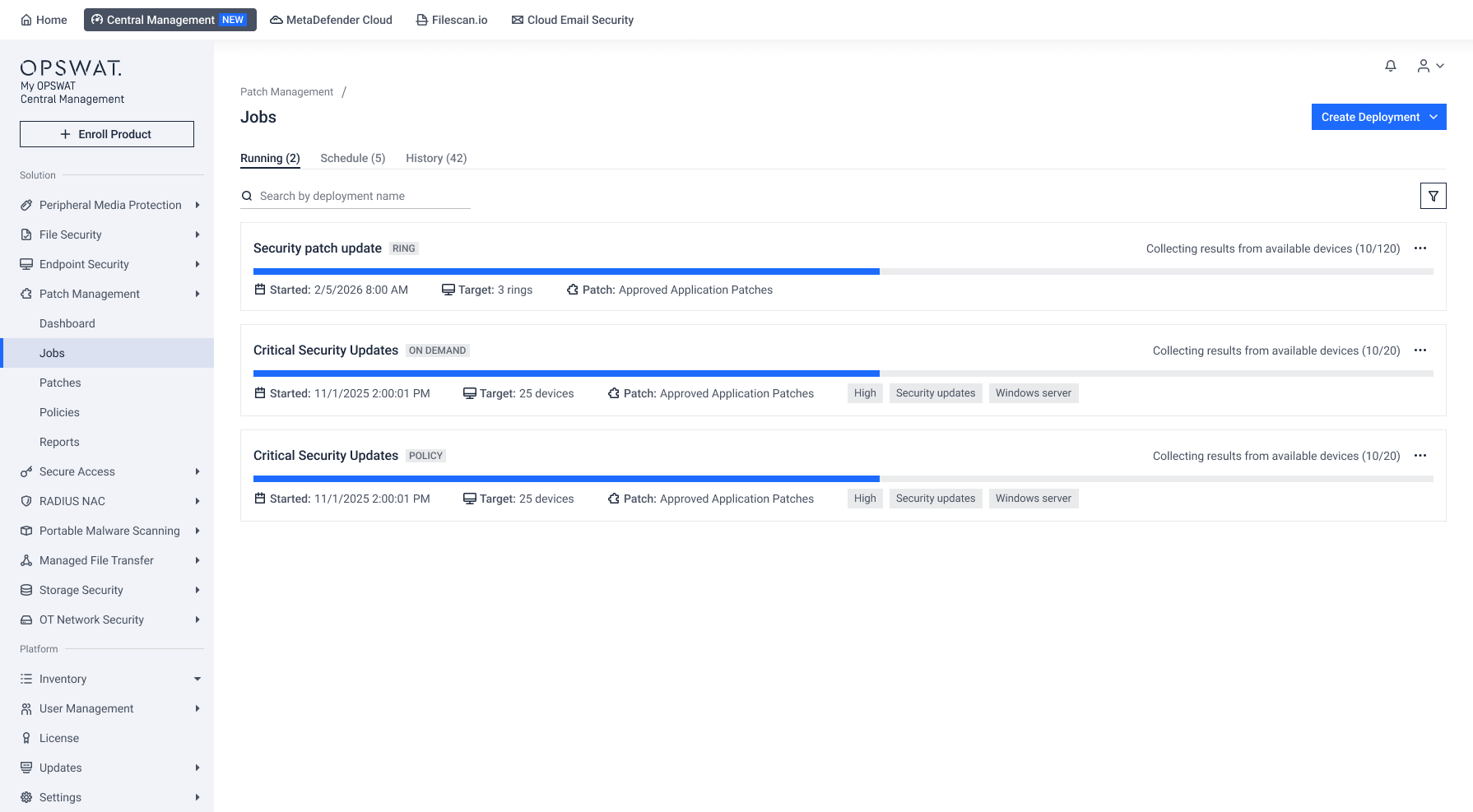
Find What You Need
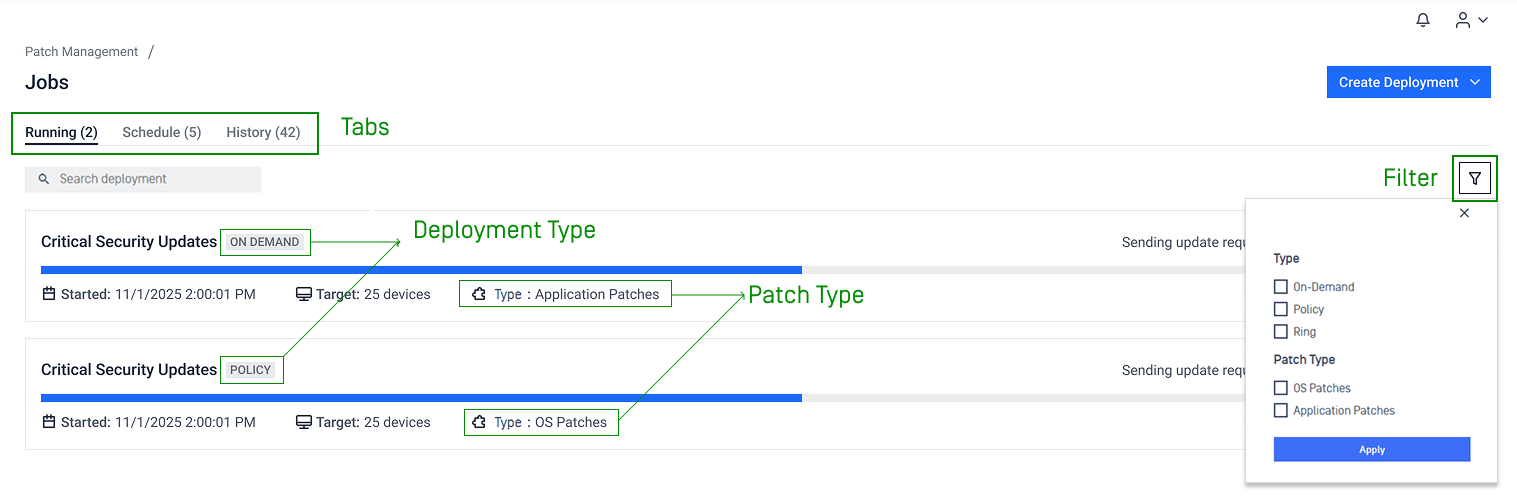
Goal | Details |
|---|---|
Open the right deployment tabs | Deployments are organized into three tabs:
|
Identify deployment type and patch type | Look for the badges and label associated with each deployment to identify their deployment type and patch type |
Narrow the list to specific deployment or patch types | Open the Filter panel and filter by available criteria. Multiple filters can be combined |
Actions
Select the three-dot menu next to the deployment and choose an action.
Actions | What It Does |
|---|---|
Stop | Stops a deployment that is currently running 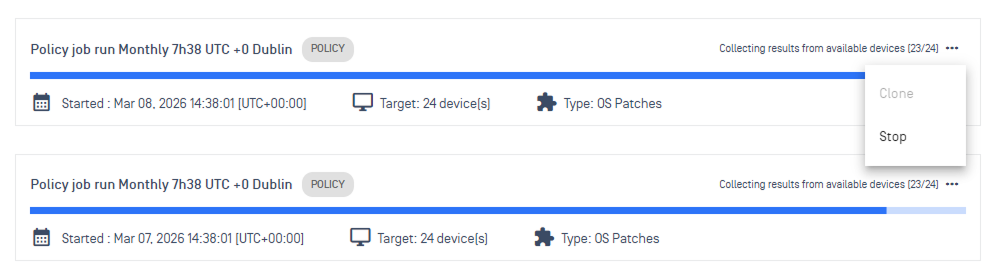 |
Clone & Delete (only for deployments that have not started) | Creates a copy of a deployment or removes a deployment before it starts 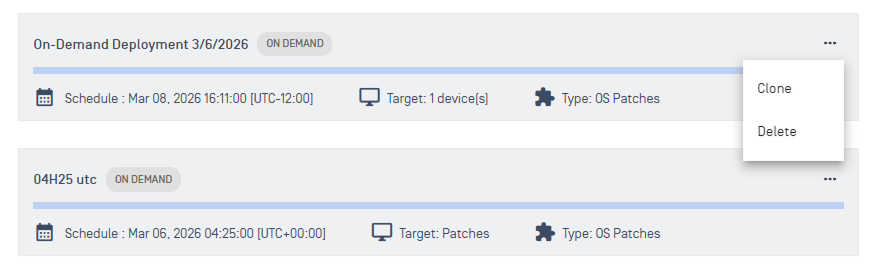 |
Skip (only for Policy deployment) | Skips the next scheduled occurrence 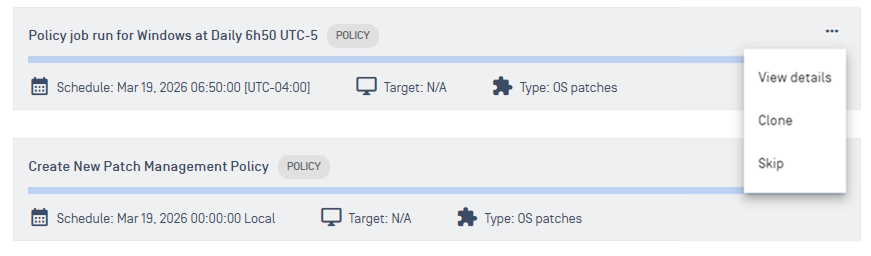 Note Skipping a policy occurrence affects only the next scheduled run. Future runs remain unchanged. |
Start (only for ring deployments configured One Time — Manual Start schedule) | Starts a deployment manually |
Create Deployment | Start a new on-demand or ring deployment right from this page 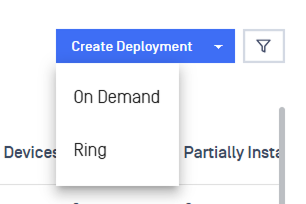 |
Monitor Deployments
Select a deployment to open its details page.
The deployment details page includes the following sections:
Section/Tab | Details |
|---|---|
Summary 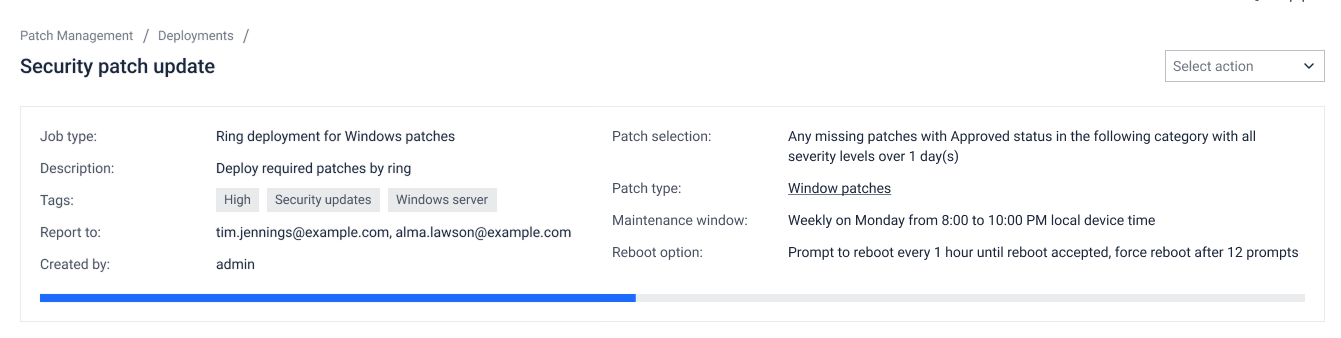 | Overall deployment status |
By Patch 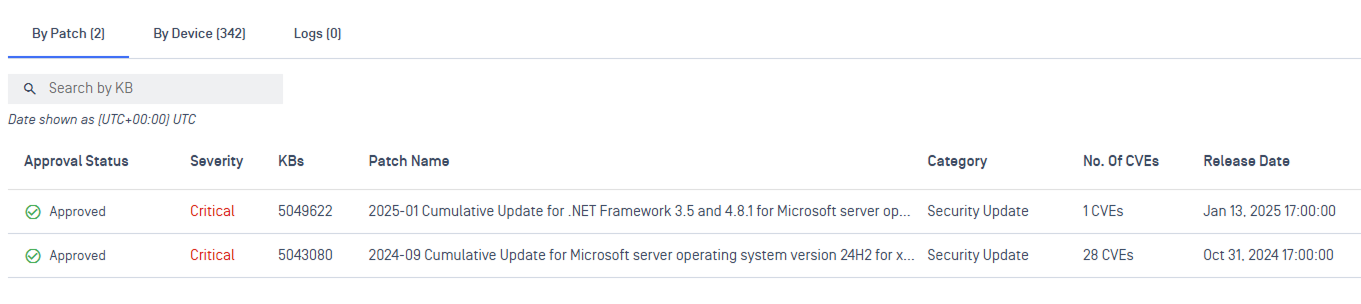 | Track patch-level status (OS) |
By Application 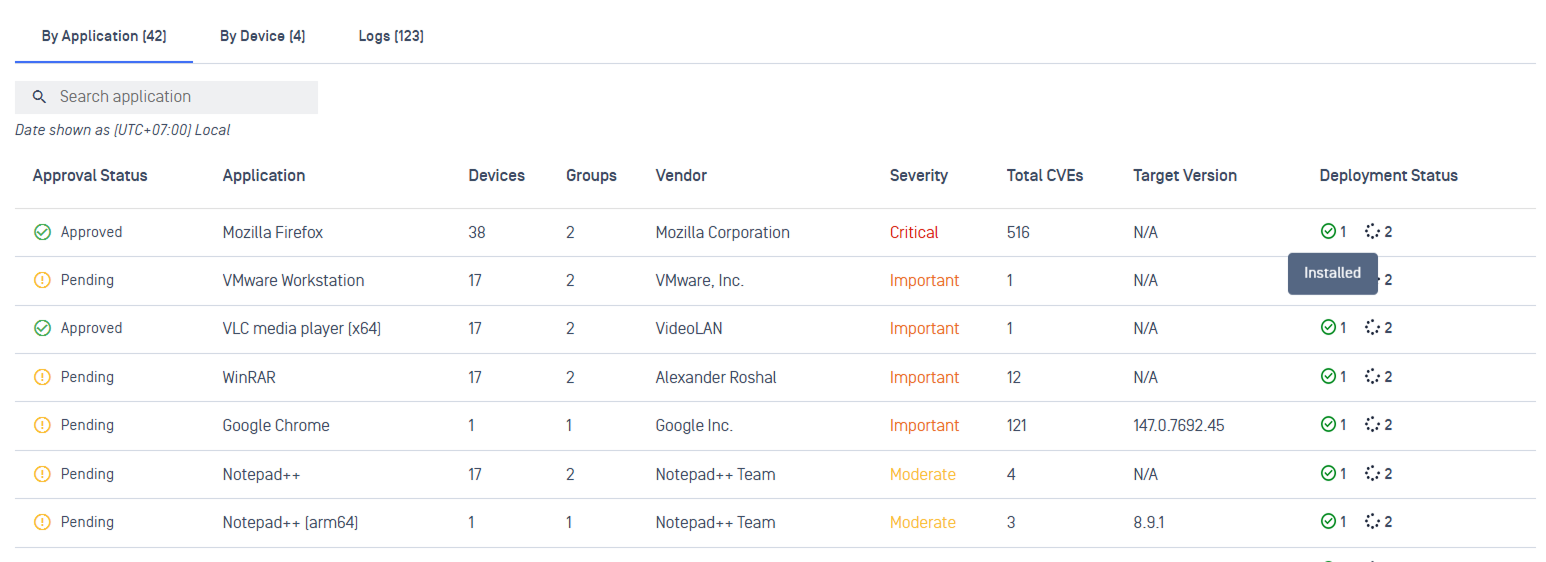 | Track application-level status |
By Device 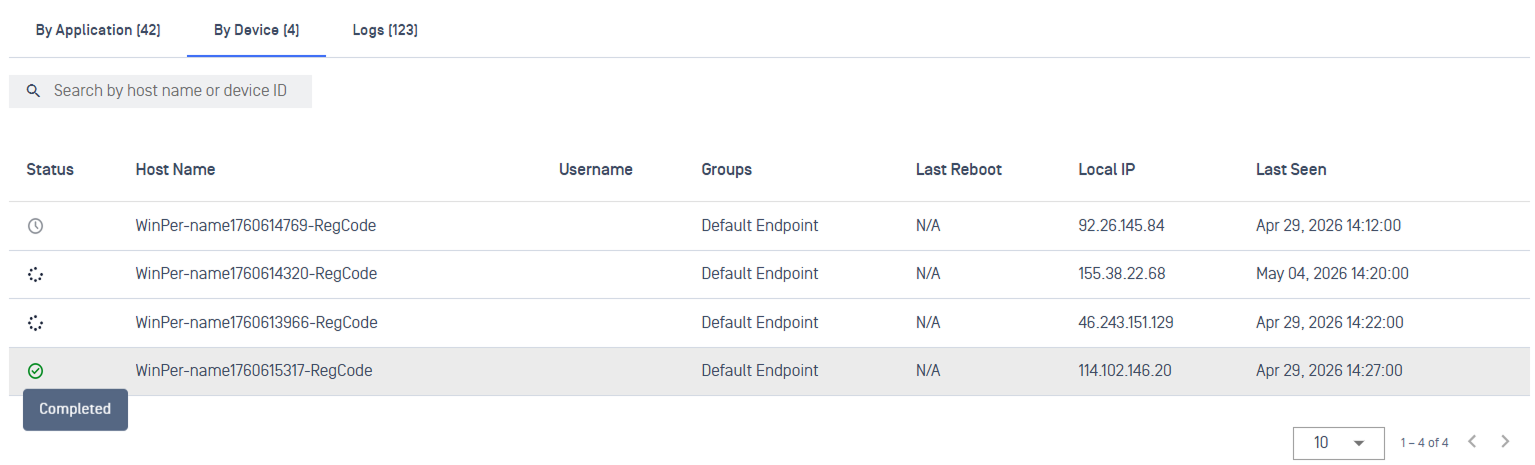 | Track device-level status |
Log 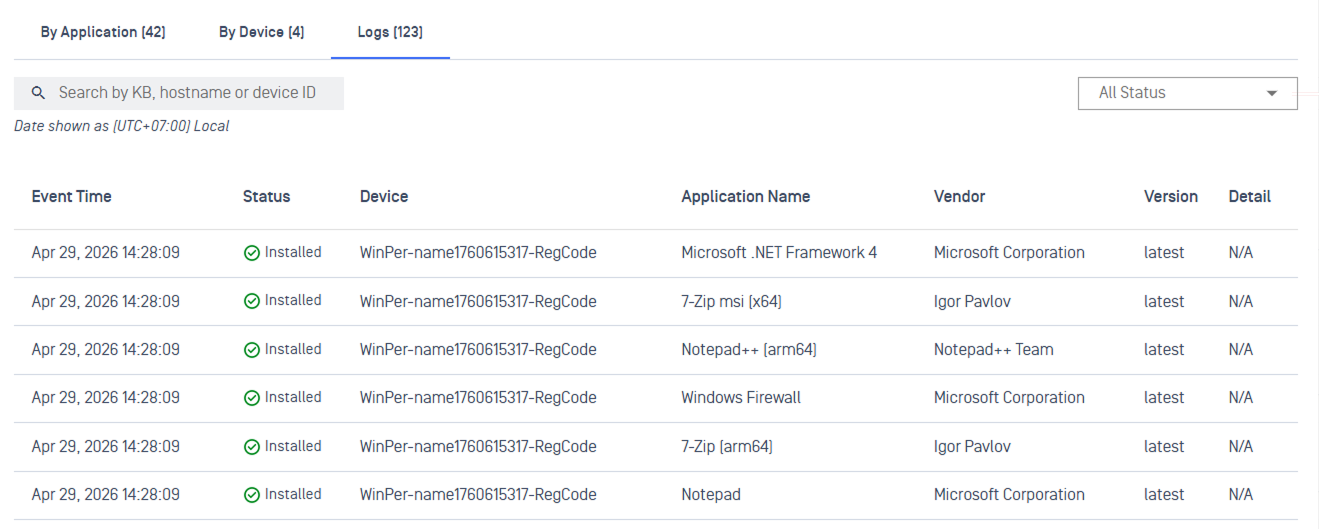 | A complete, timestamped audit trail of deployment activity |
Ring Tabs (only available for ring deployments) 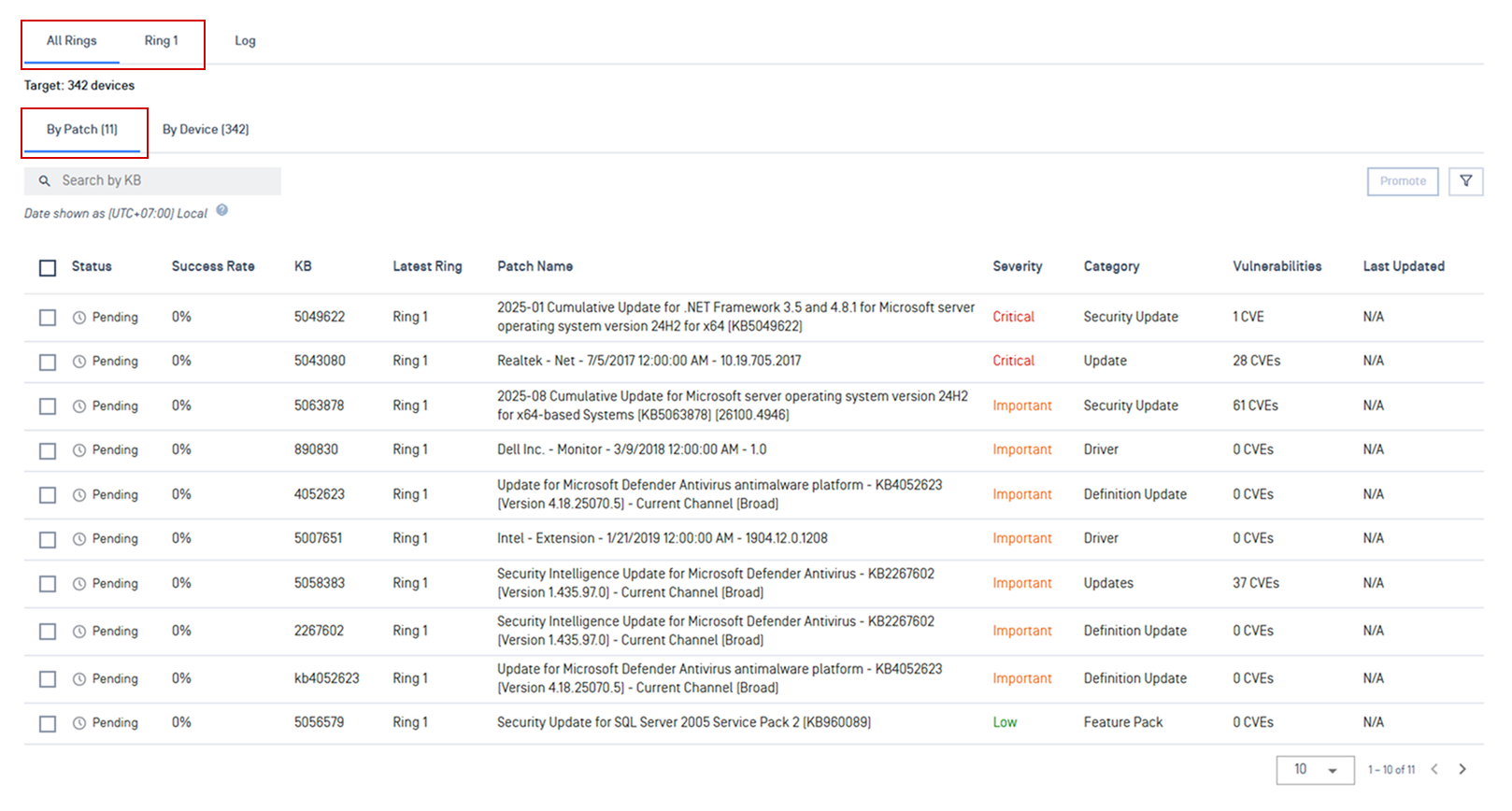 | See total progress and deployment health across every ring or results for an individual ring |
Review Deployment History
Open the History tab to review completed deployments.
You can:
Use Search to find a specific job by name
Use Filter panel to filter by Type (On-Demand, Policy, or Ring) and Patch Type (OS or Application)
Select a deployment to view its full details
Select the download icon for its execution report
Related Resources
Missing Patches: Find and act on missing patches and outdated application across your environment
Patch Dashboard: Get a single-pane view of your environment's patch posture
Custom Patch Reports: Configure point-in-time patch reports