
Missing Patches Management provides real-time visibility into endpoint vulnerabilities across your environment. It continuously monitors all endpoints, identifies missing patches, and categorizes them by severity and device compliance status.
Navigate to Patch Management > Patches to begin.
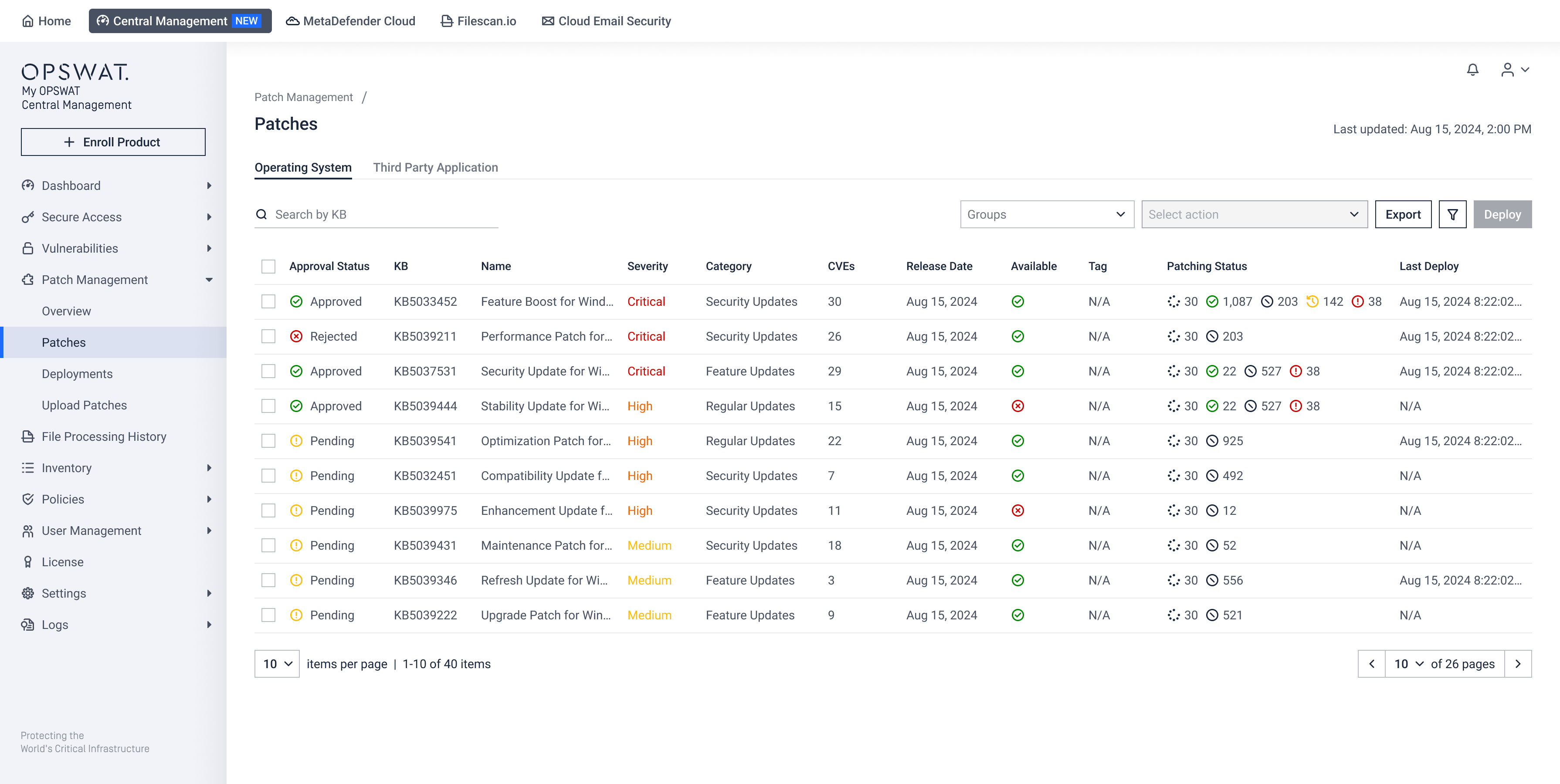
Supported Actions

- Search: Locate specific updates by patch name or KB.
- Filter: Filter the list by Endpoint Groups, Categories, Severity, or Approval Status to isolate critical risks.
- Sort: Sort patches based on Severity, Release Date, or the CVE Count (Number of Vulnerabilities).
- Export: Download one or multiple missing patches data.
- Select one or more patches to unlock the Actions menu:
- Deploy Now: Initiate an immediate, on-demand deployment for the selected patches.
- Approve for Scheduled Deployment: Authorize selected patches to be included in the deployment cycles.
- Reject for Scheduled Deployment: Rejected patches will be excluded automatically from all deployments.
- Edit Tag: Apply custom tags to categorize related missing patches.
Missing Patch Details
Click on any patch entry for full breakdown.
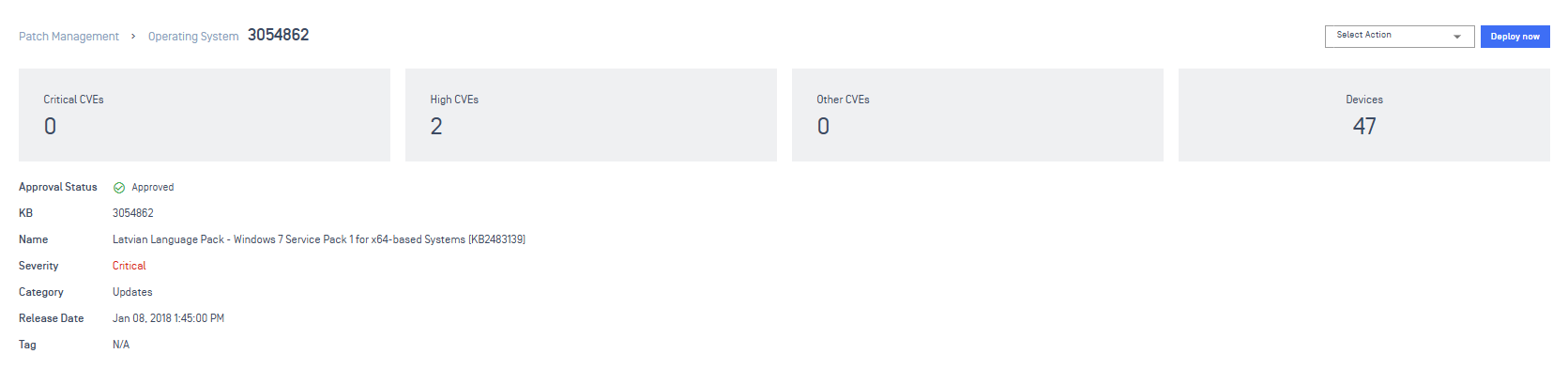
General Information
View patch profile, including CVE counts categorized by severity (Critical/High/Other), Number of affected devices, Approval status, KB ID, Name, severity, category, release date, tags.
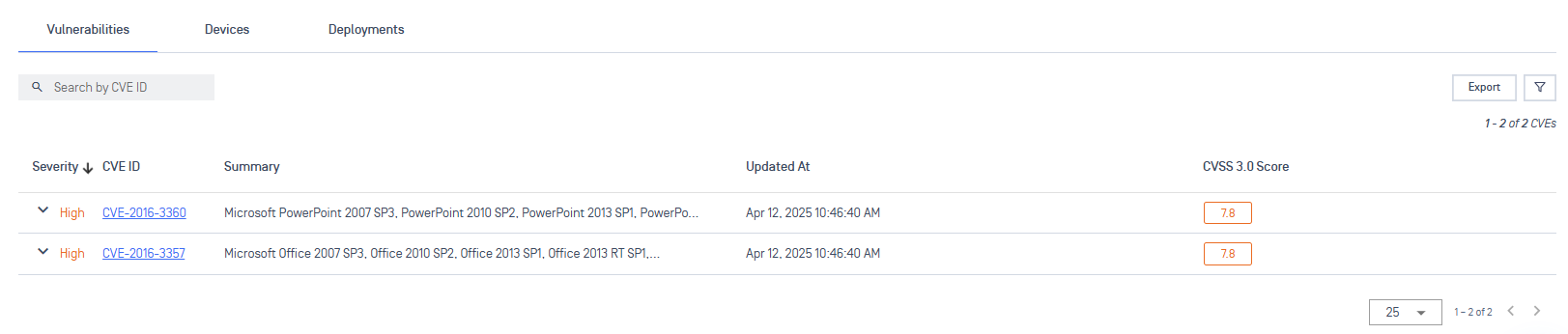
Vulnerabilities
Use Vulnerabilities tab to view the list of CVEs and security issues that this patch fixes.
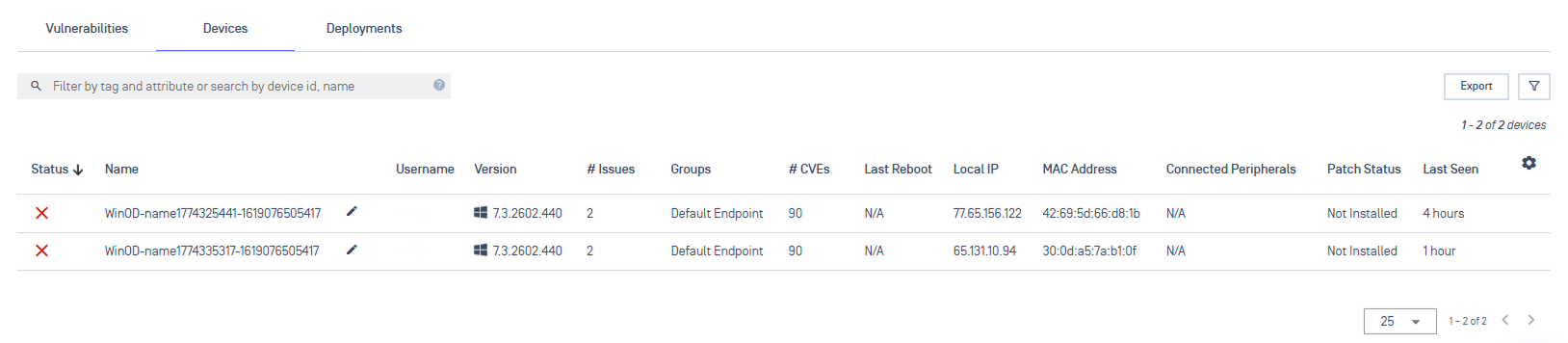
Devices
Select Devices tab to see the detailed list of every endpoint currently missing this patch.
Deployments
Use Deployment tab to view all the deployment targeting this patch.
