
Knowledge Base
10.7.26100
Search this version
How do I increase the Phishing Protection score on Security Score Windows devices?
How to get max score
To get the max score for this category, we need to enable the antiphishing for all the browsers on your computer.
How to set default browser:
Go to Windows Settings and select Apps tab → choose “Default apps”
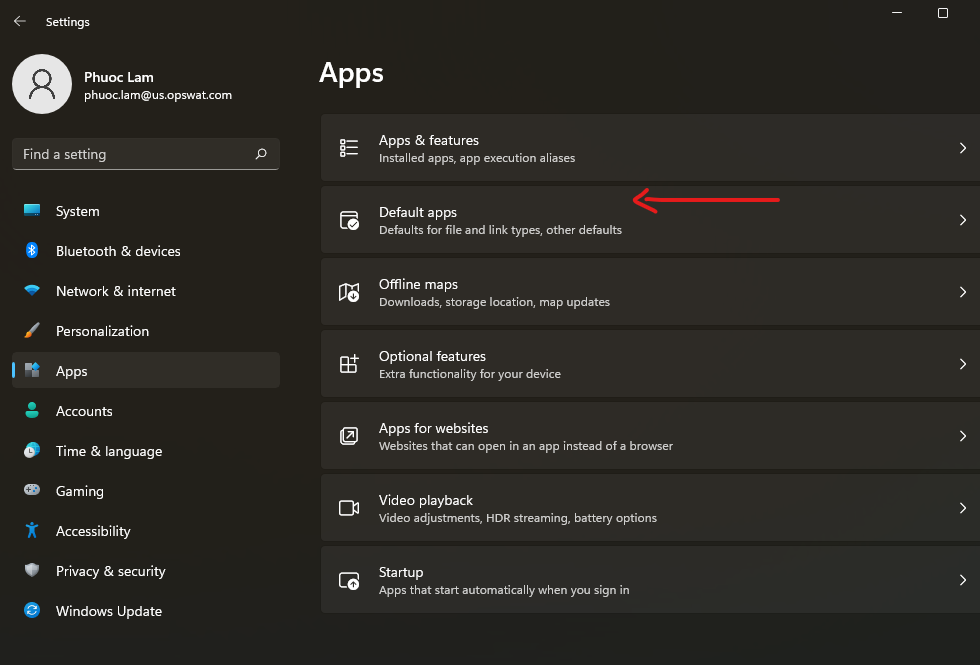
Start select default browser
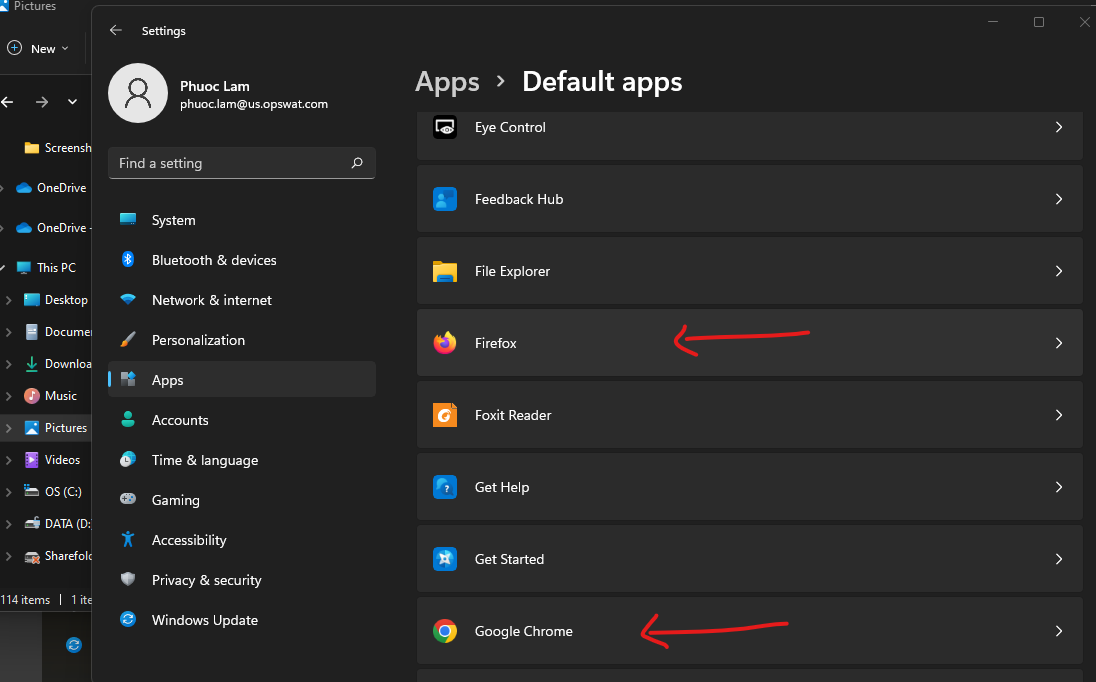
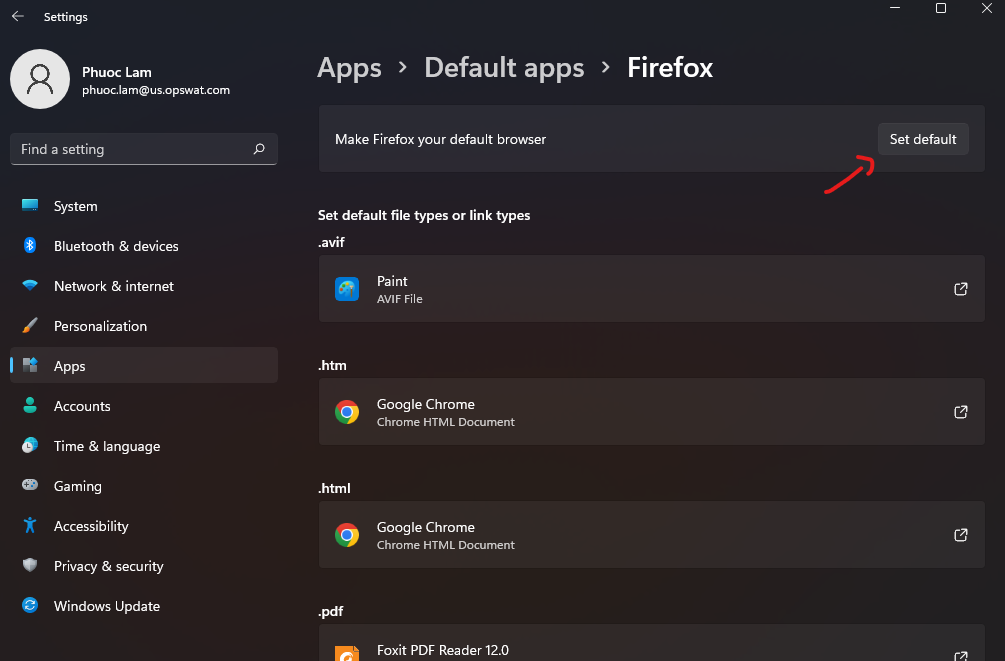
Click "Set Default"
How to enable Antiphishing in Chrome:
Google Chrome
Open settings of Chrome → select tab “Privacy and Security” → Click on “Security” field
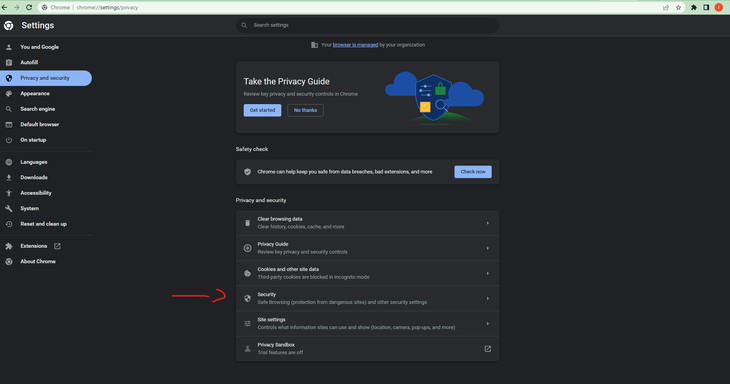
Select protect option for Chrome browser
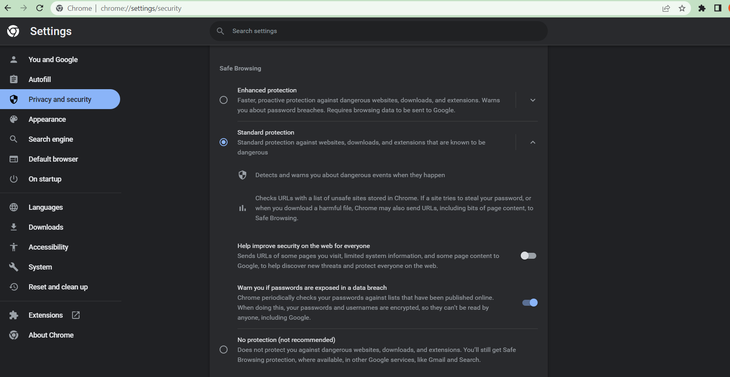
Note: we must enable antiphishing on all profile users of Chrome to make it right
Last updated on
Was this page helpful?
Knowledge Base
Knowledge Base
GENERAL
MOBILE CLIENT
Integration