
To integrate Sonatype Nexus Repository with MetaDefender Software Supply Chain, follow these steps:
Start by creating a Nexus Repository Management service account
Go to your MetaDefender Software Supply Chain instance
From the left side menu, navigate to Inventory
Choose Nexus Binary
Currently, we only support basic authentication for Nexus Repository. Therefore, we recommend using HTTPS for your Nexus instance to ensure secure communication.
Steps to Connect
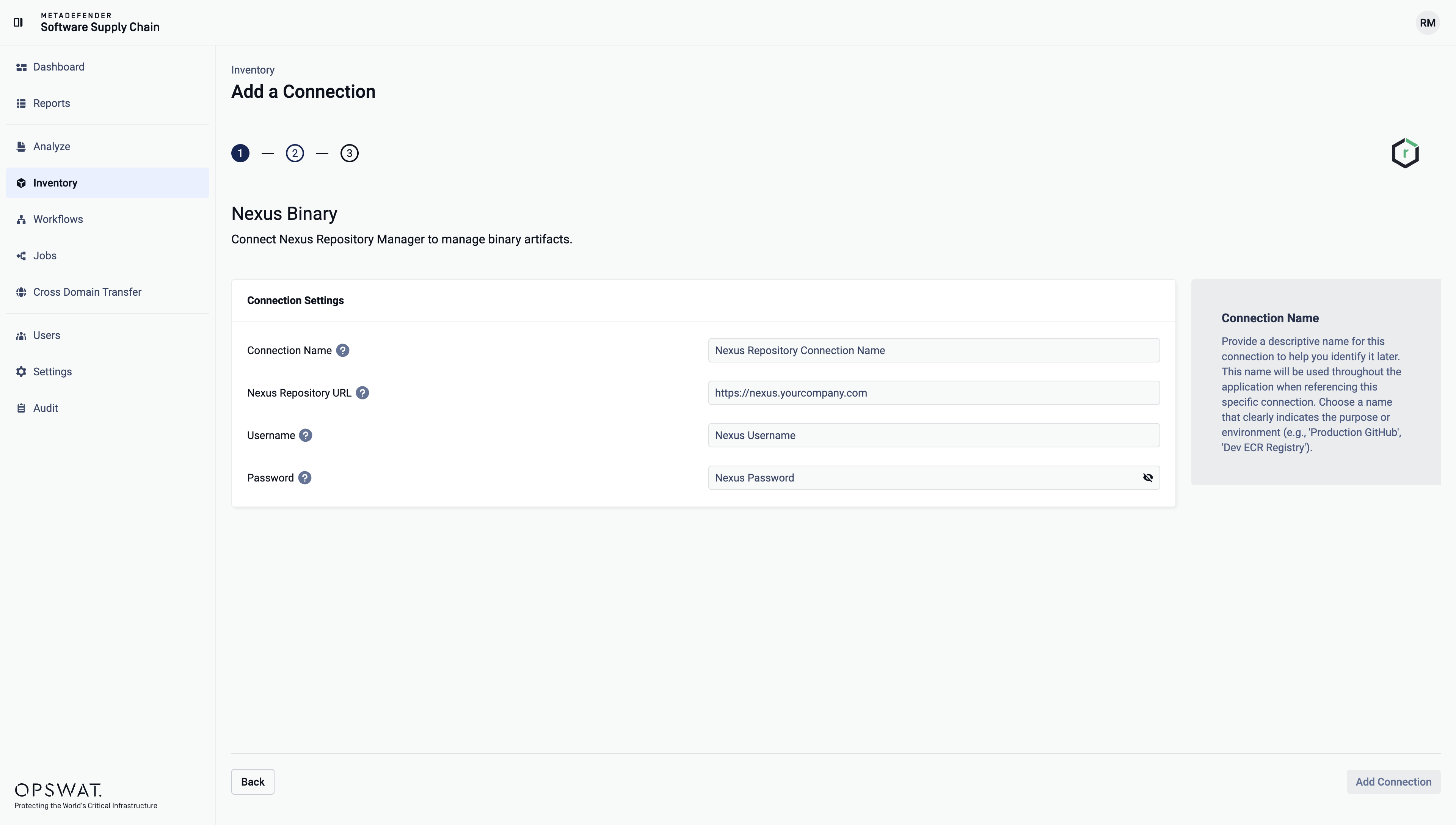
Give your connection a name so you can easily identify it later.
Enter your Nexus instance URL by providing Nexus instance IP or its Domain
Enter your Nexus account username.
Enter your Nexus account password.
Select Add Connection to finish the process.
Supported entities
Repository Type | Support |
|---|---|
APT | Yes |
CocoaPods | Yes |
Composer (PHP) | Yes |
Conan | Yes |
Conda | Yes |
Go | Yes |
HuggingFace | Yes |
Maven | Yes |
npm | Yes |
Nuget | Yes |
p2 | No |
Pypi | Yes |
R | Yes |
Raw (Generic) | Yes |
RubyGems | Yes |
Rust (Cargo) | Yes |
Swift | Yes |
Terraform | No |
Yum | Yes |
Repository Type | Support |
|---|---|
Docker | No |
Git LFS | No |
Helm Chart | No |