
This article applies to all OPSWAT Central Management V7.5.0+ releases deployed on Windows or Linux systems.
In OPSWAT Central Management, user role options include Administrator, Read-Only and Operator, and can be updated at any time by following the instructions below.
Log into the OPSWAT Central Management Console, then navigate to the User Management page.
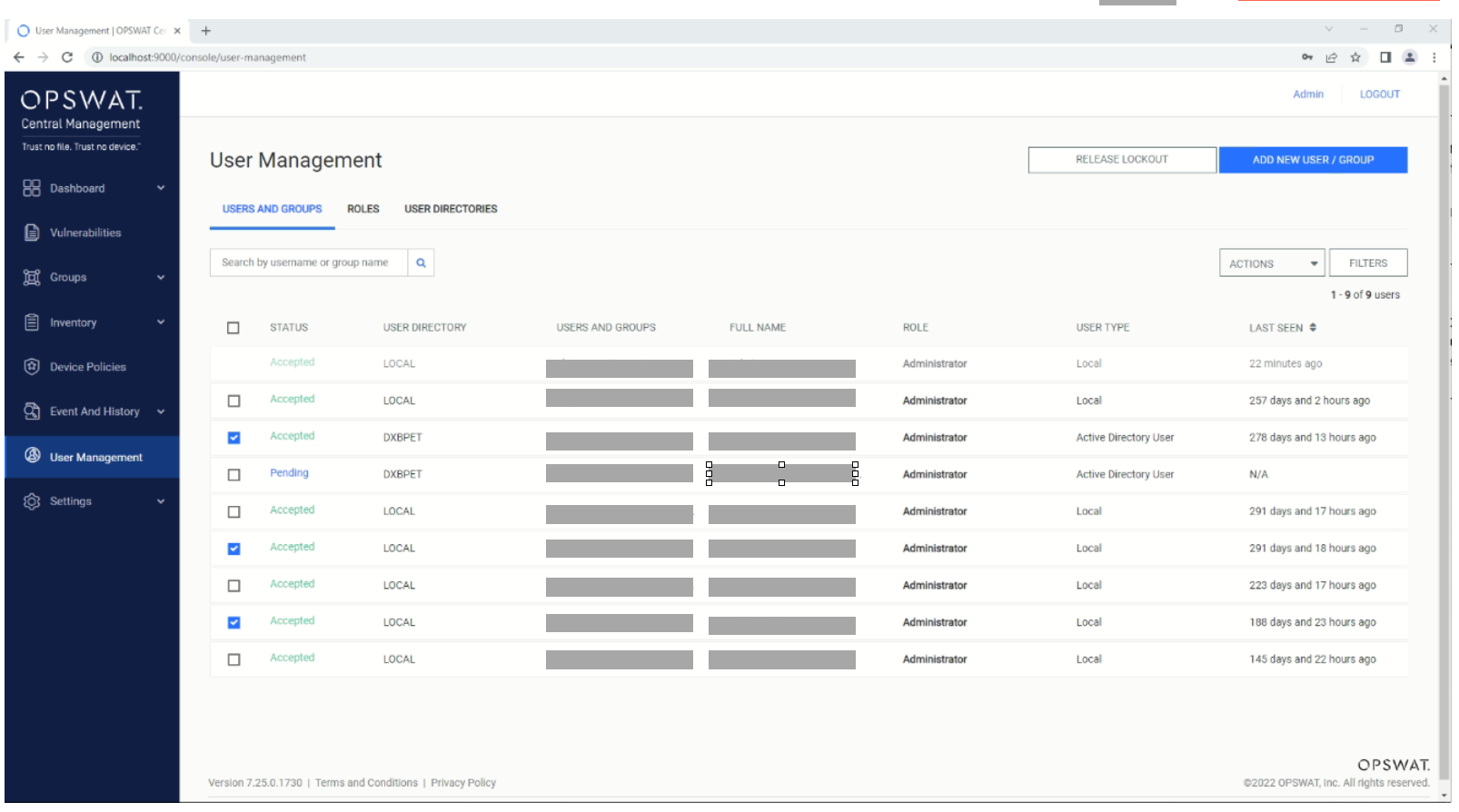
Check the boxes alongside the users whose roles you wish to update, as illustrated in the screenshot below.
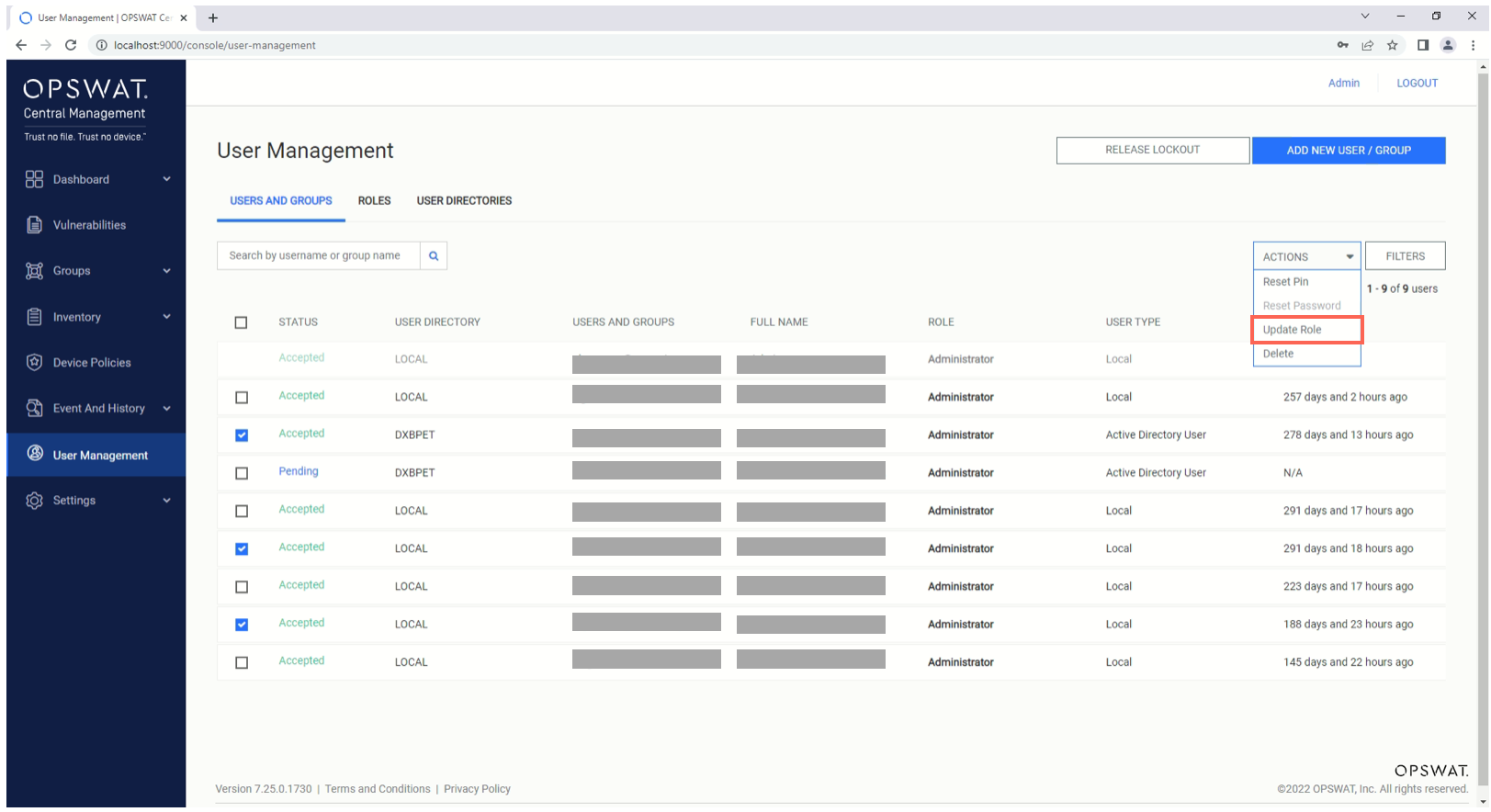
Click the Actions button in the top, right-hand corner of the list and, from the drop-down menu, select the Update Role options, as illustrated below.
Finally, in the pop-up box, select the desired Role from the drop-down menu, enter your 4-digit administrator PIN, then click the Update button.

If you have followed the instructions above but have been unable to Change A User’s Role Via OPSWAT Central Management, please open a Support Case with the OPSWAT team via phone, online chat or form, or feel free to ask the community on our OPSWAT Expert Forum.