
User type: Both Personal or Organization users
Role: View only or Full access on License Management
Your Organization Licenses tab shows all product licenses associated with your current organization.
Access the Organization Licenses tab
Sign in to My OPSWAT Portal
Select License Management in the left navigation.
Click the Organization Licenses tab.
No Organization or Licenses
If you’re not in any organization or your organization has no licenses, you’ll see the below message:
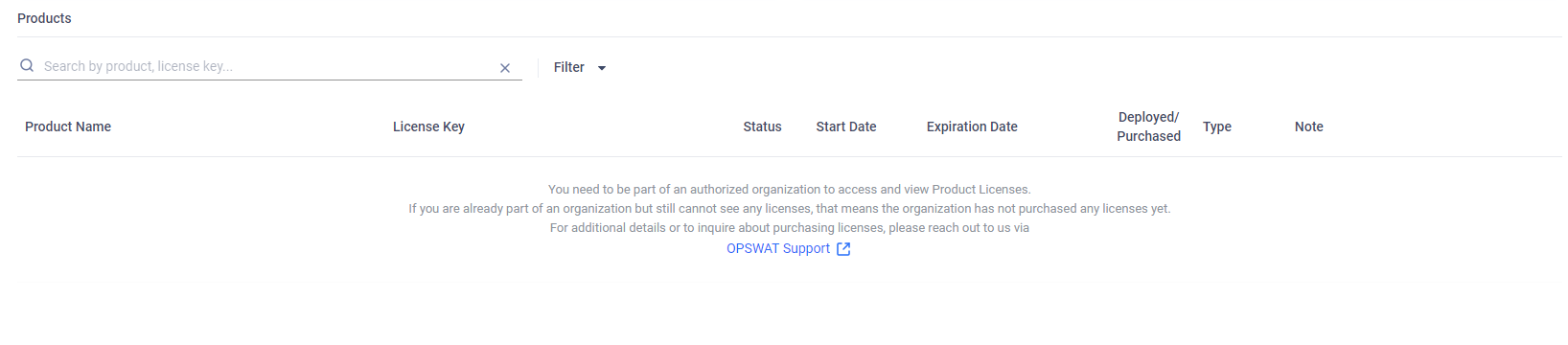
Valid Organization and Licenses
When you belong to an organization that holds licenses and have either View Only or Full Access permission on License Management (See Roles for details), you’ll see a detailed list of your organization’s licenses.
Statistical charts
At the top of the Organization Licenses tab, you’ll see interactive charts that provides a visual summary of your organization’s licenses. This chart captures key figures of your license data.
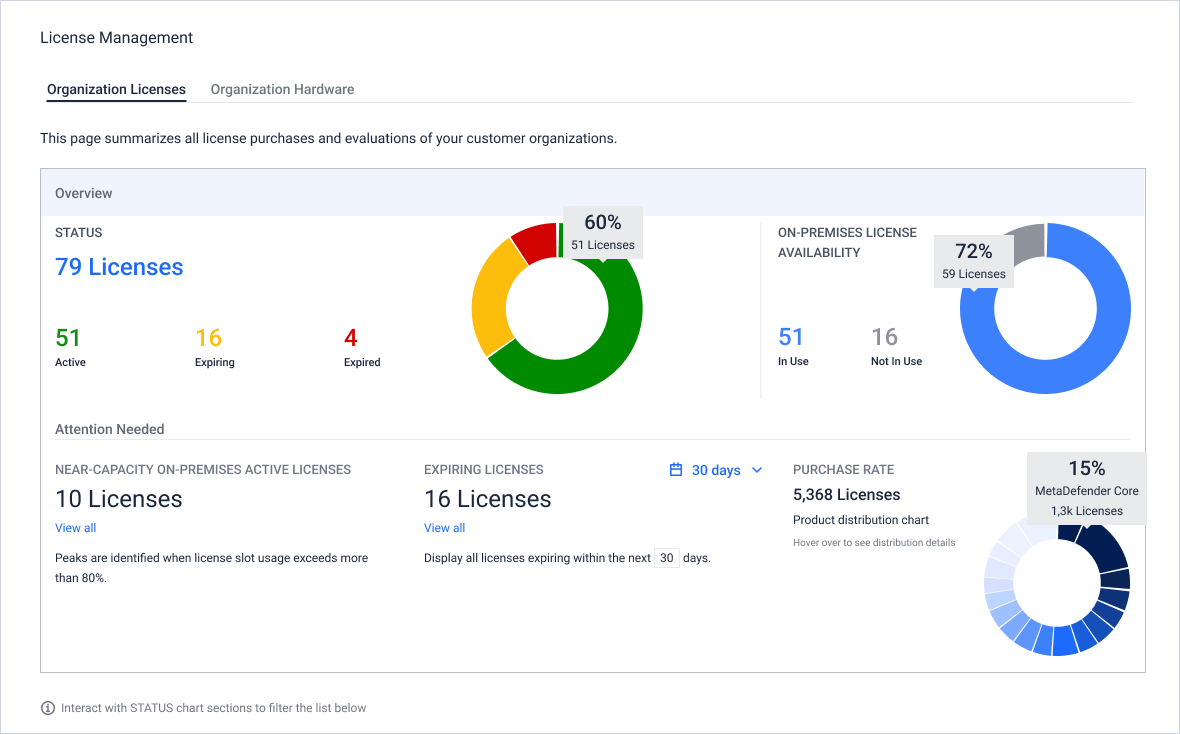
Hover over pie chart for details
Click dashboard numbers or pie sections to filter data
Page scrolls automatically to filtered results in the Details section
Detailed Lists of Product Licenses
Below the overview chart, you’ll find a detailed list of your organization’s licenses and personal cloud licenses
1. Cloud Services: You can view the limitations associated with your licenses when interacting with the cloud services, such as the number of specific API requests per day.
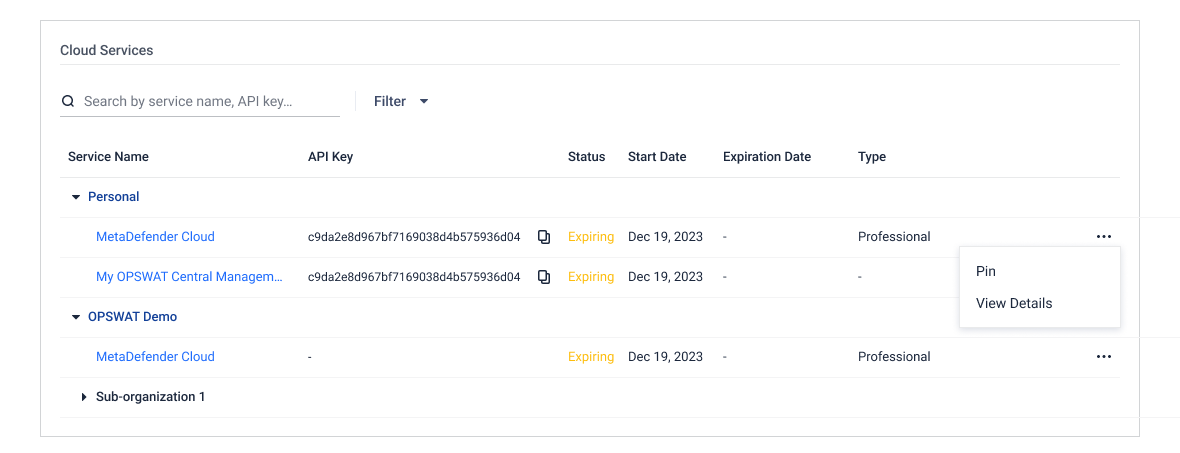
2. On-Premises Product Licenses: Each license entry includes:
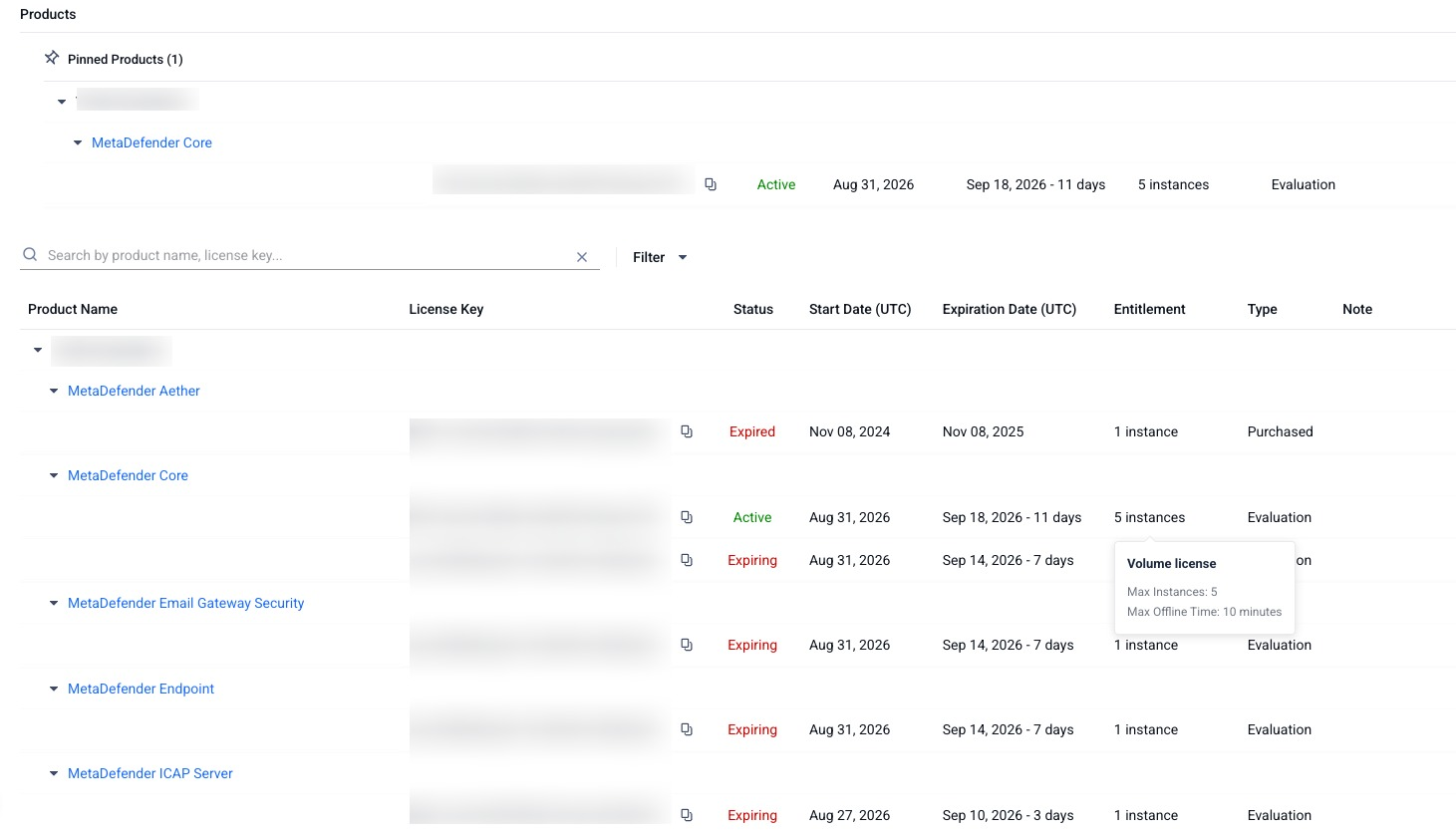
Field | Description |
|---|---|
Product Name | Name of the OPSWAT product. |
License Key | License keys associated with the OPSWAT Product. |
Status | Active, Expiring or Expired. |
Start Date (UTC) | The date when the license becomes effective. |
Expiration Date (UTC) | The expiration date of the license. Please note License start and expiration dates are shown in UTC (UTC+0) for consistency across all environments and time zones. This may look different from other features of My OPSWAT Portal that use your local time zone. |
NewEntitlement | Maximum licensed instances.
|
Type | Evaluation/Purchased
|
Note | Custom remarks for each license key. |
If your organization uses a hierarchy (main organization + sub‑organizations), please refer to Organization and its sub-organizations' Licenses
Actions
Depending on your permission level on the License Management role object, you have access to different actions:
Permission | Description |
|---|---|
None |
|
View Only |
|
Full Access |
|
If you're not belong to any organization, you’ll only see the cloud-based product licenses specifically associated with your personal user account.
License Expiration Notifications
My OPSWAT Portal provides function called Critical Alerts Users allowing individuals on this list receive to receive automatic alerts for upcoming license expirations—60 and 30 days in advance, enabling better planning and prioritization.
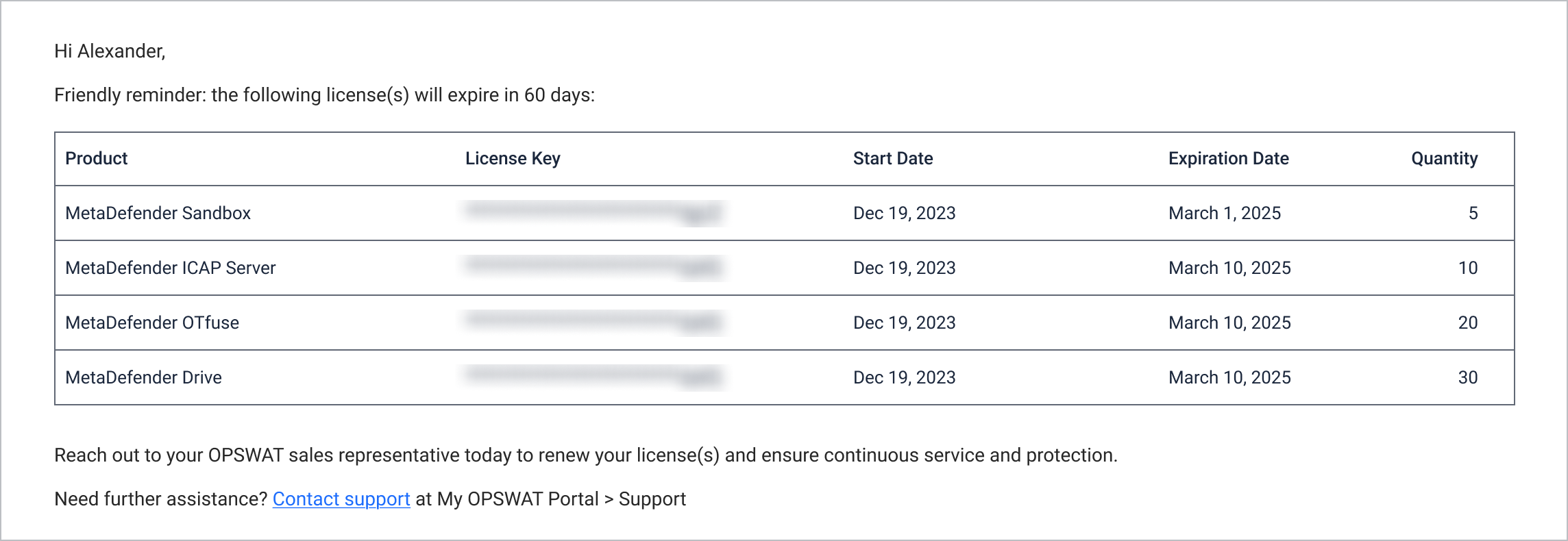
Settings:
For organization admins: Add add any email address to the list, even if it is not a registered user in My OPSWAT Portal by navigating to My Organization > License > Critical Alerts Users > Add Users
Licenses across your organization hierarchy
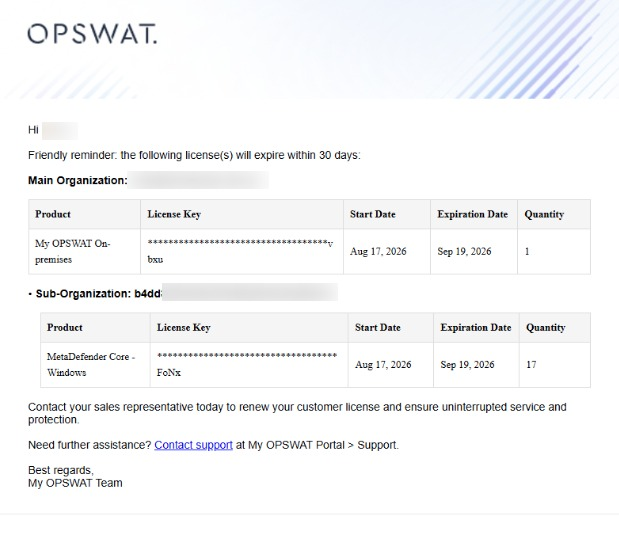
If your organization has sub-organizations, this reminder can cover the whole hierarchy in one email. Which version you receive depends on your permissions:
Without View Only or Full Access on the License Management - Sub Organizations role object, you receive the reminder for your current organization only. This is also the version sent to any address on the Critical Alerts Users list that does not belong to a My OPSWAT account. (See Sub-organization Custom Roles for details.)
With View Only or Full Access on License Management - Sub Organizations, you receive one reminder covering your main organization and each of its sub-organizations. The licenses are grouped under Main Organization, then one group per Sub-Organization.
Both versions are sent from noreply@opswat.com, with the subject [My OPSWAT Portal Notification] - Renewal needed within 30 days or [My OPSWAT Portal Notification] - Renewal needed within 60 days. They cover purchased licenses expiring within 60 or 30 days, and are sent once a day only when there are expiring licenses to report.
A license held by both a main organization and a sub-organization is listed once, under the sub-organization.
For organizations with sub-organizations, refer to additional details at Organization and its sub-organizations' Licenses