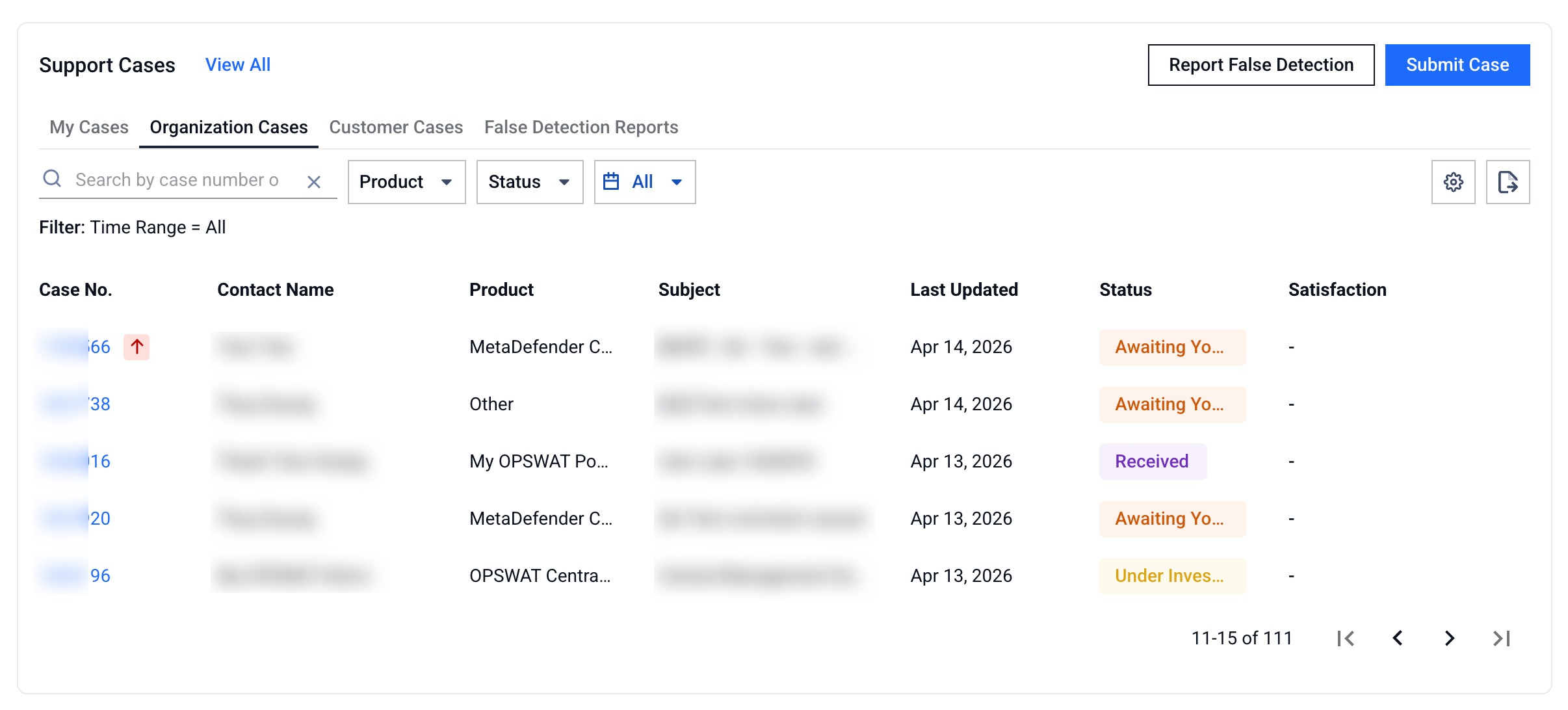
By default, the Portal only shows your own cases under My Cases and any reported False Detection Submissions. To view tickets submitted by colleagues or by partners on your behalf, additional permissions must be enabled by your organization's administrators.
Why you might not see organization-wide cases
Even if you belong to an organization, you won't automatically see colleagues' cases. Access to additional case tabs is controlled by your admin through role-based permissions in the My Organization > Roles > Support Service - Organization cases settings.
How to gain access
Request permission from your organization admin Contact your admin and ask them to grant the appropriate Support Service - Organization Cases permission for your account.
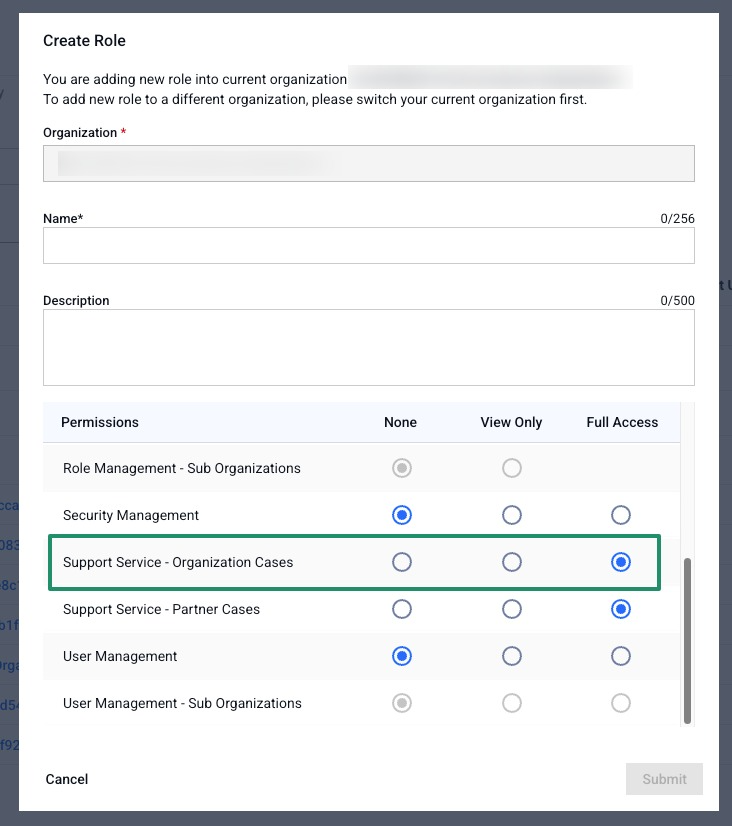
None: No access to organization cases - cases submitted by other users in the organization
View Only: View organization cases
Full Access: View and update organization cases
Confirm the new tabs appear Once the permission is active, your Support dashboard will show Organization Cases tab alongside My Cases and False Detection Reports. You can search, filter, customize columns, and export cases the same way as in My Cases.