Overview
The File Version Scanning remediation capability enables MDSS to locate and examine every version of a file that exists during scanning operations. This functionality helps users more effectively pinpoint problematic or restricted file versions.
Requirements
File versioning must be activated on your SharePoint On-Premises environment before utilizing this feature. The scanning process cannot identify and report on multiple file versions without versioning being enabled.
SharePoint On-Premises
Configuration
Navigate to Workflows from the left-side navigation menu.
Select the workflow you want to configure scan file versions.
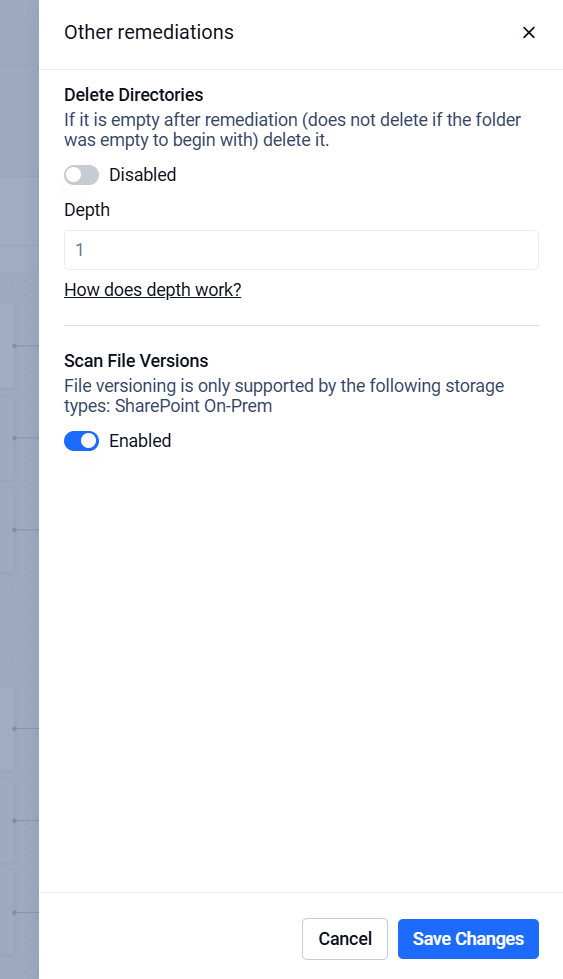
Click the Other Remediations node.
In the modal window that opens, toggle the Scan File Versions option.
Click Save Changes to apply the changes.
Use Case
This remediation type is particularly useful when:
Multiple versions of the same file may exist across different environments.
You need to ensure that all versions comply with security and compliance requirements.
You want quick visibility into which versions are safe and which are blocked.
Reporting
During or after a scan with Scan File Versions enabled, the report provides additional insights:
New Column – File Versioning: A dedicated column displays the number of detected versions for each file and indicates if any of those versions are blocked.
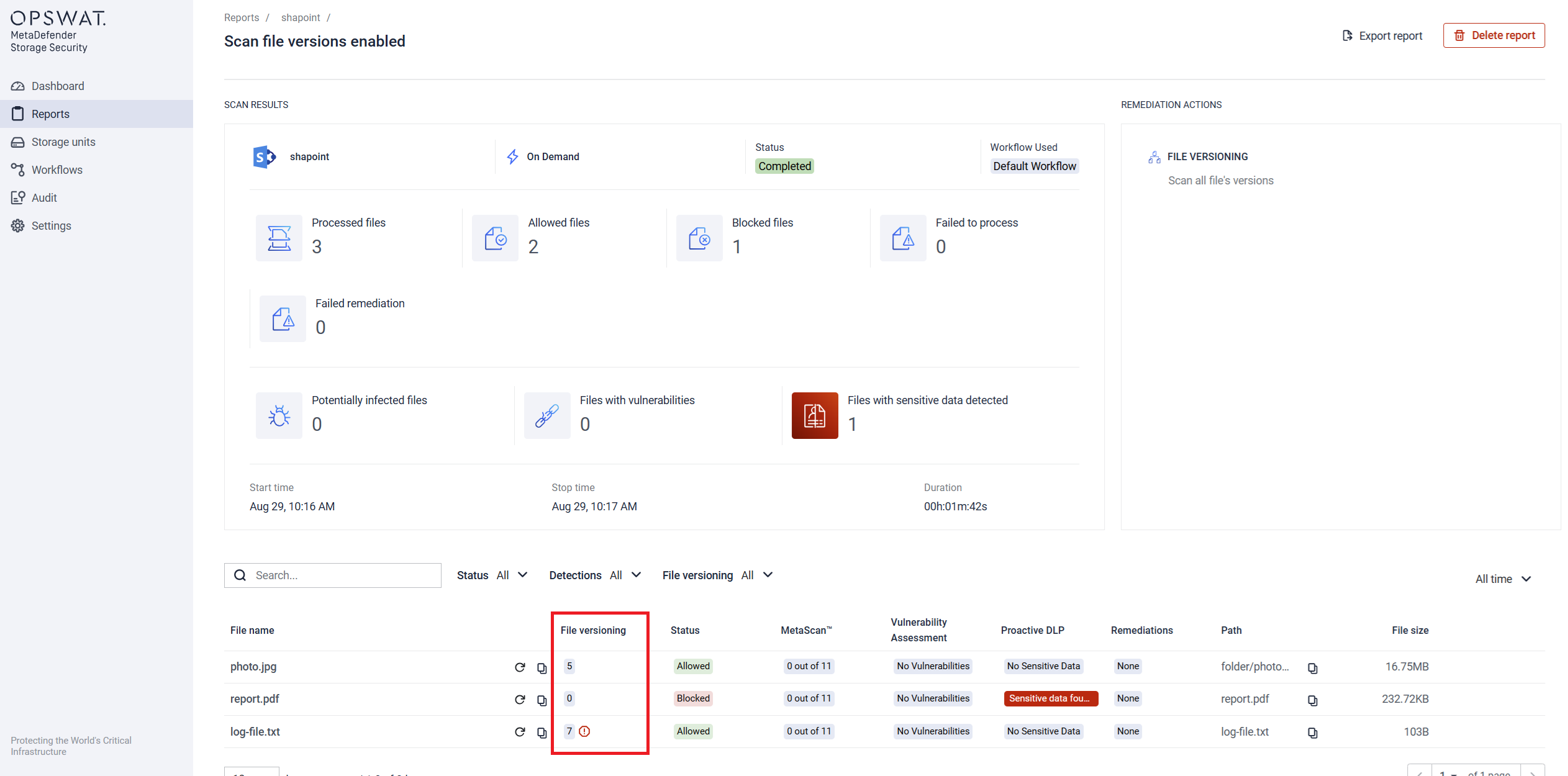
Filtering: The report includes a filter to show only files that contain blocked versions.

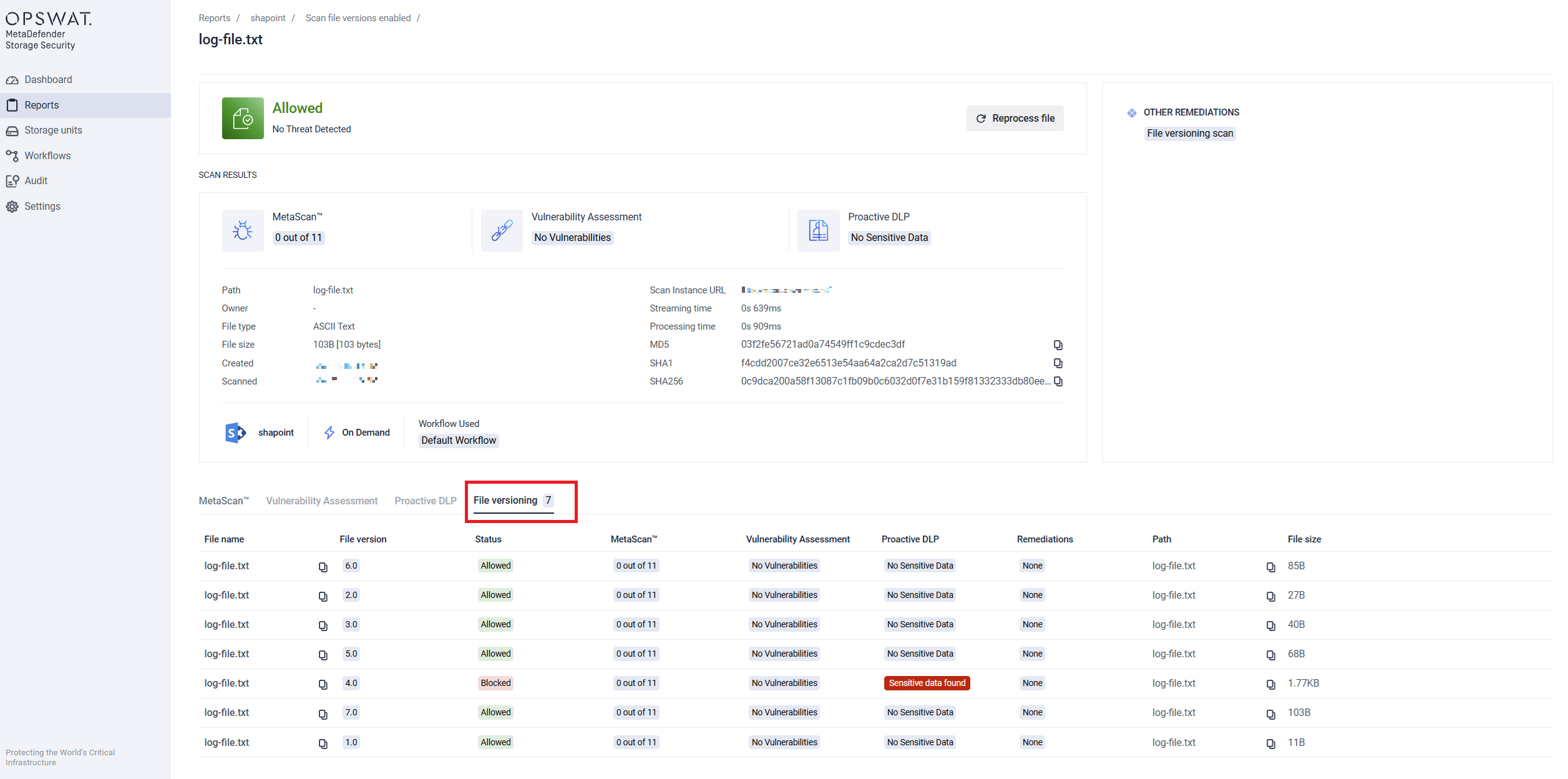
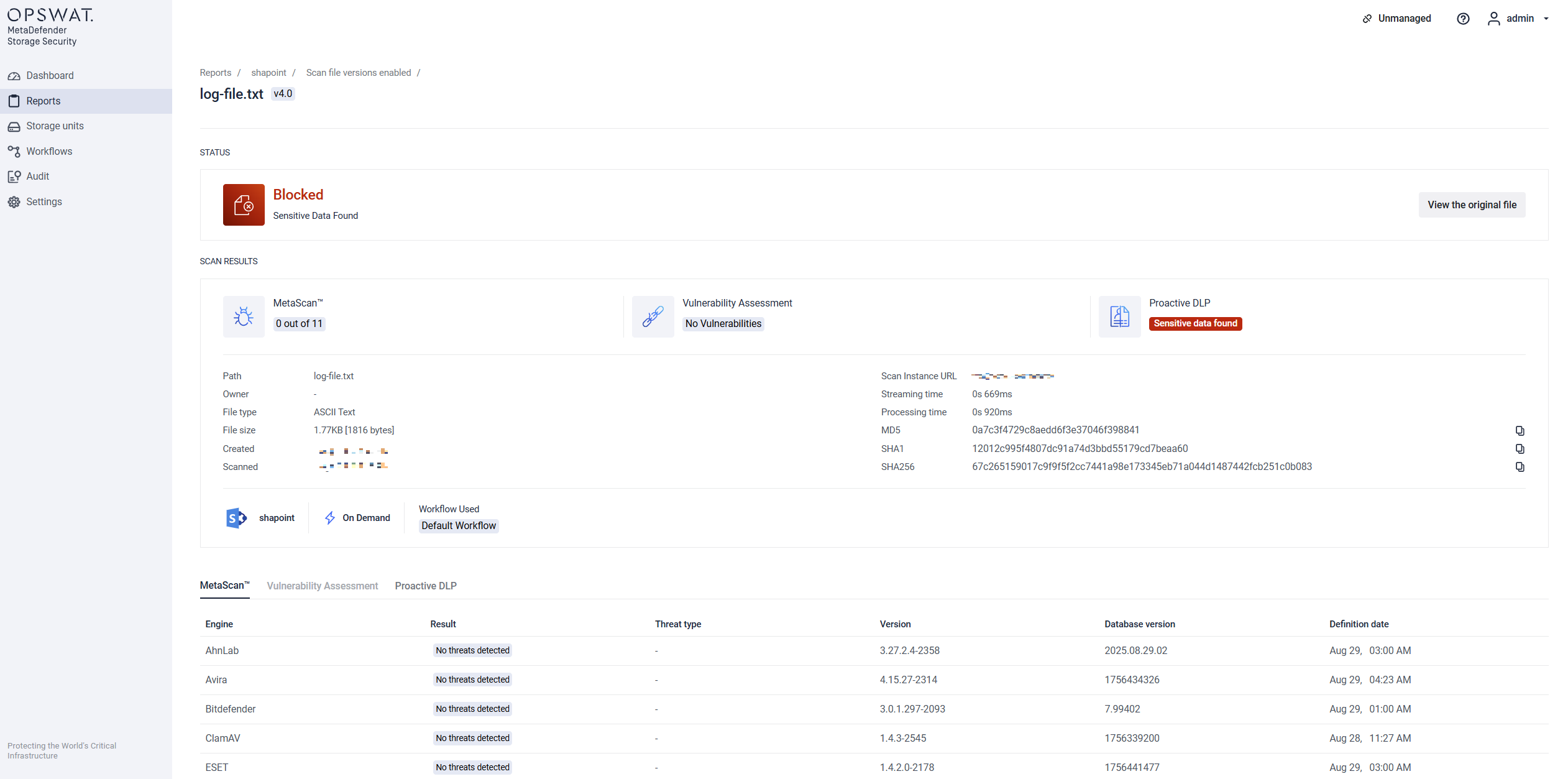
Individual File Report: Within a file’s detailed report, a new column lists all discovered versions. Clicking on a version displays its scan result.