
Enabling the File Sanitization feature creates a secure version of a file by removing potentially harmful content. This process utilizes OPSWAT's Deep Content Disarm and Reconstruction (Deep CDR) technology.
For detailed configuration instructions, refer to the Deep CDR user guide.
Learn more about OPSWAT's Deep CDR technology: https://www.opswat.com/technologies/data-sanitization
Enabling Deep CDR
In order to be able to use the Deep CDR functionality, Deep CDR must be active in MetaDefender Core instance or Metadefender Cloud and each scan instance both in the main and failover scan pools must have an API key.
Navigate to Workflows from the left-side navigation menu.
Select the workflow for which you want to enable Deep CDR.
In the Workflow Diagram, click on the "Deep CDR" node
In the modal window that's opened, select the Deep CDR tab and toggle Active to enable File Sanitization
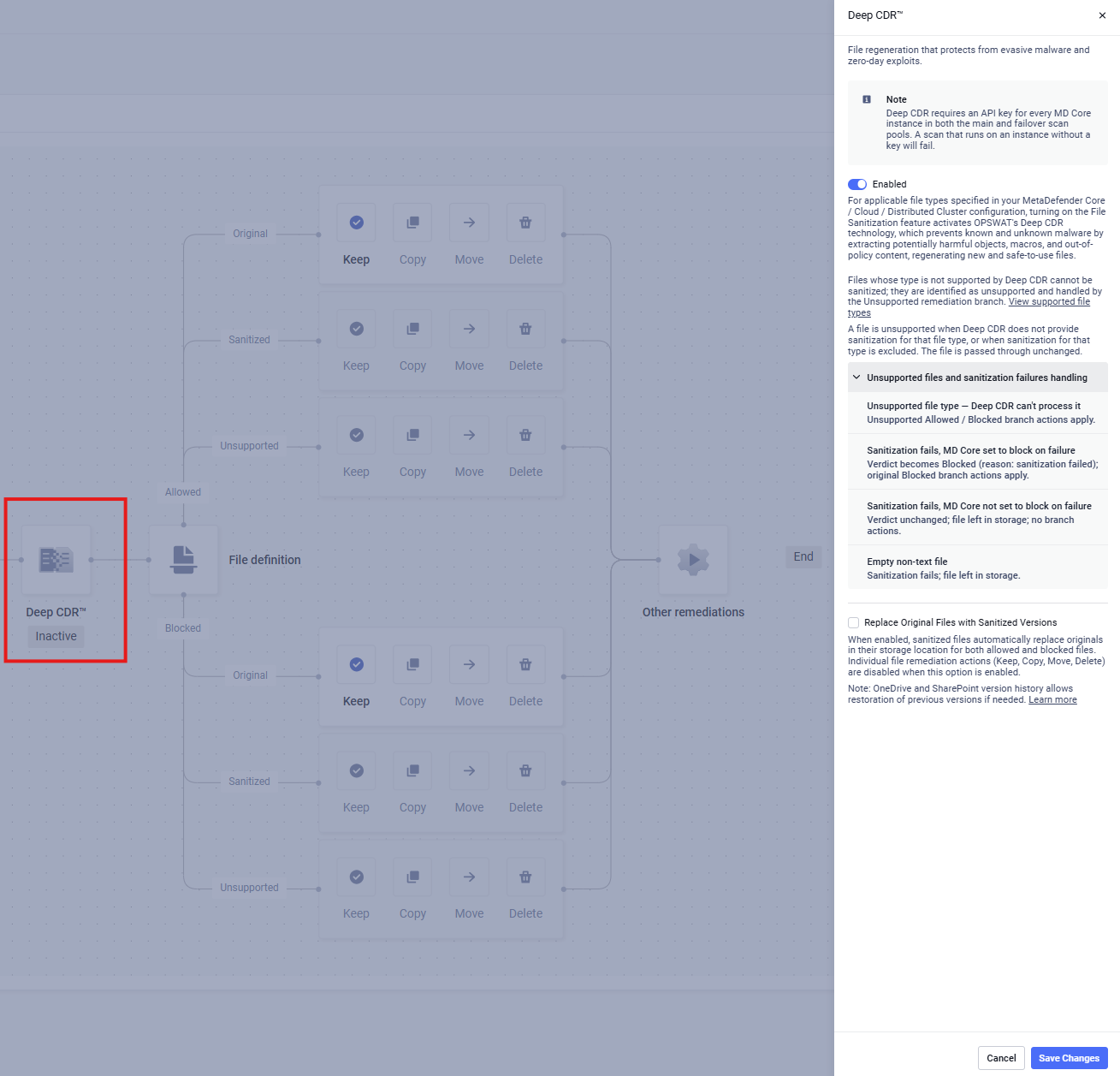
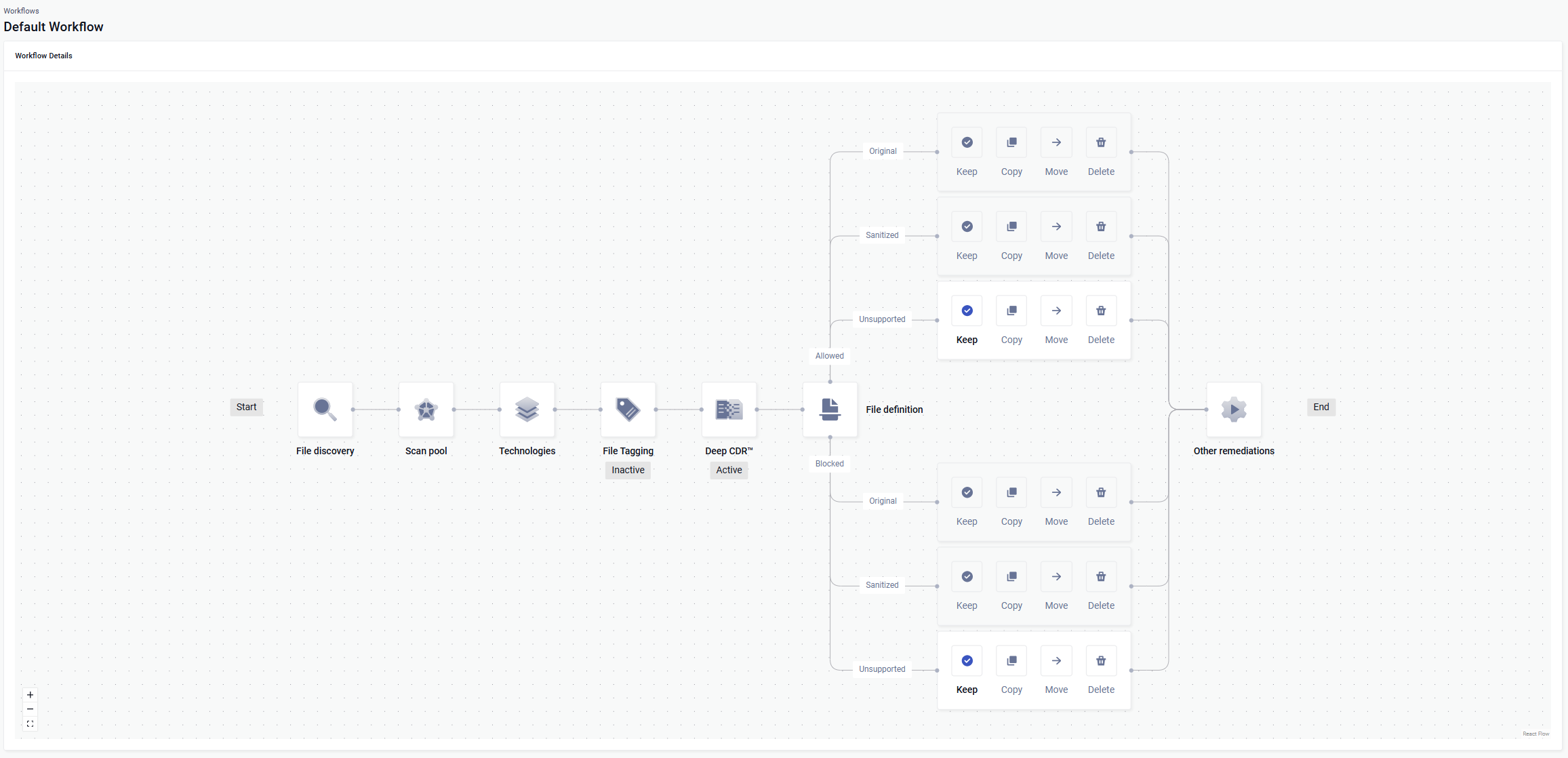
Enabling Deep CDR, also enables the configuration nodes for sanitized files that were allowed or blocked, which define what will happen with the sanitized file. It also enables the configuration nodes for files that are not supported by Deep CDR technology. Disabling Deep CDR disables the four nodes.
Unsupported branches
Files whose type is not supported by Deep CDR cannot be sanitized; they are identified as Unsupported and handled by the Unsupported remediation branch. For the list of supported file types, refer to the Deep CDR supported file types.
A file is considered unsupported when Deep CDR has no sanitization support for that file type, or when sanitization for that type has been disabled in the MetaDefender configuration. Unsupported files are not processed by Deep CDR and are left in their original state.
Unsupported files and sanitization failures handling
Unsupported file type - Deep CDR does not support this file type and cannot process it. The file is routed through the Unsupported branch, where the configured Allowed or Blocked actions apply.
Sanitization fails, and scan instance is configured to block the file on failure - The file verdict is set to Blocked with "Sanitization failed" as the reason. The original file is handled by the Blocked branch actions (move, copy, delete, or keep).
Sanitization fails, and scan instance is not configured to block the file on failure - The original file verdict is preserved. The file stays in its original location. No branch actions are applied.
For empty non-text files, sanitization fails - Sanitization cannot be applied to empty non-text files. The original file verdict is preserved and it is marked with a "Sanitization failed" remediations status. The file is left in its original location.
Replace Original Files with Sanitized Versions
This is currently only supported for OneDrive and SharePoint storage types.
Overview
This feature enables true in-place replacement of original files with their sanitized counterparts produced by Deep CDR.
Previously, when Deep CDR was configured to keep the sanitized version and delete the original, the system performed these actions as two separate steps:
A new sanitized file was uploaded
The original file was deleted
With Replace Original Files enabled, the original file is replaced directly with the sanitized content, preserving file continuity by creating a new version of the same file rather than a new file.
How to Enable
Enable Deep CDR in the MetaDefender Storage Security Workflow
Check “Replace Original Files with Sanitized Versions”
Click Save Changes
When Replace Original Files with Sanitized Versions is enabled, all other file remediation options are disabled and locked. The only enabled options are those for files that are unsupported by Deep CDR.
File Version Cleanup (Optional)
By default, when Deep CDR replaces an original file with its sanitized version, the previous file version is retained in the storage unit's version history. This applies to OneDrive and SharePoint Online, which maintain automatic version histories for all files. To automatically delete the older version after replacement, set the following environment variable in the customer.env file:
This setting is disabled by default (0). When enabled, the pre-sanitization version is removed from the version history after a successful replacement, keeping storage clean. If sanitization fails, the original file is left unchanged and no version deletion occurs.